

springboot+mybatis 第二波实现 含xml 和 注解 实现
目录:
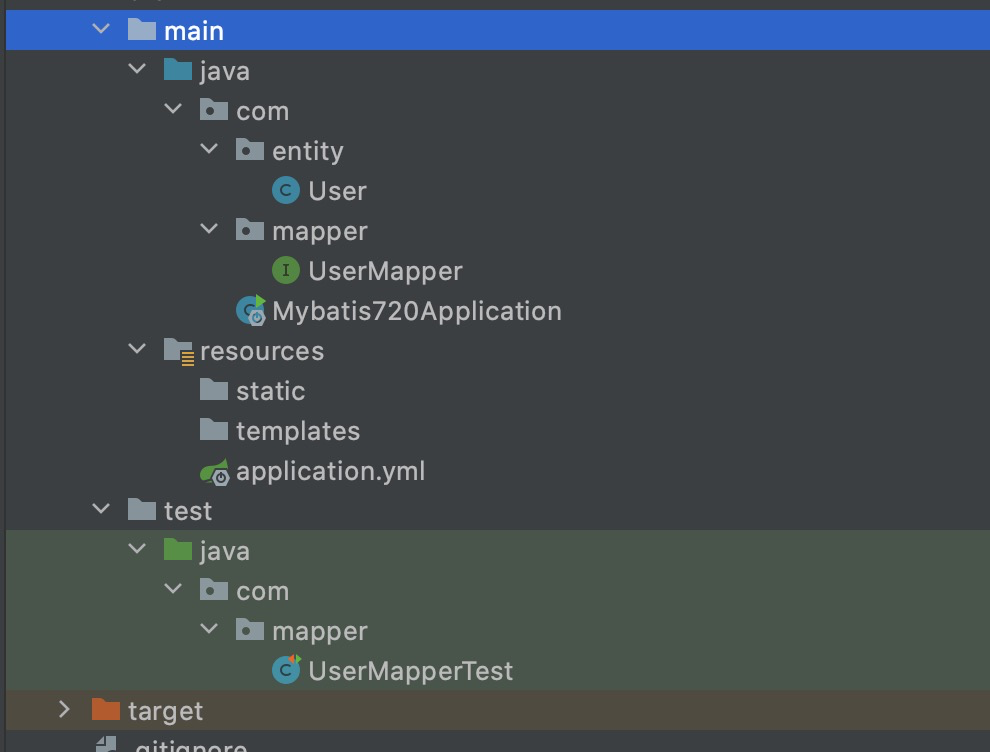
数据库

User
package com.entity;

import lombok.Data;
import lombok.Getter;
import lombok.Setter;
import org.springframework.stereotype.Repository;

@Data
public class User {
    private int id;
    private String message;
}
UserMapper
package com.mapper;

import com.entity.User;
import org.apache.ibatis.annotations.*;
import org.springframework.stereotype.Repository;

import java.sql.SQLException;
import java.util.List;

public interface UserMapper {

    @Select (    "select * from user where message = #{id}" )
    List getUserById2(    long id);


    //    #单条查询
    @Select (    "select * from user where id = #{id}" )
    User getUserById(    long id);

    @Insert (    "insert into user(Message) values(#{id},#{message})" )
//    @Options(keyProperty = "id" , useGeneratedKeys = true)
    public int insterUser(User user);

    @Delete (    "delete from user where id = #{id}" )
    void delStudentById(Integer id);


}
Mybatis720Application
package com;

import org.mybatis.spring.annotation.MapperScan;
import org.springframework.boot.SpringApplication;
import org.springframework.boot.autoconfigure.SpringBootApplication;

@SpringBootApplication
@MapperScan (    "com.mapper" )
public class Mybatis720Application {

    public static void main(String[] args) {
        SpringApplication.run(Mybatis720Application.    class , args);
    }

}
application.yml
(如果要用xml方法写sql 记得把
mybatis:的xml配置放开,并且写到
mybatis:下面(下面还有个 mybatis:
)--用mp时发现的问题
)
## 应用名称
#spring.application.name=Mybatis_7_20
#下面这些内容是为了让MyBatis映射
#指定Mybatis的Mapper文件
mybatis:
  mapper-locations: classpath:mappers/*xml
#指定Mybatis的实体目录
  type-aliases-    package : com.entity
# 数据库驱动:
spring:
  aop:
    proxy-target-    class :     true
  datasource:
    driver-    class -name: com.mysql.cj.jdbc.Driver
# 数据源名称
    name: defaultDataSource
# 数据库连接地址
    url: jdbc:mysql:    //localhost:3306/datademo?serverTimezone=UTC
# 数据库用户名&密码:
    username: root
    password:     669988
# 应用服务 WEB 访问端口
server:
  port:     8180
UserMapperTest.java (单元测试)
package com.mapper;

import com.entity.User;

import net.minidev.json.JSONArray;
import net.minidev.json.JSONObject;
import org.apache.ibatis.session.SqlSession;
import org.apache.logging.log4j.message.Message;
import org.junit.Assert;
import org.junit.Test;
import org.junit.runner.RunWith;
import org.springframework.beans.factory.annotation.Autowired;
import org.springframework.boot.test.context.SpringBootTest;
import org.springframework.test.context.junit4.SpringRunner;
import sun.font.CompositeFont;
import org.apache.ibatis.session.SqlSessionFactory;

import java.sql.SQLException;
import java.util.List;


@RunWith (SpringRunner.    class )
@SpringBootTest
public class UserMapperTest {

    @Autowired
    private UserMapper userMapper;
//    @Autowired
//    private User user;

    @Test
    public void getUserById()     throws SQLException {
//       单条 查询
//        User user = userMapper.getUserById(1);
//        System.out.println(user.getId());


////      多条 查询
//        List user = userMapper.getUserById2(123);
//        System.out.println(user);


//        新增
//        User user = new User();
//        user.setId(14);
//        user.setMessage("我是1");
//        userMapper.insterUser(user);

////      删除
//        userMapper.delStudentById(12);


    }

}
pom.xml:
     4.0 .    0
    com.example
    Mybatis_7_20
     0.0 .    1 -SNAPSHOT
    Mybatis_7_20
    Demo project     for Spring Boot


         1.8
        UTF-    8
        UTF-    8
         2.3 .    7 .RELEASE


            org.springframework.boot
            spring-boot-starter-jdbc


            org.springframework.boot
            spring-boot-starter-web


            com.alibaba
            druid
             1.0 .    9


            org.projectlombok
            lombok


            org.mybatis.spring.boot
            mybatis-spring-boot-starter
             2.1 .    4


            mysql
            mysql-connector-java
            runtime


            org.springframework.boot
            spring-boot-starter-test
            test


                    org.junit.vintage
                    junit-vintage-engine


            junit
            junit
            test


                org.springframework.boot
                spring-boot-dependencies
                ${spring-boot.version}
                pom
                 import


                org.apache.maven.plugins
                maven-compiler-plugin
                 3.8 .    1

                     1.8
                     1.8
                    UTF-    8


                org.springframework.boot
                spring-boot-maven-plugin
                 2.3 .    7 .RELEASE

                    com.Mybatis720Application


                        repackage

                            repackage
单元测试快捷创建的方法:
https://blog.csdn.net/u012430402/article/details/103788721
参考文档: https://blog.csdn.net/u012430402/article/details/104580393
使用xml文件查sql的话
要建xml文件
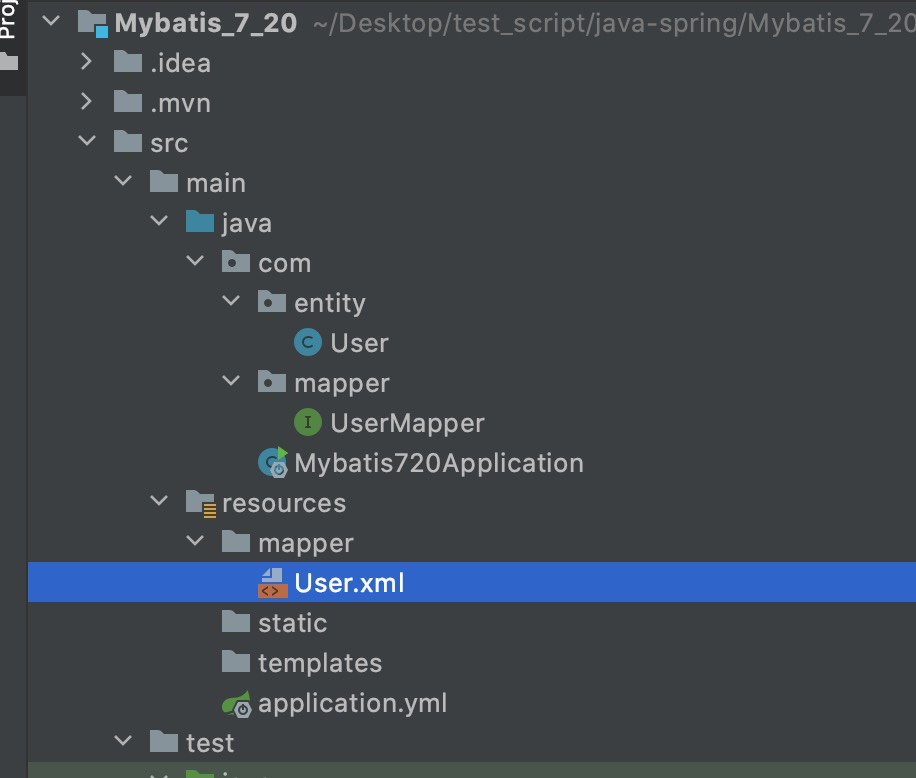
User.xml
注意: 如果传的参数是表名的话 用 ${table} 意思是 不要按字符传
注意: 一个xml文件 对应一个 接口类,下面 namespace="com.mapper.UserMapper" 就是指定接口层是哪个
parameterType为传入的参数类型
resultType 为返回的参数类型
<?xml version=    "1.0" encoding=    "UTF-8" ?>
<!DOCTYPE mapper PUBLIC     "-//mybatis.org//DTD Mapper 3.0//EN" "http://mybatis.org/dtd/mybatis-3-mapper.dtd" >

<mapper namespace=    "com.mapper.UserMapper" >
  <!-- 这里是作为一个变量使用 --> <sql id=    "table" >person</sql>


    <!-- id要与接口中方法名保持一致,入参要入接口方法中入参类型保持一致,返回值要与实体类对应
    (一下这种方式要求表中的字段按驼峰命名规则转换后要与实体类中属性名称保持一致) -->
    <select id=    "getUserById" parameterType=    "java.lang.Long" resultType=    "com.entity.User" >
    select * from user where id = #{id}
    </select>

<!--    增加-->
<!--    <insert id=    "insterUser" parameterType=    "com.entity.User" useGeneratedKeys=    "true" >-->
    <insert id=    "insterUser" >
        insert into user(id,Message) values(#{id},#{message})
    </insert>
<!--    https:    //www.cnblogs.com/zhouricong/p/9483099.html-->
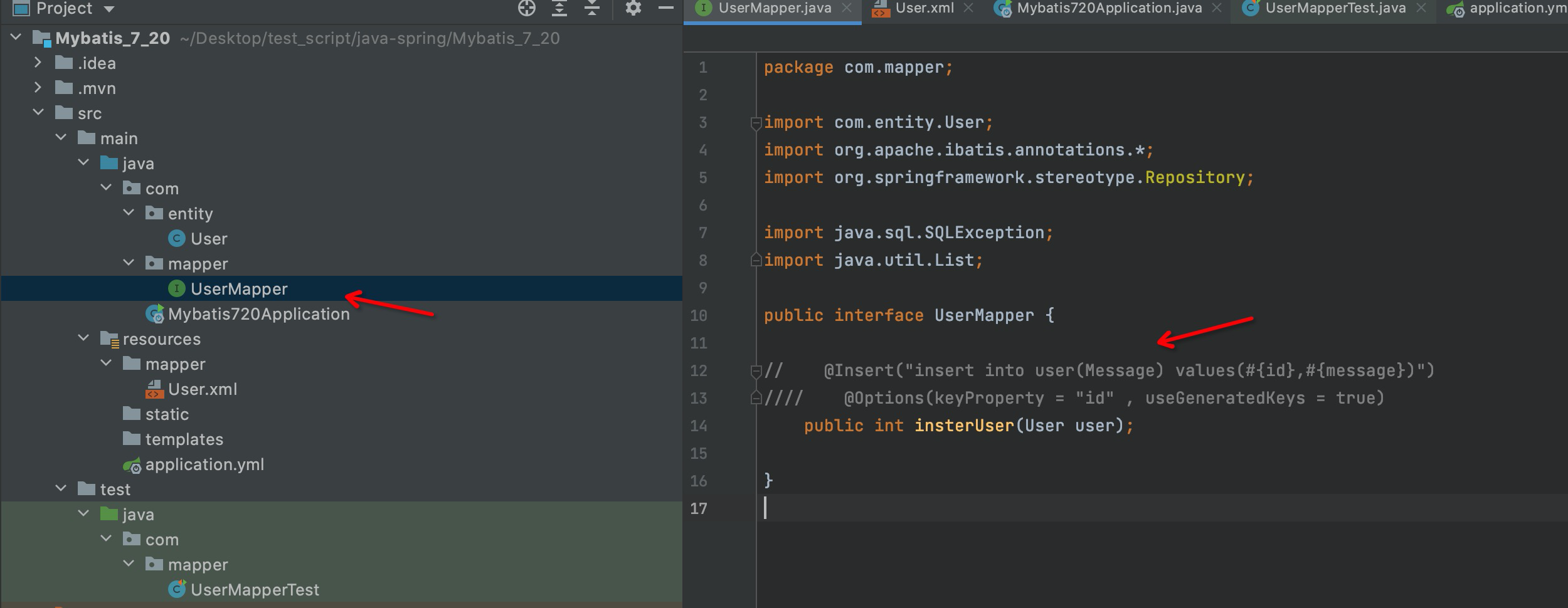
UserMapper文件就可以不用写注解了
xml另外一篇 实战 https://www.cnblogs.com/kaibindirver/p/15240918.html
参考文档: https://blog.csdn.net/u012430402/article/details/105011363
后记:
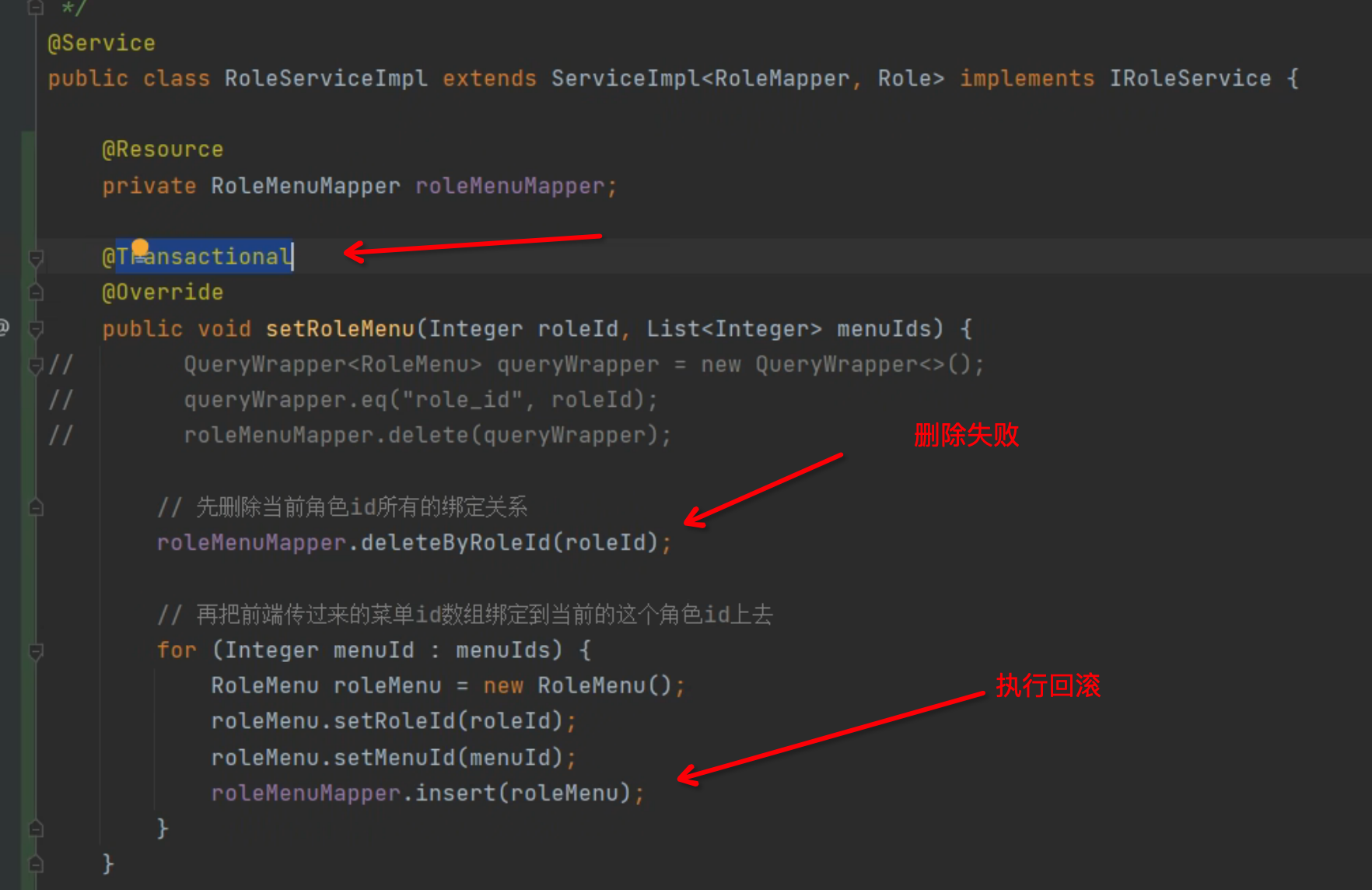
@Transactional 是spring的事务注解
参考: https://www.bilibili.com/video/BV1U44y1W77D?p=21&vd_source=caabcbd2a759a67e2a3de8acbaaf08ea
查询表所有字段出来
mapper写sql注解 ,会把你要展示的 name、user_id 返回回来,直接用 List<Map> 类型也行 ,用* 就是返回所有字段
select name,user_id from basics 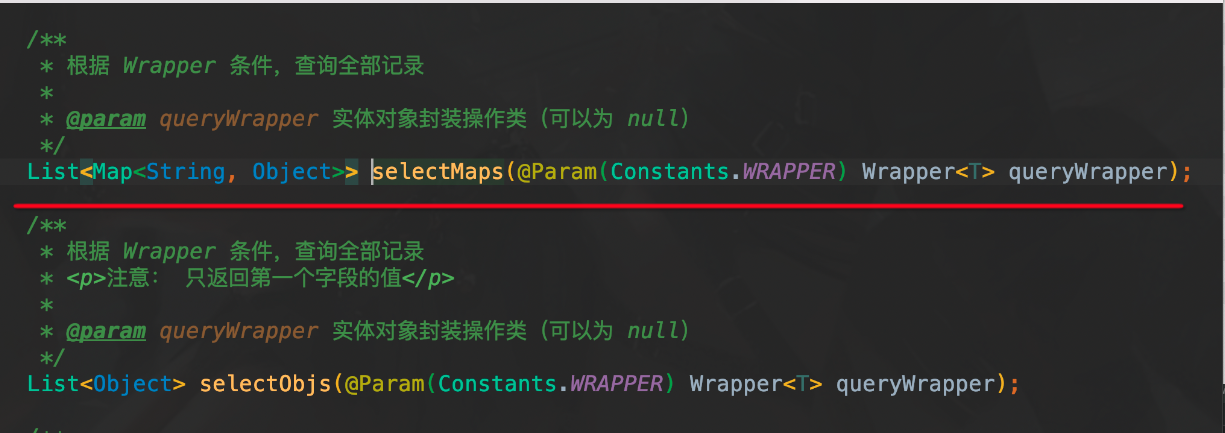

 浙公网安备 33010602011771号