

Create The Lastest Version lpp & sopt for MK_NIM01 (2)
e.g.
View lpp & spot
lsnim -t lpp_source; lsnim -t spot
Data path
Patch source path: /DEV_bk/restore/aix_depot/AIX72
lpp_source path: /DEV_bk/restore/lpp_source
spot path: /DEV_bk/restore/spot
Build lpp & spot
Step 1
Download & Upload the Newest Patch Source (SP_7205_09)
cd /DEV_bk/restore/aix_depot/AIX72
mkdir -p SP_7205_09
upload bff files to here. Then move them to /DEV_bk/restore/aix_depot/AIX72/SP_7205_09
Step 2
Copy a New lpp (lpp_7205_09) from a Latest Version lpp (lpp_7204_02)
nim -o define -t lpp_source
-a server=master
-a source=lpp_7204_02
-a location=/DEV_bk/restore/lpp_source/lpp_7205_09 lpp_7205_09
Step 3
Update the New lpp (lpp_7205_09) from the Newest Patch Source (SP_7205_09)
nim -o update -a show_progress=yes
-a packages=all
-a source=/DEV_bk/restore/aix_depot/AIX72/SP_7205_09 lpp_7205_09
Step 4
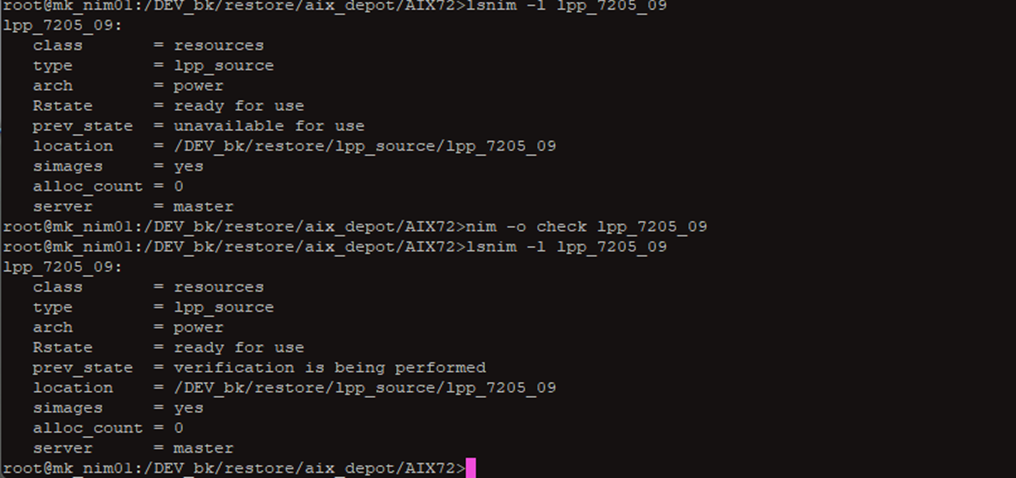
Verify and Flash the New lpp (lpp_7205_09)
lsnim -l lpp_7205_09
nim -o check lpp_7205_09
Step 5
Create a New SPOT (spot_7205_09) from the New lpp (lpp_7205_09)
nim -o define -t spot
-a server=master
-a location=/DEV_bk/restore/spot/spot_7205_09
-a source=lpp_7205_09
-a installp_flags=-aQg spot_7205_09
Step 6
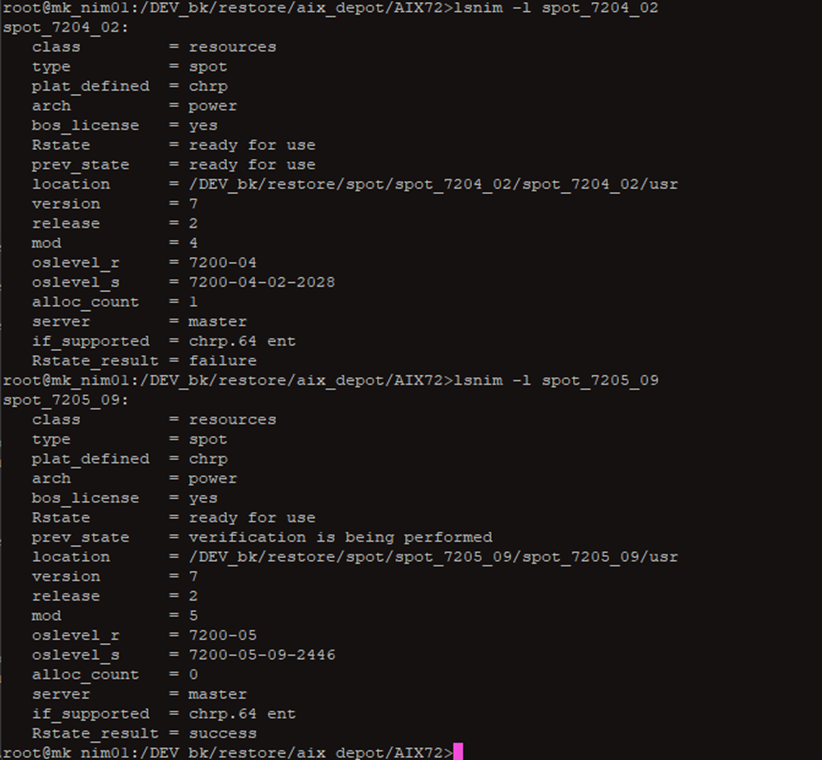
Verify the SPOT:
nim -o check spot_7205_09
Step 7
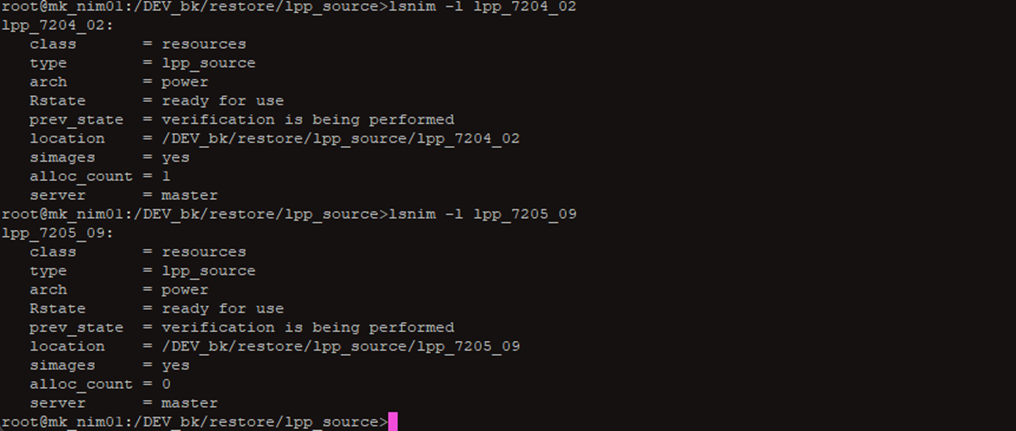
Compare Old & New Version lpp & sopt
Build Job Done
OTHER:
lsnim -t lpp_source
nim -o remove lpp_7205_10
lsnim -t lpp_source
lsnim -l lpp_7204_02
lpp_7200_02
lsnim -l spot_7200_02
lsnim -l spot_7202_02
lsnim -l spot_7203_03
lsnim -l spot_7204_02 # Rstate_result = failure
nim -o check spot_7205_10
lsnim -t lpp_source
nim -o remove lpp_7205_10
nim -o remove lpp_7205_10
lsnim -l spot
nim -o remove spot_7205_01
nim -o remove spot_7205_10
lsnim -t spot

 浙公网安备 33010602011771号