
一些常见的代码问题
1.redis在window端安装报计算机积极拒绝的错误

在你的安装rides的目录中目录栏输入cmd会跳出一个黑窗口,在输入下面的语句即可
redis-server.exe redis.windows.conf
2.git连接的异常为
Access denied fatal: Could not read from remote repository. Please make sure you have the correct access rights and the repository exists.
原因是你的没有上传文件的权限,管理员没有添加你为团队成员
3.mysql版本5.7.27 与mysql版本5.7.24中
5.7.24 的代码约束不严格,
	select create_by, count(id) as num, dept_id as deptId from tb_contract
<!-- 判断开始创建时间 -->
<if test="indexVo.beginCreateTime != null and indexVo.beginCreateTime != ''">
    where create_time BETWEEN #{indexVo.beginCreateTime} AND #{indexVo.endCreateTime}
</if>
GROUP BY create_by
ORDER BY num DESC
LIMIT 10
会报出一个
Expression #3 of SELECT list is not in GROUP BY clause and contains nonaggregated column 'huike.tb_contract.dept_id' which is not functionally dependent on columns in GROUP BY clause; this is incompatible with sql_mode=only_full_group_by
在低版本可以执行,在高版本不能执行MySQL的语句也有问题,出现这个问题要么换一致的版本或者改SQL的代码
4.因文件包含中文目录或者空格而报错
No mapping for the Unicode character exists in the target multi-byte code...
解决方案
删除中文目录或者修改中文目录
5.nginx与其他端口冲突
An attempt was made to access a socket in a way forbidden by its access permissions
1.删除冲突的端口
1.用cmd命令解决端口冲突

1.查看本机开发的所有端口
netstat -ano
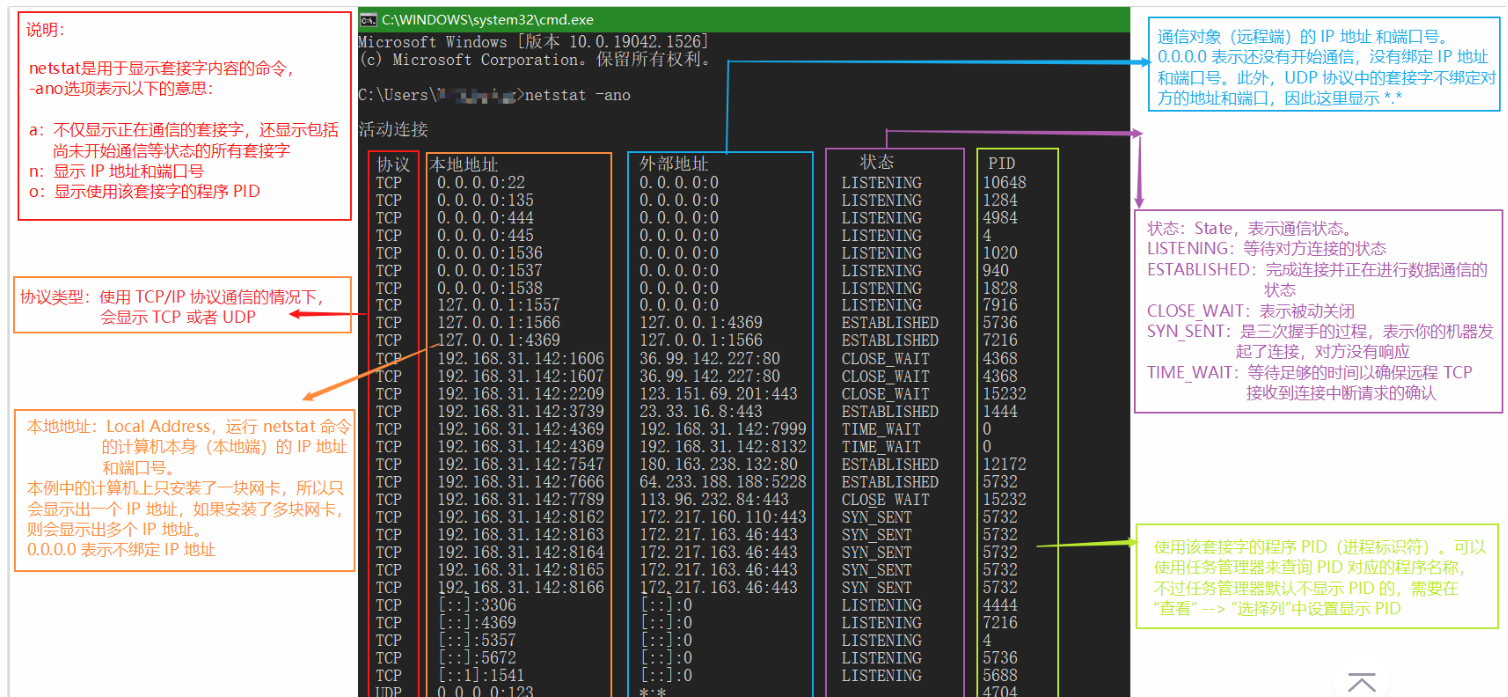
2.杀死进程
taskkill -pid PID(进程标识符) -f
taskkill -pid 287784 -f
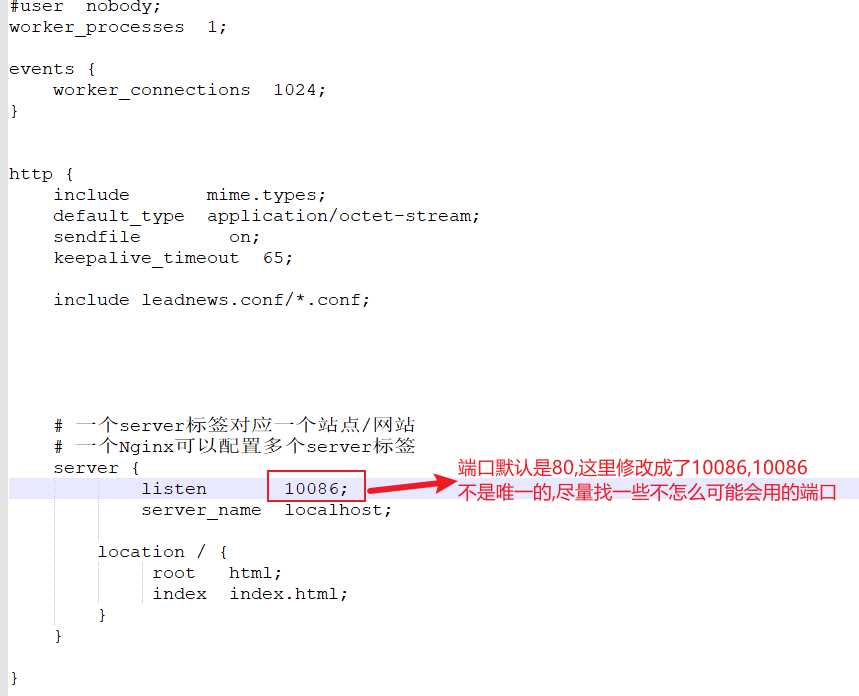
2.修改nginx的端口号
1.在安装目录下找到nginx的conf的目录下的nginx.conf,将其打开
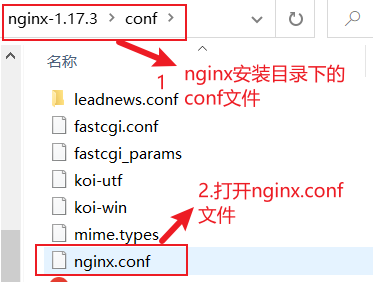
2.修改端口不推荐修改成特殊端口

 浙公网安备 33010602011771号