


thinkphp 延时队列
安装 thinkphp-queue
github : https://github.com/top-think/think-queue
composer:
composer require topthink/think-queue
报错有可能是版本问题, 可以
composer require topthink/think-queue ^1.*
配置 extra/queue.php,我用的是redis异步,Sync则是同步
<?php
// +----------------------------------------------------------------------
// | ThinkPHP [ WE CAN DO IT JUST THINK IT ]
// +----------------------------------------------------------------------
// | Copyright (c) 2006-2016 http://thinkphp.cn All rights reserved.
// +----------------------------------------------------------------------
// | Licensed ( http://www.apache.org/licenses/LICENSE-2.0 )
// +----------------------------------------------------------------------
// | Author: yunwuxin <448901948@qq.com>
// +----------------------------------------------------------------------

return [
    'connector'  => 'Redis',          // Redis 驱动
    'expire'     => 60,             // 任务的过期时间,默认为60秒; 若要禁用,则设置为 null
    'default'    => 'default',    // 默认的队列名称
    'host'       => '127.0.0.1',       // redis 主机ip
    'port'       => 6379,        // redis 端口
    'password'   => '',             // redis 密码
    'select'     => 0,          // 使用哪一个 db,默认为 db0
    'timeout'    => 0,          // redis连接的超时时间
    'persistent' => false,
];
使用
在app下创建job目录,建立Test.php,并编辑
<?php
namespace app\job;

use think\queue\job;

class Test
{

    public function fire(Job $job, $data){
        if($job->attempts() > 2){
            \think\Log::write('Test执行失败');
            $job->delete();
        }else{
            db('users')->insert([
                'username' => rand(1000,9999),
            ]);

            $job->delete();
        }

    }
}
在控制器调用
/**
     * 测试延时队列
     * Author : LYQ
     * Date : 2021/9/10 10:40
     */
    public function test_job()
    {
        Queue::later('10','app\job\Test',[],'Test');  //延迟十秒执行,Test为队列名称

        Queue::push('app\job\Test',[],'Test');     //立即执行
}
监听脚本
php think queue:listen --queue Test
效果


第一个是立即执行,第二个则是十秒后执行
了解更多 https://blog.csdn.net/will5451/article/details/80434174
踩坑,会报这个错
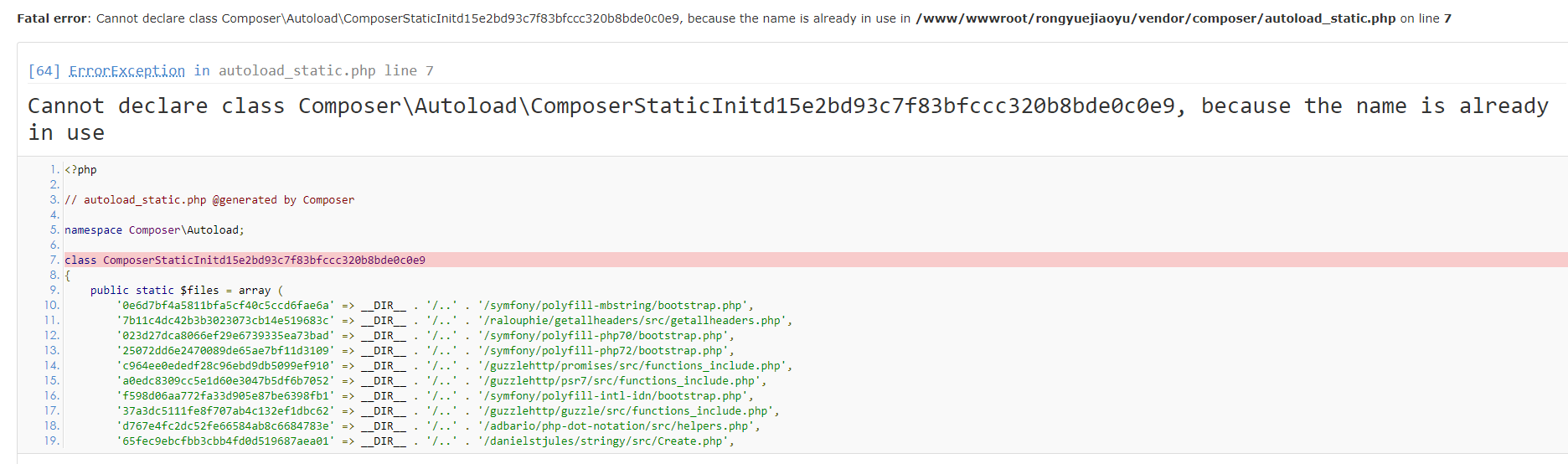
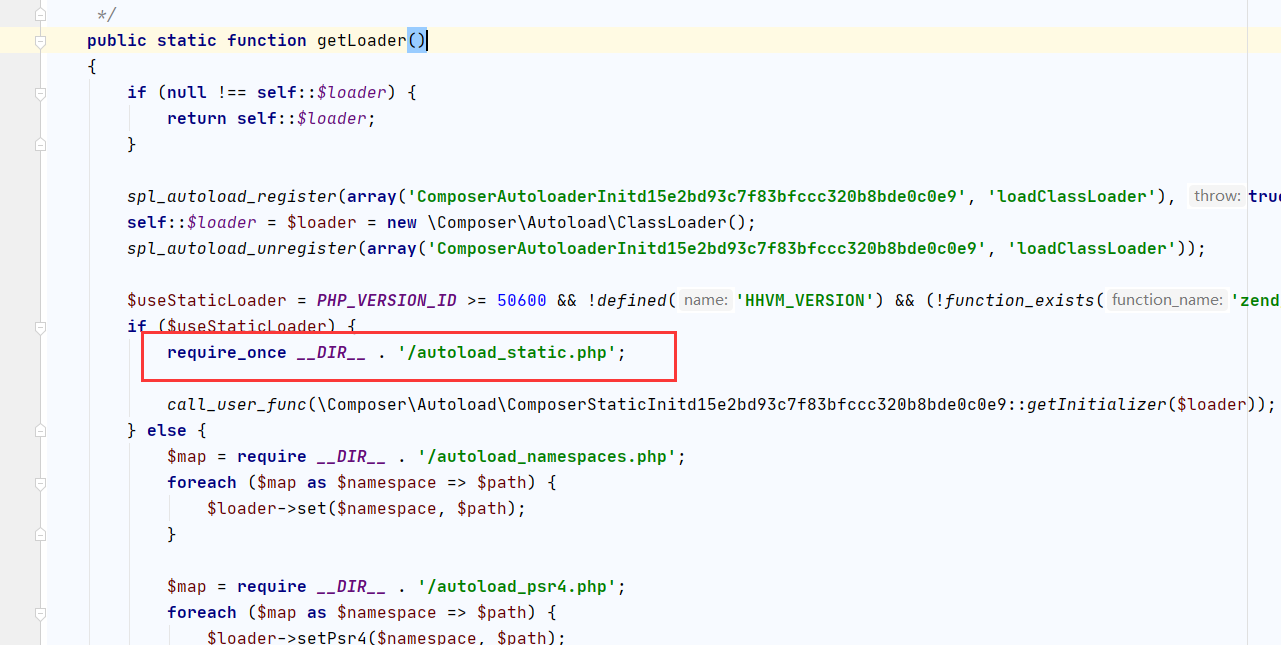
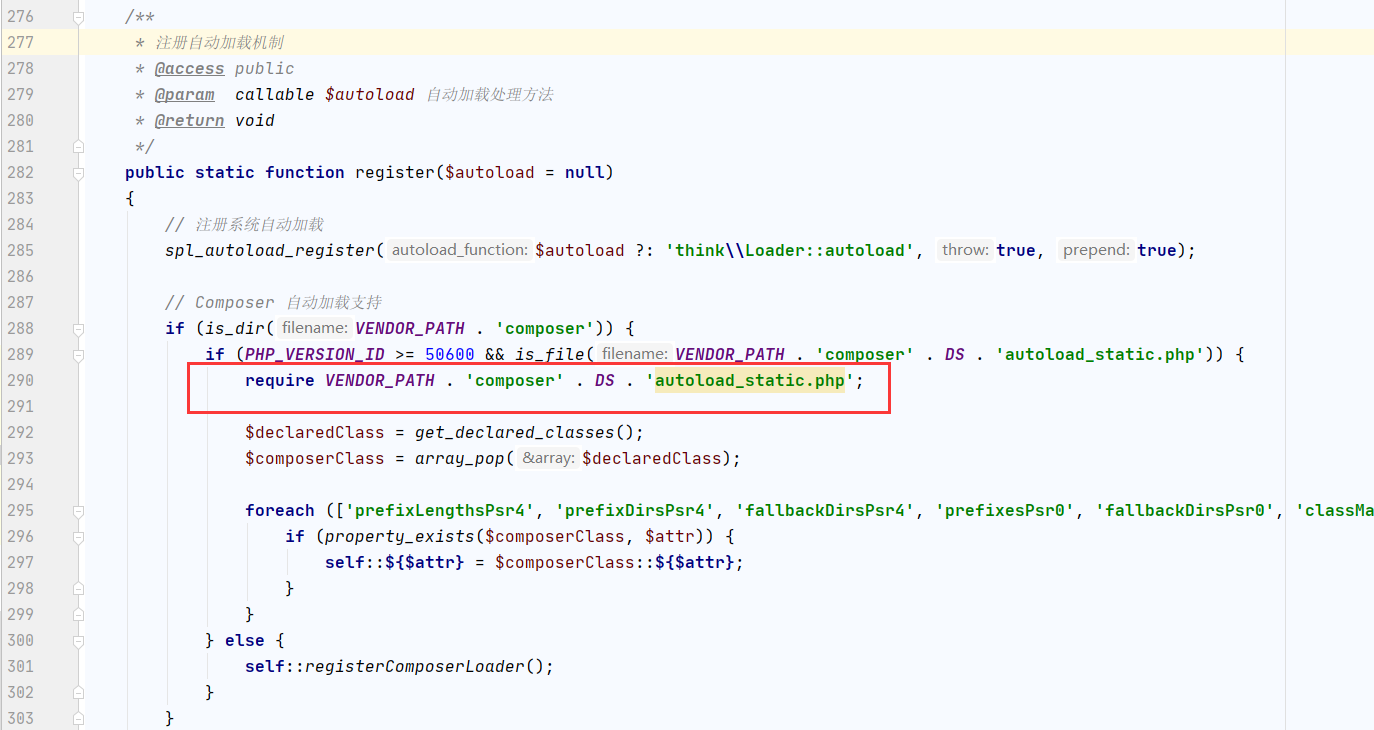
不知道为啥,这个安装,在thinkphp下,有时候会修改 /vender/composer/autoload_real.php , 红框里面的改为require,因为tp本身已经加载一次了,这里要改为require_one
tp自动加载类在 /thinkphp/library/think/Loader.php
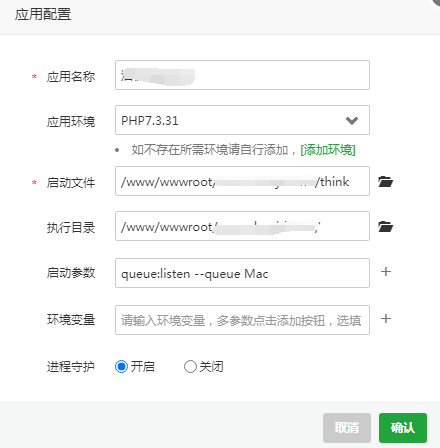
宝塔应用管理器

然后配置
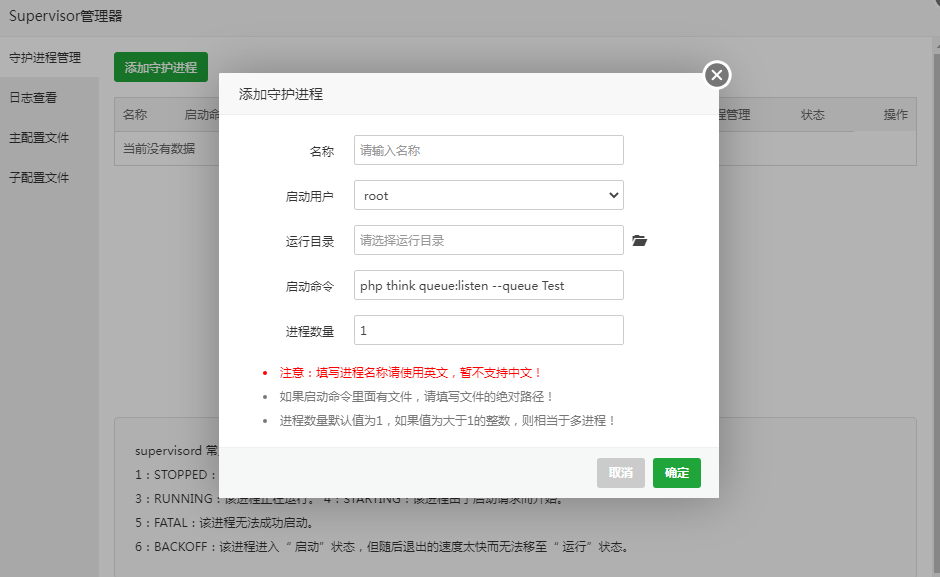
或者Supervisor管理器

配置

 浙公网安备 33010602011771号