
Lazarus提供FV这个纯控制台交互控件组,有很多控件可用。虽然没有图形界面下的LCL好用,但是在纯文字的服务器对参数设置、数据显示等还是有用的。
1、新创建一个简单信息
2、加入控件与运行
program test;
uses
{$IFDEF UNIX}
cthreads,
{$ENDIF}
Classes
,SysUtils
,Objects,Editors,Gadgets
, Drivers, Views, Menus, Dialogs, App,MsgBox,FVCommon
{ you can add units after this };
type
TMyApp = object(TApplication)
InputLine: PInputLine;
Edit:PEditor;
CONSTRUCTOR Init;
PROCEDURE InitDeskTop; Virtual;
procedure InitMenuBar; virtual;
procedure InitStatusLine; virtual;
PROCEDURE Idle; Virtual;
procedure HandleEvent(var Event: TEvent); virtual;
end;
{----公用函数-----}
procedure EditorSetText(E: PEditor; const S: Sw_String);
begin
E^.DoneBuffer; // 清空旧缓冲区
E^.InitBuffer; // 重新初始化
if Length(S) > 0 then
E^.InsertText(@S[1], Length(S), False);
E^.DrawView;
end;
function GetEditorText(Editor: PEditor): Sw_String;
var
i: Sw_Word;
s: Sw_String;
begin
SetLength(s, Editor^.BufLen); // 预分配长度
for i := 0 to Editor^.BufLen - 1 do
begin
if Editor^.BufChar(i) = #10 then
s[i + 1] := #13
else
s[i + 1] := Editor^.BufChar(i);
end;
GetEditorText := s;
end;
{----TMyApp-----}
procedure TMyApp.InitMenuBar;
begin
//加菜单
inherited InitMenuBar;
end;
procedure TMyApp.Idle;
begin
inherited Idle;
end;
procedure TMyApp.InitStatusLine;
var
R: TRect; { Rectangulo de pantalla }
begin
//加快捷键
GetExtent(R); { Miramos cuando ocupa }
R.A.Y := R.B.Y - 1; { Nos quedamos la línea inferior }
New(StatusLine, Init(R,
NewStatusDef(0, $FFFF,
NewStatusKey('~Alt-E~ exit', kbAltE, cmQuit,
NewStatusKey('~F1~ GetEdit', kbF1, cmOK,
NewStatusKey('~F2~ GetMemo', kbF2, 102,
nil))),
nil)));
end;
procedure TMyApp.HandleEvent(var Event: TEvent);
var
S: Sw_String;
What: Sw_Word;
begin
//加事件驱动
if Event.What = evCommand then
begin
case Event.Command of
cmOK:
begin
// 获取 InputLine 的内容
InputLine^.GetData(s);
s :='input string: ' + S;
MessageBox(s, nil, mfInformation + mfOKButton);
Exit; // 处理完 OK
end;
102:
begin
s:=GetEditorText(Edit);
MessageBox(s, nil, mfInformation + mfOKButton);
Exit;
end;
end;
end;
inherited HandleEvent(Event);
end;
PROCEDURE TMyApp.InitDesktop;
VAR R: TRect;
BEGIN
GetExtent(R);
Inc(R.A.Y);
Dec(R.B.Y);
Desktop := New(PDeskTop, Init(R));
END;
CONSTRUCTOR TMyApp.Init;
VAR
R: TRect;
P: PDialog;
S: Sw_String;
BEGIN
Inherited Init;
GetExtent(R);
{ Create a window }
p:=new(PDialog, Init(R, 'My APP Test' ));
//开始位置为 x=2(横) y=1(竖)
R.Assign(2, 1, 25, 2);
P^.Insert(New(PStaticText, Init(R,'Input String')));
//输入
R.Assign(30, 1, 55,2);
InputLine:=New(PInputLine, Init(R, 30));
P^.Insert(InputLine);
s:='abc';
InputLine^.SetData(s);
R.Assign(2, 4, 25, 5);
P^.Insert(New(PStaticText, Init(R,'Input Memo')));
//多行文本输入
R.Assign(30,4,78,14);
Edit := New(PMemo, Init(R, nil, nil, nil, 2000));
p^.Insert(pview(Edit));
EditorSetText(Edit,'abc'+#13+'1+2=3');
R.Assign(2, 15, 25, 16);
P^.Insert(New(PStaticText, Init(R,'Input Data' )));
//输入
R.Assign(30, 15, 55,16);
P^.Insert(New(PInputLine, Init(R, 15)));
Desktop^.Insert (P);
InputLine^.Focus; //设置焦点
END;
{----主程序----}
var
MyApp: TMyApp;
begin
MyApp.Init;
AppPalette := 0;
MyApp.Run;
MyApp.Done;
end.
编译不同的系统程序就可以运行了。
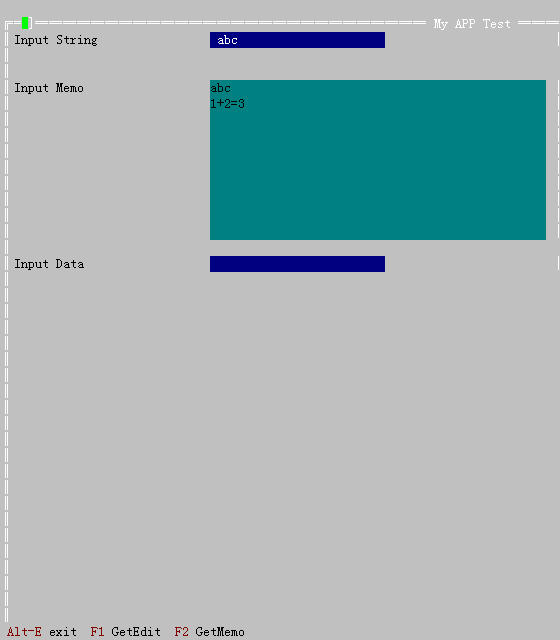
win控制台运行效果
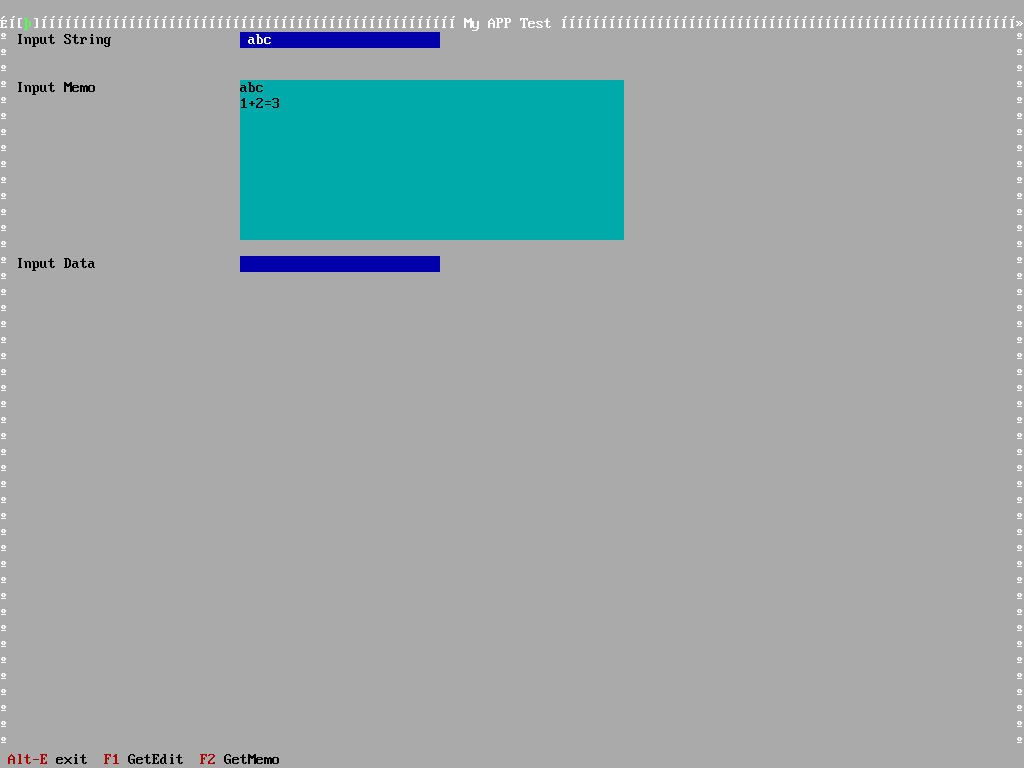
Linux文字终端运行效果

 浙公网安备 33010602011771号