day:37 git的使用
一、git配置
1、新建文件夹
在盘符 d:创建一个git仓库,先新建一个文件
(1)cd d 进入d盘
(2)mkdir 文件名
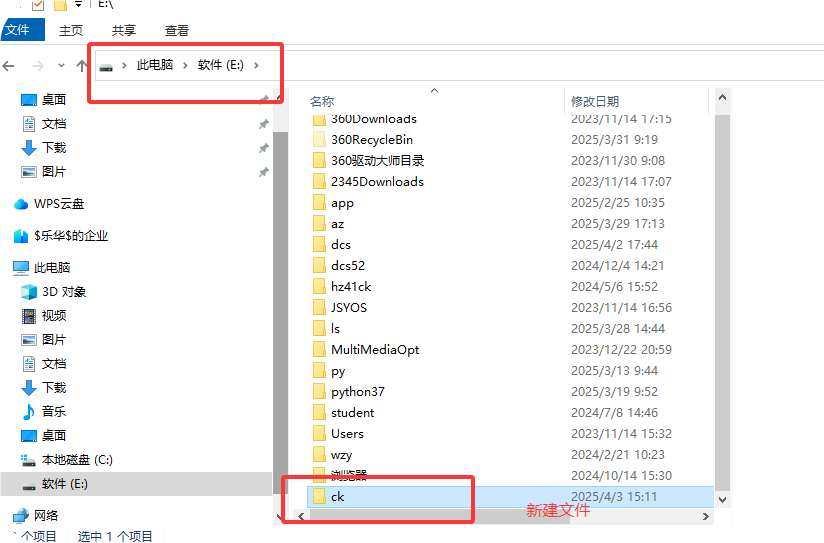
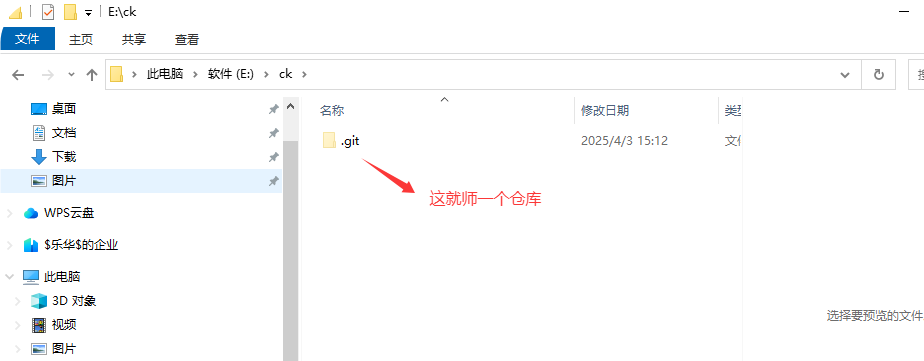
2、创建git仓库
git init
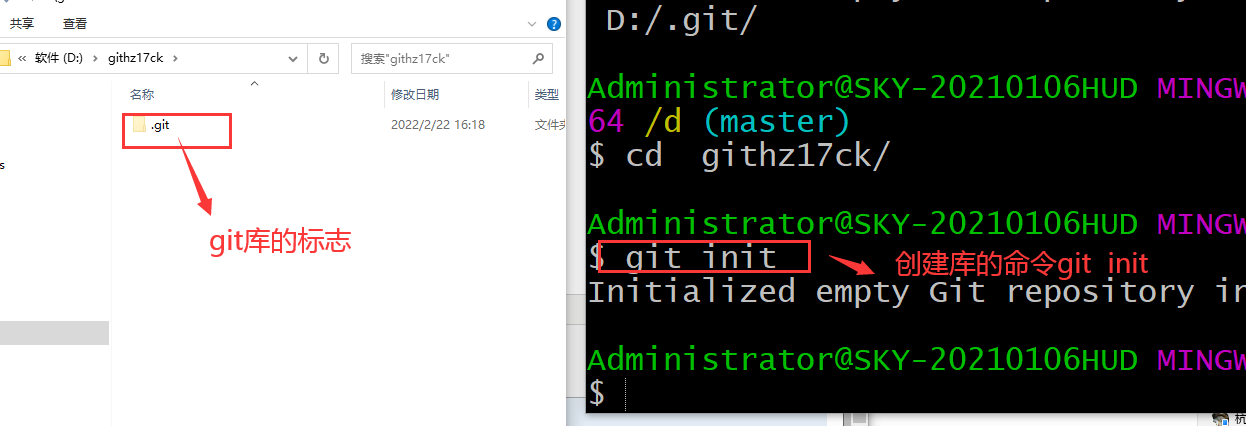
有的时候.git文件会隐藏
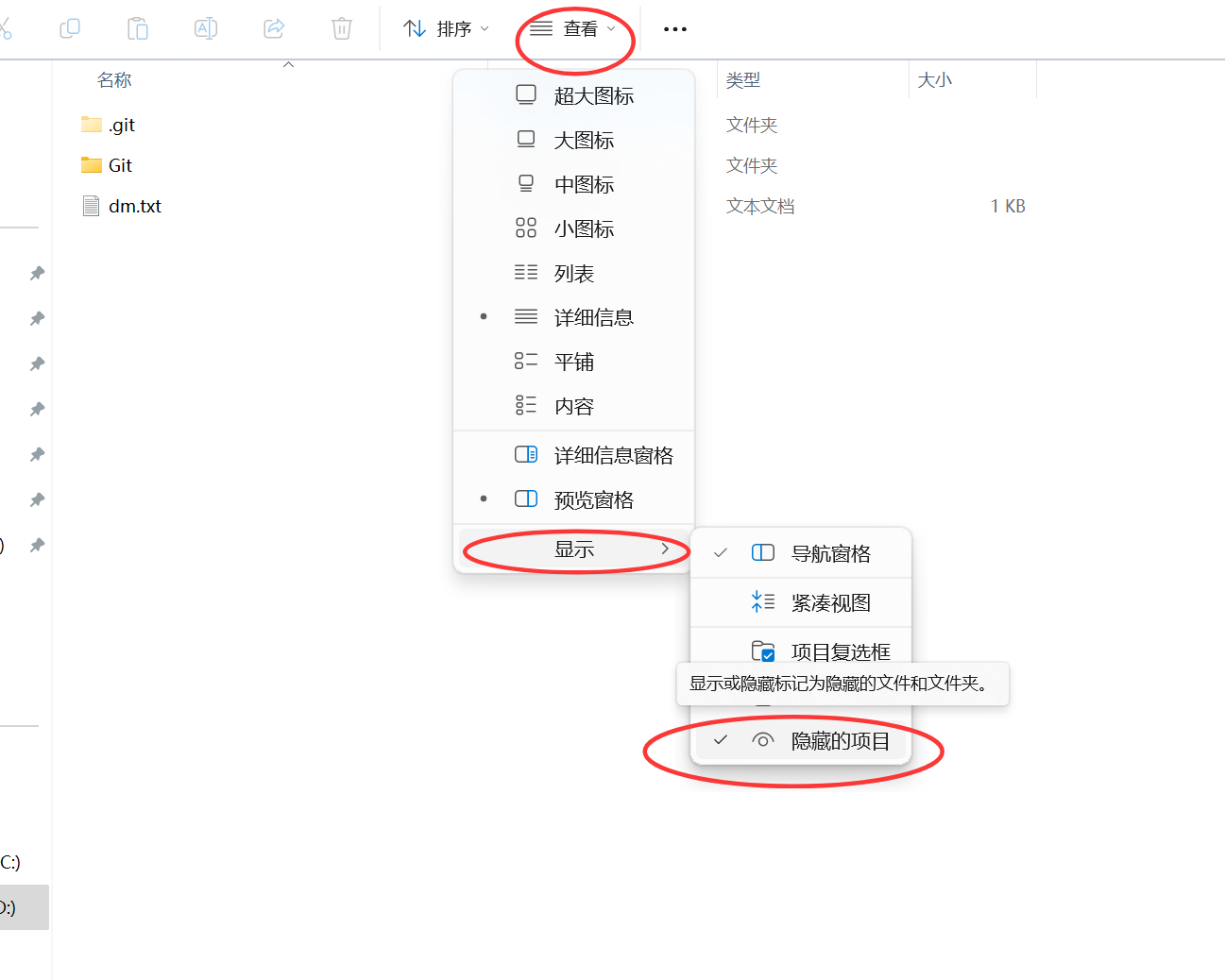
3、新建代码包
新建一个代码包,比如:txt,py,doc
touch 文件名 创建一个代码包
vim 文件名
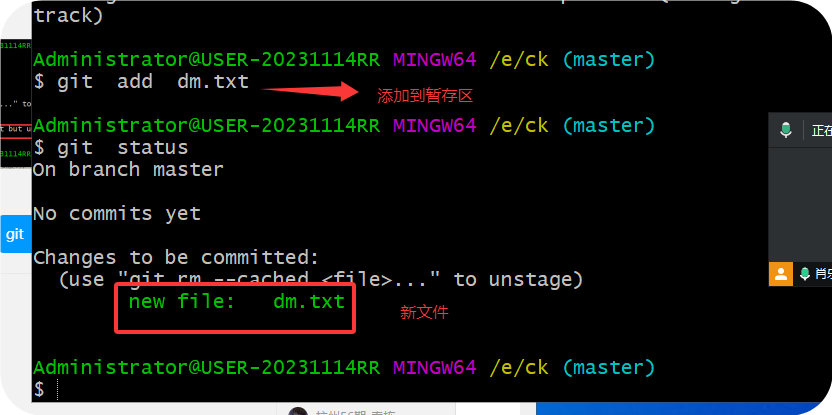
4、查看文件状态
代码:git status
5、git add 将代码包添加到暂存区
6、配置github
github的账号:
网址:https://github.com/ ( 大家注册一个账号)
账号:jun*****
邮箱:16*****87@qq.com
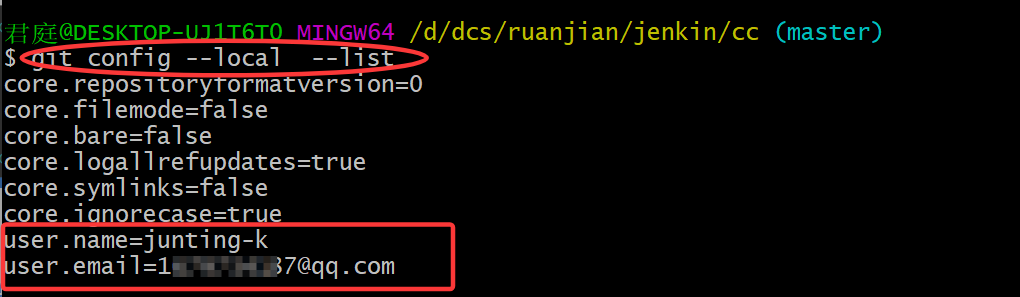
(1)配置用户名
git config user.name "xlh1314"
(2)配置邮箱
git config user.email "1679734187@qq.com"
(3)检查仓库当前配置:
代码:git config --local --list

7、将暂存区的代码包提交到版本库
格式:git commit -m 代码文件
案例:git commit -m dm.txt

二、github
1、网站:
https://github.com/
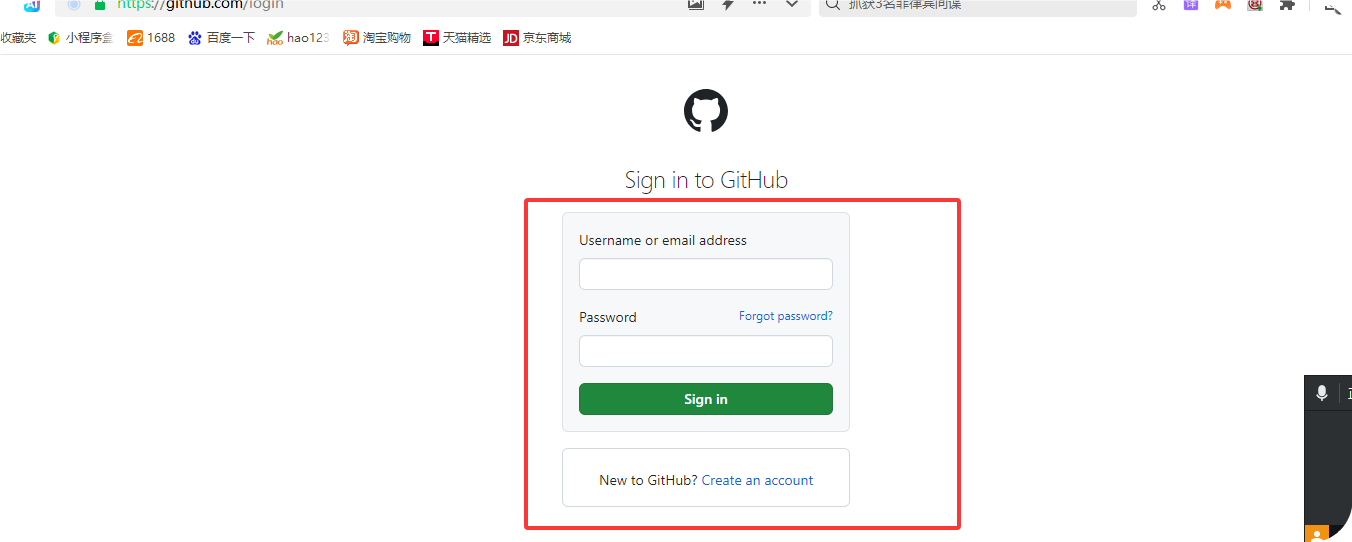
2、点击登录

3、输入账号和密码
(如果没有注册的,先测试账号和密码)
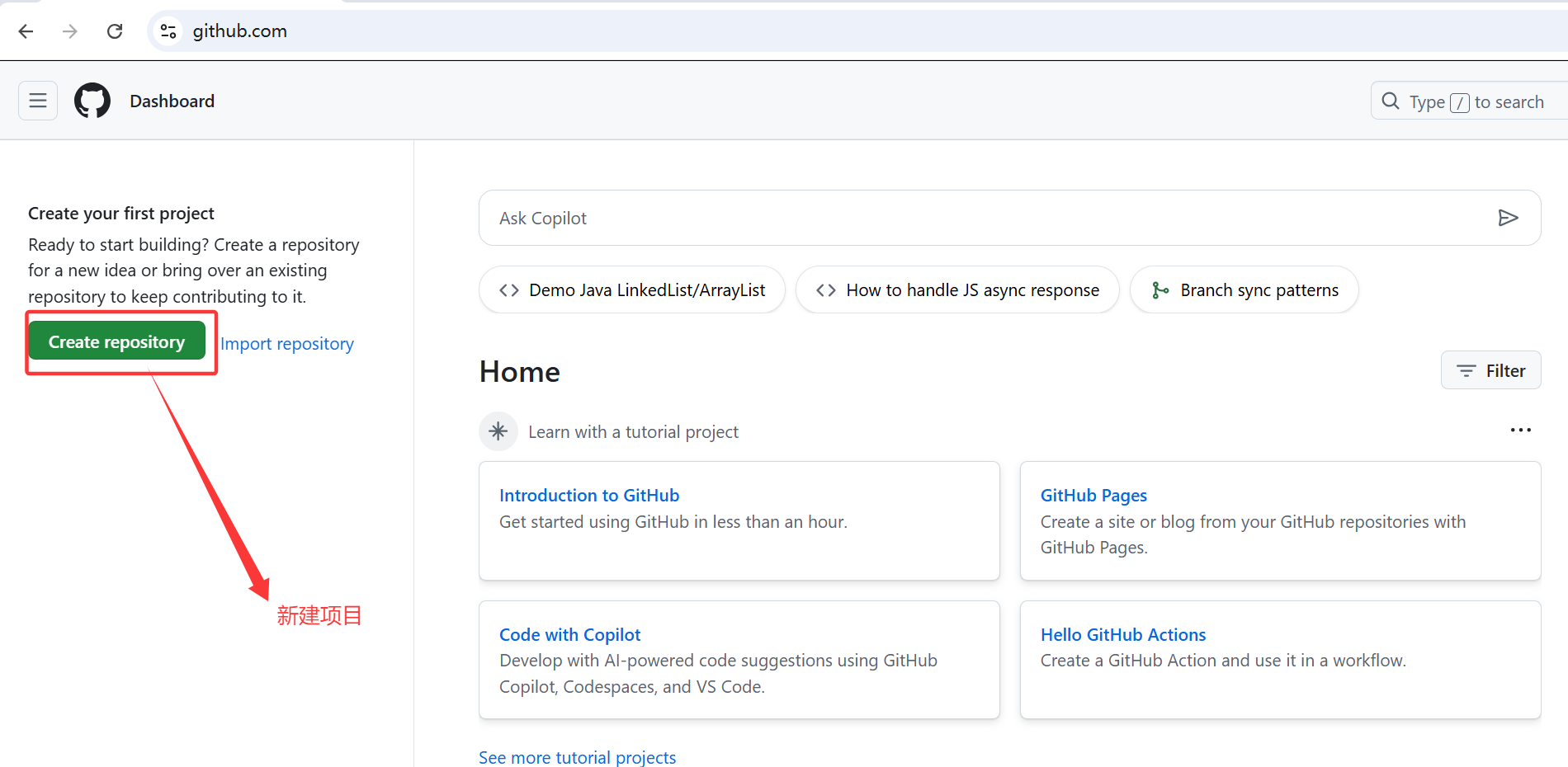
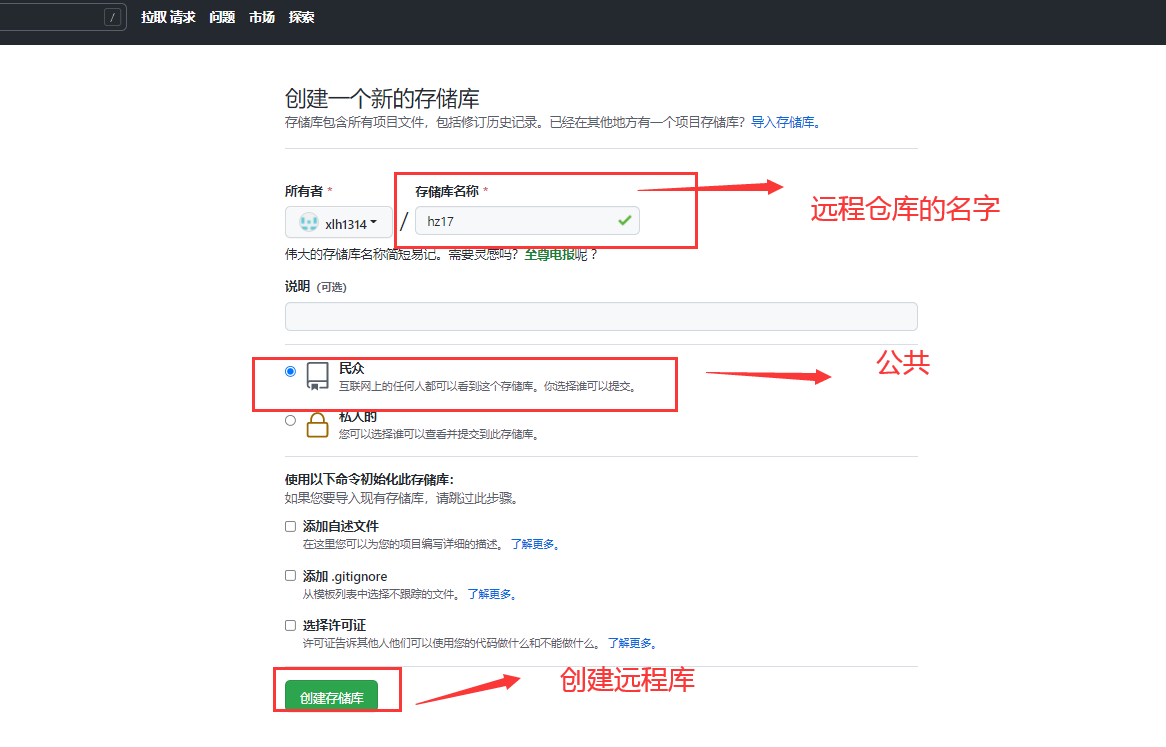
4、新建远程仓库
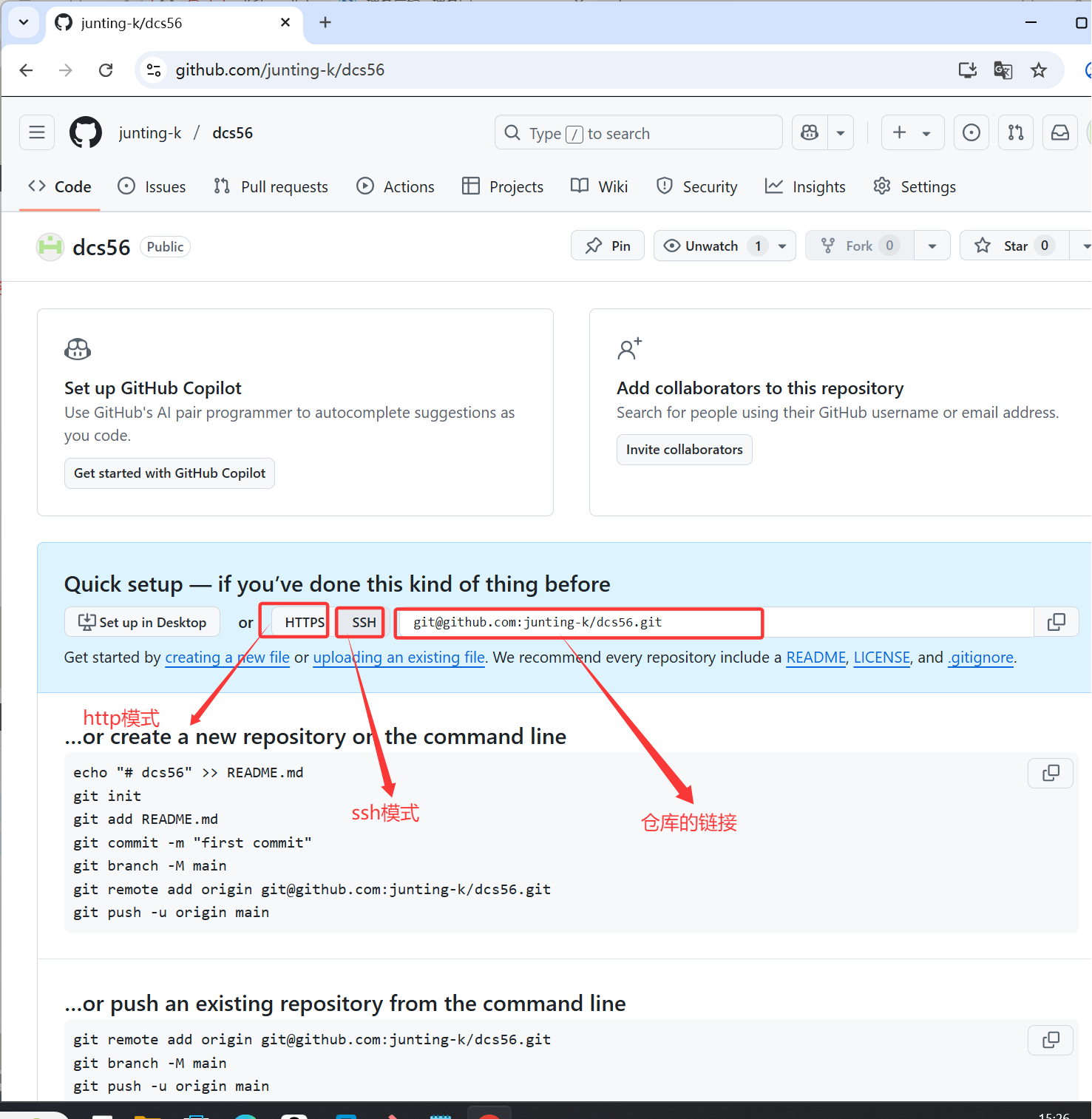
5、查看仓库的连接
仓库地址:git@github.com:junting-k/dcs56.git
6、点击setting 设置秘钥和本地仓库连接
先回首页
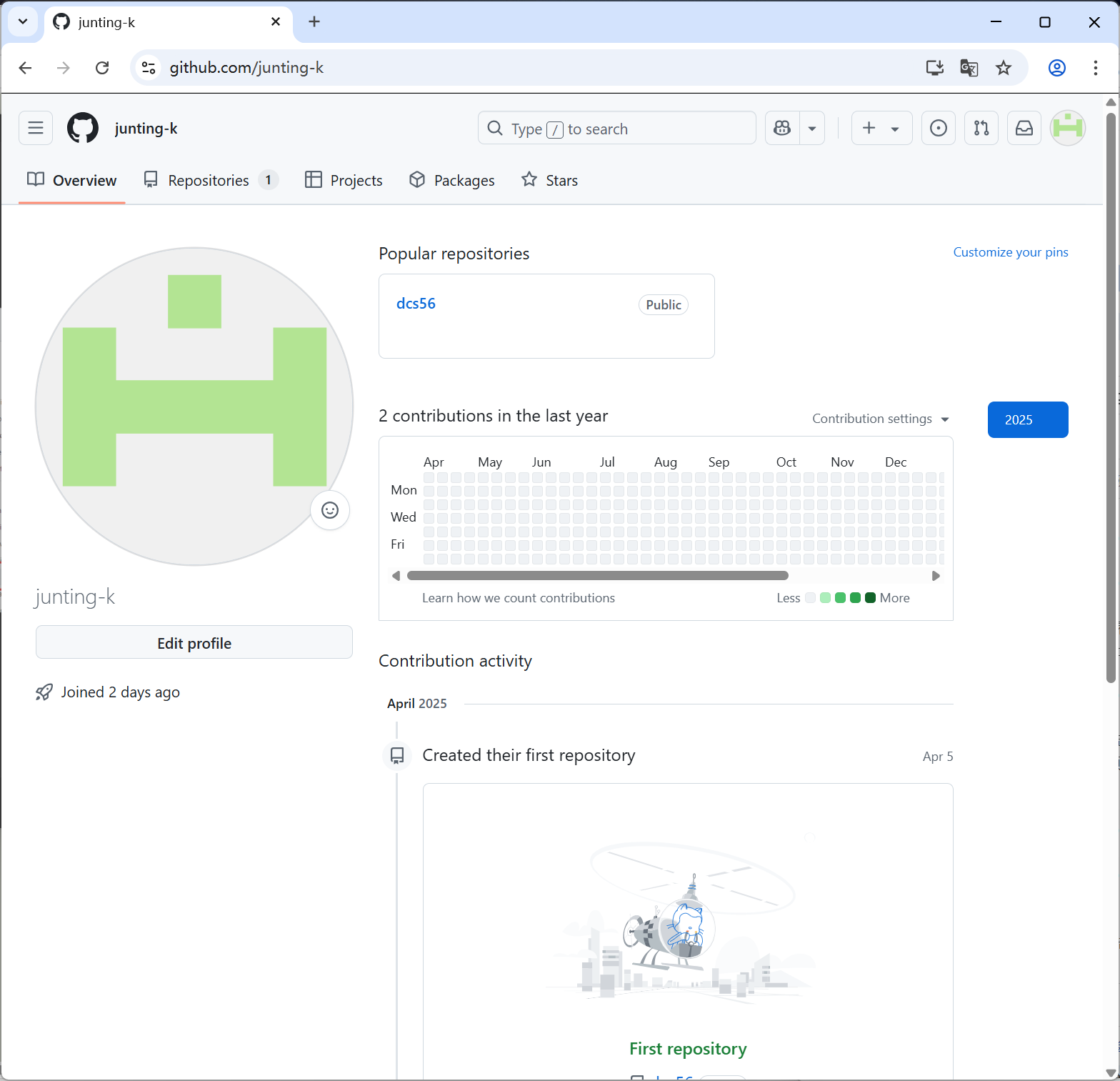
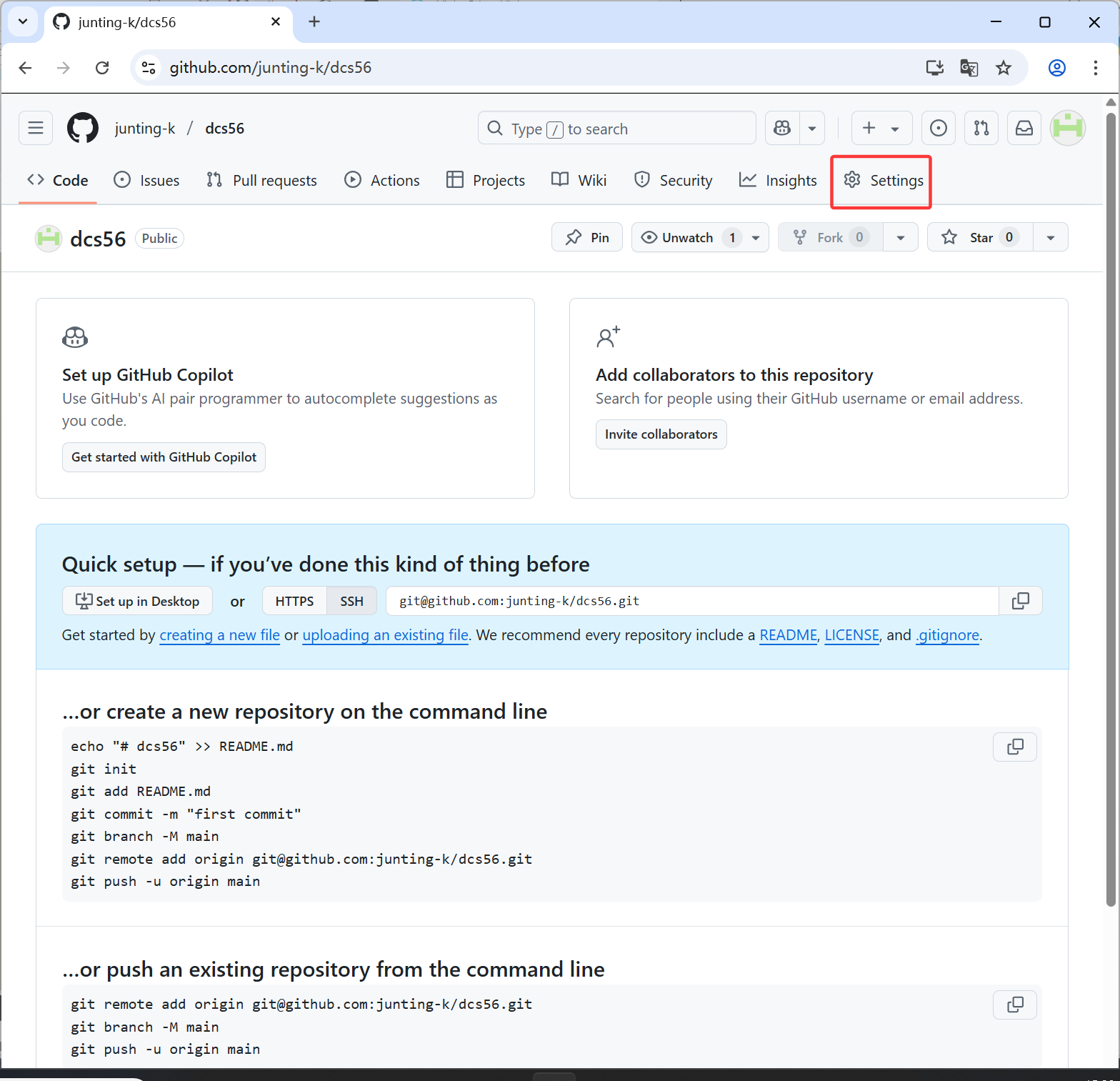
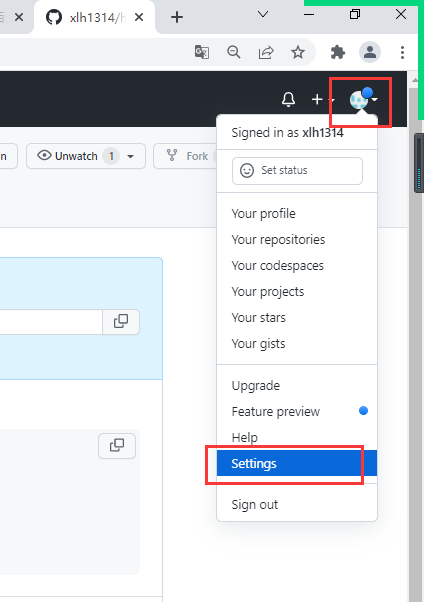
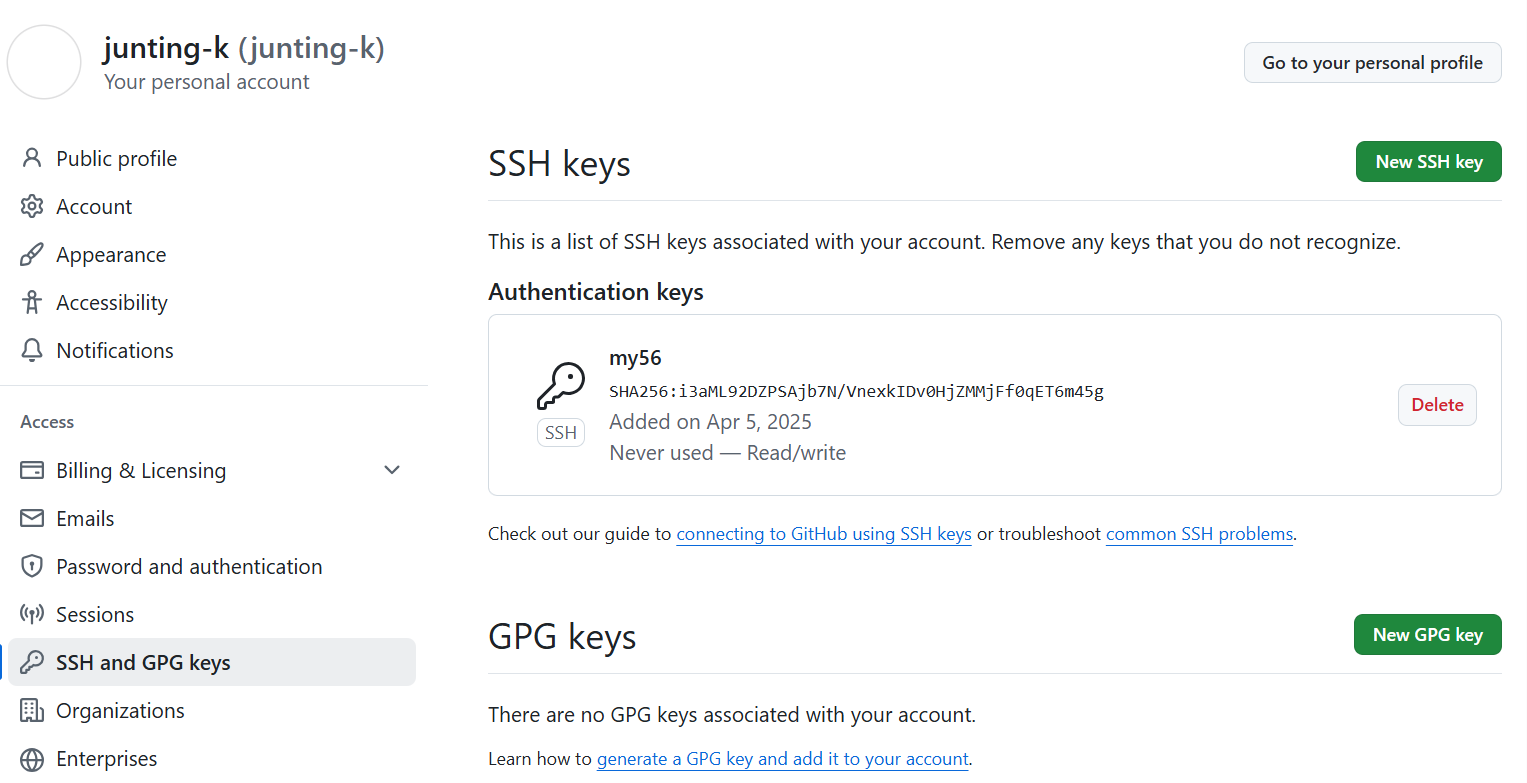
7. 点击ssh和gpg 在编辑秘钥
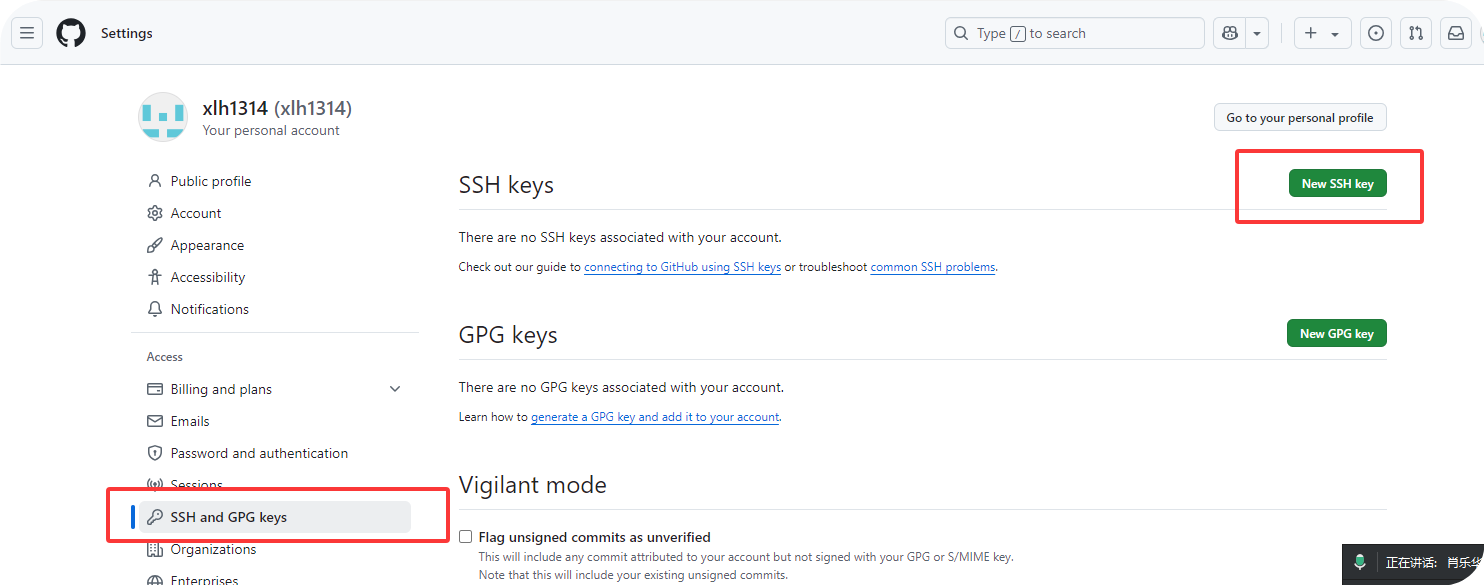
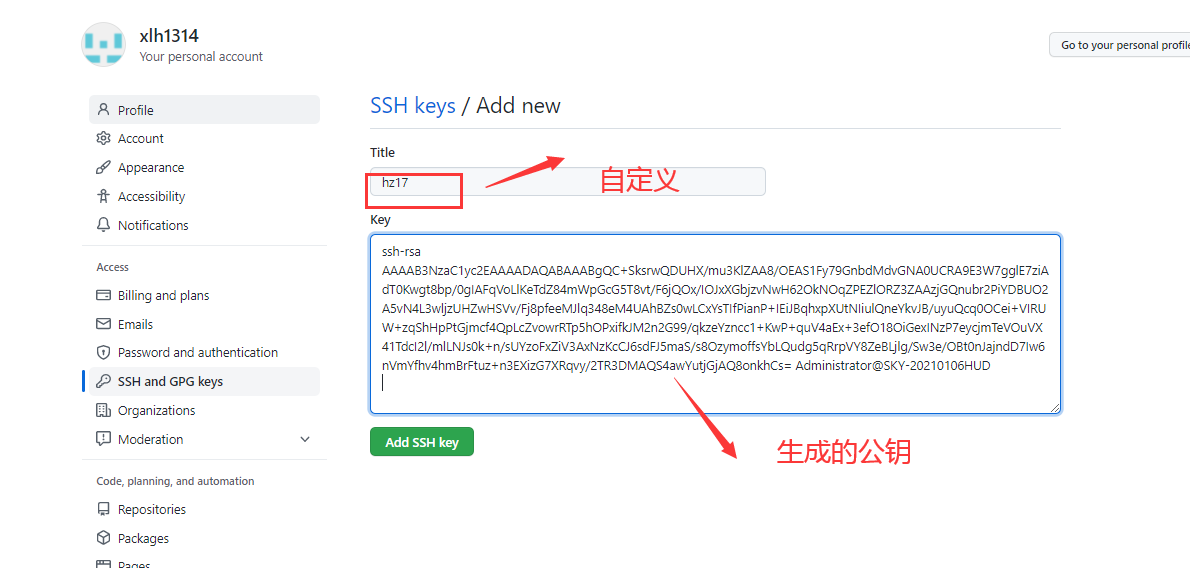
8、编辑秘钥
============================
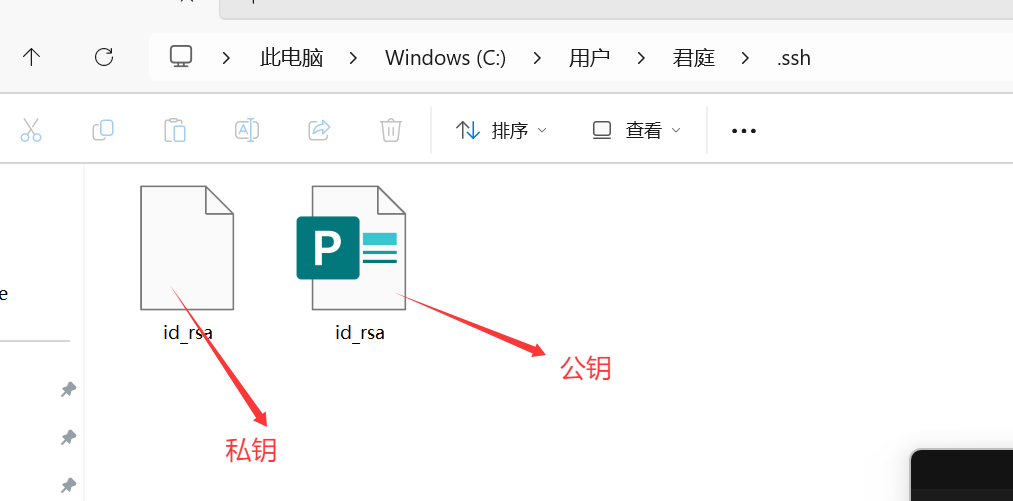
在git中或取秘钥
Ssh-keygen
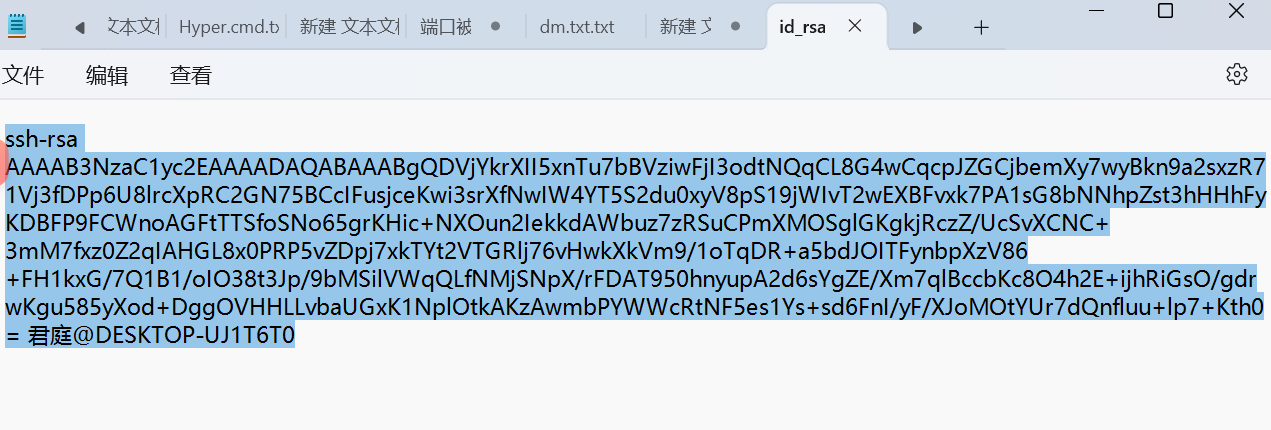
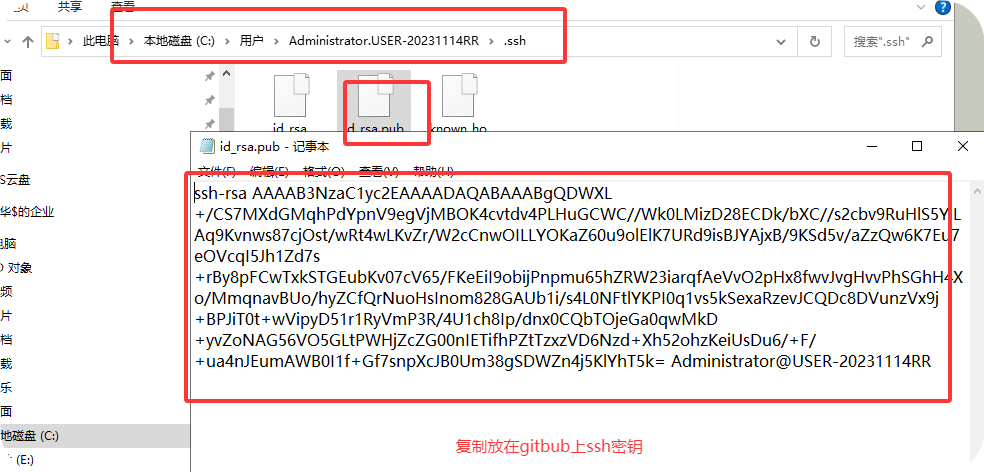
密钥地址:c/Users/君庭/.ssh/id_rsa.pub
打开秘钥,通过记事本
填写到GitHub中
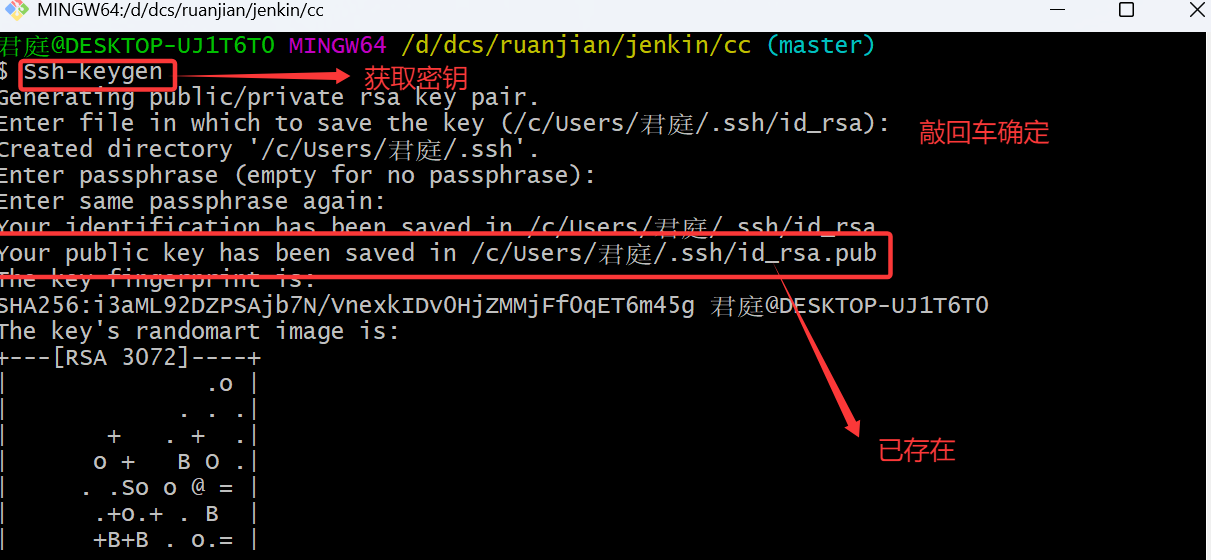
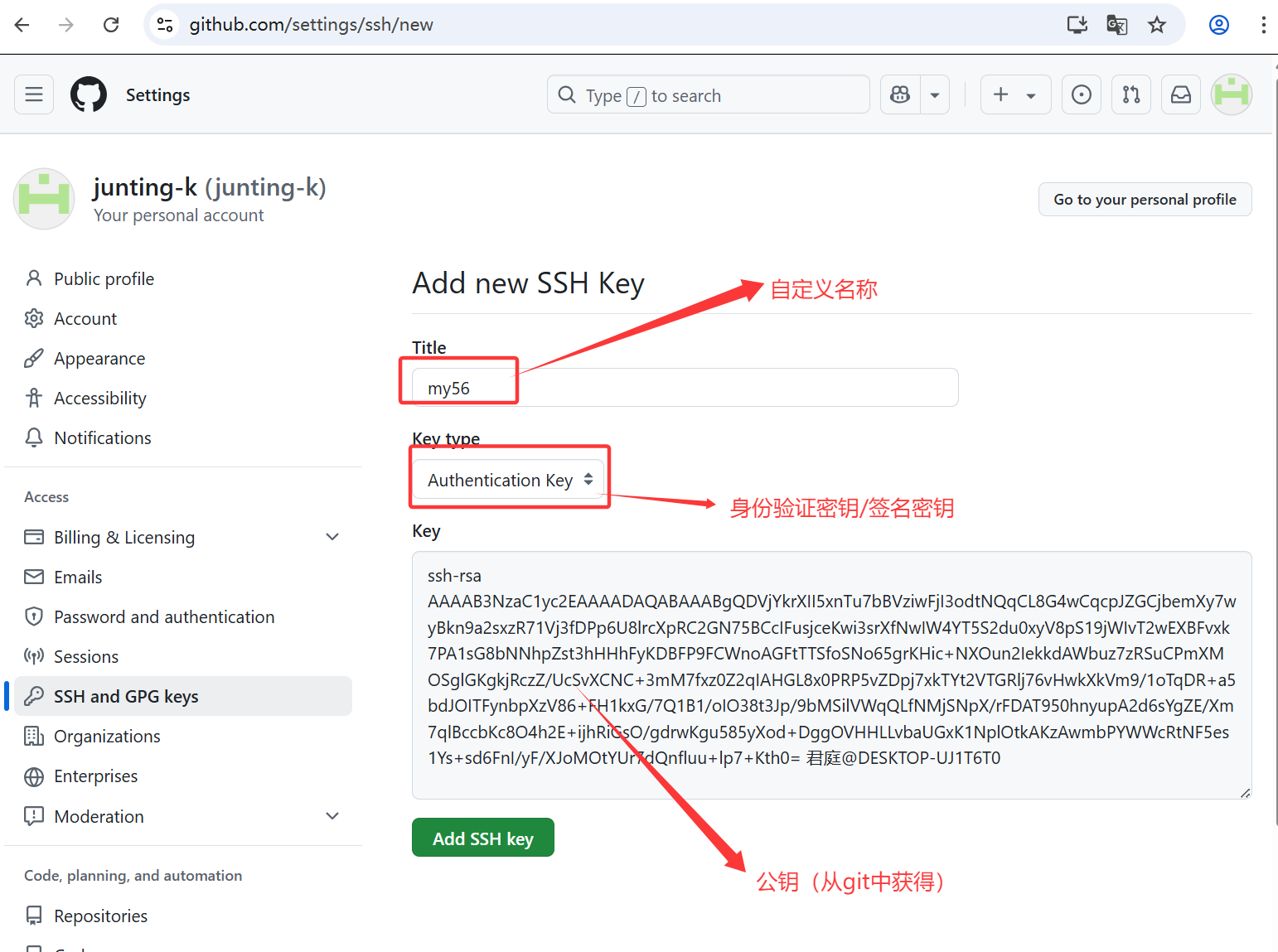
创建密钥成功
9、上传本地仓库
创建连接
仓库地址:git@github.com:junting-k/dcs56.git
仓库创建连接:
git remote add origin git@github.com:junting-k/dcs56.git

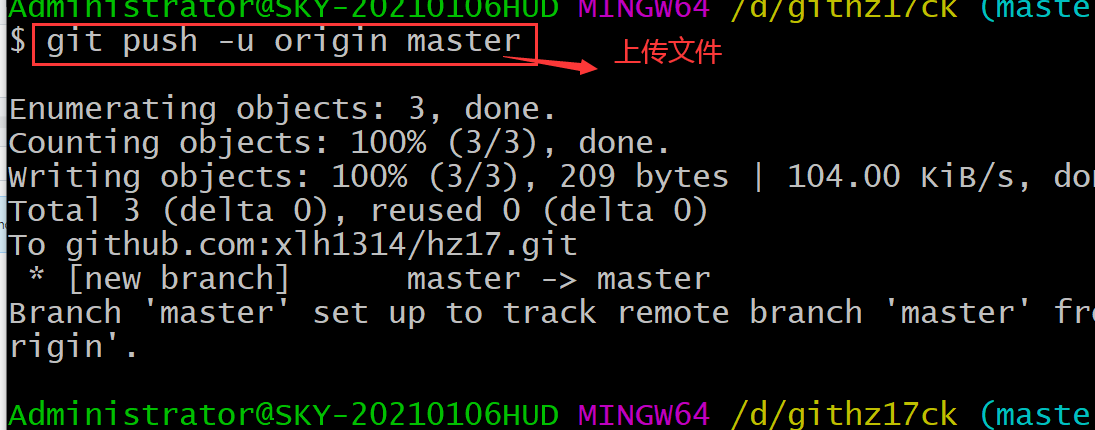
上传代码包
git push -u origin master
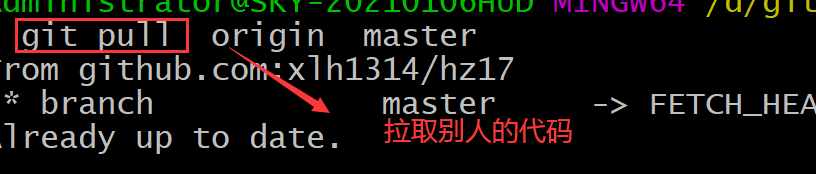
git pull origin master 拉取代码
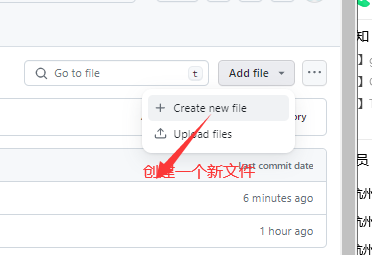
在github上新建一个文档,可以将代码全部拉取下来;
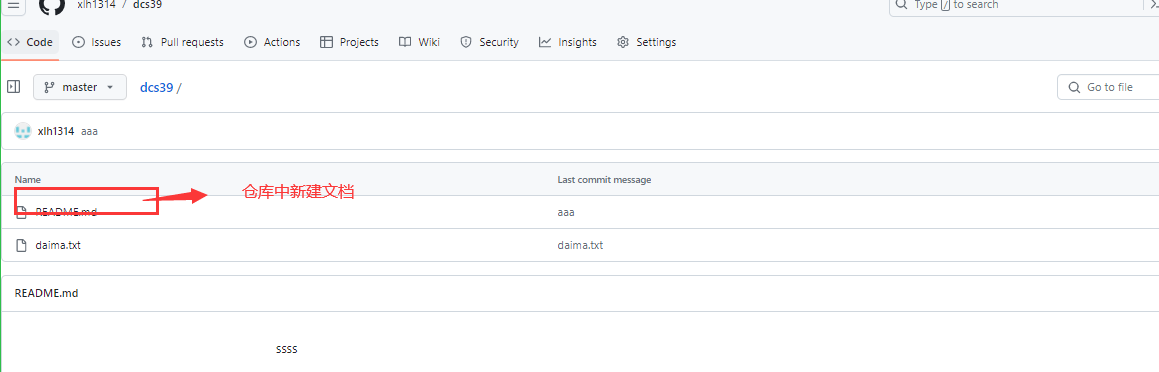
通过如上面命令可以拉去到本地仓库;
三、git代码
(1)git remote -v 查看已经添加的远程地址
(2)git remote add origin https://github.com/xlh1314/hz17.git 添加远程地址

(3)git remote remove origin 删除已经连接的远程地址
或git remote rm origin

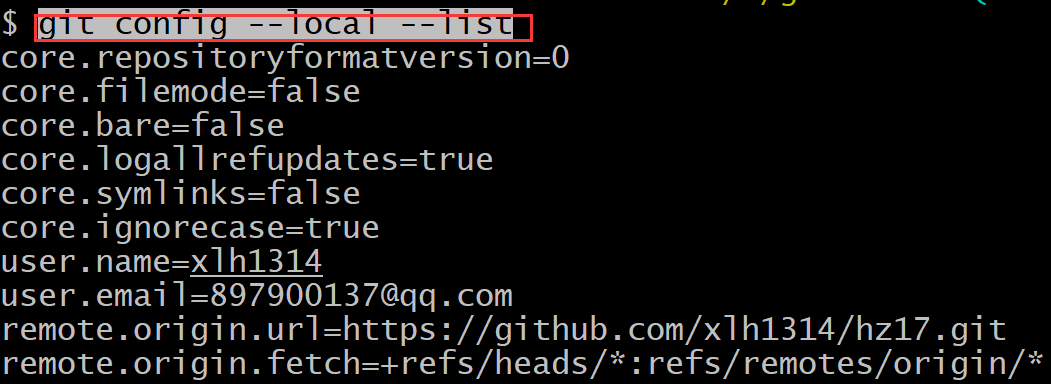
(4)git config --local --list 查看已经连接的配置
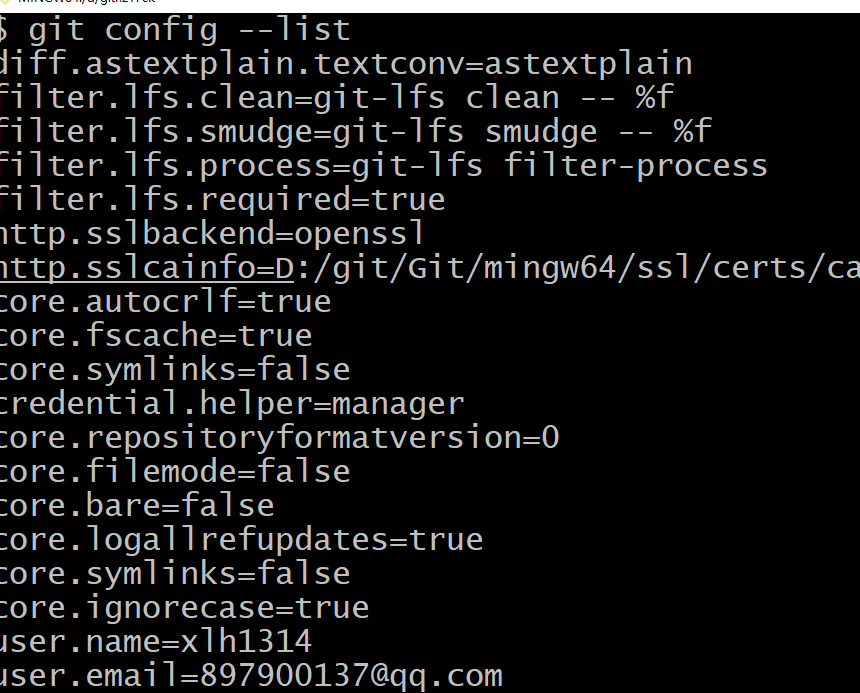
(5)git config --list 查看所有配置
(6)git 命令整理
1、git init 创建git仓库
2、git status 查看文档状态
3、git add 代码名称 添加代码
4、git commit -m 提交代码
5、git config user.name 配置用户名
6、git config user.email 配置邮箱
7、Ssh-keygen 获取密钥
8、git romote add origin 仓库连接 git连接远程仓库
9、git push -u origin master 上传代码
10、 git pull origin master 拉取代码
(7)拓展:
新增git config --global --add configname configvalue
删除git config --global --unset configname
修改git config --global configname configvalue
查询git config --global configname
查询全部git config --list
==================================
四、问题收集:
1、错误题提示:
error: failed to push some refs to 'git@github. com: heyufan19/1ianxicangku1.git'

没有git commit -m 提交到版本库
2、
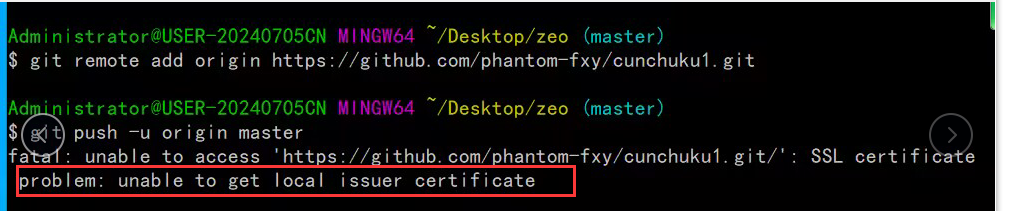
3、今天在使用git add 命令的时候,弹出了一个警告 warning: LF will be replaced by CRLF in ******(具体的一个文件)
warning: LF will be replaced by CRLF in aa. The file will have its original line endings in your working directory
原因
LF和CRLF其实都是换行符,但是不同的是,LF是linux和Unix系统的换行符,CRLF是window 系统的换行符。这就给跨平台的协作的项目带来了问题,保存文件到底是使用哪个标准呢? git为了解决这个问题,提供了一个”换行符自动转换“的功能,并且这个功能是默认处于”自动模式“即开启状态的。
这个换行符自动转换会把自动把你代码里 与你当前操作系统不相同的换行的方式 转换成当前系统的换行方式(即LF和CRLF 之间的转换),这样一来,当你提交代码的时候,即使你没有修改过某个文件,也被git认为你修改过了,从而提示"LF will be replaced by CRLF in *****"
解决
最简单的一种办法就是把自动转换功能关掉即可。
输入命令 :git config core.autocrlf false (仅对当前git仓库有效)
git config --global core.autocrlf false (全局有效,不设置推荐全局)
然后重新提交代码即可。
此警告可忽视
问题原文链接:https://blog.csdn.net/man_zuo/article/details/88651416
=======================================
原文:https://www.cnblogs.com/xiaolehong/protected/p/15923548.html

 浙公网安备 33010602011771号