day:29 python接口测试——断言、封装、关联接口
一.request断言
1、if断言
代码:
if wb["msg"]=="登录成功!":
    print("ok")
else:
    print("no")
案例:
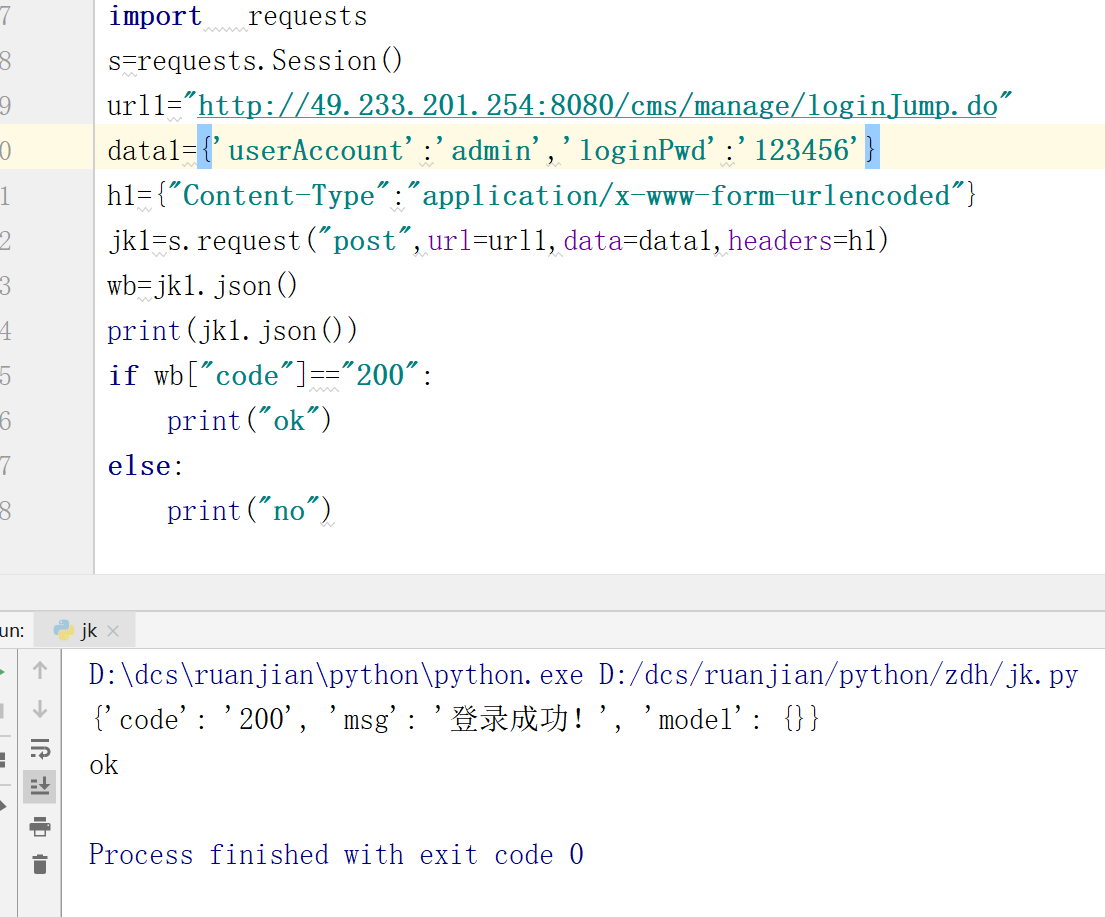
import   requests
s=requests.Session()
url1="http://49.233.201.254:8080/cms/manage/loginJump.do"
data1={'userAccount':'admin','loginPwd':'123456'}
h1={"Content-Type":"application/x-www-form-urlencoded"}
jk1=s.request("post",url=url1,data=data1,headers=h1)
wb=jk1.json()
print(jk1.json())
if wb["msg"]=="登录成功!":
    print("ok")
else:
    print("no")
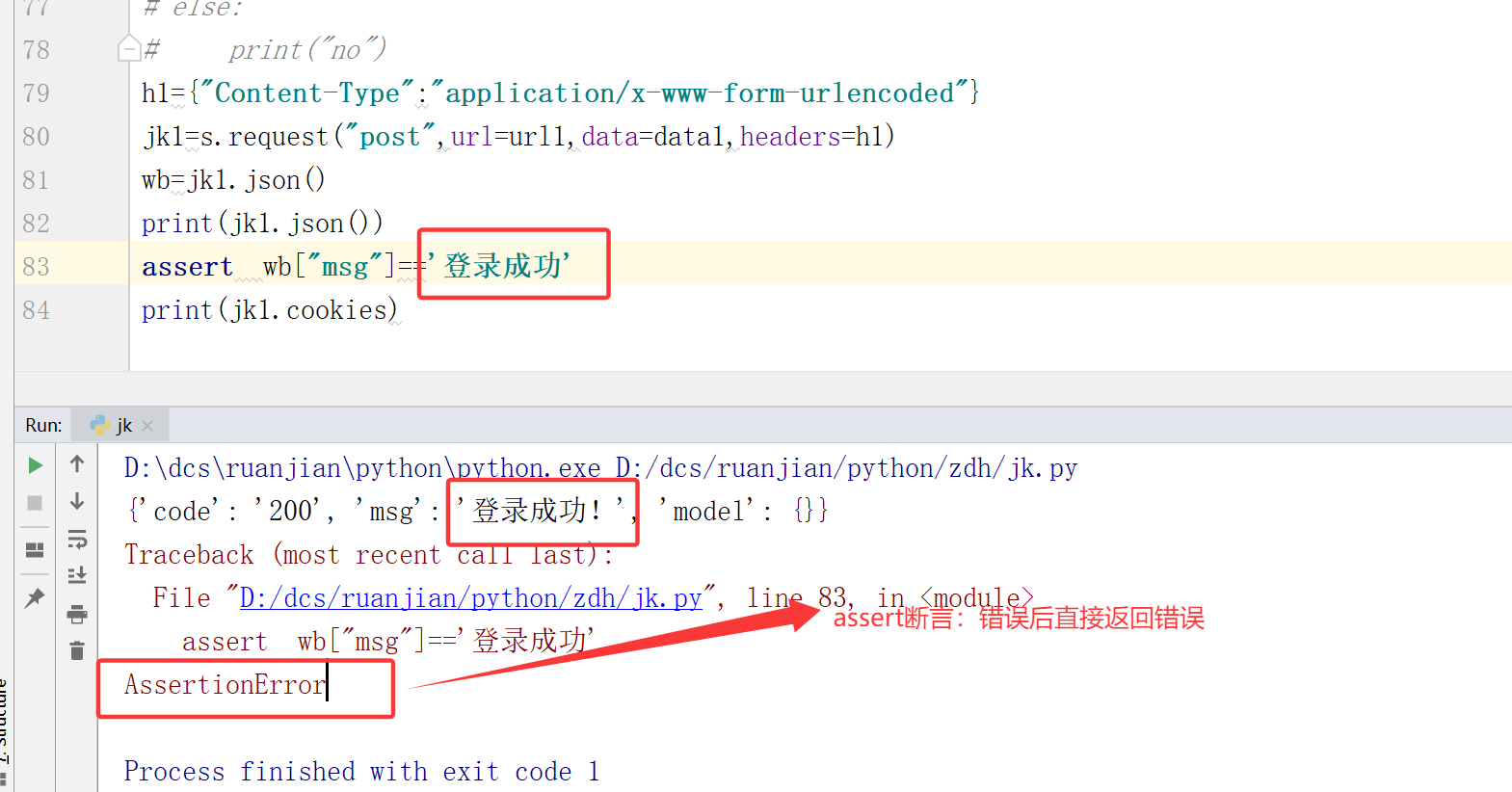
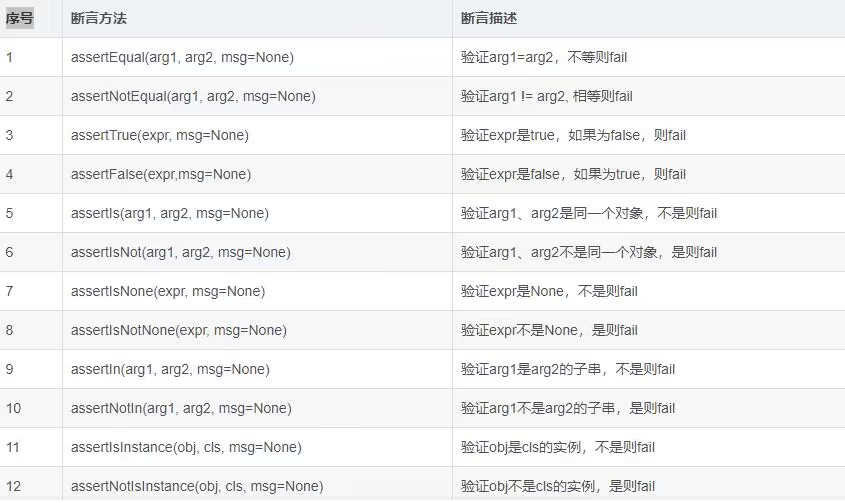
2、assert断言
h1={"Content-Type":"application/x-www-form-urlencoded"}
jk1=s.request("post",url=url1,data=data1,headers=h1)
wb=jk1.json()
print(jk1.json())
assert  wb["msg"]=='登录成功'
print(jk1.cookies)
二.封装接口
1、方法1:引入模块:
代码:requests.Session()
使用 s. 来保持对话
import   requests
s=requests.Session()
class  Cms(object):
    def __init__(self):
        pass
    def  dl(self):
        url1 = "http://49.233.201.254:8080/cms/manage/loginJump.do"
        data1={'userAccount':'admin','loginPwd':'123456'}
        h1={"Content-Type":"application/x-www-form-urlencoded"}
        jk1=s.request("post",url=url1,data=data1,headers=h1)
        print(jk1.json())
    def   yh(self):
        url2="http://49.233.201.254:8080/cms/manage/queryUserList.do"
        data2={
        'startCreateDat':'',
        'endCreateDate':'',
        'searchValue':'',
        'page':'1'
        }
        h2={"Content-Type":"application/x-www-form-urlencoded"}
        jk2=s.request("post",url=url2,data=data2,headers=h2)
        print(jk2.text)
if __name__ == '__main__':
    dx=Cms()
    dx.dl()
    dx.yh()
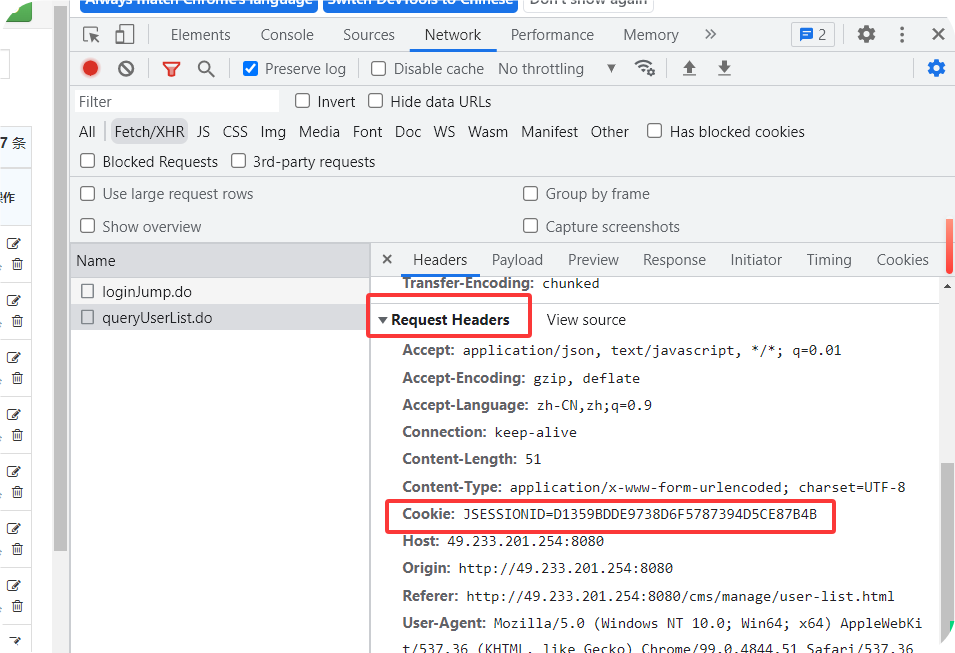
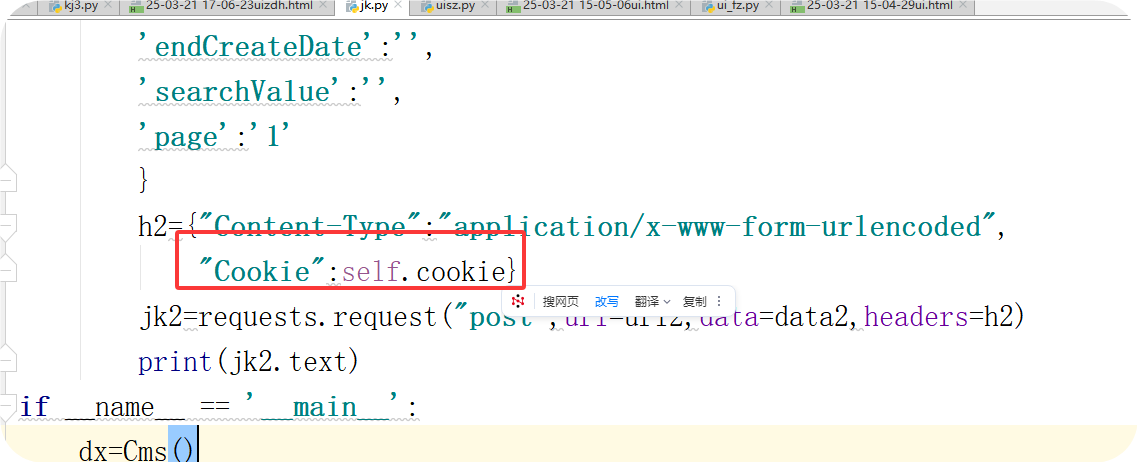
2、方法2:使用cookies 保持会话
案例1:
将cookie值打印后,使用slip取出cookie值
self.cookie=c.split(" ")[1]
import   requests
class  Cms(object):
    def __init__(self):
        pass
    def  dl(self):
        url1 = "http://49.233.201.254:8080/cms/manage/loginJump.do"
        data1={'userAccount':'admin','loginPwd':'123456'}
        h1={"Content-Type":"application/x-www-form-urlencoded"}
        jk1=requests.request("post",url=url1,data=data1,headers=h1)
        print(jk1.text)
        c=str(jk1.cookies)
        print(c) #<RequestsCookieJar[<Cookie JSESSIONID=DAB3F94092C907F3BAD009410A8778E0 for 49.233.201.254/cms/>]>
        self.cookie=c.split(" ")[1] #JSESSIONID=6D60B90E937058D8B91B66A18671A4CB,获取cookie值
        # print(cookie)
    def   yh(self):
        url2="http://49.233.201.254:8080/cms/manage/queryUserList.do"
        data2={
        'startCreateDat':'',
        'endCreateDate':'',
        'searchValue':'',
        'page':'1'
        }
        h2={"Content-Type":"application/x-www-form-urlencoded",
            "Cookie":self.cookie}#添加cookie值
        jk2=requests.request("post",url=url2,data=data2,headers=h2)
        print(jk2.text)
if __name__ == '__main__':
    dx=Cms()
    dx.dl()
    dx.yh()
案例2:
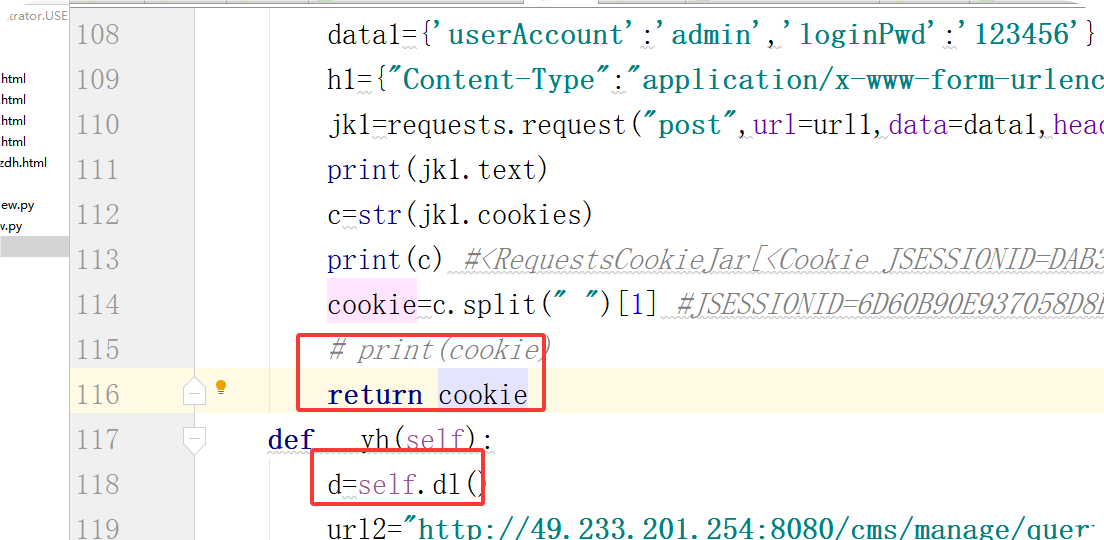
直接将登录页面的cookie值作为return返回值,在第二个函数中直接引用返回值
cookie=c.split(" ")[1]
return cookie
d=self.dl()
h2={"Content-Type":"application/x-www-form-urlencoded","Cookie":d}
import   requests
class  Cms(object):
    def __init__(self):
        pass
    def  dl(self):
        url1 = "http://49.233.201.254:8080/cms/manage/loginJump.do"
        data1={'userAccount':'admin','loginPwd':'123456'}
        h1={"Content-Type":"application/x-www-form-urlencoded"}
        jk1=requests.request("post",url=url1,data=data1,headers=h1)
        print(jk1.text)
        c=str(jk1.cookies)
        print(c) #<RequestsCookieJar[<Cookie JSESSIONID=DAB3F94092C907F3BAD009410A8778E0 for 49.233.201.254/cms/>]>
        cookie=c.split(" ")[1] #JSESSIONID=6D60B90E937058D8B91B66A18671A4CB
        # print(cookie)
        return cookie
    def   yh(self):
        d=self.dl()
        url2="http://49.233.201.254:8080/cms/manage/queryUserList.do"
        data2={
        'startCreateDat':'',
        'endCreateDate':'',
        'searchValue':'',
        'page':'1'
        }
        h2={"Content-Type":"application/x-www-form-urlencoded",
            "Cookie":d}
        jk2=requests.request("post",url=url2,data=data2,headers=h2)
        print(jk2.text)
if __name__ == '__main__':
    dx=Cms()
    # dx.dl()
    dx.yh()
三、关联接口
省份接口:
http://www.webxml.com.cn/WebServices/WeatherWebService.asmx/getSupportProvince
城市接口:
http://www.webxml.com.cn/WebServices/WeatherWebService.asmx/getSupport 入参CitybyProvinceName:{{cs}}
import   requests
s=requests.Session()
class  Gl(object):
    def __init__(self):
        pass
    def  sf(self):
        url="http://www.webxml.com.cn/WebServices/WeatherWebService.asmx/getSupportProvince"
        jk=s.post(url=url)
        print(jk.text)
    def  cs(self):
        url1=r"http://www.webxml.com.cn/WebServices/WeatherWebService.asmx/getSupportCity"
        data1={'byProvinceName':"浙江"}
        h1={"Content-Type":"application/x-www-form-urlencoded"}
        jk1=s.post(url=url1,data=data1,)
        print(jk1.text)
if __name__ == '__main__':
    dx=Gl()
    dx.sf()
    dx.cs()
进行关联
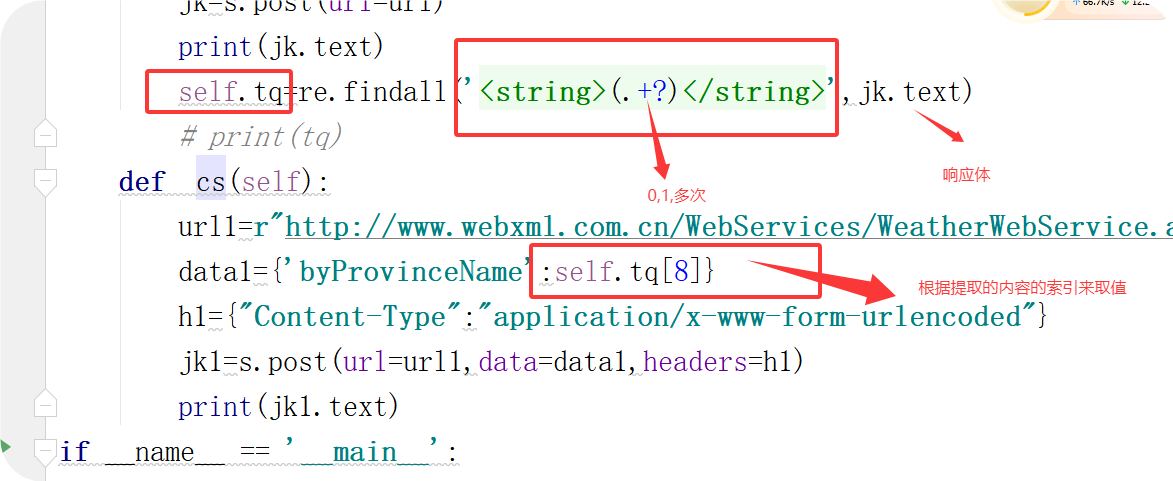
使用re模块
self.tq=re.findall('<string>(.+?)</string>',jk.text)#通过re,提取文字
data1={'byProvinceName':self.tq[8]}
import   requests
import  re#添加re模块
s=requests.Session()
class  Gl(object):
    def __init__(self):
        pass
    def  sf(self):
        url="http://www.webxml.com.cn/WebServices/WeatherWebService.asmx/getSupportProvince"
        jk=s.post(url=url)
        print(jk.text)
        self.tq=re.findall('<string>(.+?)</string>',jk.text)#通过re,提取文字
        # print(tq)
    def  cs(self):
        url1=r"http://www.webxml.com.cn/WebServices/WeatherWebService.asmx/getSupportCity"
        data1={'byProvinceName':self.tq[8]}#提取序列位为8的省份
        h1={"Content-Type":"application/x-www-form-urlencoded"}
        jk1=s.post(url=url1,data=data1,headers=h1)
        print(jk1.text)
if __name__ == '__main__':
    dx=Gl()
    dx.sf()
    dx.cs()

 浙公网安备 33010602011771号