
实例学习——爬取豆瓣音乐TOP250数据
开发环境:(Windows)eclipse+pydev+MongoDB
豆瓣TOP网址:传送门
一、连接数据库
打开MongoDBx下载路径,新建名为data的文件夹,在此新建名为db的文件夹,db文件夹即用于存储数据
在bin路径下输入配置信息——>mongod --dbpath D:\MongoDB\data\db (此处为存储文件路径)
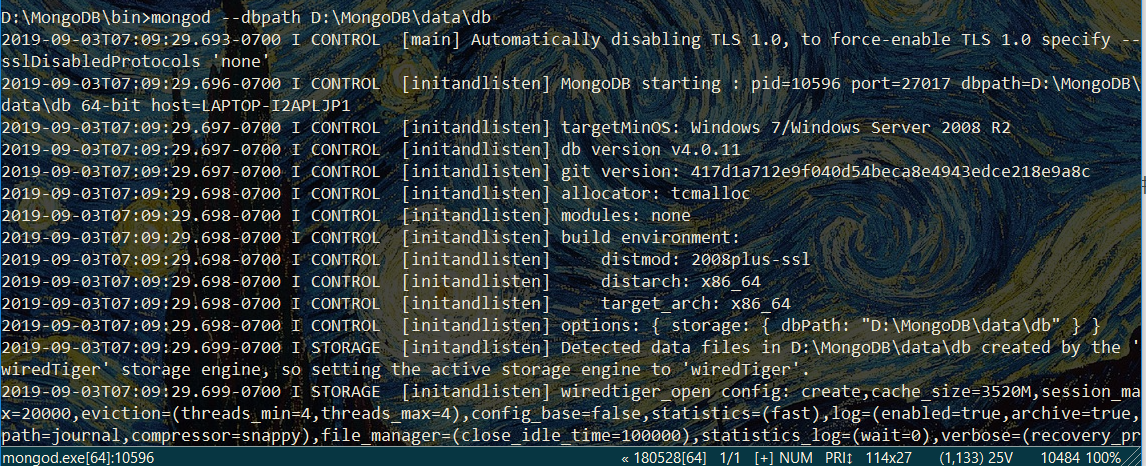
再打开新的命令行窗口,输入——>mongo
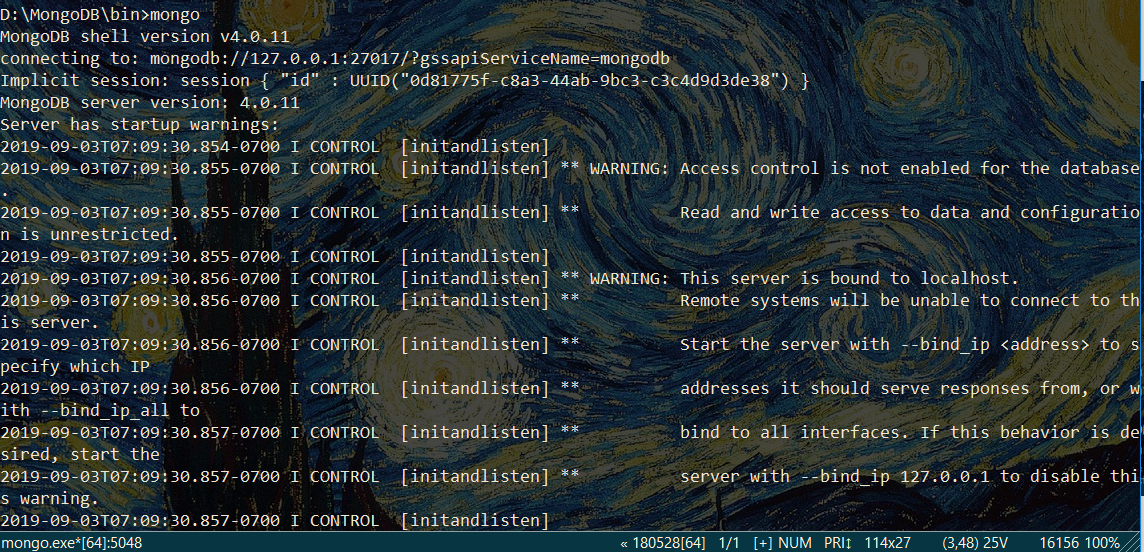
注意:启动服务的命令行窗口不要关闭
打开可视化管理工具Robomongo,点击Connections对话框,在右侧新建connect
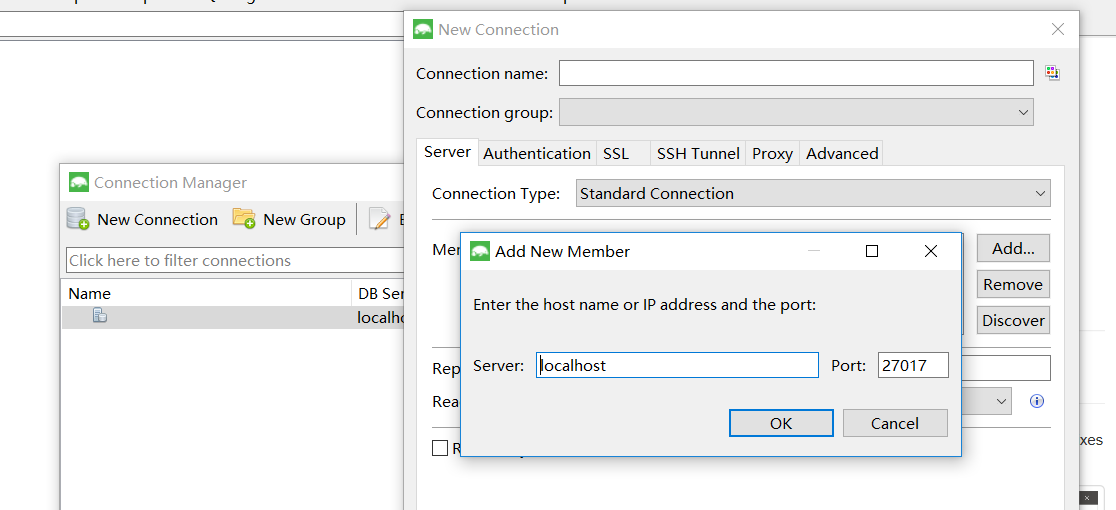
保持默认设置,单击save,最后单击Connect即可连接到数据库
### 二、运行爬虫
# -*- coding:utf-8 -*-
import pymongo
from lxml import etree
import re
import requests
import time
client =pymongo.MongoClient('localhost',27017) #创建并连接数据库
mydb = client['mydb']
musictop = mydb['musictop']
headers = {'User=Agent':'Mozilla/5.0 (Windows NT 10.0; Win64; x64) AppleWebKit/537.36 (KHTML, like Gecko) Chrome/76.0.3809.132 Safari/537.36'} #请求头
def get_url_music(url): #获得详细url的函数
html = requests.get(url, headers = headers)
selector = etree.HTML(html.text)
music_hrefs = selector.xpath('//a[@class="nbg"]/@href')
for music_href in music_hrefs:
get_music_info(music_href)
def get_music_info(url): #获取详细信息的函数
html = requests.get(url, headers=headers)
selector = etree.HTML(html.text)
name = selector.xpath('//*[@id="wrapper"]/h1/span/text()')[0] #xpath
author = re.findall('表演者:.*?>(.*?)</a>',html.text,re.S)[0] #正则表达式
styles = re.findall('<span class="pl">流派:</span> (.*?)<br/>',html.text,re.S)
if len(styles)==0:
style = '未知'
else:
style = styles[0].strip()
time = re.findall('发行时间:</span> (.*?)<br/>',html.text,re.S)[0].strip()
publishers = re.findall('出版者:.*?>(.*?)</a>',html.text,re.S)
if len(publishers)==0:
publisher = "未知"
else:
publisher = publishers[0].strip()
score =selector.xpath('//*[@id="interest_sectl"]/div/div[2]/strong/text()')[0]
print(name,author,style,time,publisher,score)
info = {
'name':name,
'author':author,
'style':style,
'time':time,
'publisher':publisher,
'score':score,
}
musictop.insert_one(info)
if __name__=='__main__': #主程序入口
urls = ['https://music.douban.com/top250?start={}'.format(str(i)) for i in range(0,250,25)]
for url in urls:
get_url_music(url)
time.sleep(2)
成果展示:
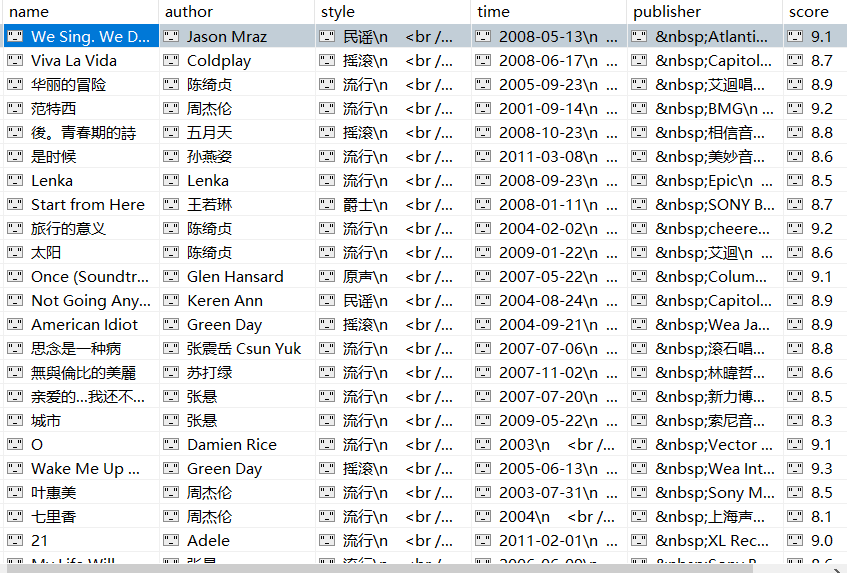
获取author字段信息时,采用正则是因为各详细页中标签位置略有不同,若通过定位标签获取信息,一些详细页信息匹配可能出错。
“表演者”字段在网页源代码中的相对位置是一样,可考虑正则表达式获取信息。
流派、发行时间、出版者信息若用Xpath方式爬取,会数据杂乱,多个标签嵌套,甚至存在乱码符号。

 浙公网安备 33010602011771号