

游戏设置面板
这几天因为在合作项目,又赶上开学,有点忙,就没怎么发blog。
代码部分是我负责的游戏设置部分的代码,用上的技术用控制台基础、switch函数的利用
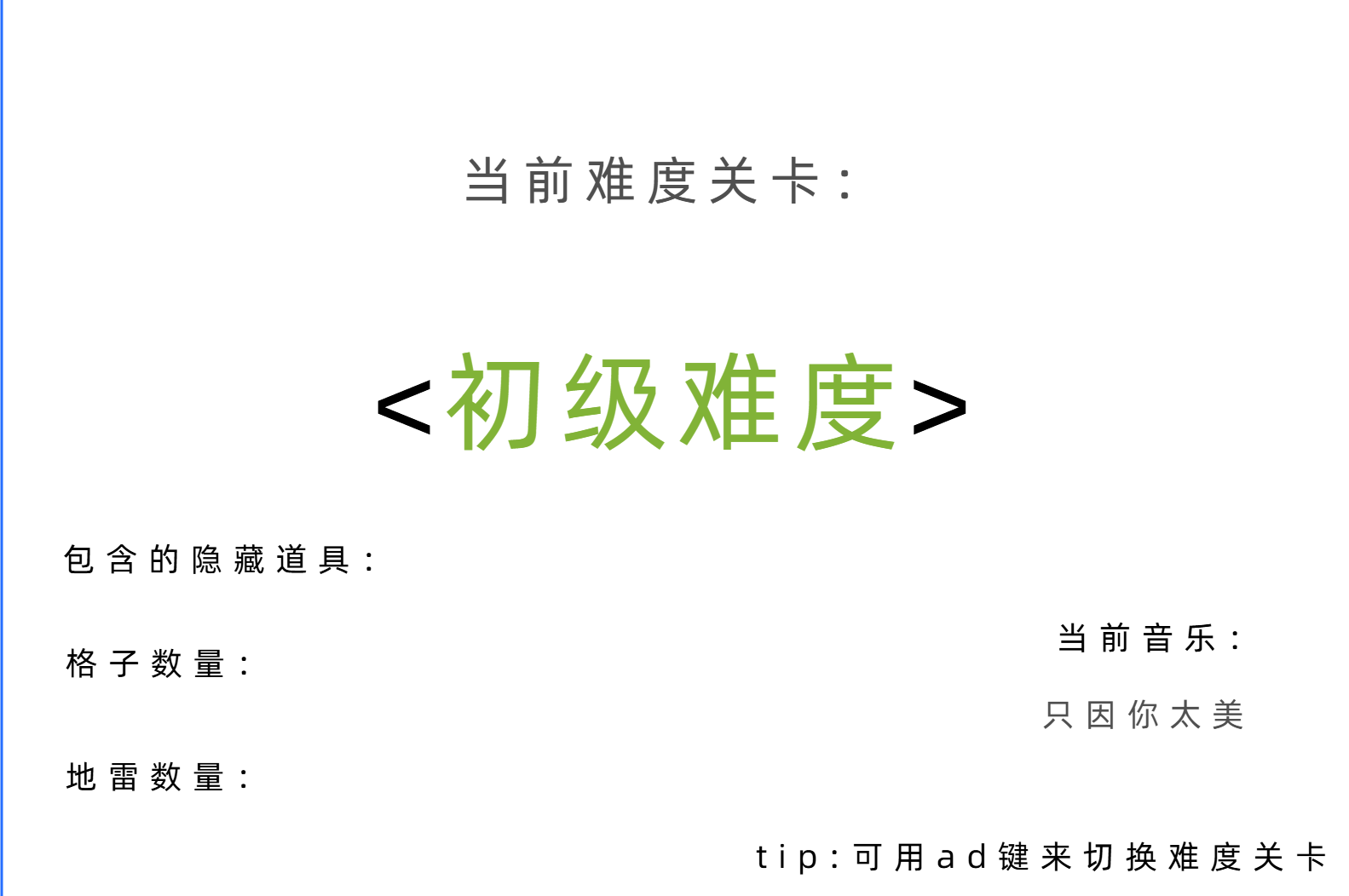
这是产品原型图,我增加了ad键改变难度的功能,但是输出放大字体的功能我没有学会
以下是代码部分(C语言):
include<stdio.h>
include<windows.h>
include<stdlib.h>
include<conio.h> // 用于_getch()函数
// 传入坐标, 将光标移动到指定坐标
void gotoXY(int x, int y) // 设置光标位置的函数
{
COORD c;
c.X = x - 1;
c.Y = y - 1;
SetConsoleCursorPosition(GetStdHandle(STD_OUTPUT_HANDLE), c);
}
void setPrintColor(int color) { // 设置打印颜色的函数
SetConsoleTextAttribute(GetStdHandle(STD_OUTPUT_HANDLE), color);
}
void printBox(int x, int y, int w, int h) //打印边框的函数
{
//左竖线
for (int i = 0; i < h; i++) {
gotoXY(x, y + i);
putchar('#');
}
//右竖线
for (int i = 0; i < h; i++) {
gotoXY(x + w - 1, y + i);
putchar('#');
}
//上横线
gotoXY(x, y);
for (int i = 0; i < w; i++) {
putchar('#');
}
//下横线
gotoXY(x, y + h - 1);
for (int i = 0; i < w; i++) {
putchar('#');
}
//光标挪到其它位置  避免后面的输出覆盖这里的打印
gotoXY(x + w, y + h + 1);
}
int main() {
int level; //记录难度的全局变量
//——————————打印游戏设置界面————————————
int select = 0; //select是选择初始化的值
while (1) {
printBox(1, 1, 120, 30);
gotoXY(55, 5);
printf("当前关卡难度:");
gotoXY(5, 15);
printf("包含的隐藏道具:");
gotoXY(5, 20);
printf("格子数量:");
gotoXY(15, 20);
printf("12 X 12");
gotoXY(5, 25);
printf("地雷数量:");
gotoXY(93, 29);
if (select == 0) setPrintColor(2); //绿色
printf("tip:可用ad键来切换难度关卡");
setPrintColor(7); //白色
switch (select) { //根据select的值来改变打印的颜色
case 0:
if (select == 0) setPrintColor(2); //绿色
gotoXY(55, 7); //光标移动到指定位置
printf("< 初级难度 >");
gotoXY(21, 15);
printf("《摸鱼圣经》");
setPrintColor(7); //白色
gotoXY(15, 25);
printf("15");
break;
case 1:
setPrintColor(6); //黄色
gotoXY(55, 7);
printf("< 中级难度 >");
gotoXY(21, 15);
printf("东东哥的咖啡杯");
setPrintColor(7); //白色
gotoXY(15, 25);
printf("20");
break;
case 2:
setPrintColor(4); //红色
gotoXY(55, 7);
printf("< 高级难度 >");
gotoXY(21, 15);
printf("实习生背锅协议");
setPrintColor(7); //白色
gotoXY(15, 25);
printf("30");
break;
}
//——————————接收用户操作————————————
char key = _getch(); //获取按键的输入,如果不放在后面就不会直接显示print输出的界面
switch (key) {
case 'a':
select--;
if (select < 0) select = 2;
system("cls"); //清屏
break;
case 'd':
select++;
if (select > 2) select = 0;
system("cls"); //清屏
break;
}
if (key == '\r') { //按enter键就能确认
level = select;
break;
}
}
}
其中的一张展示为:
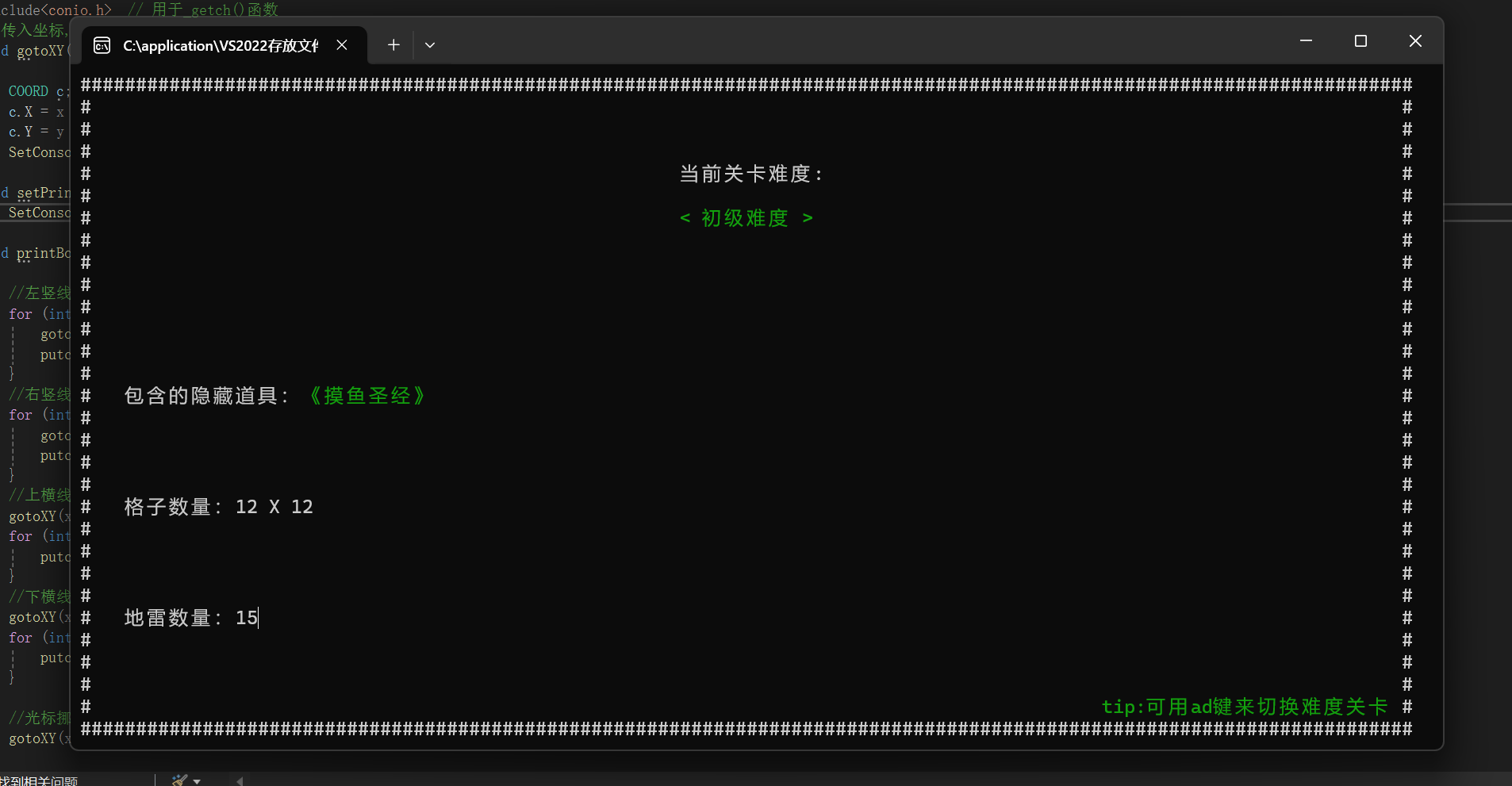
萌新作品,还有不足。

 浙公网安备 33010602011771号