
postman一些脚本的应用
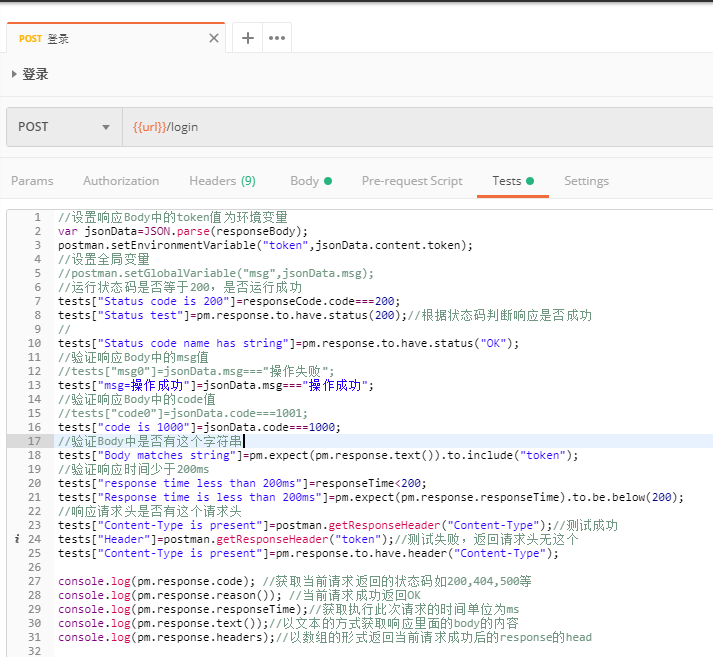
 1 //设置响应Body中的token值为环境变量
 2 var jsonData=JSON.parse(responseBody);
 3 postman.setEnvironmentVariable("token",jsonData.content.token);
 4 //设置全局变量
 5 //postman.setGlobalVariable("msg",jsonData.msg);
 6 //运行状态码是否等于200,是否运行成功
 7 tests["Status code is 200"]=responseCode.code===200;
 8 tests["Status test"]=pm.response.to.have.status(200);//根据状态码判断响应是否成功
 9 //
10 tests["Status code name has string"]=pm.response.to.have.status("OK");
11 //验证响应Body中的msg值
12 //tests["msg0"]=jsonData.msg==="操作失败";
13 tests["msg=操作成功"]=jsonData.msg==="操作成功";
14 //验证响应Body中的code值
15 //tests["code0"]=jsonData.code===1001;
16 tests["code is 1000"]=jsonData.code===1000;
17 //验证Body中是否有这个字符串
18 tests["Body matches string"]=pm.expect(pm.response.text()).to.include("token");
19 //验证响应时间少于200ms
20 tests["response time less than 200ms"]=responseTime<200;
21 tests["Response time is less than 200ms"]=pm.expect(pm.response.responseTime).to.be.below(200);
22 //响应请求头是否有这个请求头
23 tests["Content-Type is present"]=postman.getResponseHeader("Content-Type");//测试成功
24 tests["Header"]=postman.getResponseHeader("token");//测试失败,返回请求头无这个
25 tests["Content-Type is present"]=pm.response.to.have.header("Content-Type");
26
27 console.log(pm.response.code); //获取当前请求返回的状态码如200,404,500等
28 console.log(pm.response.reason()); //当前请求成功返回OK
29 console.log(pm.response.responseTime);//获取执行此次请求的时间单位为ms
30 console.log(pm.response.text());//以文本的方式获取响应里面的body的内容
31 console.log(pm.response.headers);//以数组的形式返回当前请求成功后的response的head
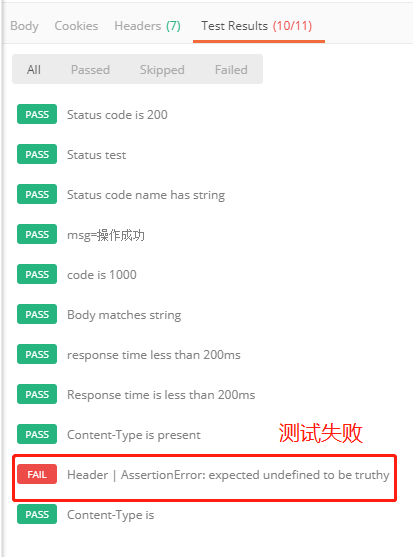
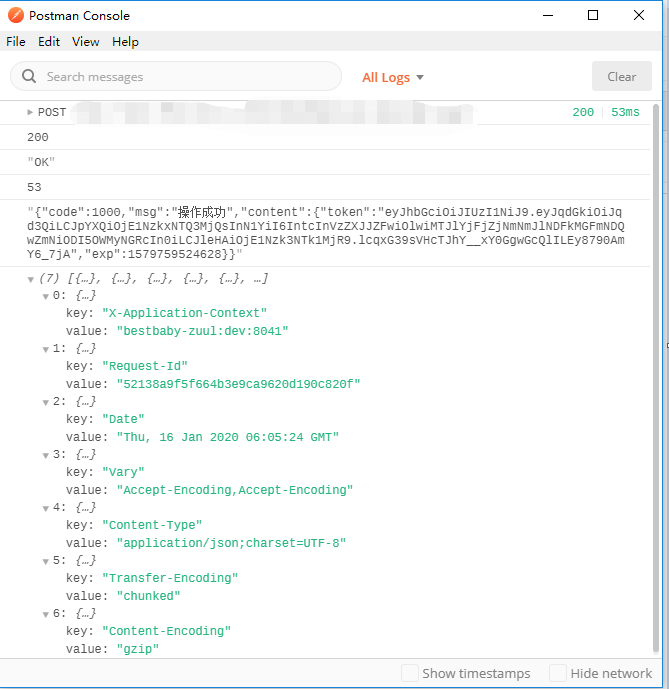
测试结果: 运行输出返回结果:
关于时间的一些脚本设置:
 1 //获取10位数的时间戳,1568097250
 2 timestamp=Math.round(new Date().getTime()/1000);
 3 console.log(timestamp);
 4 //获取13位数的时间戳,1568097249916
 5 time=Math.round(new Date().getTime());
 6 console.log(time);
 7 //获取GMT时间日期,2019-09-10T06:34:09.916Z
 8 var date=new Date();
 9 console.log(date);
10 //获取规定格式的日期,2019-09-10 14:34:09
11 const moment = require('moment');
12 //格式化日期YYYY-MM-DD HH:mm:ss
13 date1=moment().format('YYYY-MM-DD HH:mm:ss');
14 console.log(date1);
15 date2=moment().format('YYYY/MM/DD HH:mm:ss');
16 console.log(date2);
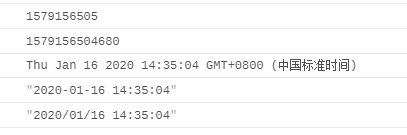
运行结果显示:
将请求参数进行Sha1、MD5、Base64加密:
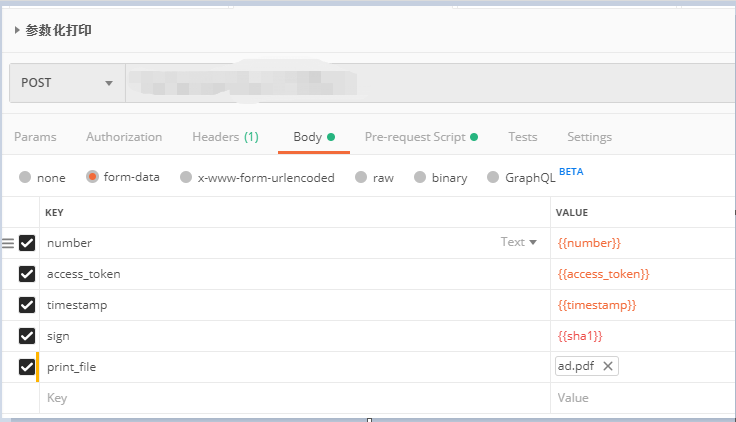
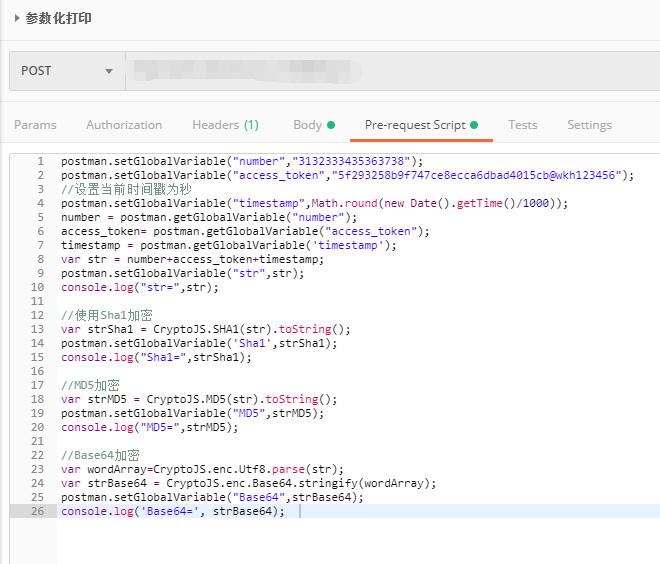
 1 postman.setGlobalVariable("number","3132333435363738");
 2 postman.setGlobalVariable("access_token","5f293258b9f747ce8ecca6dbad4015cb@wkh123456");
 3 //设置当前时间戳为秒
 4 postman.setGlobalVariable("timestamp",Math.round(new Date().getTime()/1000));
 5 number = postman.getGlobalVariable("number");
 6 access_token= postman.getGlobalVariable("access_token");
 7 timestamp = postman.getGlobalVariable('timestamp');
 8 var str = number+access_token+timestamp;
 9 postman.setGlobalVariable("str",str);
10 console.log("str=",str);
11
12 //使用Sha1加密
13 var strSha1 = CryptoJS.SHA1(str).toString();
14 postman.setGlobalVariable('Sha1',strSha1);
15 console.log("Sha1=",strSha1);
16
17 //MD5加密
18 var strMD5 = CryptoJS.MD5(str).toString();
19 postman.setGlobalVariable("MD5",strMD5);
20 console.log("MD5=",strMD5);
21
22 //Base64加密
23 var wordArray=CryptoJS.enc.Utf8.parse(str);
24 var strBase64 = CryptoJS.enc.Base64.stringify(wordArray);
25 postman.setGlobalVariable("Base64",strBase64);
26 console.log('Base64=', strBase64);
运行结果:
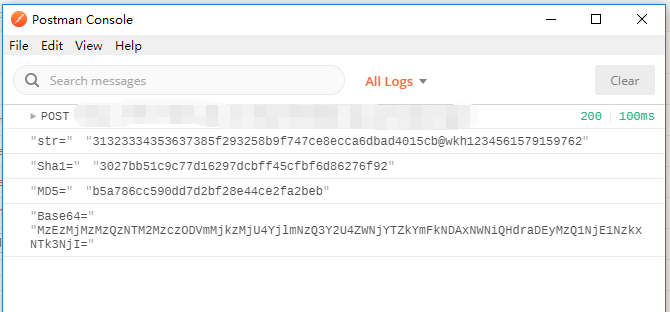
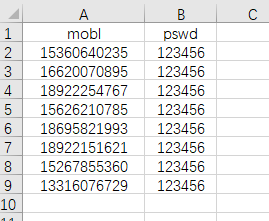
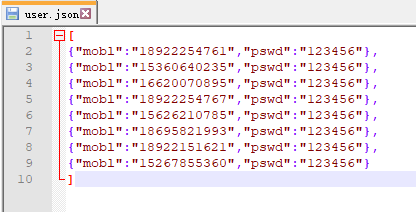
请求参数从json,csv等文件中读取:
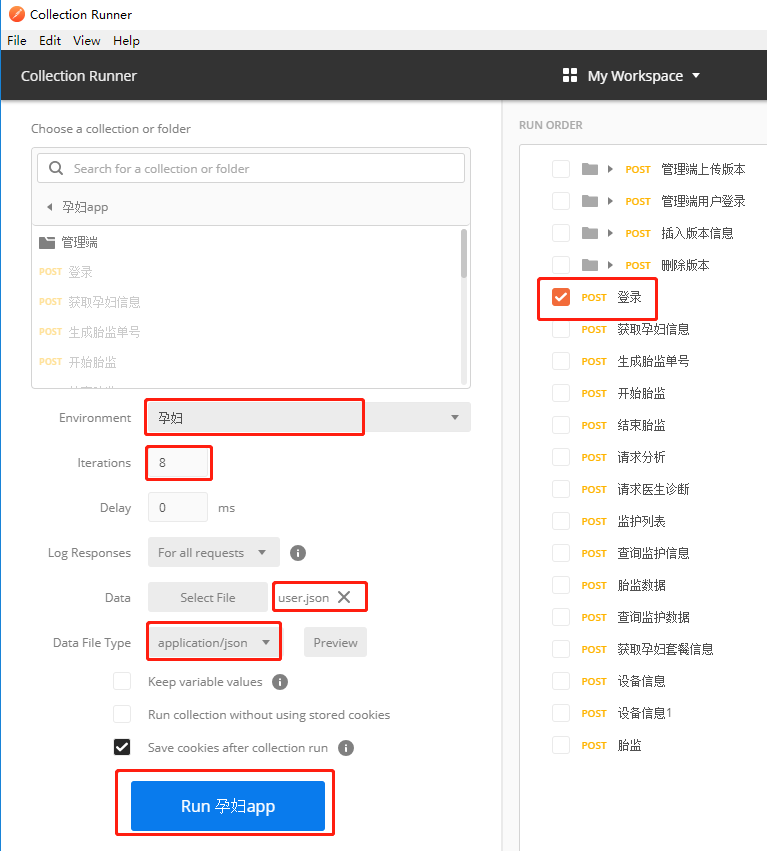
csv文件格式: json文件格式:
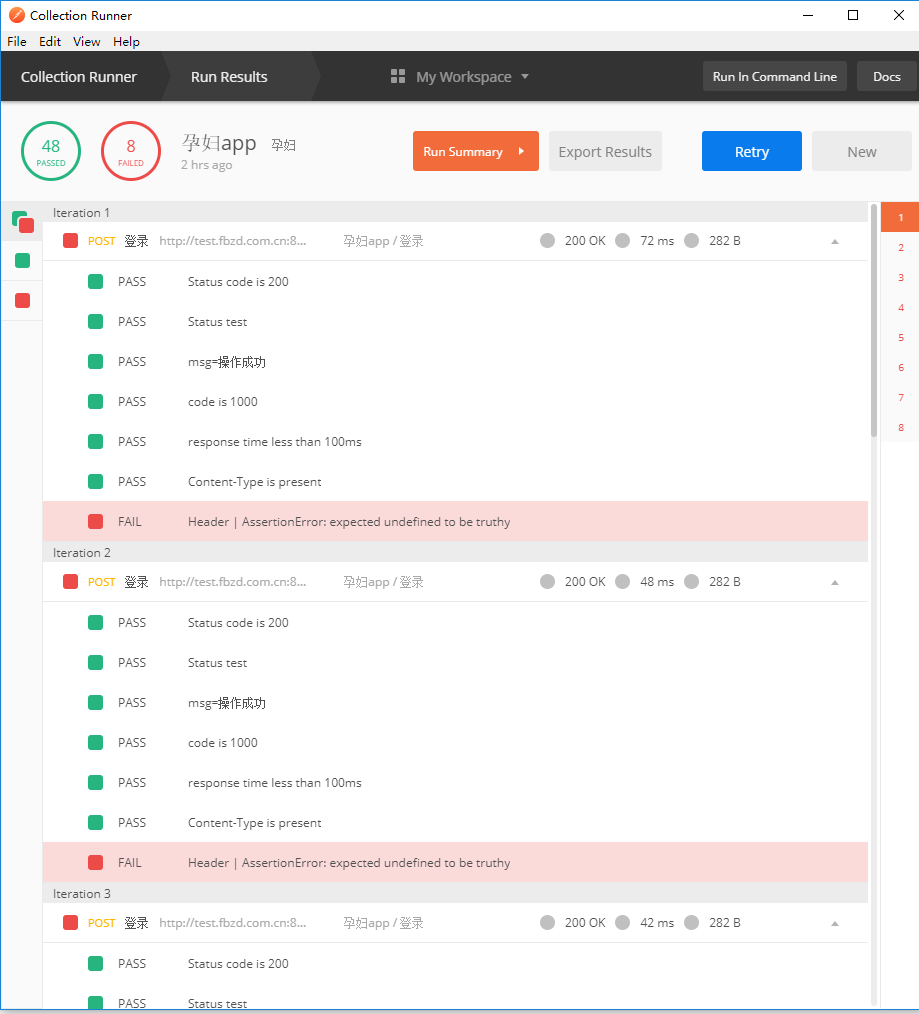
运行结果:

 浙公网安备 33010602011771号