vue项目生成二维码功能使用QRCode(接入微信和支付宝支付接口)
1.导入第三方插件
cnpm i qrcodejs2 --save
2.在项目中引用
import QRCode from 'qrcodejs2'
3.
<template>
	<div id="qrcode" ref="qrcode"></div>
</template>
<script>
	import QRCode from 'qrcodejs2'
	//import QRCode from 'qrcode2'
	export default {
		methods:{
			qrcodeScan () {//生成二维码
			  let qrcode = new QRCode('qrcode', {
			      width: 200,  // 二维码宽度
			      height: 200, // 二维码高度
			      text: 'https://mp.csdn.net'
			  })
			},
		},
        mounted() {
   		   this.qrcodeScan();    // 注:需在mounted里触发qrcodeScan函数
   	    }
	}
</script>
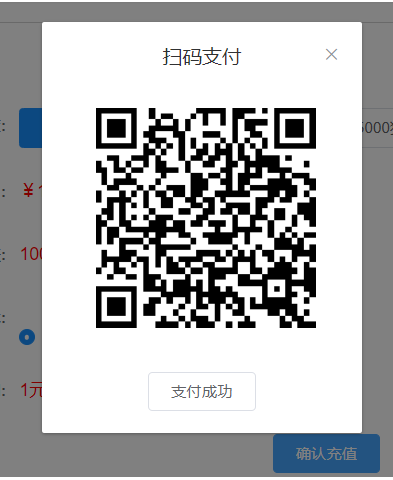
案例:
<!-- 充值弹窗 -->
      <el-dialog
        title="扫码支付"
        :visible.sync="dialogPayment"
        width="20%"
        :close-on-click-modal="false"
        center
        :before-close="handleClose"
      >
        <div id="qrcode" ref="qrcode" style="margin-left:10%" />
        <span slot="footer" class="dialog-footer">
          <el-button @click="handleClose">支付成功</el-button>
        </span>
      </el-dialog>
methods: {
    onSubmit(data) {
      const money = { amount: data.catBean }
      if (data.catBean < 3) {
        this.$message({
          message: '每次充值至少3元',
          type: 'error'
        })
      } else {
        if (data.payment === '0') {
          this.dialogPayment = true
          payByQrCode(money).then(res => {
            console.log(res)
            // eslint-disable-next-line no-unused-vars
            const qrCode = new QRCode('qrcode', {
              width: 200,
              height: 200,
              text: res.qrCode
            })
          })
        } else {
          //跳转ali支付页面
          const moneyali = { amount: data.catBean, redirectUrl: proxy.url + '/finance/recharge' }
          aliWebPay(moneyali).then(res => {
            window.location.href = res.redirectUrl
          })
        }
      }
    },
    handleClose() {
      this.dialogPayment = false
      this.$refs.qrcode.innerHTML = ''
    }
  }
![]()



 浙公网安备 33010602011771号