- 登陆 .输入用户名密码,判断用户名和密码相同,登陆成功,session中保存用户的用户名,进入主页main.jsp,主页有一个退出按钮,点击,回到登陆页login.jsp。要求:退出登录后,如果在浏览器直接输入主页main.jsp,访问不了,直接跳到登陆页。
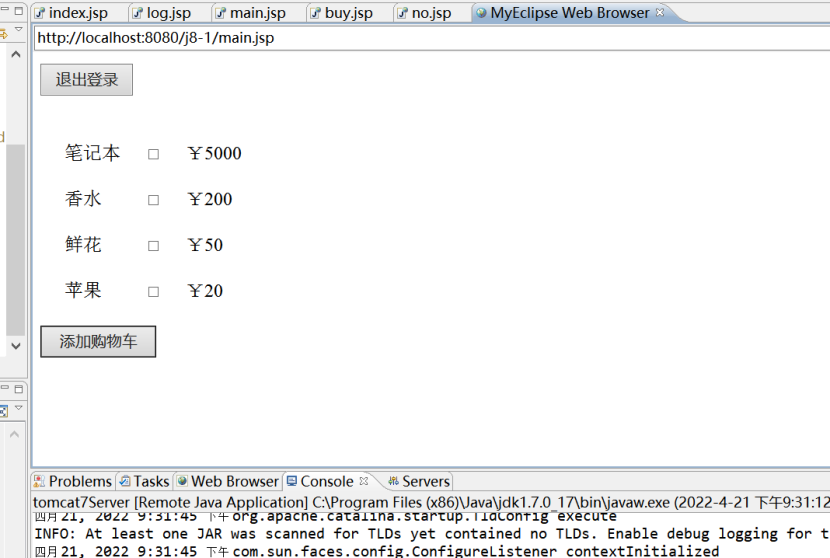
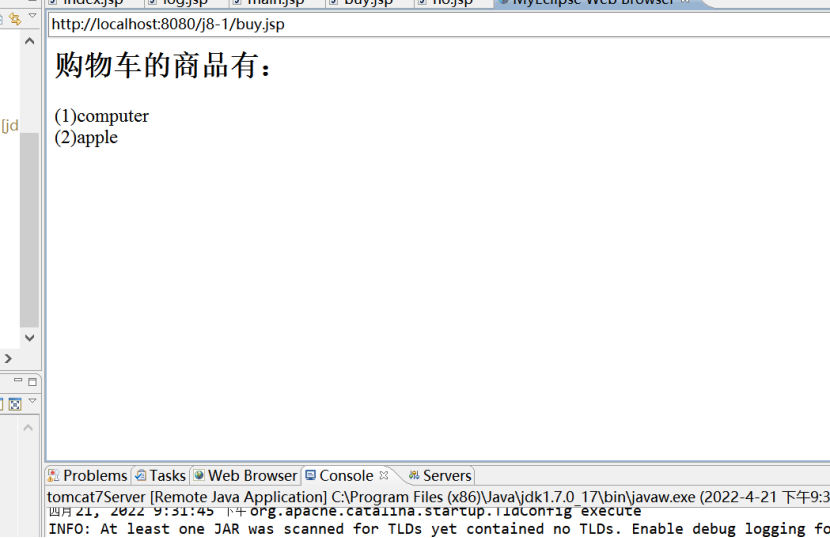
- 购物车.和上一题一起,在main.jsp中做一个购物车,里面显示3个商品名和价格 每一个后面有一个加入购物车按钮,main.jsp中有一个按钮(或者超链接)可以显示购物车。
 <body>
    <script type="text/javascript">
        function val() {
            if (loginForm.account.value == "") {
                alert("账号不能为空");
                return;
            } else if (loginForm.pas.value == "") {
                alert("密码不能为空");
                return;
            }
            loginForm.submit();
        }
    </script>
    <form action="log.jsp">
        账号<input type="text" name="account">
        密码<input type="password" name="pas">
    <input type="submit" value="登录" />
    </form>
  </body>
<body>
      <%
      request.setCharacterEncoding("utf-8");
      String uname = request.getParameter("account");
      String upwd = request.getParameter("pas");
      if(uname.equals(upwd)){
      session.getAttribute("uname");
      response.sendRedirect("main.jsp");
      }else{
         response.sendRedirect("no.jsp");
      }
    %>
  </body>

 <body>
  <input type="button"
    onclick="window.location.href='index.jsp';" value="退出登录">
  <form action="buy.jsp" method="post">
        <table border="0" cellspacing="30">
          <tr>
              <td>笔记本</td>
            <td><input type="checkbox" name="item" value="computer"></td>
            <td>¥5000</td>
          </tr>
          <tr>
              <td>香水</td>
            <td><input type="checkbox" name="item" value="perfume"></td>
            <td>¥200</td>
          </tr>
          <tr>
              <td>鲜花</td>
            <td><input type="checkbox" name="item" value="flower"></td>
            <td>¥50</td>
          </tr>
          <tr>
              <td>苹果</td>
            <td><input type="checkbox" name="item" value="apple"></td>
            <td>¥20</td>
          </tr>
        </table>
        <input type="submit" value="添加购物车">
      </form>
  </body>

<body>
      登陆失败<br>用户名或密码错误
  </body>

<body>
  <h2>购物车的商品有:</h2>
  <%
        request.setCharacterEncoding("utf-8");
        String itemName[] = request.getParameterValues("item");
        if (itemName == null) {
            out.print("购物车为空!");
        } else {
            for (int i = 0; i < itemName.length; i++) {
                out.print("(" + (i + 1) + ")" + itemName[i] + "<br>");
            }
        }
    %>

  </body>
![]()
![]()
![]()


 浙公网安备 33010602011771号