
hive
hive的执行命令
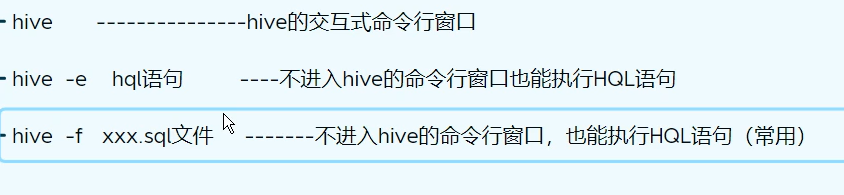
beeline的使用规则
- 需要配置hiveserver2
hive的配置文件:hive-site.xml
<property>
    <name>hive.server2.authentication</name>
    <value>NONE</value>
</property>
<property>
    <name>hive.server2.thrift.bind.host</name>
    <value>node1</value>
</property>
<property>
    <name>hive.server2.thrift.port</name>
    <value>10000</value>
    <description>TCP port number to listen on, default 10000</description>
</property>
<property>
    <name>hive.server2.thrift.http.port</name>
    <value>10001</value>
</property>
<property>
    <name>hive.server2.thrift.client.user</name>
    <value>root</value>
    <description>Username to use against thrift client</description>
</property>
<property>
    <name>hive.server2.thrift.client.password</name>
    <value>root</value>
    <description>Password to use against thrift client</description>
</property>

hadoop的配置文件:core-site.xml
<property>
    <name>hadoop.proxyuser.root.hosts</name>
    <value>*</value>
</property>
<property>
    <name>hadoop.proxyuser.root.groups</name>
    <value>*</value>
</property>
- 启动hiveserver2
hiveserver2 &
hive --service hiveserver2 &
在后台输入:nohup hiveserver2 1>xxx.log 2>&1 & - beeline的使用
![]()
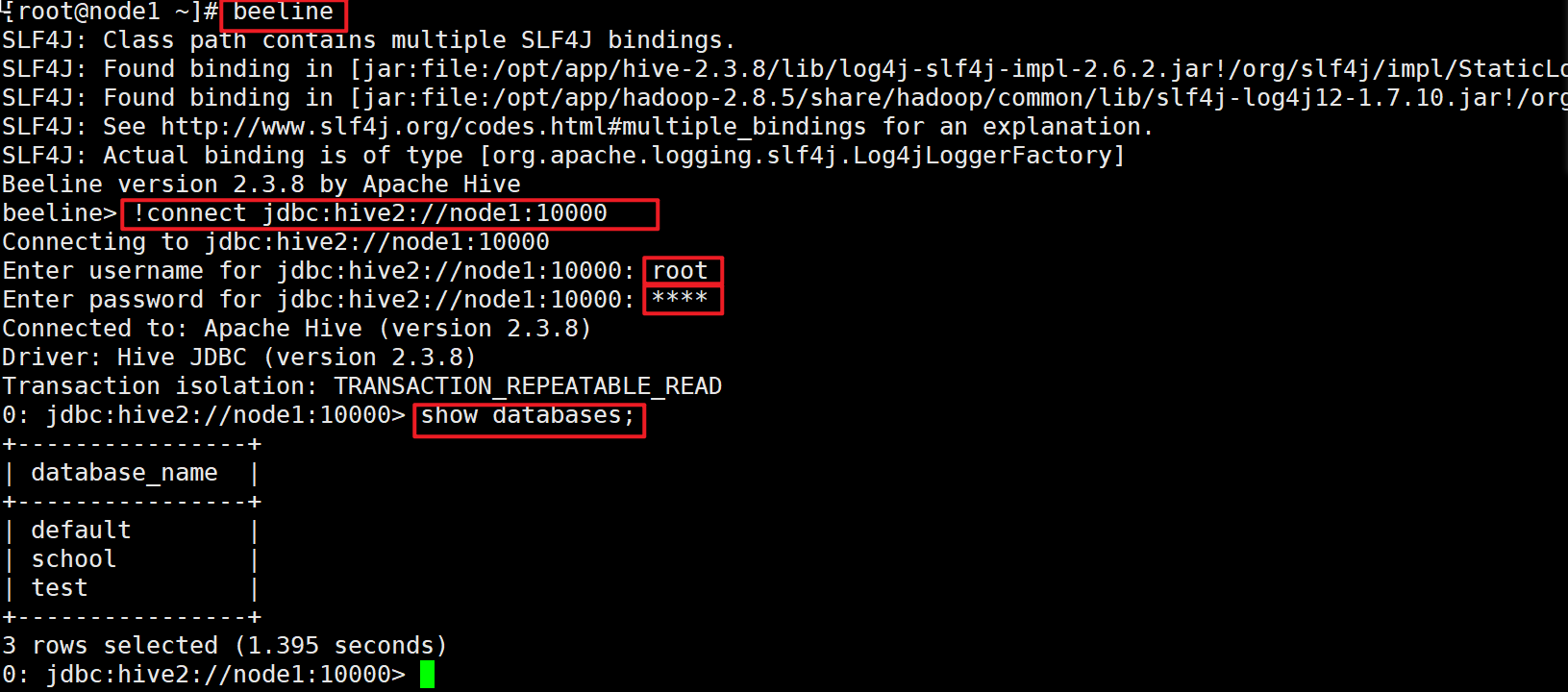
beeline
!connect jdbc:hive2://node1:10000
用户名:root
密码:root
DBeaver使用
将下面的包作为驱动导入DBeaver中即可

[root@node1 jdbc]# pwd
/opt/app/hive-2.3.8/jdbc
[root@node1 jdbc]# ls
hive-jdbc-2.3.8-standalone.jar
本文来自博客园,作者:jsqup,转载请注明原文链接:https://www.cnblogs.com/jsqup/p/16539627.html

 浙公网安备 33010602011771号