
苹果手机input和a标签的自我小结
平时我们在写手机页面的时候,如果用到了
1 <input type="button" value="测试按钮" />
2 <input type="text" placeholder="测试"/>
3 <a href="#">测试a标签</a>
分别在手机上的效果是:

分别点击这三个,会出现灰色的背景,
通过添加css属性去掉灰色背景:
-webkit-tap-highlight-color:rgba(0,0,0,0);
-moz-tap-highlight-color:rgba(0, 0, 0, 0);
-ms-tap-highlight-color:rgba(0, 0, 0, 0);
-o-tap-highlight-color:rgba(0, 0, 0, 0);
tap-highlight-color:rgba(0, 0, 0, 0);
设置input 的placeholder:
::-webkit-input-placeholder { /* WebKit browsers */
font-size:14px;
line-height: 14px;
color: red;
}
:-moz-placeholder { /* Mozilla Firefox 4 to 18 */
font-size:14px;
line-height: 14px;
color: red;
}
::-moz-placeholder { /* Mozilla Firefox 19+ */
font-size:14px;
line-height: 14px;
color: red;
}
:-ms-input-placeholder { /* Internet Explorer 10+ */
font-size:14px;
line-height: 14px;
color: red;
}
修改input在苹果上面的默认样式:
-webkit-appearance: none;

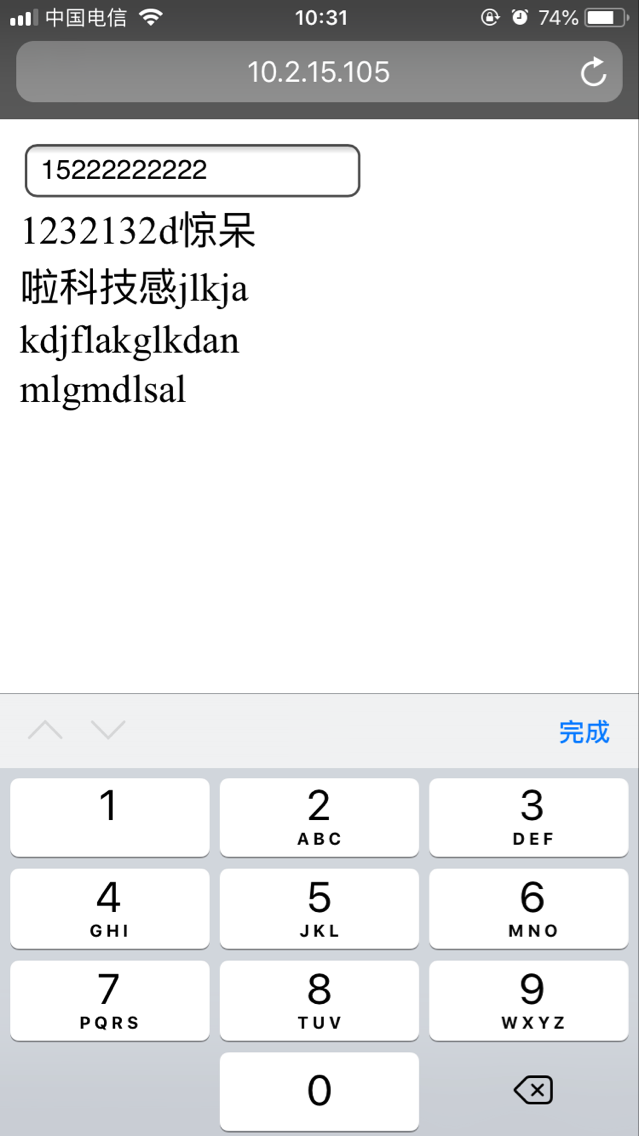
调用苹果手机的九宫格键盘:
<input type="number" pattern="\d*" placeholder="请输入手机号码" oninput="if(value.length>11)value=value.slice(0,11)" />
追逐着夕阳,有时候回头看看天空,何尝不是一片空旷的蓝天呢

 浙公网安备 33010602011771号