
[网络基础]:三层交换机、HSRP、网络规划
[网络基础]:三层交换机、HSRP、网络规划
三层交换机:
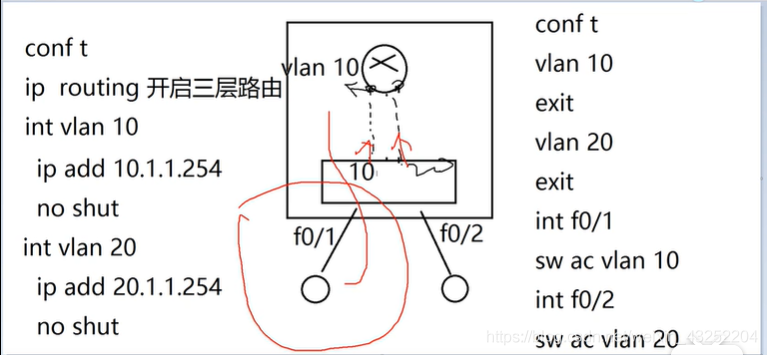
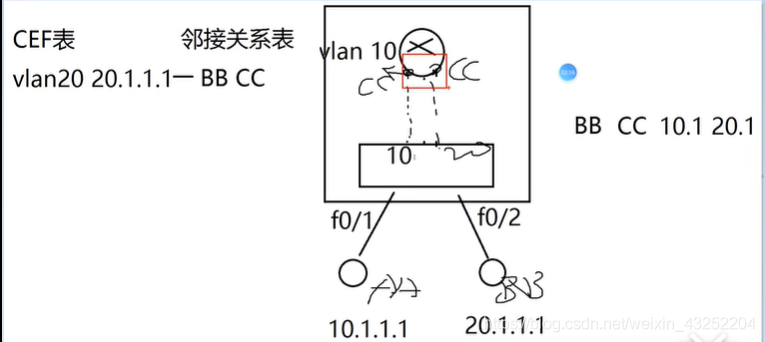
1、三层交换机 = 三层路由器 + 二层交换机
2、三层路由引擎是可以关闭或开启的
conf t
ip routing 开启三层路由功能
no ip routing 关闭
3、三层交换机的优点:
与单臂路由相比:
1)解决了网络瓶颈的问题
2)解决了单点故障(虚拟接口不依赖与任何的物理接口 )
3)一次路由,永久交换
4、三层交换机上起虚接口(配置VLAN的网关)
int vlan 10
ip add 10.1.1.254 255.255.255.0
no shut
exit
5、二层端口升级为三层端口
int f0/x
no switchport
ip add 10.1.1.1 255.255.255.0
no shut
HSRP
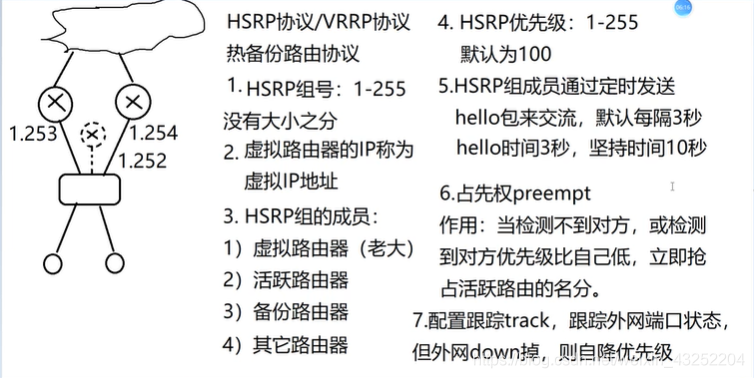
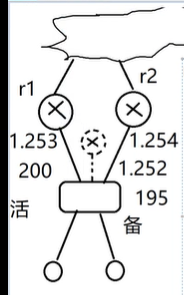
R1:
int f0/0
standby 1 ip 192.168.1.252
standby 1 priority 200
standby 1 preempt
standby 1 track f0/1
exit
R2:
int f0/0
standby 1 ip 192.168.1.252
standby 1 priority 195
standby 1 preempt
standby 1 track f0/1
查看hsrp
show standby br
show standby
简单的HSRP实验:
配置10网段虚拟路由为10.1.1.254
要求 : 当1,2,3,4号线中的任意一条断了,PC1 都能够ping通 PC2
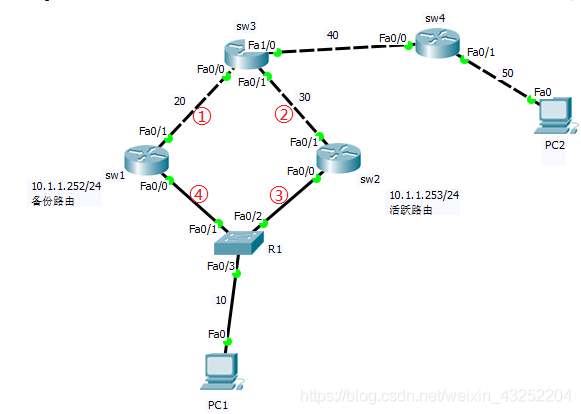
配置路由器sw1
sw1:
en
conf t
ho sw1
# 配置端口IP
int f0/0
ip add 10.1.1.252 255.255.255.0
no sh
exit
int f0/1
ip add 20.1.1.2 255.255.255.0
no sh
exit
# 配置HSRP
int f0/0
standby 1 ip 10.1.1.254 #虚拟网关
standby 1 pri 195
standby 1 preempt #占先权
exit
# 配置路由表
ip route 0.0.0.0 0.0.0.0 20.1.1.1
配置路由器sw2
sw2:
en
conf t
ho sw2
# 配置端口IP
int f0/0
ip add 10.1.1.253 255.255.255.0
no sh
exit
int f0/1
ip add 30.1.1.2 255.255.255.0
no sh
exit
# 配置HSRP
int f0/0
standby 1 ip 10.1.1.254 #虚拟网关
standby 1 pri 200
#不需要设置占先权
standby 1 track f0/1 #跟踪外网端口状态
exit
# 配置路由表
ip route 0.0.0.0 0.0.0.0 30.1.1.1
配置路由器sw3
sw3:
en
conf t
ho sw3
# 配置端口IP
int f0/0
ip add 20.1.1.1 255.255.255.0
no sh
ex
int f0/1
ip add 30.1.1.1 255.255.255.0
no sh
ex
int f1/0
ip add 40.1.1.1 255.255.255.0
no sh
ex
# 配置路由表
ip route 0.0.0.0 0.0.0.0 40.1.1.2
ip route 10.1.1.0 255.255.255.0 30.1.1.2
ip route 10.1.1.0 255.255.255.0 20.1.1.2
注:
这里不能配置浮动路由,因为当配置浮动路由,如下所示:
ip route 10.1.1.0 255.255.255.0 30.1.1.2
ip route 10.1.1.0 255.255.255.0 20.1.1.2 2
当线路④断开后,信息发送出去,无法返回,数据回包时,还是会从30网段过.
配置路由器sw4
en
conf t
ho w4
int f0/0
ip add 40.1.1.2 255.255.255.0
no sh
ex
int f0/1
ip add 50.1.1.254 255.255.255.0
no sh
ex
ip route 0.0.0.0 0.0.0.0 40.1.1.1
我们用
do sh standby
do sh standby br
来查看路由器的HSRP状态
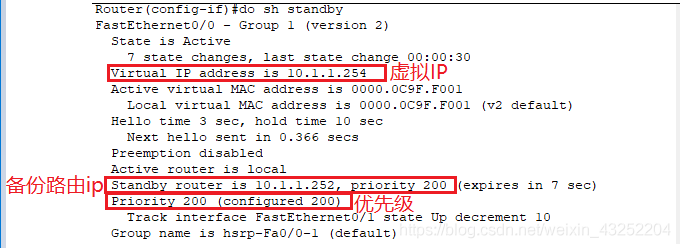

最后配置好两台PC的IP地址
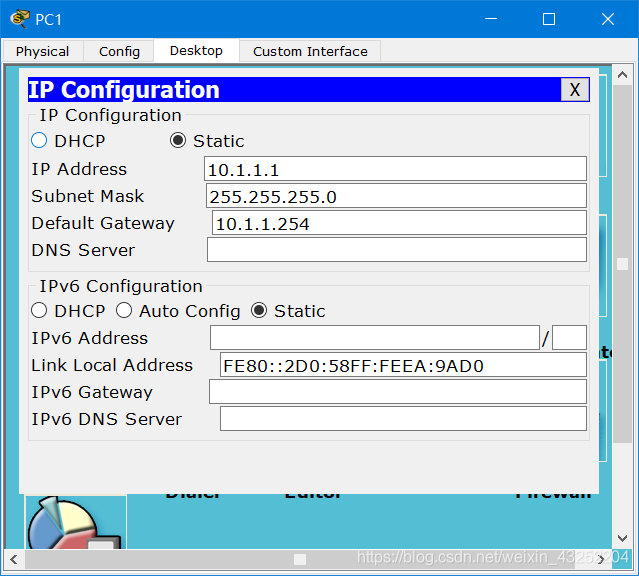
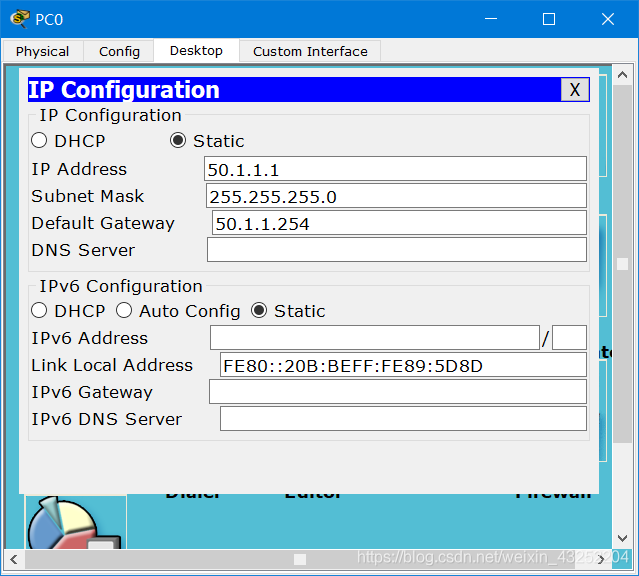
好了整个实验就配置完成了,
测试:
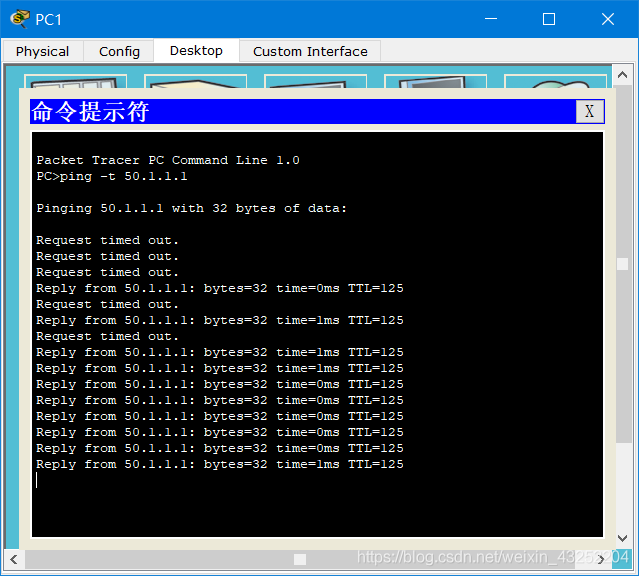
断开线路①,可以通信
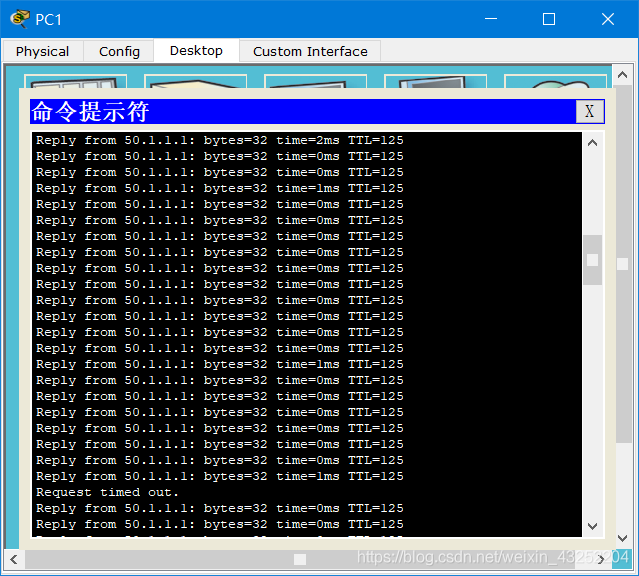
断开线路②,可以通信
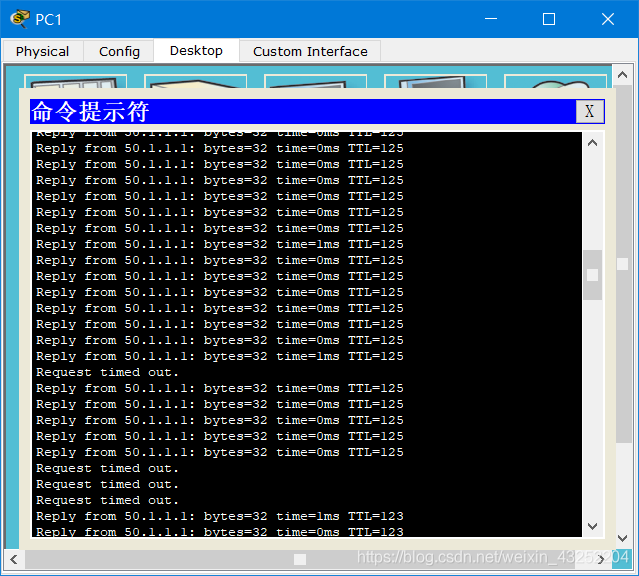
断开线路③,可以通信

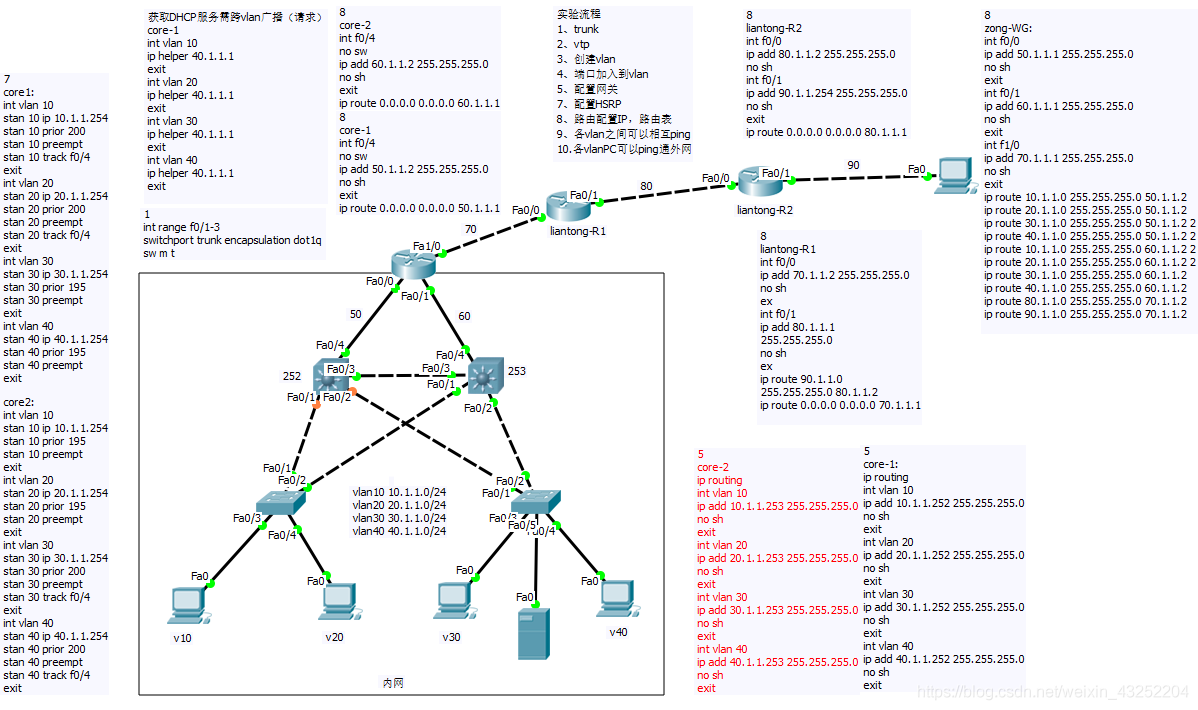
网络规划+三层交换实验
要求:50 或 60 网段 任意 一条线路断开,不影响整个内网与外网的通信.
解决方法:
配置两个三层交换机,一个正常使用,一个做备份.

 浙公网安备 33010602011771号