

使用Ajax调用Webservice服务
上一节介绍了怎么发布Webservice服务并使用wsimport调用该服务,这一节使用Ajax来调用Webservice服务:
新建一个文件ajax_webservice.html
<html>
	<head>
		<title>通过Ajax调用Webservice服务</title>
		<script>
			// 创建XMLHttpRequest对象
			function getXhr() {
                var xhr = null;
                if(window.XMLHttpRequest){
                    //非ie浏览器
                    xhr = new XMLHttpRequest();
                }else{
                    //ie浏览器
                    xhr = new ActiveXObject('Microsoft.XMLHttp');
                }
                return xhr;
            }
			var xhr = getXhr();

			// 按钮事件
			function sendMsg() {
				// 请求的URL
				var wsUrl = 'http://127.0.0.1:6789/hello';

				/*
				请求体(这个请求体一般是不变的,使用myeclipse生成:)
				点击"Launch SOAP Web Services Explorer",输入URL:http://192.168.1.5:6789/hello?wsdl,点击"Go",
				在"Operations"下面的Name列,点击方法sayHello,点击"Add",随便输入一个字符串,比如Peter,点击"Go",
				在Status中点击"Source",就可以看到"SOAP Request Envelope: "和"SOAP Response Envelope:",复制"SOAP Request Envelope:"中的文本
				粘贴到这里修改一下就可以了
				*/
				var soap = '<soapenv:Envelope xmlns:soapenv="http://schemas.xmlsoap.org/soap/envelope/" xmlns:q0="http://webservice.lvshitech.com/"						xmlns:xsd="http://www.w3.org/2001/XMLSchema" xmlns:xsi="http://www.w3.org/2001/XMLSchema-instance">'+
							'<soapenv:Body><q0:sayHello><arg0>'+
							'Peter'+
							'</arg0></q0:sayHello></soapenv:Body></soapenv:Envelope>';

				// 打开链接,因为webservice是使用post请求的,并且设置成异步请求
				xhr.open('POST', wsUrl, true);

				// 重新设置请求头,设置成xml格式,因为webservice是通过xml来通信的
				xhr.setRequestHeader("Content-Type", "text/xml;charset=UTF-8");

				// 发送请求
				xhr.send(soap);

				// 设置回调函数,判断webservice服务是否请求成功
				xhr.onreadystatechange = callback;
			}

			// 回调函数
			function callback() {
				if(xhr.readyState == 4){
					if(xhr.status == 200){
						alert('调用Webservice成功了!');
					}
				}
			}
		</script>
	</head>

	<body>
		<input type="button" value="发送SOAP请求" onclick="sendMsg();"/>
	</body>
</html>
启动Webservice服务端,打开IE浏览器(其他浏览器会报错!)测试,
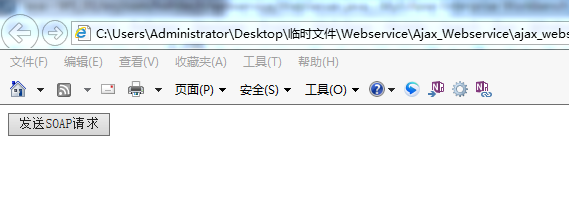
点击按钮,
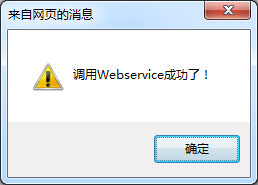
Webservice服务端后台打印:
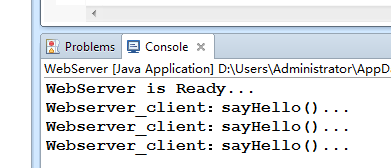
说明Ajax调用Webservice服务成功!
------------------------------------------------------------------------------------
获取文本框的值
<html>
	<head>
		<title>通过Ajax调用Webservice服务</title>
		<script>
			// 创建XMLHttpRequest对象
			function getXhr() {
                var xhr = null;
                if(window.XMLHttpRequest){
                    //非ie浏览器
                    xhr = new XMLHttpRequest();
                }else{
                    //ie浏览器
                    xhr = new ActiveXObject('Microsoft.XMLHttp');
                }
                return xhr;
            }
			var xhr = getXhr();

			// 按钮事件
			function sendMsg() {
				// 获取文本值
				var name = document.getElementById('name').value;

				// 请求的URL
				var wsUrl = 'http://127.0.0.1:6789/hello';

				/*
				请求体(这个请求体一般是不变的,使用myeclipse生成:)
				点击"Launch SOAP Web Services Explorer",输入URL:http://192.168.1.5:6789/hello?wsdl,点击"Go",
				在"Operations"下面的Name列,点击方法sayHello,点击"Add",随便输入一个字符串,比如Peter,点击"Go",
				在Status中点击"Source",就可以看到"SOAP Request Envelope: "和"SOAP Response Envelope:",复制"SOAP Request Envelope:"中的文本
				粘贴到这里修改一下就可以了
				*/
				var soap = '<soapenv:Envelope xmlns:soapenv="http://schemas.xmlsoap.org/soap/envelope/" xmlns:q0="http://webservice.lvshitech.com/"						xmlns:xsd="http://www.w3.org/2001/XMLSchema" xmlns:xsi="http://www.w3.org/2001/XMLSchema-instance">'+
							'<soapenv:Body><q0:sayHello><arg0>'+
							name+
							'</arg0></q0:sayHello></soapenv:Body></soapenv:Envelope>';

				// 打开链接,因为webservice是使用post请求的,并且设置成异步请求
				xhr.open('POST', wsUrl, true);

				// 重新设置请求头,设置成xml格式,因为webservice是通过xml来通信的
				xhr.setRequestHeader("Content-Type", "text/xml;charset=UTF-8");

				// 发送请求
				xhr.send(soap);

				// 设置回调函数,判断webservice服务是否请求成功
				xhr.onreadystatechange = callback;
			}

			// 回调函数
			function callback() {
				if(xhr.readyState == 4){
					if(xhr.status == 200){
						//alert('调用Webservice成功了!');
						var ret = xhr.responseXML;
						var msg = ret.getElementsByTagName('return')[0].firstChild.nodeValue;
						alert(msg);
					}
				}
			}
		</script>
	</head>

	<body>
		<input type="button" value="发送SOAP请求" onclick="sendMsg();"/>
		<input type="text" id="name"/>
	</body>
</html>
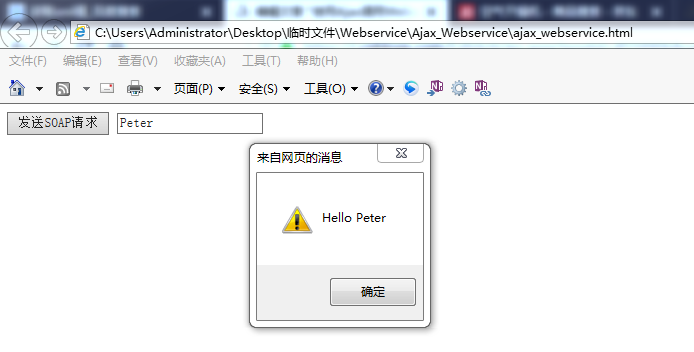
执行:
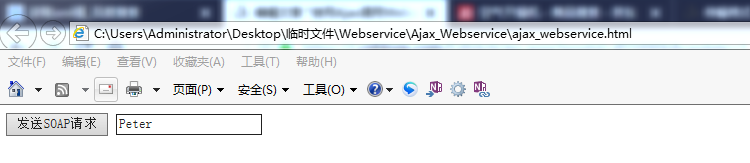
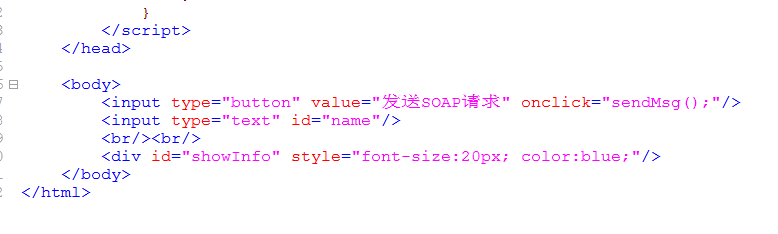
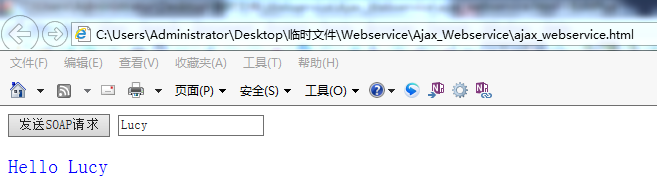
显示在网页上:

 浙公网安备 33010602011771号