
dbeaver报错之后安装阿里maven仓库
背景:
在Windows 10 安装dbeaver数据库连接工具,出现报错如下:
Error resolving dependencies Maven artifact 'maven:/mysql:mysql-connector-java:RELEASE' no found
解决方法:
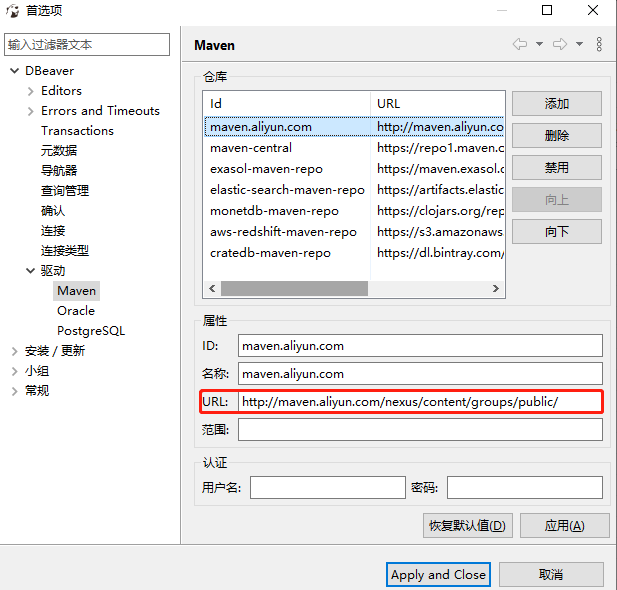
打开“窗口”->“首选项”->“驱动”->"Maven"
点击“添加”阿里云中央仓库地址:http://maven.aliyun.com/nexus/content/groups/public/

 浙公网安备 33010602011771号