
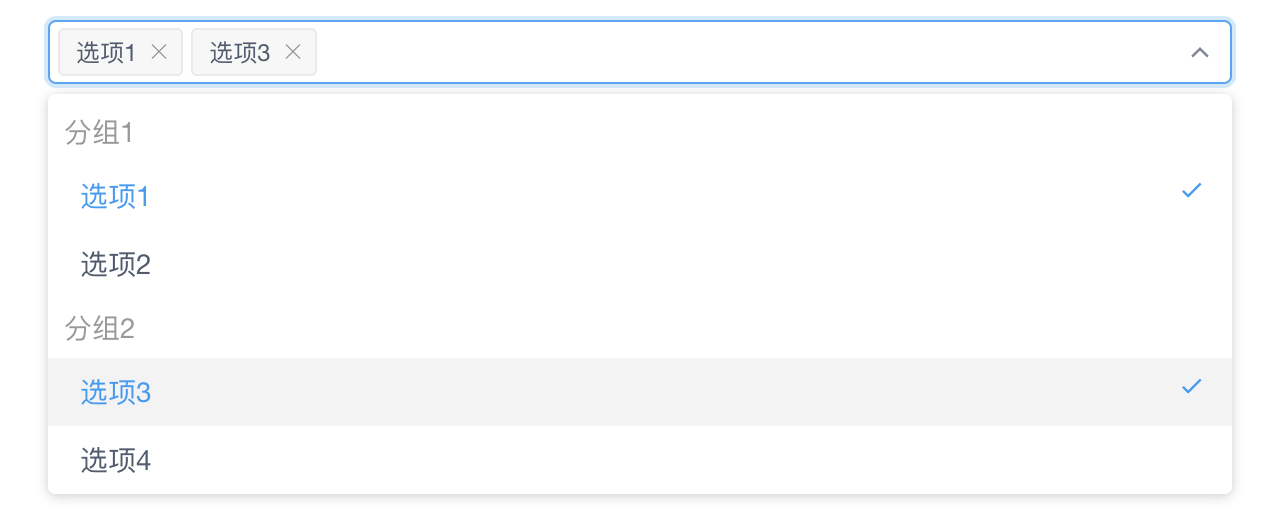
iView(viewUI)实现下拉选择框中选项分组,每组选项单选,整个拉选择框多选
效果图:
<template>
    <Select v-model="selectedOptions" multiple>
        <Option-group v-for="group in optionGroups" :key="group.label" :label="group.label">
            <Option v-for="option in group.options" :key="option.value" :value="option.value">
                {{ option.label }}
            </Option>
        </Option-group>
    </Select>
</template>

<script>
export default {
    data() {
        return {
            optionGroups: [
                {
                    label: "分组1",
                    options: [
                        { label: "选项1", value: "option1" },
                        { label: "选项2", value: "option2" },
                    ],
                },
                {
                    label: "分组2",
                    options: [
                        { label: "选项3", value: "option3" },
                        { label: "选项4", value: "option4" },
                    ],
                },
            ],
            selectedOptions: [],
            selectedOption: "",
        };
    },
    watch: {
        selectedOptions(newVal, oldVal) {
            // 先判断是否是添加选项,如果addedOption有值,说明是添加选项,addedOption就是刚添加的选项
            const addedOption = newVal.find((option) => !oldVal.includes(option));

            if (addedOption) {
                // 找到刚添加的选项(addedOption)所属的分组(addedGroup)
                const addedGroup = this.optionGroups.find((group) => group.options.some((option) => option.value === addedOption));
                // 对当前所有已选中的选项过滤,
                let selectedOptions = this.selectedOptions.filter((option) => {
                    // 找到每个已选中的选项(option)所属的分组
                    const optionGroup = this.optionGroups.find((group) => group.options.some((option) => option.value === option));
                    // 只保留与刚添加的选项不属于同一分组的选项
                    return optionGroup !== addedGroup;
                });
                // 将刚添加的选项加到已选择选项列表
                selectedOptions.push(addedOption);
                this.selectedOptions = selectedOptions;
            }
        },
    },
};
</script>
喜欢的话,请点赞,转发、收藏、评论,谢谢!

 浙公网安备 33010602011771号