
React学习笔记六-React组件生命周期
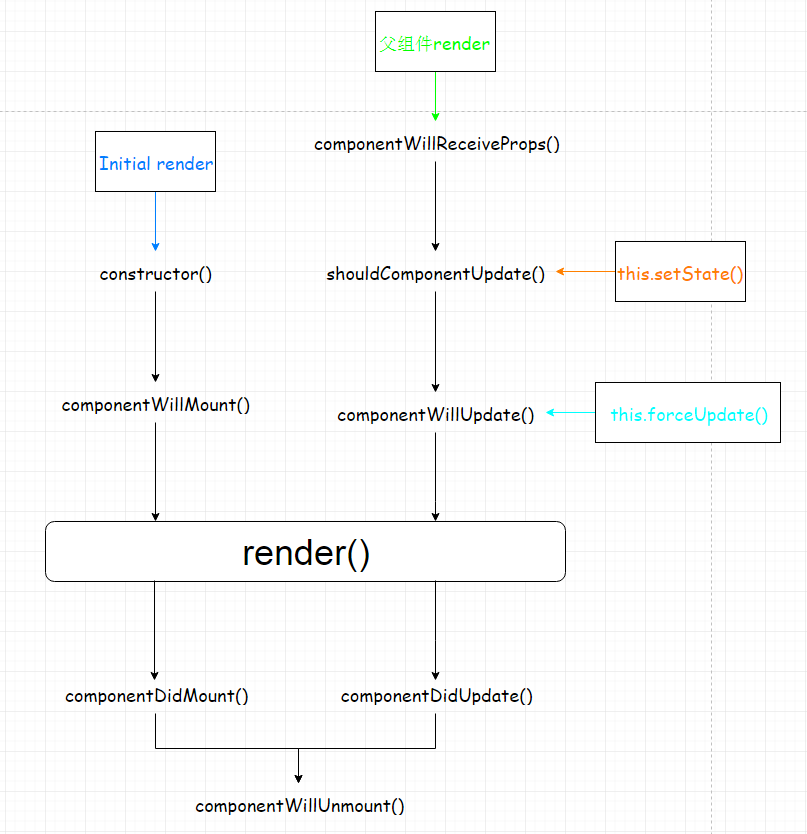
React组件的生命周期函数
TestLifecycle.jsx
import React from 'react'
//react的生命周期函数(钩子)
class TestLifecycle extends React.Component {
    constructor(props) {
        super();
        console.log('constructor 创建组件实例');
        this.IdName = props.IdName;
        this.state = { componentName: 'TestLifecycle' };
    }
    //生命周期的三个状态
    //1、Mounting:挂载,初始化过程,将组建渲染到DOM中
    //2、Updating:更新,更新props、state,将数据更新到DOM中
    //3、Unmounting:移除,销毁组件,将组建从DOM中移除

    //1、Mounting:
    //1.1、componentWillMount 组件将要渲染、执行AJAX、添加动画前的类
    //1.2、componentDidMount 组件渲染完毕 添加动画
    //2、Updating:
    //2.1、componentWillReceiveProps 组件将要接受props参数,查看props数据
    //2.2、shouldComponentUpdate 接受prop或者state,判断组件是否更新。返回true更新、false则不更新
    //2.3、componentWillUpdate 组件将要更新
    //2.4、componentDidUpdate 组件已经更新
    //3、Unmounting:
    //3.1、componentWillUnmount 组件将要移除
    componentWillMount() {
        console.log('componentWillMount 组件将要渲染');
    }
    componentDidMount() {
        console.log('componentDidMount 组件渲染完毕');
    }
    componentWillReceiveProps() {
        console.log('componentWillReceiveProps 组件将要接受props参数');
        console.log(this.props.IdName);
    }
    shouldComponentUpdate() {
        console.log('shouldComponentUpdate 接受prop或者state,判断组件是否更新');
        return true;
    }
    componentWillUpdate() {
        console.log('componentWillUpdate 组件将要更新');
    }
    componentDidUpdate() {
        console.log('componentDidUpdate 组件已经更新');
    }
    componentWillUnmount() {
        console.log('componentWillUnmount 组件将要移除');
    }
    change = (name) => {
        this.setState({ componentName: name })
    }
    render() {
        console.log('render 组件渲染');

        return <div>
            <button onClick={() => { this.change('生命周期') }}>改变组件名</button><br />
        组件:{this.state.componentName}<br />
        </div>
    }
}
export default class ParentCom extends React.Component {

    constructor() {
        super();
        this.state = { isrRemove: false };
    }
    remove = () =>{this.setState({isrRemove:'true'})}
    render() {
       if(this.state.isrRemove ===false){//false显示组件
        return (<div>
            <TestLifecycle></TestLifecycle><br/>
            <button onClick={this.remove}>移除组件</button>
        </div>)
       }else{//不显示组件
           return <h1>组件已移除</h1>
       }
    }
}
index.js
// 导入包
import React from 'react'
import ReactDOM from 'react-dom'
import ParentCom from '@/components/TestLifecycle'
ReactDOM.render(<ParentCom ></ParentCom>, document.getElementById('app'))
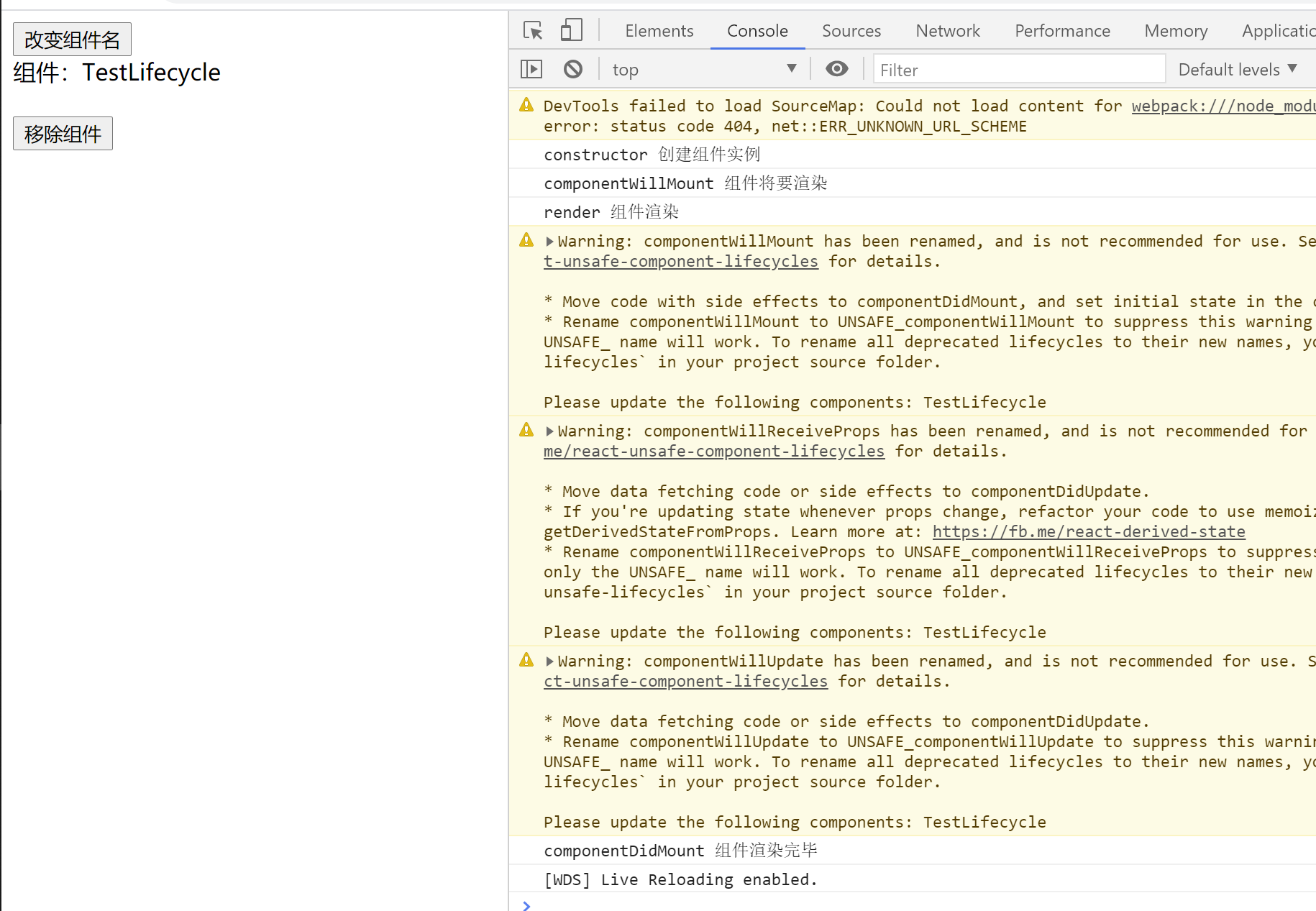
初次加载页面
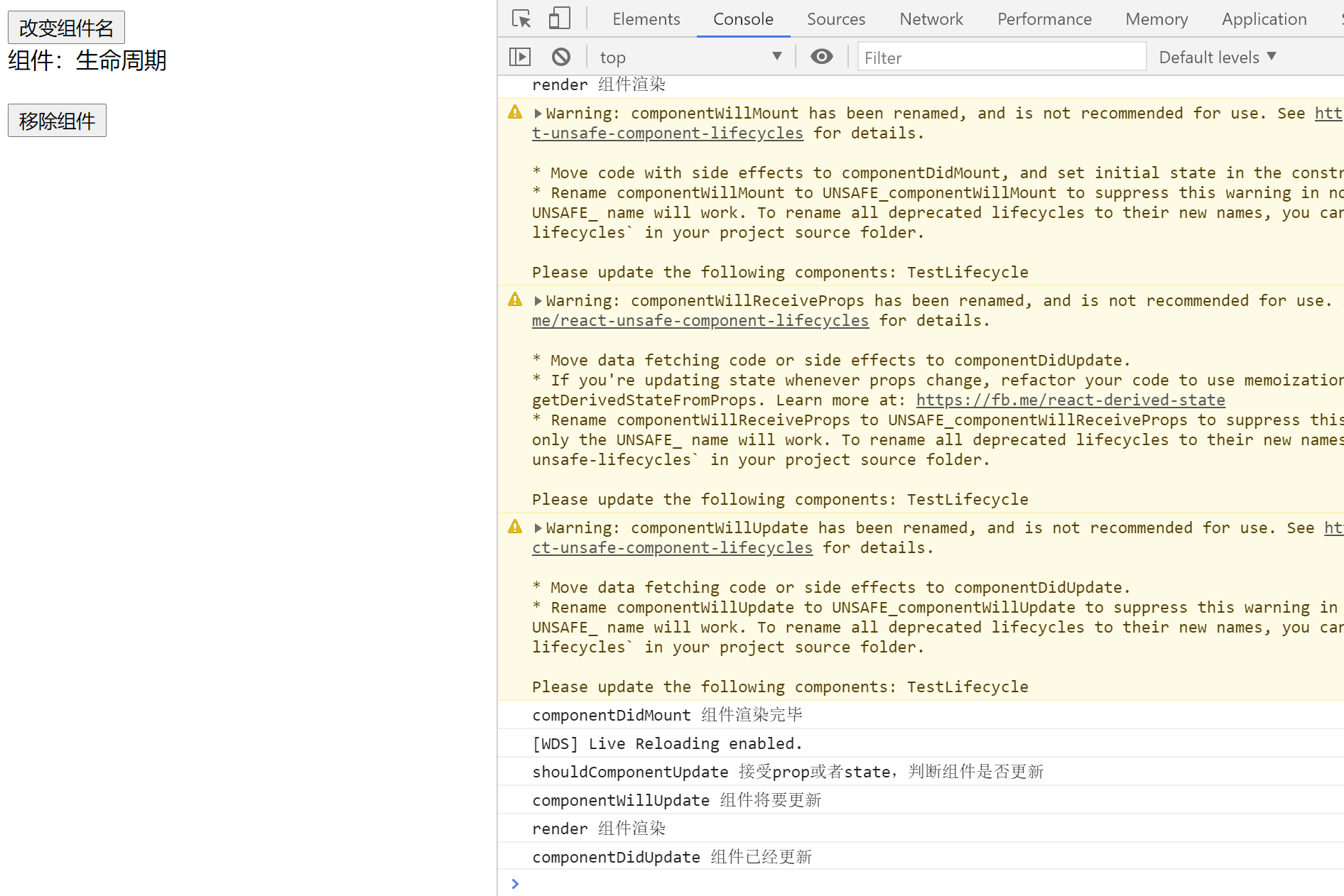
点击改变组件名按钮
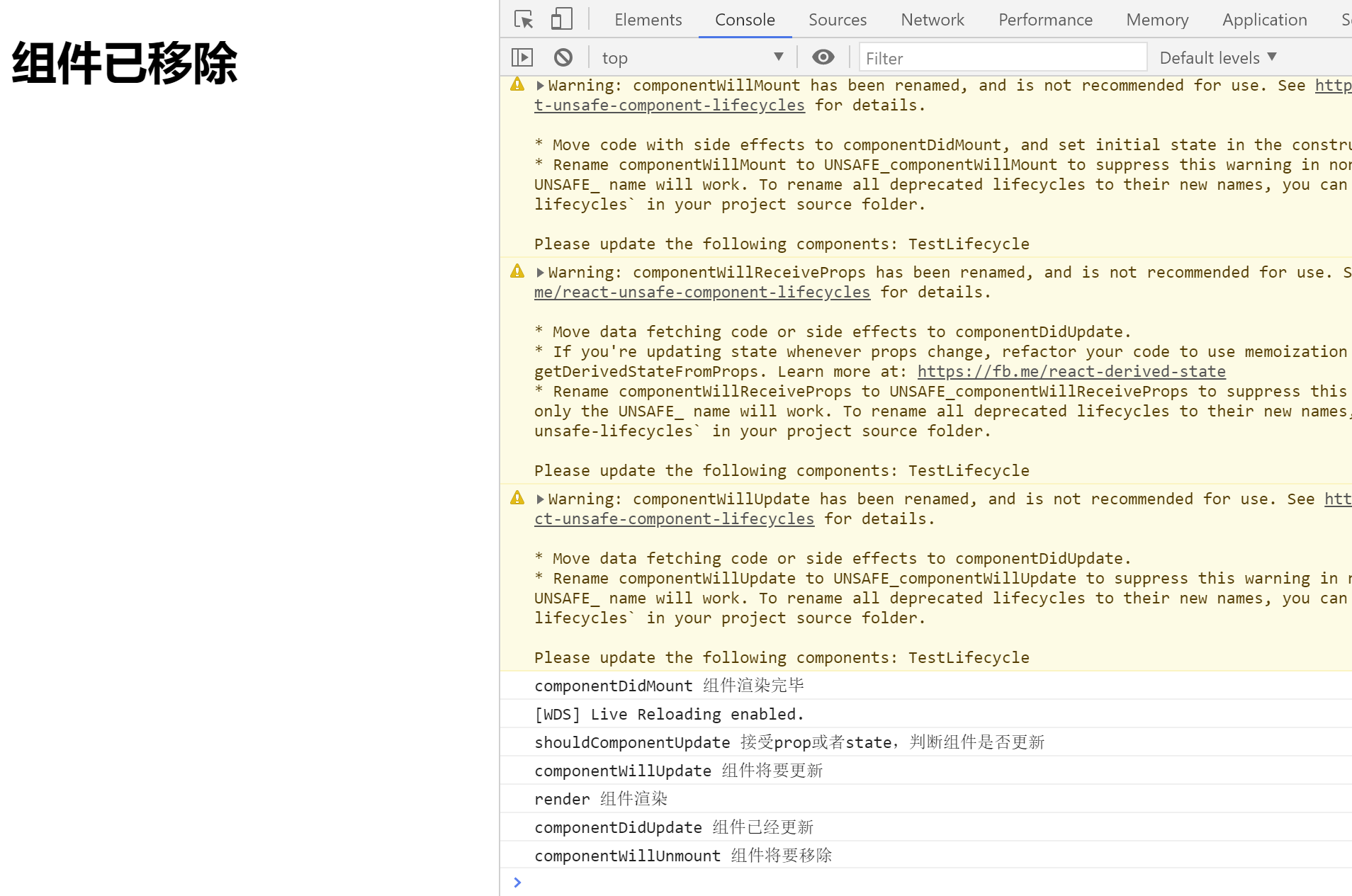
点击移除组件

 浙公网安备 33010602011771号