
[20190611]记录一下git的一些常用命令
本文记录如何使用github创建项目并上传代码,因为有一段时间没用github了,中途又重装了系统,今天重新安装使用了git。然后特地做简要记录:
1. 创建 SSH Key
SSH Key 默认保存在 C:\Users\Administrator\.ssh 隐藏目录中, id_rsa 和 id_rsa.pub 文件指的是私匙和公匙,如果没有则要新建SSH Key:
$ ssh-keygen -t rsa -b 4096 -C "your_email@example.com"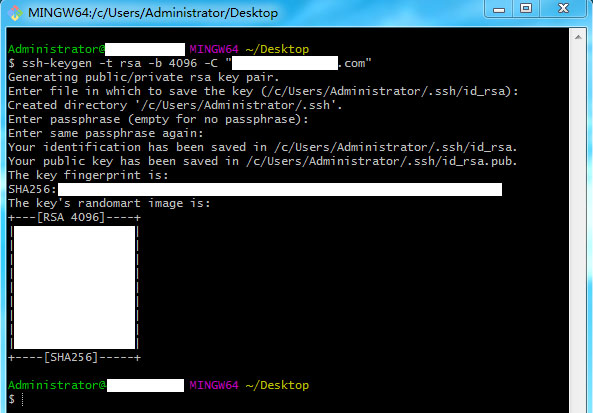
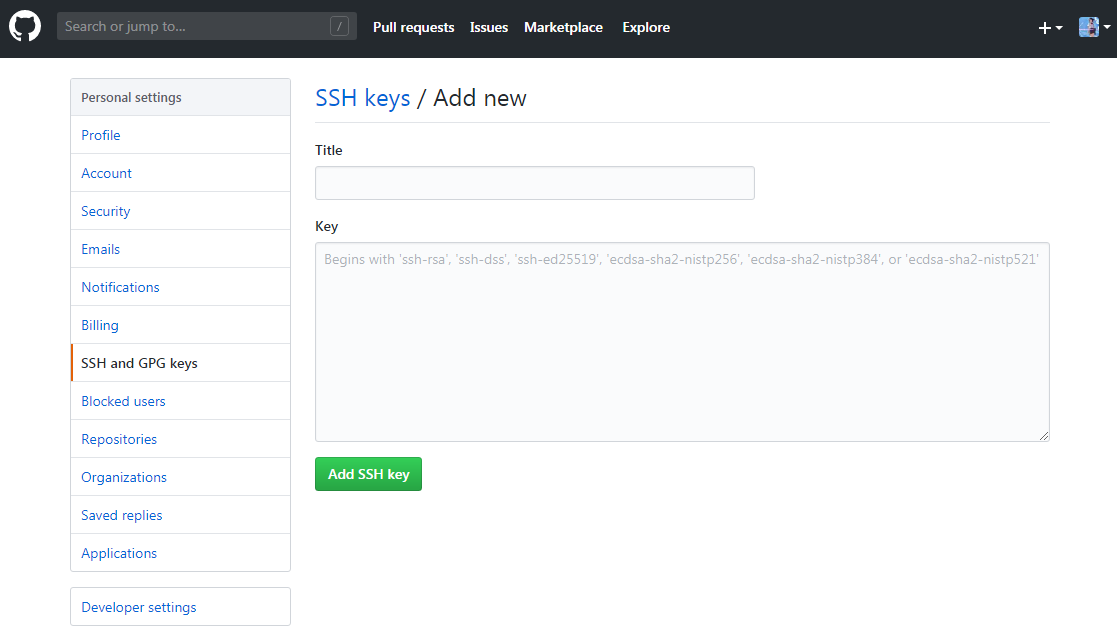
2. github添加SSH Key
登录github在设置里找到添加SSH Key。打开 id_rsa.pub 文件把全部内容复制到 github 的添加SSH Key里。
3. 创建本地仓库
在本地项目目录下创建仓库,此时本地目录下多了一下.git的隐藏目录:
git init
4. 创建github仓库 / 本地仓库与github仓库同步
创建github项目后,在Clone with SSH取得项目地址,然后就可以与本地仓库建立远程关联:
$ git remote add origin git@github.com:yourgithub/learngit.git
由于github创建项目时,会有创建README和LICENSE文件,而本地没有这些文件,所以要同步github仓库:
git pull origin master
同步github仓库时,如果本地仓库已经有项目代码,还需要消除本地与线上的差异
git pull origin master --allow-unrelated-histories
5. 写代码 / 本地推送到github
git add .
git commit -m "提交说明"
git push origin master
<---- 20190613 分割线 ---->
6. 创建分支 / 合并分支
创建并切换新分支:
git checkout -b branchname
新分支推送至github
git push origin branchname
分支push数据
git push --set-upstream origin branchname
在主分支下合并分支,并添加日志记录
git merge branchname --no--ff
git push
<---- 20190711 分割线 ---->
7. commit信息的修改
git commit --amend
终端会打开vim编辑器,修改commit信息。在commit已经push的情况下
git push <remote> <branch> -f
强制本地修改覆盖远程仓库
参考文档:
https://help.github.com/en/github/authenticating-to-github/connecting-to-github-with-ssh

 浙公网安备 33010602011771号