python+selenium基础环境搭建
driver下载:
1.http://chromedriver.storage.googleapis.com/index.html
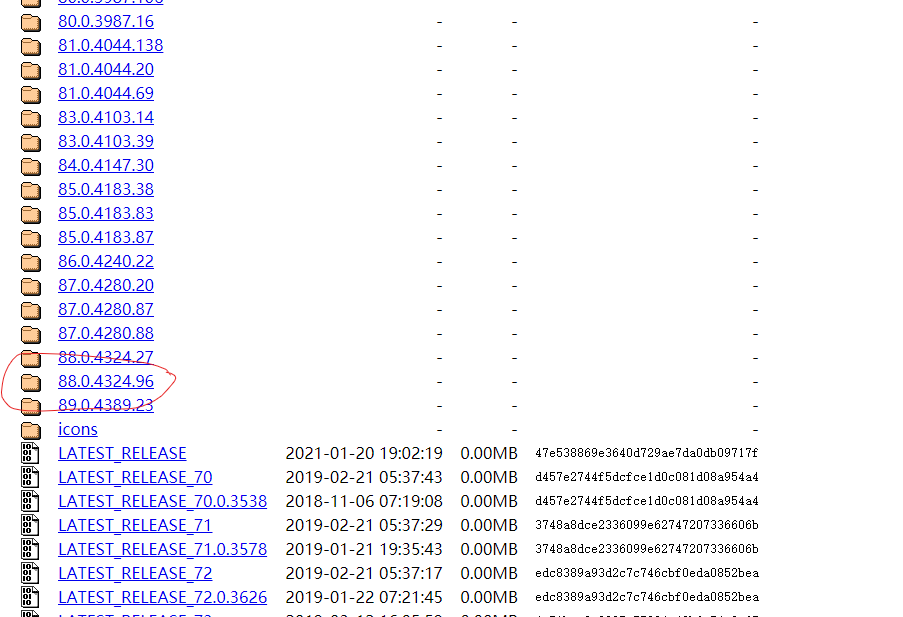
下载的driver要对应好谷歌浏览器版本号,基本上就是最下面的的包
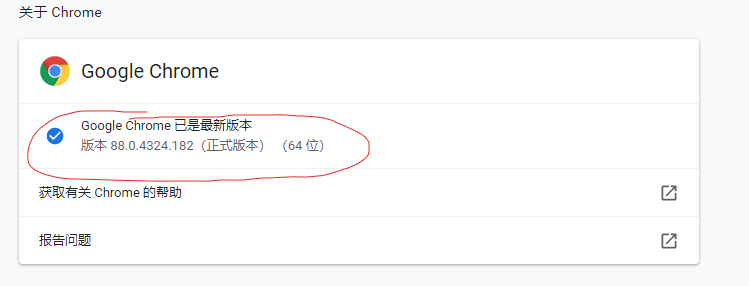
我的谷歌浏览器:
安装好后将webdriver放到python的库文件中
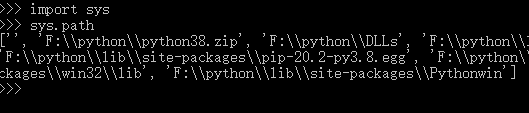
然后打开cmd使用python
输入import sys
sys.path
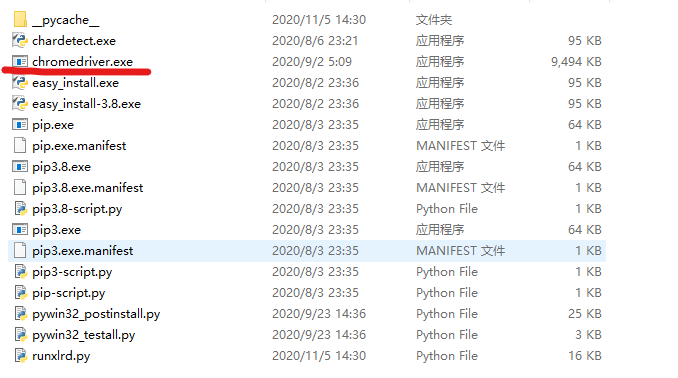
找到这个scripts文件夹
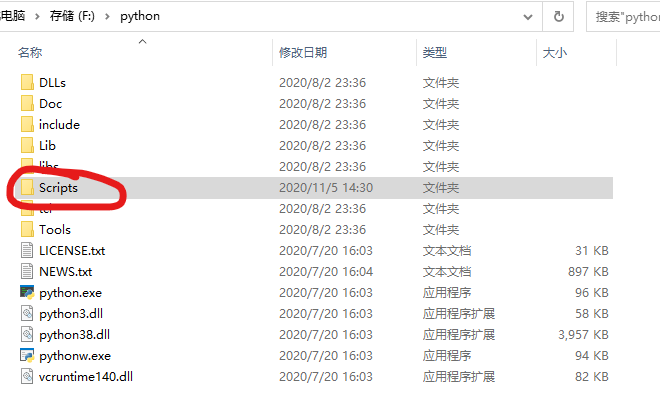
把对应的driver放到这里就能启动了


driver下载:
1.http://chromedriver.storage.googleapis.com/index.html
下载的driver要对应好谷歌浏览器版本号,基本上就是最下面的的包
我的谷歌浏览器:
安装好后将webdriver放到python的库文件中
然后打开cmd使用python
输入import sys
sys.path
找到这个scripts文件夹
把对应的driver放到这里就能启动了

 浙公网安备 33010602011771号