

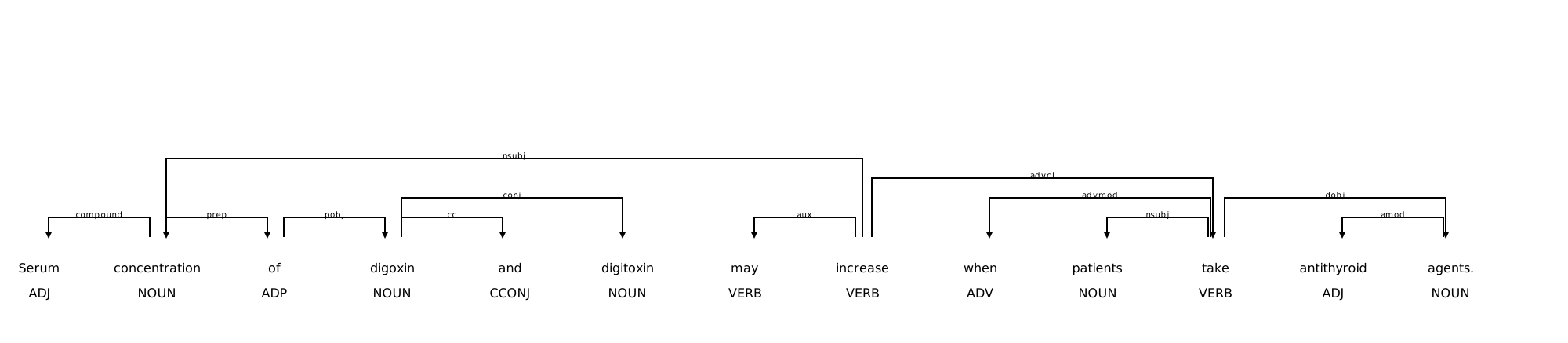
利用spacy的dispalcy显示解析树
spacy官网
https://spacy.io/usage/visualizers
https://spacy.io/api/top-level#displacy_options
import spacy
from spacy import displacy
nlp1 = spacy.load('en_core_web_sm')
doc = nlp1("Serum concentration of digoxin and digitoxin may increase when patients take antithyroid agents.")
for token in doc:
    print('{0}({1}) <-- {2} -- {3}({4})'.format(token.text, token.tag_, token.dep_, token.head.text, token.head.tag_))

options = {"compact": True, "bg": "white", "color": "black", "font": "Times New Romans",
           "offset_x": 50, "distance": 100}
# svg = displacy.render(doc, options=options, style="dep", jupyter=True)
svg = displacy.render(doc, options=options, style="dep", jupyter=False)
# svg = displacy.render(doc, style="dep", jupyter=False) # True时直接显示图片,但输出svg会报错
# output_path = "sentence.svg"
output_path = "sentence.html"

with open(output_path, 'w', encoding="utf-8") as f:
    f.write(svg)
在pycharm中使用
如果在jupyter中使用,可以更改jupyter=True,可直接显示图案
https://blog.csdn.net/xiaoxiaoqian0519/article/details/111656960

 浙公网安备 33010602011771号