

Azure App Service 连接 Azure SQL MI
前言
最近,在研究云迁移,做了个测试如何使用App Service连接SQL MI。
正文
1.测试项目是Net Framework v4.8,核心代码如下图:
 1 StringBuilder message = new StringBuilder();
 2 try
 3 {
 4     string sqlstr = "Server=smi-test.c5c92fb776c2.database.windows.net;Database=test;Authentication=Active Directory Managed Identity;Encrypt=True";
 5     SqlConnection connection = new SqlConnection(sqlstr);
 6
 7     connection.Open();
 8     message.AppendLine("opened");
 9     SqlCommand cmd = new SqlCommand("SELECT TOP (1000) [ID],[Text] FROM [test].[dbo].[Table1]", connection);
10     SqlDataAdapter ada = new SqlDataAdapter(cmd);
11     DataTable dt = new DataTable();
12     ada.Fill(dt);
13     message.AppendLine("row count: " + dt.Rows.Count.ToString());
14     foreach (DataRow dr in dt.Rows)
15     {
16         message.AppendLine(dr["ID"].ToString() + dr["Text"].ToString());
17     }
18     connection.Close();
19
20 }
21 catch (Exception ex)
22 {
23     message.AppendLine(ex.Message.ToString());
24     message.AppendLine(ex.StackTrace.ToString());
25 }
2.SQL Server用的是SQL MI,如下图:
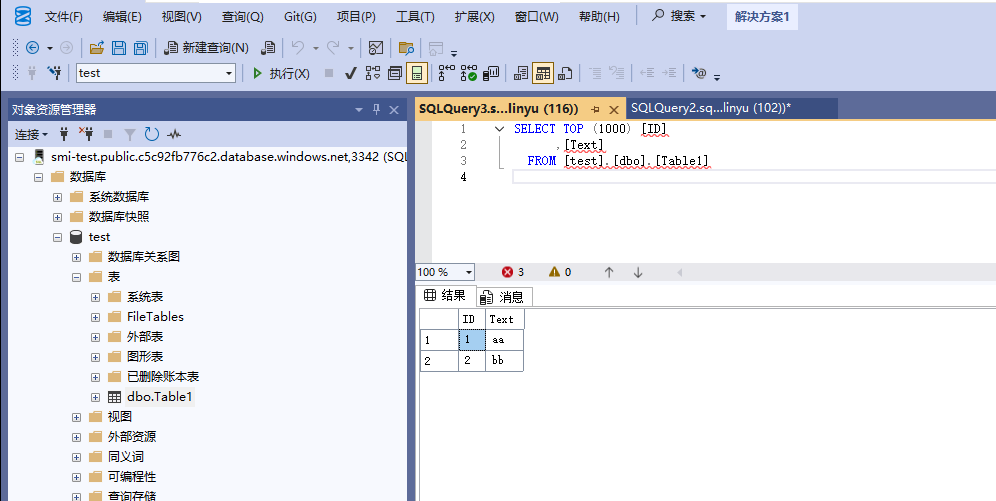
3.这是使用的是System assigned托管标识,需要先用PowerShell命令给一下Graph API的权限,才可以使用,否则找不到,如下图:
# Script to assign permissions to an existing UMI
# The following required Microsoft Graph permissions will be assigned:
#   User.Read.All
#   GroupMember.Read.All
#   Application.Read.All

Import-Module Microsoft.Graph.Authentication
Import-Module Microsoft.Graph.Applications

$tenantId = "xxxxxxxx-xxxx-xxxx-xxxxxxxx" # Your tenant ID
$MSIName = "appserviceforsqlmi"; # Name of your managed identity

# Log in as a user with the "Privileged Role Administrator" role
Connect-MgGraph -TenantId $tenantId -Scopes "AppRoleAssignment.ReadWrite.All,Application.Read.All"

# Search for Microsoft Graph
$MSGraphSP = Get-MgServicePrincipal -Filter "DisplayName eq 'Microsoft Graph'";
$MSGraphSP

# Sample Output

# DisplayName     Id                                   AppId                                SignInAudience      ServicePrincipalType
# -----------     --                                   -----                                --------------      --------------------
# Microsoft Graph 47d73278-e43c-4cc2-a606-c500b66883ef 00000003-0000-0000-c000-000000000000 AzureADMultipleOrgs Application

$MSI = Get-MgServicePrincipal -Filter "DisplayName eq '$MSIName'"
if($MSI.Count -gt 1)
{
Write-Output "More than 1 principal found with that name, please find your principal and copy its object ID. Replace the above line with the syntax $MSI = Get-MgServicePrincipal -ServicePrincipalId <your_object_id>"
Exit
}

# Get required permissions
$Permissions = @(
  "User.Read.All"
  "GroupMember.Read.All"
  "Application.Read.All"
)

# Find app permissions within Microsoft Graph application
$MSGraphAppRoles = $MSGraphSP.AppRoles | Where-Object {($_.Value -in $Permissions)}

# Assign the managed identity app roles for each permission
foreach($AppRole in $MSGraphAppRoles)
{
    $AppRoleAssignment = @{
        principalId = $MSI.Id
        resourceId = $MSGraphSP.Id
        appRoleId = $AppRole.Id
    }

New-MgServicePrincipalAppRoleAssignment -ServicePrincipalId $AppRoleAssignment.PrincipalId -BodyParameter $AppRoleAssignment -Verbose
}
4.使用sql语句加权限,如下图:
CREATE USER [appserviceforsqlmi] FROM EXTERNAL PROVIDER;
ALTER ROLE db_datareader ADD MEMBER [appserviceforsqlmi];
5.然后部署app Service就行了
总结
这里需要注意的连接sql的时候要用Microsoft.Data.Client,不要用System的。
| 博文推荐: |
| SharePoint 2013 WebPart 管理工具分享[开源] |
| 基于SharePoint 2013的论坛解决方案[开源] |
| SharePoint 2013 学习基础系列入门教程 |
| SharePoint 2013 图文开发系列之门教程 |
| SharePoint Designer 学习系列入门教程 |
| 特:如果有Power Platform、Azure、Microsoft 365、SharePoint项目,欢迎邮件联系我,Email:linyu_s@163.com |

 浙公网安备 33010602011771号