
java +testNG 接口测试框架搭建------maven并行编译并生成优化的测试报告(四)
1.引入maven编译和reportng依赖包,注:maven编译依赖包在dependencies之外,在build标签之外
        <plugin>
            <!--引入mave编译并引入listener-->
            <groupId>org.apache.maven.plugins</groupId>
            <artifactId>maven-surefire-plugin</artifactId>
            <version>2.6</version>
            <configuration>
                <skipTests>false</skipTests>
                <suiteXmlFiles>
                    <suiteXmlFile>suites/test.xml</suiteXmlFile>
                </suiteXmlFiles>
                <properties>
                    <property>
                        <name>usedefaultlisteners</name>
                        <value>false</value>
                    </property>
                    <property>
                        <name>listener</name>
                        <value>org.uncommons.reportng.HTMLReporter,org.uncommons.reportng.JUnitXMLReporter</value>
                    </property>
                </properties>
                <forkMode>always</forkMode>
            </configuration>
        </plugin>

        <plugin>
            <groupId>org.apache.maven.plugins</groupId>
            <artifactId>maven-compiler-plugin</artifactId>
            <version>3.2</version>
            <configuration>
                <source>1.8</source>
                <target>1.8</target>
                <encoding>UTF-8</encoding>
            </configuration>
        </plugin>

        <plugin>
            <groupId>org.apache.maven.plugins</groupId>
            <artifactId>maven-jar-plugin</artifactId>
        </plugin>
    </plugins>
</build>

<dependencies>
  <dependency>
   <groupId>org.uncommons</groupId>
   <artifactId>reportng</artifactId>
   <version>1.2.3-SNAPSHOT</version>
</dependency>
</dependencies>
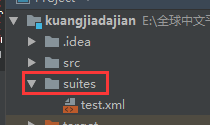
2.配置运行的文件xml:在项目下建一个suites文件夹,在文件夹下建一个test.xml文件
<?xml version="1.0" encoding="UTF-8"?>

<suite name="全球">
    <listeners>
        <listener class-name="org.uncommons.reportng.HTMLReporter"/>
        <listener class-name="org.uncommons.reportng.JUnitXMLReporter"/>
    </listeners>
    <test name="test" time-out="15000">
    <classes>
        <class name="TestApply"/> //要运行的class名
    </classes>
    </test>
</suite>
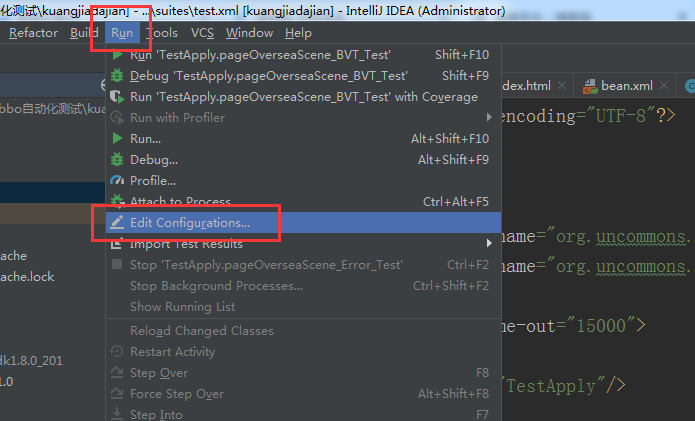
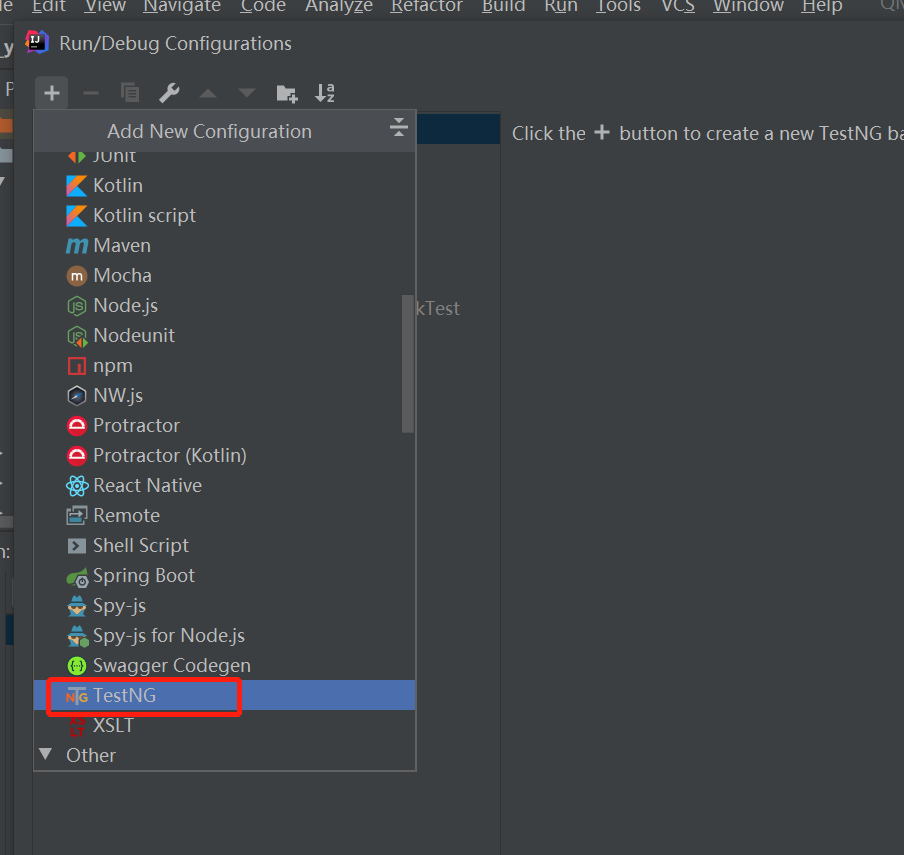
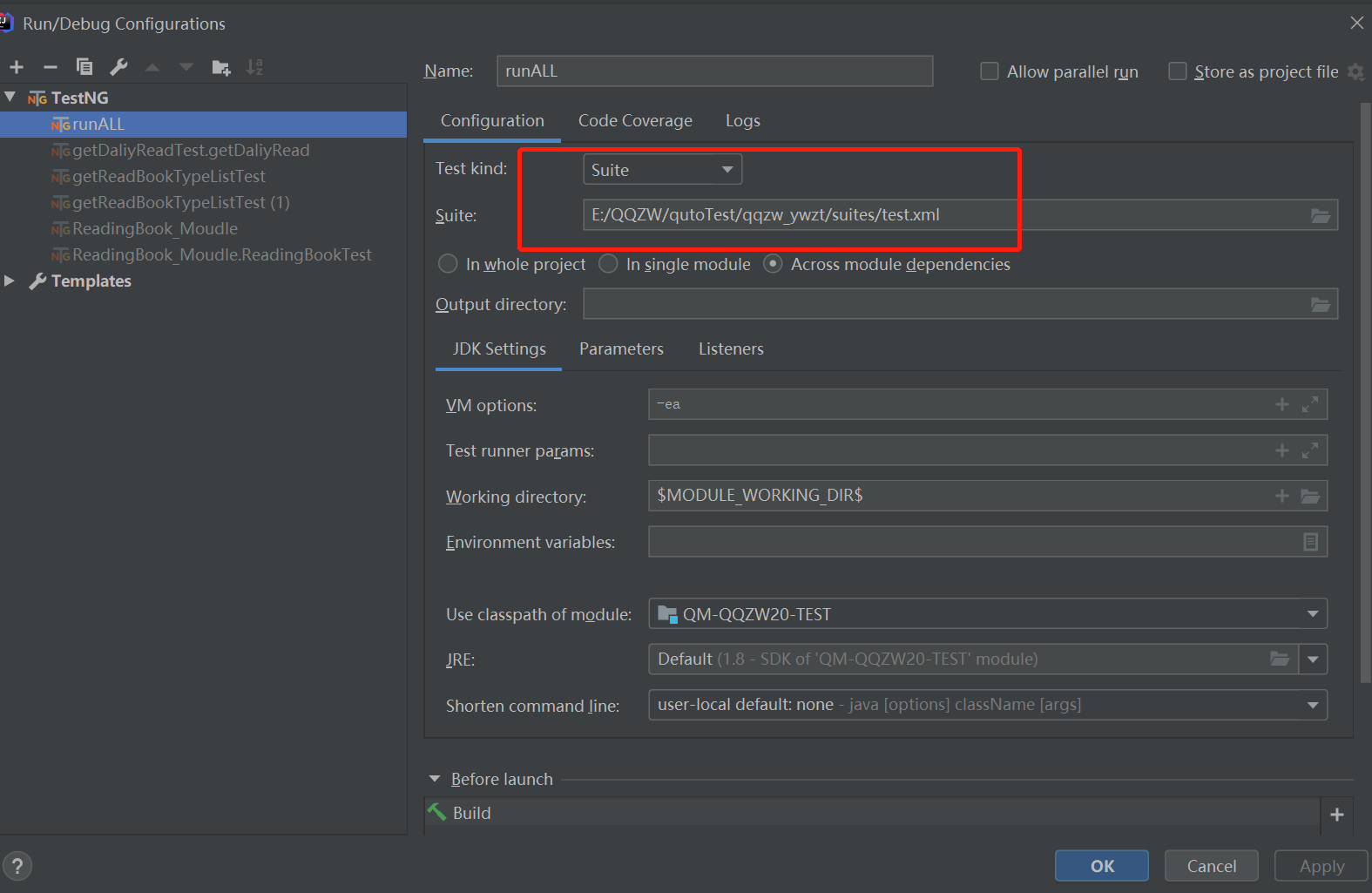
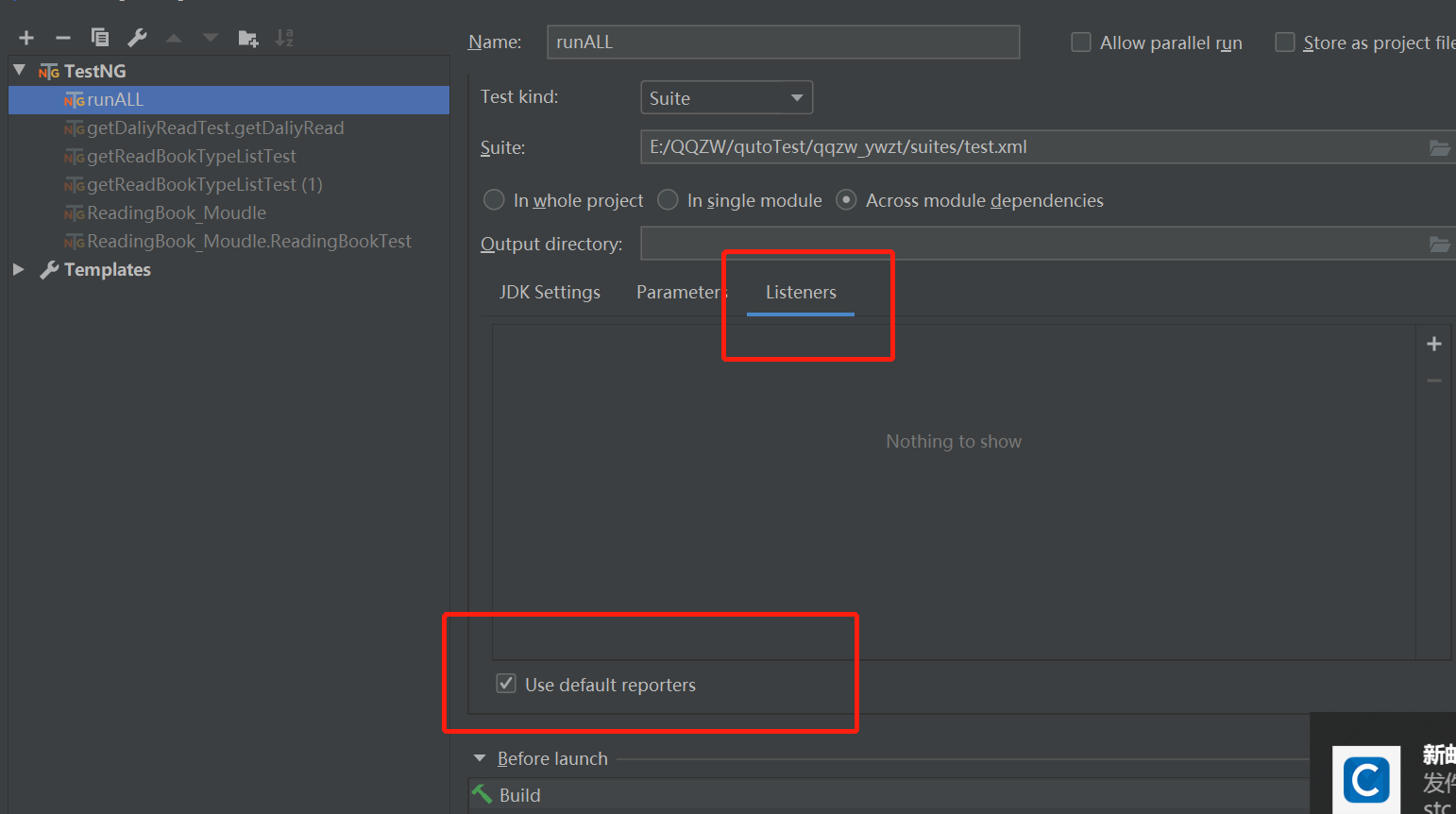
3.编辑运行配置:
4.运行生成测试报告:直接在test.xml右键运行,运行后生成test-output文件夹
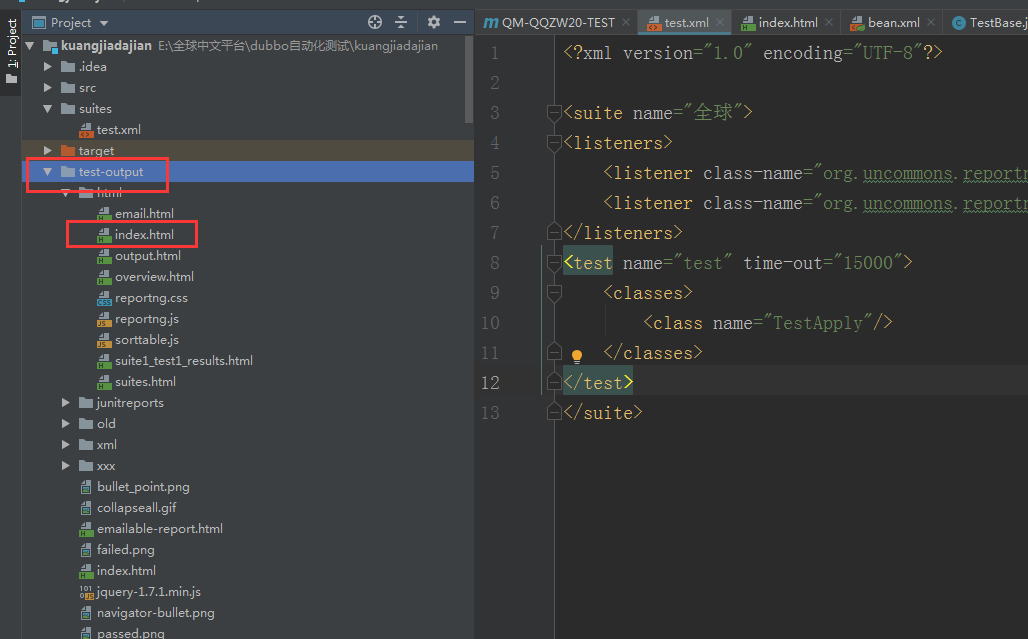
本地打开index.xml:

备注:如果使用数据分离,需要在数据文件中加“descritption”字段

 浙公网安备 33010602011771号