


0337-Tetris-控制方块移动
环境
- Time 2023-08-22
- Zig 0.11.0
- WSL-Ubuntu 22.04.3 LTS
前言
说明
参考资料:
目标
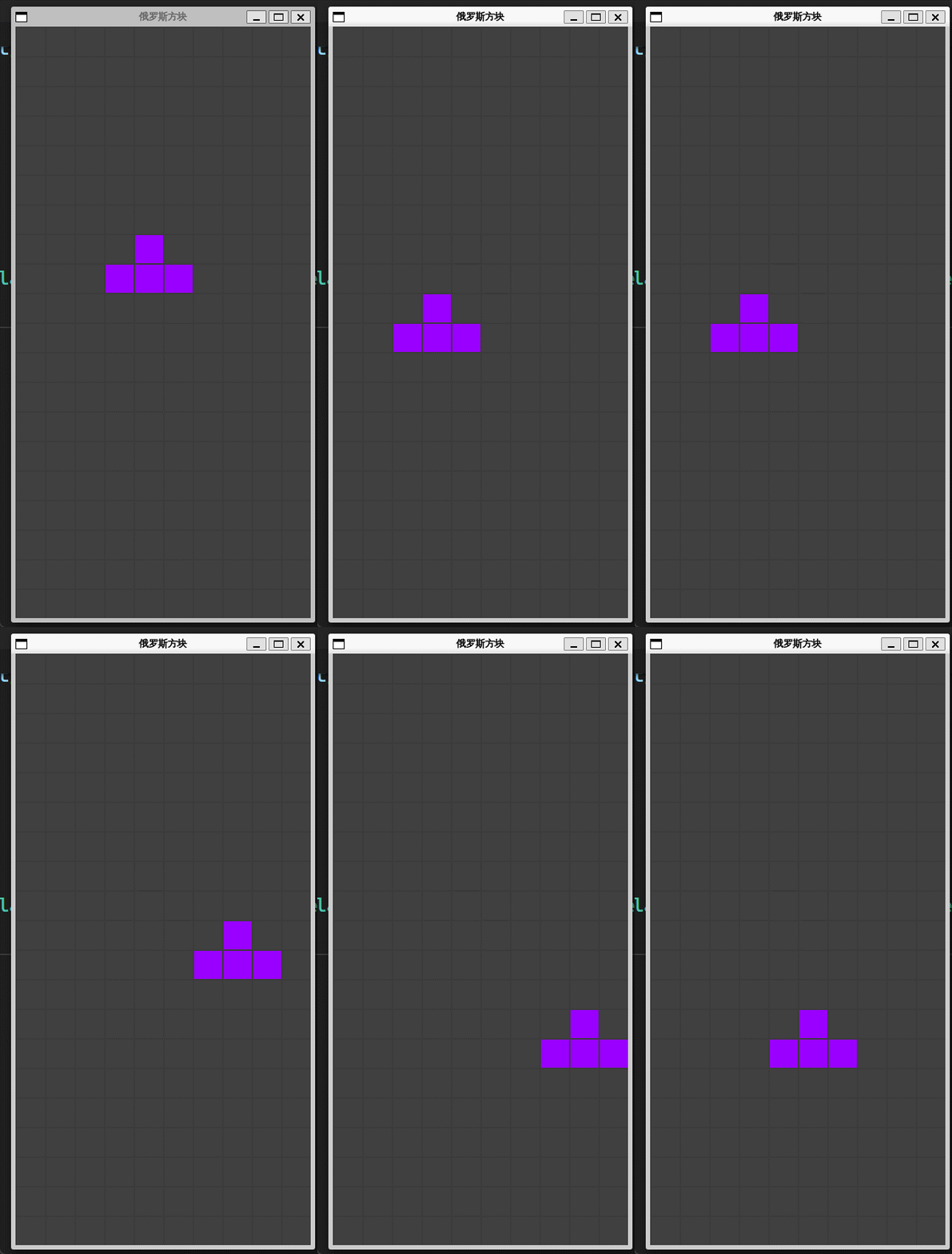
使用方向键来控制方块的移动,不能超出左右边框。
app.zig
const std = @import("std");
const Screen = @import("display.zig").Screen;
const Tetrimino = @import("block.zig").Tetrimino;

pub const Game = struct {
    current: Tetrimino,
    prng: std.rand.DefaultPrng,

    pub fn new() Game {
        const seed = @as(u64, @intCast(std.time.timestamp()));
        var rand = std.rand.DefaultPrng.init(seed);
        return Game{
            .current = Tetrimino.random(&rand),
            .prng = rand,
        };
    }

    pub fn drawCurrent(self: *Game, screen: *Screen) void {
        draw(&self.current, screen);
    }

    pub fn moveLeft(self: *Game, screen: *Screen) void {
        _ = screen;
        self.move(-1, 0);
    }

    pub fn moveRight(self: *Game, screen: *Screen) void {
        _ = screen;
        self.move(1, 0);
    }

    pub fn moveDown(self: *Game, screen: *Screen) void {
        _ = screen;
        self.move(0, 1);
    }

    fn move(self: *Game, x: i8, y: i8) void {
        self.current.x = self.current.x + x;
        self.current.y = self.current.y + y;
        self.current.locateIn();
    }
};

fn draw(block: *const Tetrimino, screen: *Screen) void {
    const value = block.position();
    var index: usize = 0;
    while (index < value.len) : (index += 2) {
        const row: usize = @intCast(block.x + value[index]);
        const col: usize = @intCast(block.y + value[index + 1]);
        screen.draw(row, col, block.color);
    }
}
增加向左,向右,向下移动的方法。
main.zig
const c = @import("c.zig");
const display = @import("display.zig");
const app = @import("app.zig");

pub fn main() !void {
    var screen = display.Screen{};
    screen.init();
    defer screen.deinit();
    var game = app.Game.new();

    mainLoop: while (true) {
        var event: c.SDL_Event = undefined;
        while (c.SDL_PollEvent(&event) != 0) {
            if (event.type == c.SDL_QUIT)
                break :mainLoop;

            handleInput(&game, &screen, &event);
        }

        screen.update();
        game.drawCurrent(&screen);
        screen.present();
    }
}

fn handleInput(game: *app.Game, screen: *display.Screen, event: *c.SDL_Event) void {
    if (event.type != c.SDL_KEYDOWN) return;

    const code = event.key.keysym.sym;
    switch (code) {
        c.SDLK_LEFT => game.moveLeft(screen),
        c.SDLK_RIGHT => game.moveRight(screen),
        c.SDLK_DOWN => game.moveDown(screen),
        else => return,
    }
}
增加了键盘控制,可以向下,向右,向左方向移动。
效果
总结
通过键盘上的方向键,来控制方块的移动。

 浙公网安备 33010602011771号