

idea_git
Git结构图
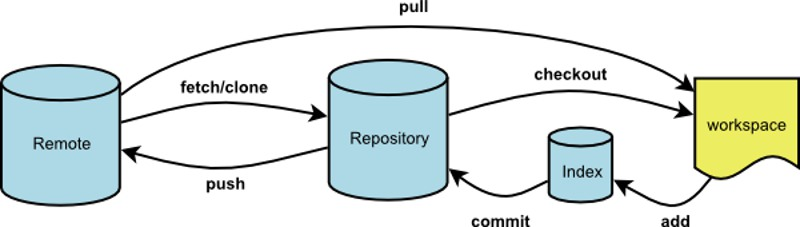
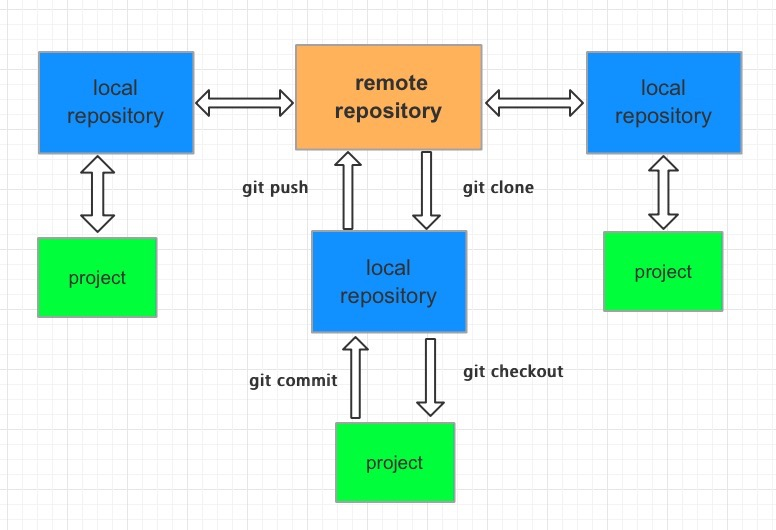
git的基本工作流程:
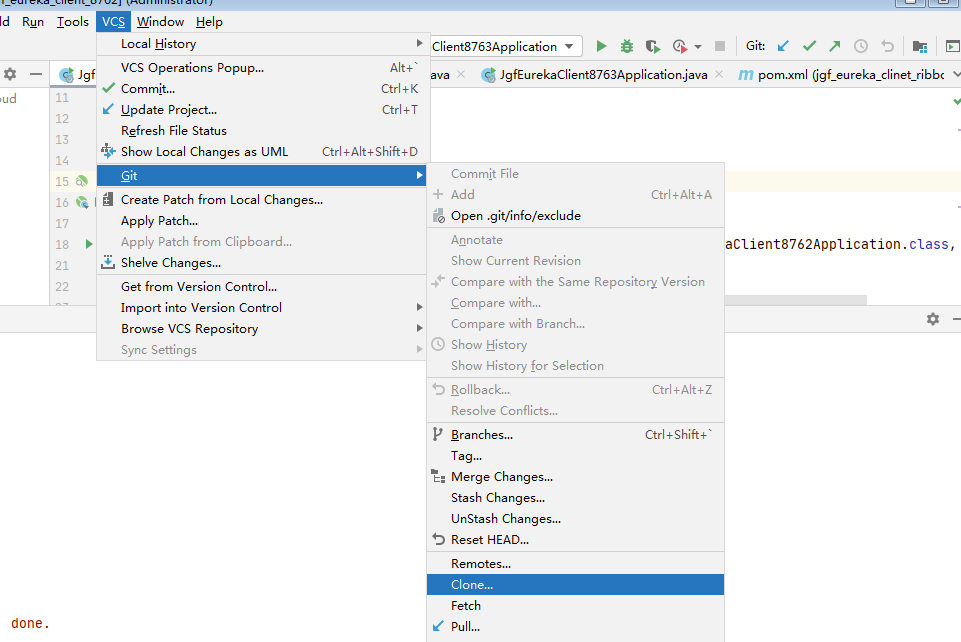
git clone:将远程的Master分支代码克隆到本地仓库
git checkout:切出分支出来开发
git add:将文件加入库跟踪区
git commit:将库跟踪区改变的代码提交到本地代码库中
git push: 将本地仓库中的代码提交到远程仓库
git 分支
- 主分支
- master分支:存放随时可供生产环境中的部署的代码
- develop分支:存放当前最新开发成果的分支,当代码足够稳定时可以合并到master分支上去。
- 辅助分支
- feature分支:开发新功能使用,最终合并到develop分支或抛弃掉
- release分支:做小的缺陷修正、准备发布版本所需的各项说明信息
- hotfix分支:代码的紧急修复工作
1. 安装Git,下载地址:https://www.git-scm.com/download/
查看版本:右键菜单—Git bash Here 进入命令行,输入 git --version
2. 账号配置
2.1 先到仓库官网注册账号绑定邮箱。我用的:https://gitee.com/
2.2 设置邮箱和账号。在命令行依次执行:
git config --global credential.helper store
git config --global user.email "41608@qq.com"
git config --global user.name jgf45365
配置后可以在 C:\Users\Administrator 目录看到配置文件 .gitconfig
2.3 生成sshKey
ssh-keygen -t rsa -C '41608@qq.com'
一路回车直到完成,可以在C:\Users\Administrator\.ssh 目录看到公钥和私钥。
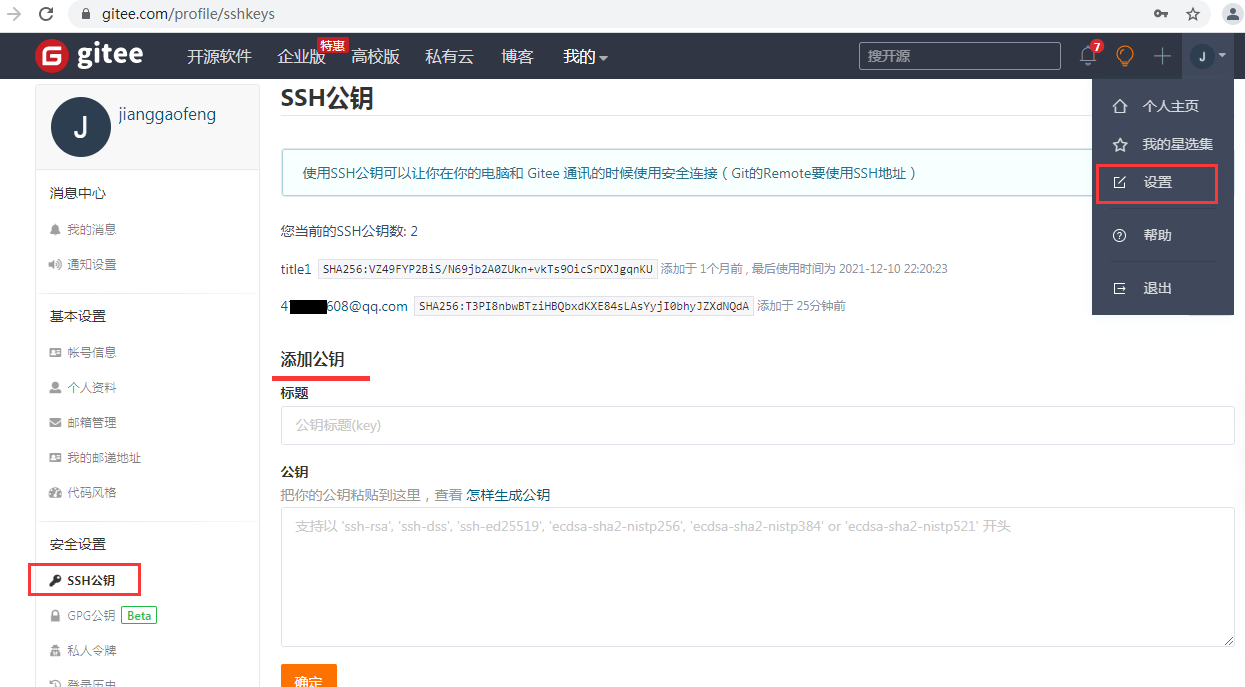
2.4 配置公钥
拷贝C:\Users\Administrator\.ssh 目录 id_rsa.pub 文件的全部内容(用记事本打开),在gitee官网进行配置。
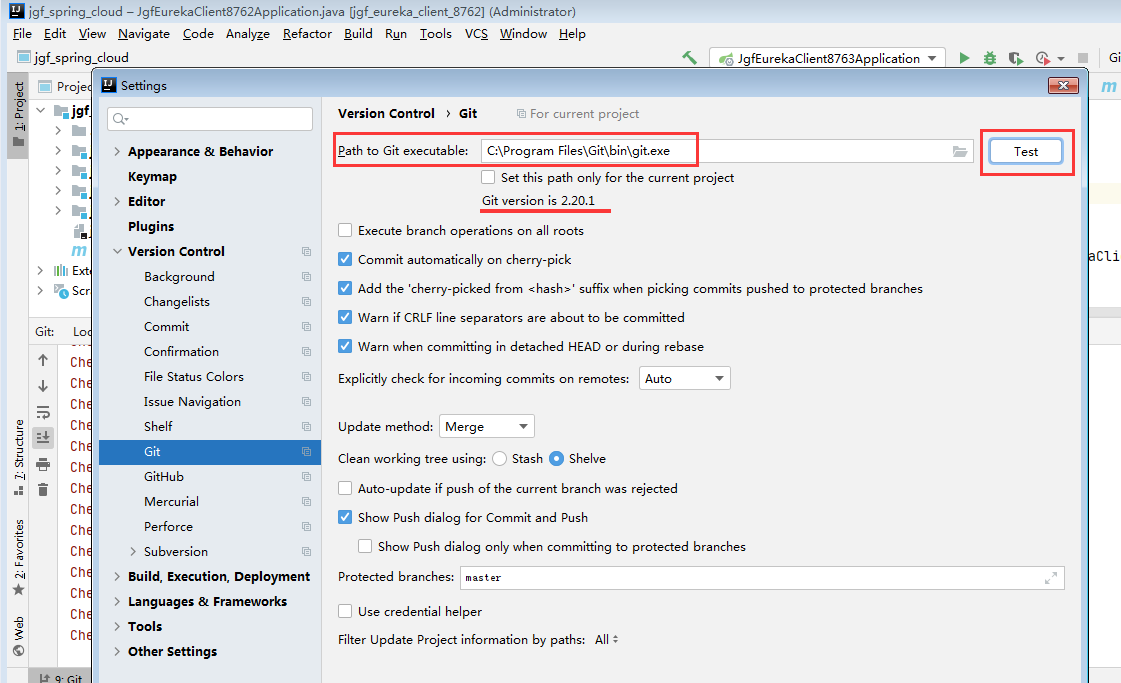
3. idea配置
4. 检出代码
创建分支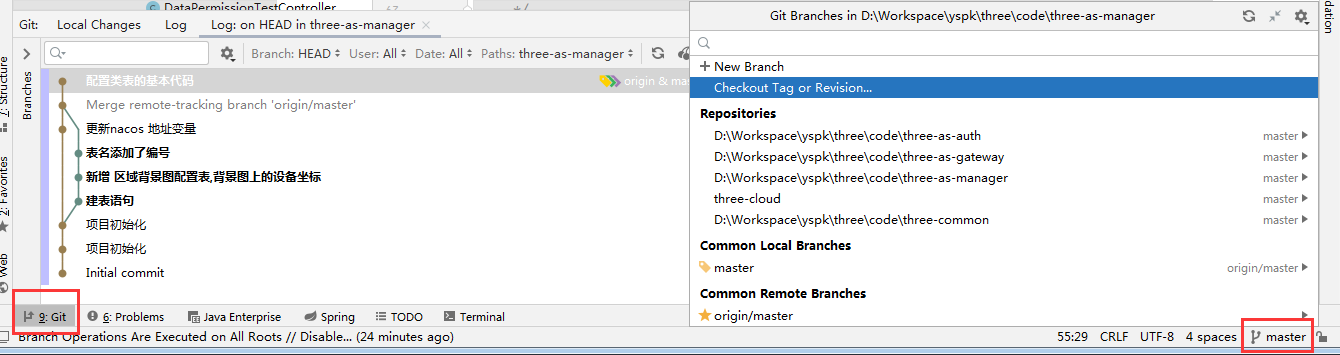
IDEA中Git的更新、提交、还原方法
https://blog.csdn.net/geng31/article/details/78585557/
在git上pull时提示You have not concluded your merge. (MERGE_HEAD exists)
https://www.pianshen.com/article/6641557474/
git --version
|

 浙公网安备 33010602011771号