
[ARCore] 02 - Solar System
項目分析
模拟器配置
一、OpenGL ES 3.0
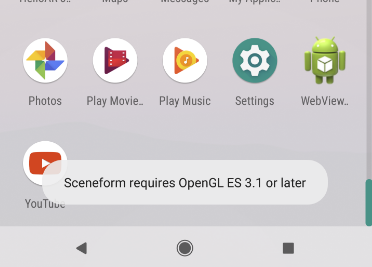
Ref: https://android-developers.googleblog.com/2017/05/android-studio-3-0-canary1.html
OpenGL ES 3.0 Support in Android Emulator - As a part of our ongoing investment in making your development experience fast, the latest version of the Android Emulator has OpenGL ES 3.0 support for Android O system images along with significant improvements in OpenGL ES 2.0 graphics performance for older emulator system images. Most modern graphics cards on all operating systems support OpenGL ES 2.0 acceleration.
To use OpenGL ES 3.0 with the Android Emulator, your development machine needs a host GPU graphics card that supports OpenGL 3.2 or higher on Microsoft® Windows® or Linux (with Apple MacOS® support coming in the future).
Ref: https://www.reddit.com/r/Arcore/comments/8squbo/opengl_es_31_is_required_for_android_emulator_to/
You need Android Emulator version 27.2.9 or later.
OpenGL ES 3.1 must be supported and enabled in the Android Emulator.
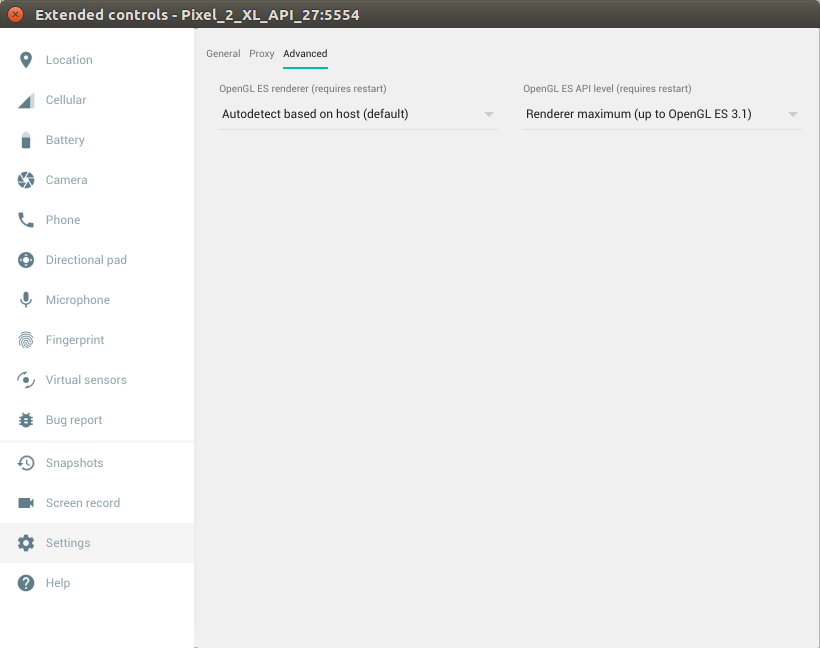
Make sure your emulator is configured to use the latest version. In the menu, select Settings > Advanced > Renderer maximum (up to OpenGL ES 3.1).
Run the emulator and check whether OpenGL ES 3.1 is being used:
adb logcat | grep eglMakeCurrent
If you see ver 3 1, then you can run Sceneform apps. If you see a lower version, then your desktop GPU does not support OpenGL ES 3.1 and you must use a supported device to run Sceneform apps.
It's actually in the emulator settings on the sidebar of the emulator when it's running. Find the bottom hamburger > settings > Advanced > Renderer maximum.
This isn't the settings in the AVD manager. Reboot your device after the switch and it'll show ES 3.1 (if you have an emulator capable image) with the above command.
二、扩展控件
默认是OpenGL ES 2.0,自己动手设置为3.1。
三、演示效果
Download from:

代码学习

 浙公网安备 33010602011771号