
Harbor使用HTTPS访问
说明:本脚本只创建密钥,脚本是借鉴所有各个大神,自己重新书写一份,官方的已经写的狠清楚了,直接粘贴过来变一些变量就可以了,如有不对,欢迎指正。
#!/binsh
# Date: 2021/6/25
# Author:
# Desc:
# Harbor:v2.2.1
# The created key cannot be stored in the harbor storage path, because executing ./prepare will clear the data in the path.
#
# Official address: https://goharbor.io/docs/2.0.0/install-config/configure-https/
# environment
# Path to create key
_keypath=/root/key
_shengfen=Liaoning
# domain name,No domain name server needs to set up host resolution
_domainname=www.harbor.jj
# Execute the docker-compose command and the harbor command path
_harbordir=/home/harbor
# environment harbor.yml,certificate: /data/cert/ private_key: /data/cert/
_harborhttpspath=/home/harbor/cert
# create certificate path
[ ! -d ${_keypath} ] && mkdir -p ${_keypath}
[ ! -d ${_harborhttpspath} ] && mkdir -p ${_harborhttpspath}
cd ${_keypath}
openssl genrsa -out ca.key 4096
openssl req -x509 -new -nodes -sha512 -days 3650 \
-subj "/C=CN/ST=${_shengfen}/L=${_shengfen}}/O=example/OU=Person/CN=${_domainname}" \
-key ca.key \
-out ca.crt
openssl genrsa -out ${_domainname}.key 4096
openssl req -sha512 -new \
-subj "/C=CN/ST=Liaoning/L=Liaoning/O=example/OU=Person/CN=${_domainname}" \
-key ${_domainname}.key \
-out ${_domainname}.csr
cat > v3.ext <<-EOF
authorityKeyIdentifier=keyid,issuer
basicConstraints=CA:FALSE
keyUsage = digitalSignature, nonRepudiation, keyEncipherment, dataEncipherment
extendedKeyUsage = serverAuth
subjectAltName = @alt_names
[alt_names]
DNS.1=${_domainname}
DNS.2=harbor.jj
DNS.3=harbor
EOF
openssl x509 -req -sha512 -days 3650 \
-extfile v3.ext \
-CA ca.crt -CAkey ca.key -CAcreateserial \
-in ${_domainname}.csr \
-out ${_domainname}.crt
cp ${_domainname}.crt ${_harborhttpspath}
cp ${_domainname}.key ${_harborhttpspath}
openssl x509 -inform PEM -in ${_domainname}.crt -out ${_domainname}.cert
# create certs.d/${_domainname} path
[ ! -d /etc/docker/certs.d/${_domainname} ] && mkdir -p /etc/docker/certs.d/${_domainname}
# copy "cert key crt" to /etc/docker/certs.d
cp ${_domainname}.cert /etc/docker/certs.d/${_domainname}/
cp ${_domainname}.key /etc/docker/certs.d/${_domainname}/
cp ca.crt /etc/docker/certs.d/${_domainname}/
# restart docker
systemctl daemon-reload
systemctl restart docker
#
# Determine whether the path exists.
installHarbor(){
if [ -d ${_harbordir} ]; then
cd ${_harbordir}
./prepare
sleep 1
./install.sh
else
echo "${_harbordir} the specified path does not exist."
exit 1
fi
# Delete the creation key path/root/key
rm -rf ${_keypath}
exit 0
}
# Initialize harbor
installHarbor
如其他服务器想要使用 "docker login 域名 -u 用户名" 访问harbor通过https,可以将配置好的/etc/docker/certs.d/www.harbor.jj/ca.crt 拷贝到指定其他服务器的/etc/docker/certs.d/www.harbor.jj/ca.crt下,重新加载配置,重启docker服务即可。
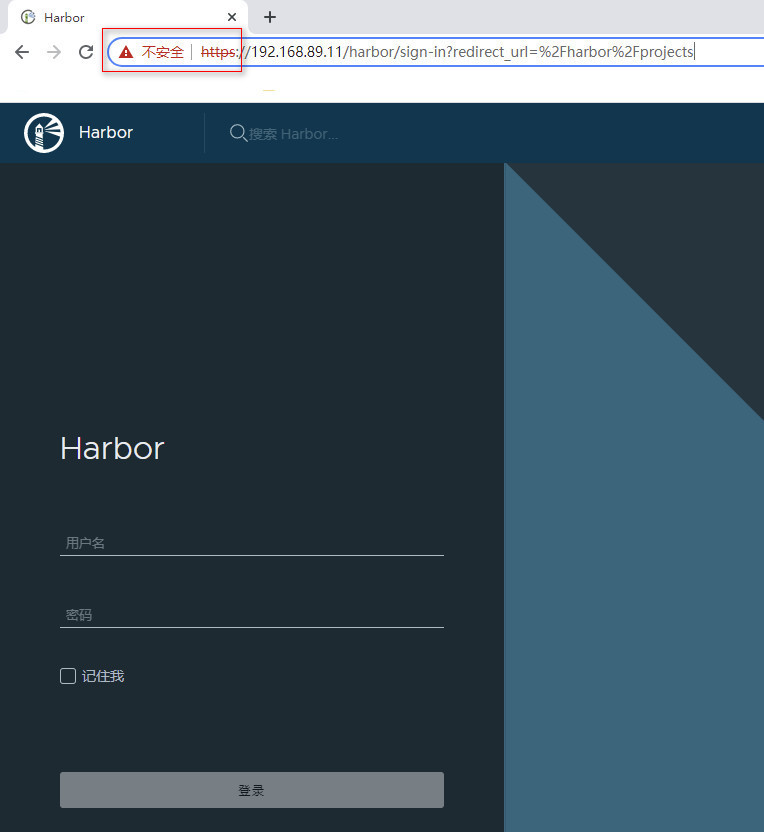
如下是完成时图片

 浙公网安备 33010602011771号