记录Idea启动报错,address is used:bind
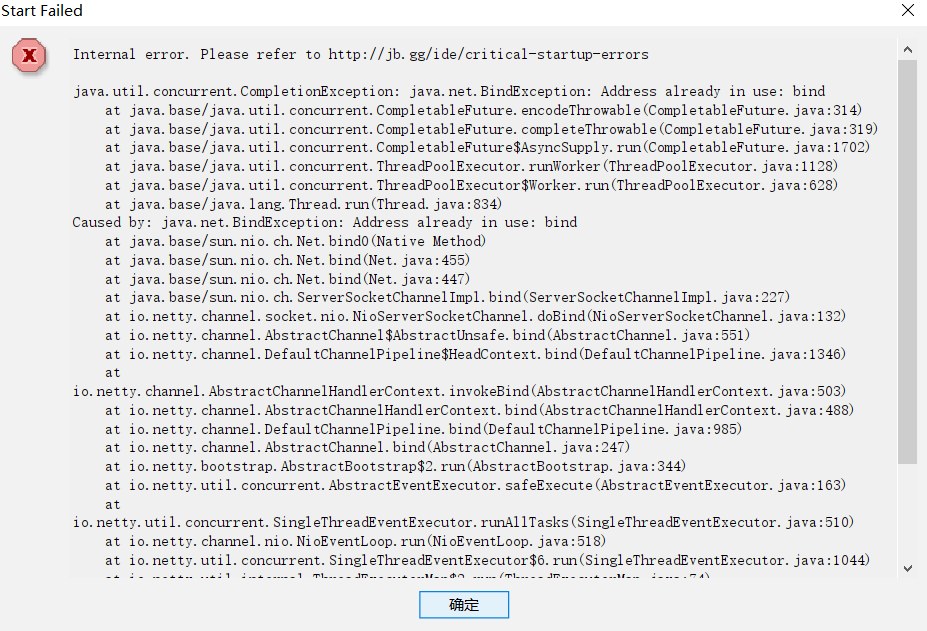 启动报错,重装后也一直报这个错误,也不提示是什么端口被占用,找了很多方法无果。
IDEA官网问题:Critical Internal Error on Startup of IntelliJ IDEA: "Cannot Lock System Folders"
类似问题:https://github.com/docker/for-win/issues/3171
后来查官网也解决不了
google搜索时发现一个方法
问题来源:
hypervisior(Windows 10的Hyper-V虚拟机),把端口保留了
IDEA需要在端口6942~6991间找到一个可用端口并绑定(bind)
解决方案:
enashed commented on Jan 31, 2019@veqryn the workaround worked for me, the steps are:
Disable hyper-v (which will required a couple of restarts)
dism.exe /Online /Disable-Feature:Microsoft-Hyper-VWhen you finish all the required restarts, reserve the port you want so hyper-v doesn't reserve it back
netsh int ipv4 add excludedportrange protocol=tcp startport=<端口号> numberofports=1Re-Enable hyper-V (which will require a couple of restart)
dism.exe /Online /Enable-Feature:Microsoft-Hyper-V /Allwhen your system is back, you will be able to bind to that port successfully.
请把端口号改成6942~6991间的任一个数字

 浙公网安备 33010602011771号