
3、elasticsearch 的 mapping
mapping 是用来手动给 index 的字段 分配类型的,默认es会自动分配类型。
当你手动分配字段类型为 keyword 时,该字段不会分词存储,而是直接存储
PUT usertest
{
  "mappings": {
    "properties": {
      "age":{
        "type": "integer"
      },
      "name":{
        "type": "text"
      },
      "desc":{
        "type": "keyword"
      },
      "price":{
        "type": "scaled_float",
        "scaling_factor": 100
      }
    }
  }
}
具体分词器,如下
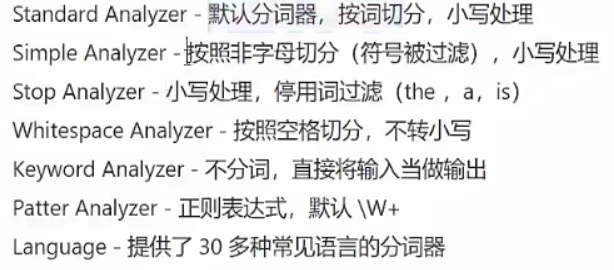
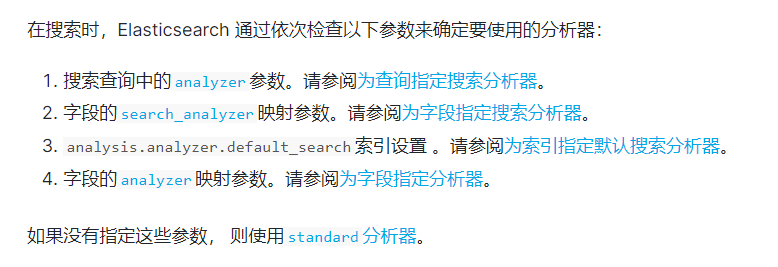
可以为某个字段指定 分词器
PUT my-index-000001
{
  "mappings": {
    "properties": {
      "title": {
        "type": "text",
        "analyzer": "whitespace"
      }
    }
  }
}
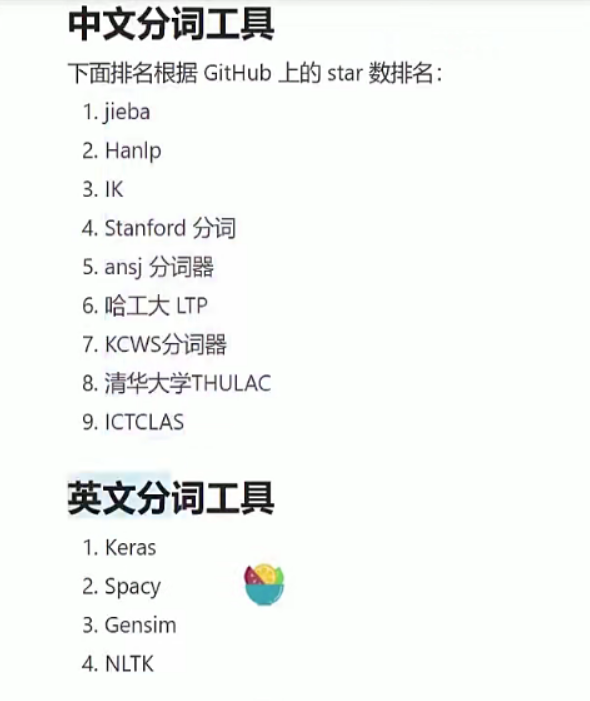
安装中文分词器 ik
下载对应的版本
https://github.com/medcl/elasticsearch-analysis-ik/releases
解压到plugins目录,命名为ik
若是文件夹没有正常挂载出来,就直接复制进去
docker cp d:\elasticsearch\plugins\ik d7ea6aa5852a:/usr/share/elasticsearch/plugins
若是遇到 es 版本与 ik 版本不一致,直接修改ik版本
vi ./elasticsearch/ik/plugins/plugin-descriptor.properties
开始使用 ik 分词
手动检测这个词会怎样拆
GET _analyze
{
  "text": "中国科技大学",
  "analyzer": "ik_smart"
}

GET _analyze
{
  "text": "中国科技大学",
  "analyzer": "ik_max_word"
}

// 往往 ik_max_word 使用起来更好一点
手动设定 分词器 使用
# 手动设置 cn 的 name 字段的分词器
PUT cn
{
"mappings": {
  "properties": {
    "name":{
      "type": "text",
      "analyzer": "ik_max_word"
    }
  }
}
}

# 使用
POST cn/_bulk
{"index":{"_index":"cn"}}
{"name":"这是一个杯子"}
{"index":{"_index":"cn"}}
{"name":"中国博物馆"}

# 验证是否成功
GET cn
除了指定存储时用什么分词器,还可以指定搜索时用什么分词器
PUT newcn
{
"mappings": {
  "properties": {
    "name":{
      "type": "text",
      "analyzer": "ik_max_word",
      "search_analyzer":"standard"
    }
  }
}
}
做自己的分词器
D:\elasticsearch\plugins\ik\config 里面建立自己的文件夹,如 otherword
新建词库文件 aa.dic,里面放分词
vim aa.dic

瓦隆子
好对生素
新建 extra_stopword.dic 语气词库,用以忽略语气词
vim extra_stopword.dic

的
地
得
将新建的词库,写入配置文件
vim IKAnalyzer.cfg.xml
<?xml version="1.0" encoding="UTF-8"?>
<!DOCTYPE properties SYSTEM "http://java.sun.com/dtd/properties.dtd">
<properties>
    <comment>IK Analyzer 扩展配置</comment>
    <!--用户可以在这里配置自己的扩展字典 -->
    <entry key="ext_dict">otherword/aa.dic</entry>
     <!--用户可以在这里配置自己的扩展停止词字典-->
    <entry key="ext_stopwords">otherword/extra_stopword.dic</entry>
    <!--用户可以在这里配置远程扩展字典 -->
    <!-- <entry key="remote_ext_dict">words_location</entry> -->
    <!--用户可以在这里配置远程扩展停止词字典-->
    <!-- <entry key="remote_ext_stopwords">words_location</entry> -->
</properties>
重启完成
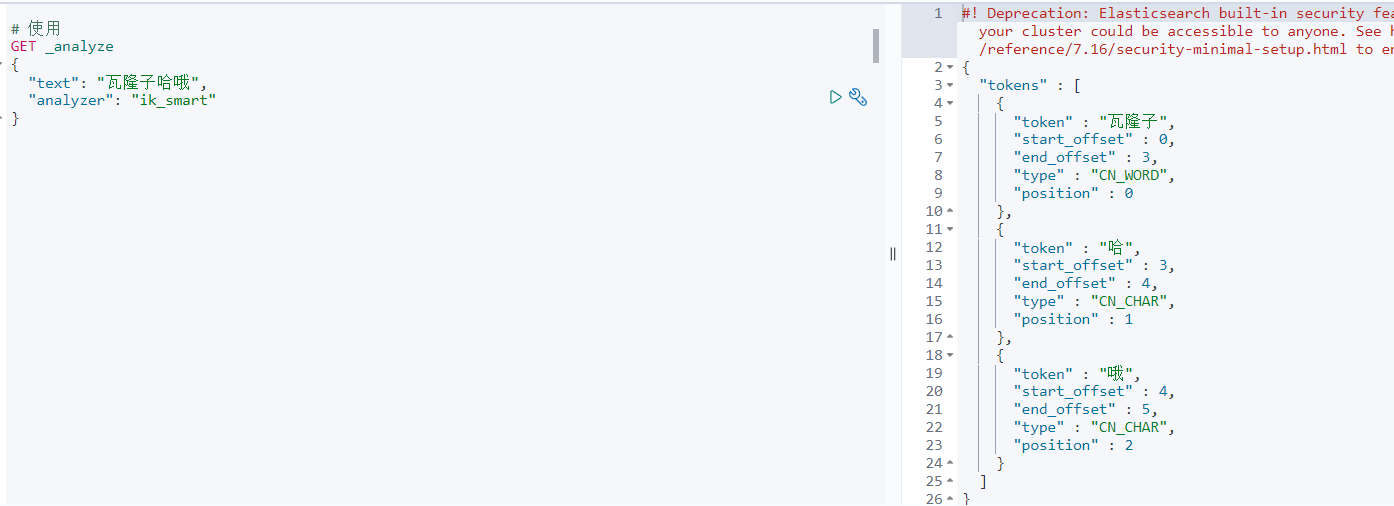
测试使用

 浙公网安备 33010602011771号