
VUE部署云服务器
1.部署vue前端项目
项目生成方式:https://www.runoob.com/vue2/vue-install.html
npm run build后,将打包后的生成dist文件通过FTP上传到目录下访问,遇到一堆问题。
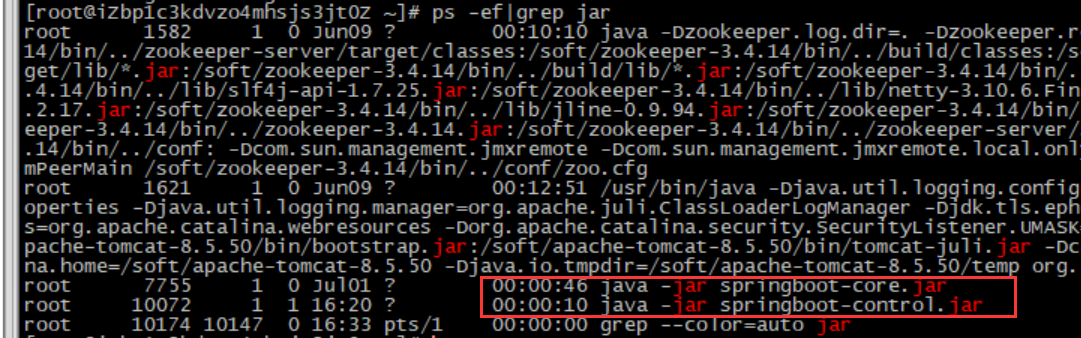
后台接口随便启动一个jar包放在服务器上,用于测试代理地址;
2.本机可以请求的代理接口,发布到服务器上404了?
原因:开发环境能够使用代理是因为启动了开发服务器,能够把请求转发到接口,线上是打包成html部署,你的静态站点不会转发请求,线上可以用nginx做下代理。
3.项目无法访问?vue通过nginx代理的样式无法加载?
1.修改config目录下 index下build{}下assetsPublicPath: '/'为assetsPublicPath: './';
2.nginx.config配置文件示例:
http {
log_format main '$remote_addr - $remote_user [$time_local] "$request" '
'$status $body_bytes_sent "$http_referer" '
'"$http_user_agent" "$http_x_forwarded_for"';
access_log logs/access.log main;
sendfile on;
keepalive_timeout 65;
include mime.types;
default_type application/octet-stream;
server{
listen 8080; #VUE发布端口
server_name IP;
location /api/ {
proxy_pass http://IPAddress:8889/;   # IP/api/  =====》 IPAddress:8889/
}
location /{
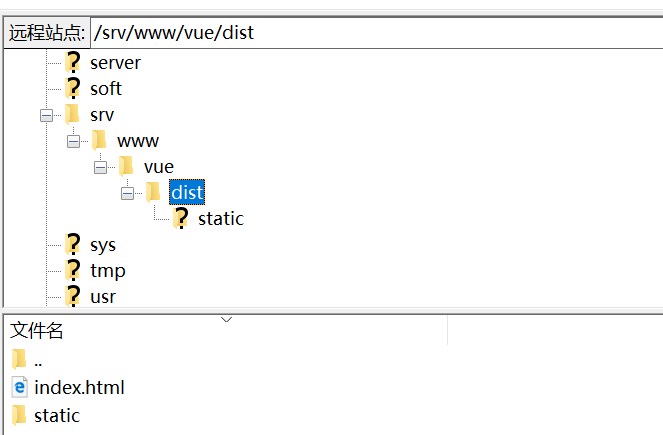
root /srv/www/vue/dist; #服务器静态文件路径
try_files $uri $uri/ /index.html;
}
location ~ \.(eot|otf|ttf|woff|svg)$ {
root /srv/www/vue/dist;
add_header Access-Control-Allow-Origin *;
}
}
}
3.修改router下index.js下export default new Router{}下mode: 'history',去掉
3.element-icons.woff 文件 404?
1.在build/utils文件中的下图所示位置添加 publicPath:'../../'
2.参考:https://blog.csdn.net/feiz3020/article/details/82757259
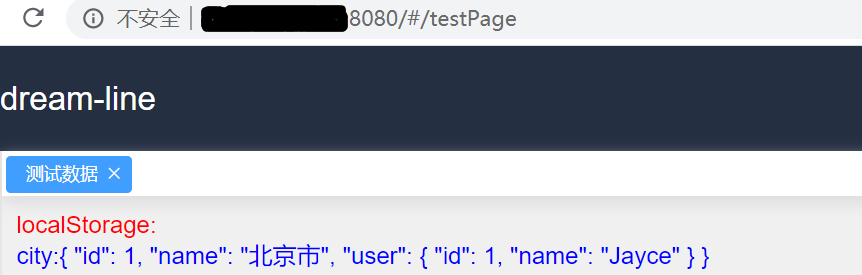
部署结果:
1.服务器前端放置路径:
2.启动服务器jar
3.测试访问测试页
生命毋需绚烂,只要活出自我

 浙公网安备 33010602011771号