
Hystrix入门
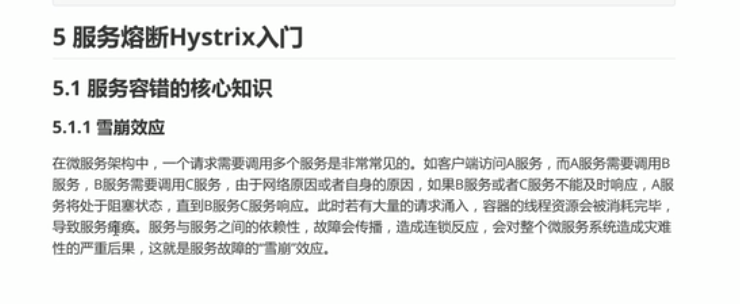
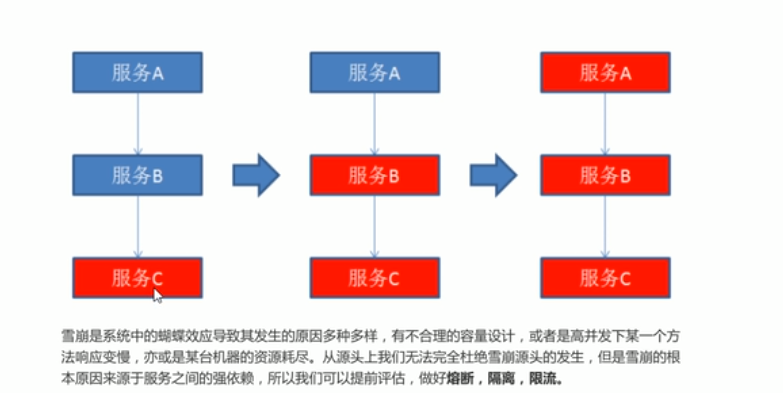
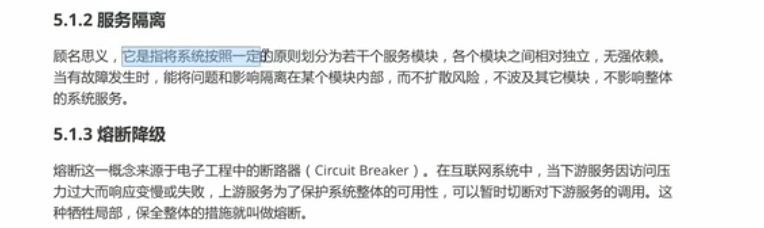
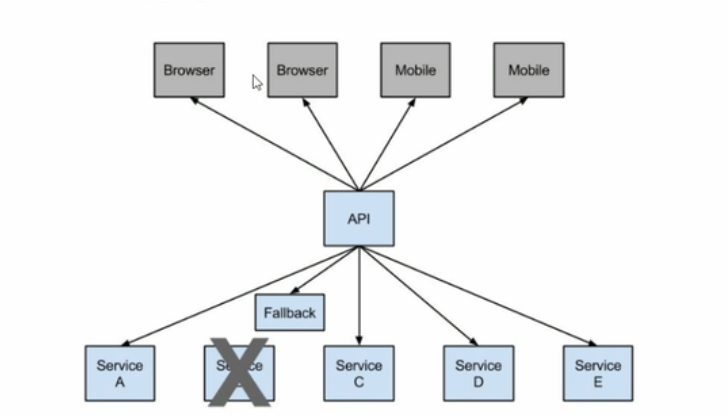
入门案例:
1.引入hystrix的依赖
<dependency>
            <groupId>org.springframework.cloud</groupId>
            <artifactId>spring-cloud-starter-netflix-hystrix</artifactId>
        </dependency>
2. 在启动类中激活hystrix
@SpringBootApplication
@EntityScan("com.yxkj.eneity")
@EnableFeignClients
/*
* 激活hystrix
* */
@EnableCircuitBreaker
public class OrderApplication {
    public static void main(String[] args) {
        SpringApplication.run(OrderApplication.class,args);
    }
}
3.配置熔断触发的降级逻辑
 /*
    降级方法
    和需要收到保护的方法和返回值一致
    *方法参数一致
     */
    public Product orderFallBack(Long id){
        Product product = new Product();
        product.setProductName("触发降级方法");
        return  product;
    }
4. 在需要收到保护的接口上使用@HystrixCommand配置
 /*
    * 使用注解配置熔断保护
    * fallbackmethod:配置熔断之后的降级方法
    * */
    @HystrixCommand
    @RequestMapping(value = "/buy/{id}",method = RequestMethod.GET)
    public Product findById(@PathVariable Long id){
        Product product = null;
        product = productFeignClient.findById(id);
        return product;
//        return new OrderCommand(restTemplate,id).execute();
    }
对Feign的支持
1.引入依赖(feign继继承了Hystrix)
2.在feign中配置开启hystrix
#配置feign日志的输出
#日志配置 NONE:不输出日志(高) BASIC:使用于生产环境追踪问题;
#HEADERS:在BASIC的基础上,记录请求和响应头信息 FULL:记录所有
feign:
  client:
    config:
      service-product: #需要调用服务的名称
        loggerLevel: FULL
        #开启对hystrix的支持
  hystrix:
    enabled: true
3.自定义一个接口的实现类,这个实现类就是熔断触发的降级逻辑
@Component
public class ProductFeignClientCallback implements ProductFeignClient {


    /*
    * 熔断降级的方法
    * */
    @Override
    public Product findById(Long id) {
        Product product = new Product();
        product.setProductName("feign调用触发熔断降级方法");
        return product;
    }
}
4.修改feignClient接口添加降级方法的支持
@FeignClient(name="SERVICE-PRODUCT",fallback = ProductFeignClientCallback.class)
public interface ProductFeignClient {

    /*
     *配置需要调用的微服务接口
     * */
    @RequestMapping(value = "/product/{id}",method = RequestMethod.GET)
    public Product findById(@PathVariable("id") Long id);

}
hystrix的超时时间
hystrix:
  command:
    default:
      execution:
        isolation:
          thread:
            timeoutInMillisecondes: 3000
当在规定时间内,没有获取到微服务的数据,这个时候就会自动触发熔断降级方法;
hystrix设置监控信息
1.引入坐标
 <dependency>
            <groupId>org.springframework.boot</groupId>
            <artifactId>spring-boot-starter-actuator</artifactId>
        </dependency>
        <dependency>
            <groupId>org.springframework.cloud</groupId>
            <artifactId>spring-cloud-starter-netflix-hystrix</artifactId>
        </dependency>
        <dependency>
            <groupId>org.springframework.cloud</groupId>
            <artifactId>spring-cloud-starter-netflix-hystrix-dashboard</artifactId>
        </dependency>
2.启动类上配置
@SpringBootApplication
@EntityScan(basePackages = "com.yxkj.entity")
//激活Feign
@EnableFeignClients
//激活hstrix
@EnableCircuitBreaker
public class FeignOrderApplication {

    public static void main(String[] args) {
        SpringApplication.run(FeignOrderApplication.class,args);
    }
}
3.暴露接口
management:
  endpoints:
    web:
      exposure:
        include: '*'
4.页面上访问路径:http://127.0.0.1:9003/actuator/hystrix.stream
hystrix dashboard
1.引入依赖
  <dependency>
            <groupId>org.springframework.cloud</groupId>
            <artifactId>spring-cloud-starter-netflix-hystrix-dashboard</artifactId>
        </dependency>
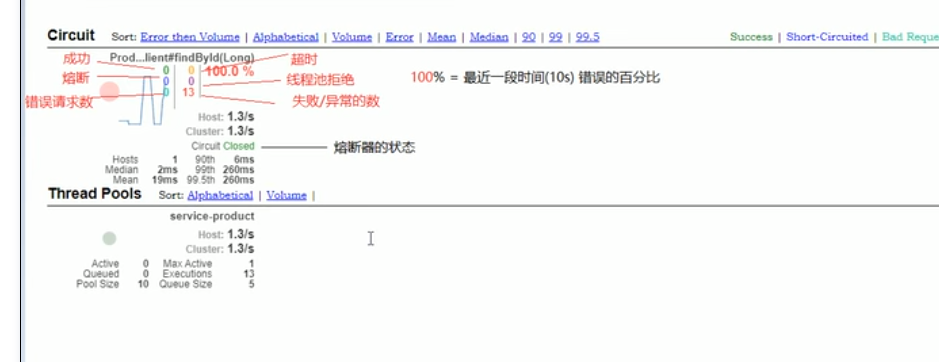
2.访问页面:http://127.0.0.1:9003/hystrix/
application.yml配置
hystrix:
  command:
    default:
      execution:
        isolation:
          thread:
            timeoutInMillisecondes: 3000
      circuitBreaker:
        requestVolumeThreshold: 5 #触发熔断的最小请求次数,默认20秒
        sleepWindowInMillisecondes: 10000 #熔断多少秒后去尝试请求 打开状态时间
        errorThresholdPercentage: 50 #触发熔断的失败请求最小占比,默认50%

 浙公网安备 33010602011771号