
Centos7采用系统盘iso镜像搭建本地yum源
需求分析:yum安装软件包,无法连接公网的条件下,使用iso系统镜像盘,进行本地yum源的搭建。
系统环境:CentOS7.4
目的:本次搭建的是http方式的yum源,本地局域网同网段内都可以使用。
流程:
(一)系统关闭防火墙和selinux,并停用开机自启动
(二)安装WEB服务,系统自带的apache httpd
(三)配置yum源
步骤:
(一)关系防火墙和selinux
systemctl status firewalld #查看防火墙当前状态
systemctl stop firewalld #关闭防火墙
systemctl disable firewalld #禁止开机自启动
getenforce #查看selinux当前状态
setenforce 0 #修改selinux当前状态
sed -i 's/SELINUX=enforcing/SELINUX=disabled/g' /etc/selinux/config #sed方式修改selinux配置文件,禁止开机自启动
修改完毕查看
systemctl list-unit-files|grep firewalld
grep disabled /etc/selinux/config

(二)安装开启http
既然不能上公网,http如果又没有安装,则需要手动安装。
将系统盘临时挂载到 /mnt 目录(这里是使用虚拟光驱,VM虚拟机环境)
mount -o loop -t iso9660 /dev/cdrom /mnt

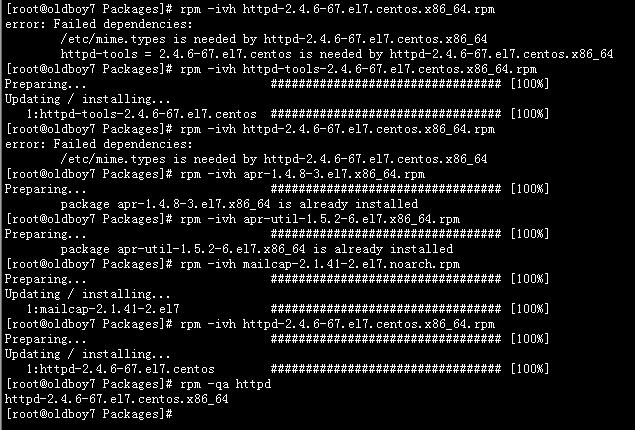
进入rpm包目录下,安装依赖包 ,安装httpd。
cd /mnt/Packages
rpm -ivh httpd-tools-2.4.6-67.el7.centos.x86_64.rpm
rpm -ivh apr-1.4.8-3.el7.x86_64.rpm
rpm -ivh apr-util-1.5.2-6.el7.x86_64.rpm
rpm -ivh mailcap-2.1.41-2.el7.noarch.rpm
rpm -ivh httpd-2.4.6-67.el7.centos.x86_64.rpm
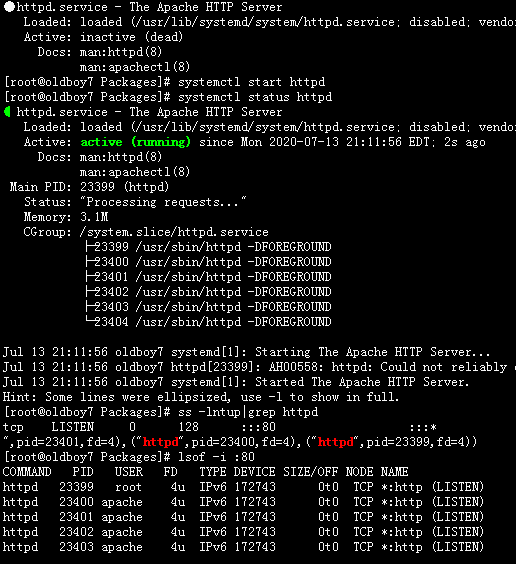
启动httpd 服务,查看服务端口状态
systemctl start httpd
lsof -i :80
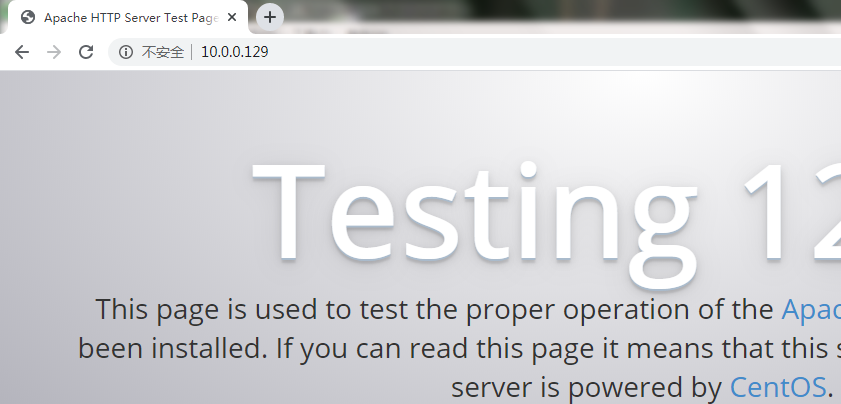
浏览器测试页面,验证httpd服务是否ok
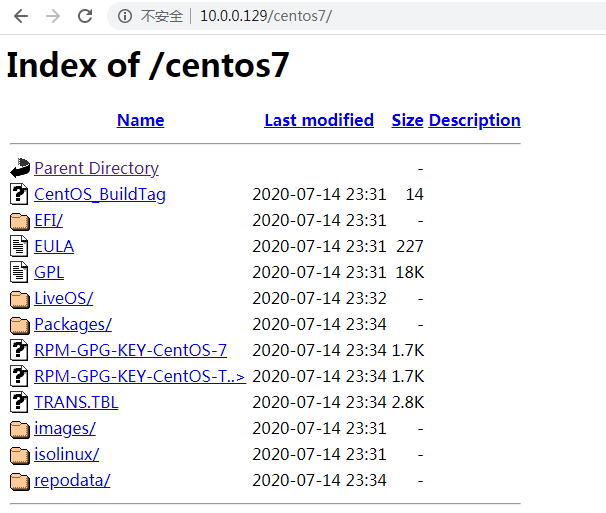
(三)到web服务根目录html下创建centos7目录,考虑到长久稳定,
直接将刚才挂载在/mnt下的数据全部拷贝进centos7
web页面然后测试
(四)配置yum源
cd /etc/yum.repos.d
cp CentOS-Base.repo local-Base.repo
mkdir ori_repo
mv Cen* ori_repo
vi local-Base.repo
base 模块修改2处,updates、extras模块增加enabled=0,禁用的意思

yum clean all
yum makecache

yum list |wc -l

至此,采用系统镜像方式搭建本地yum源完成。

 浙公网安备 33010602011771号