

2024-07-24 记录一则网页换肤效果
效果:点击切换按钮,背景色由白色变成黑色,从指定的地方开始过渡
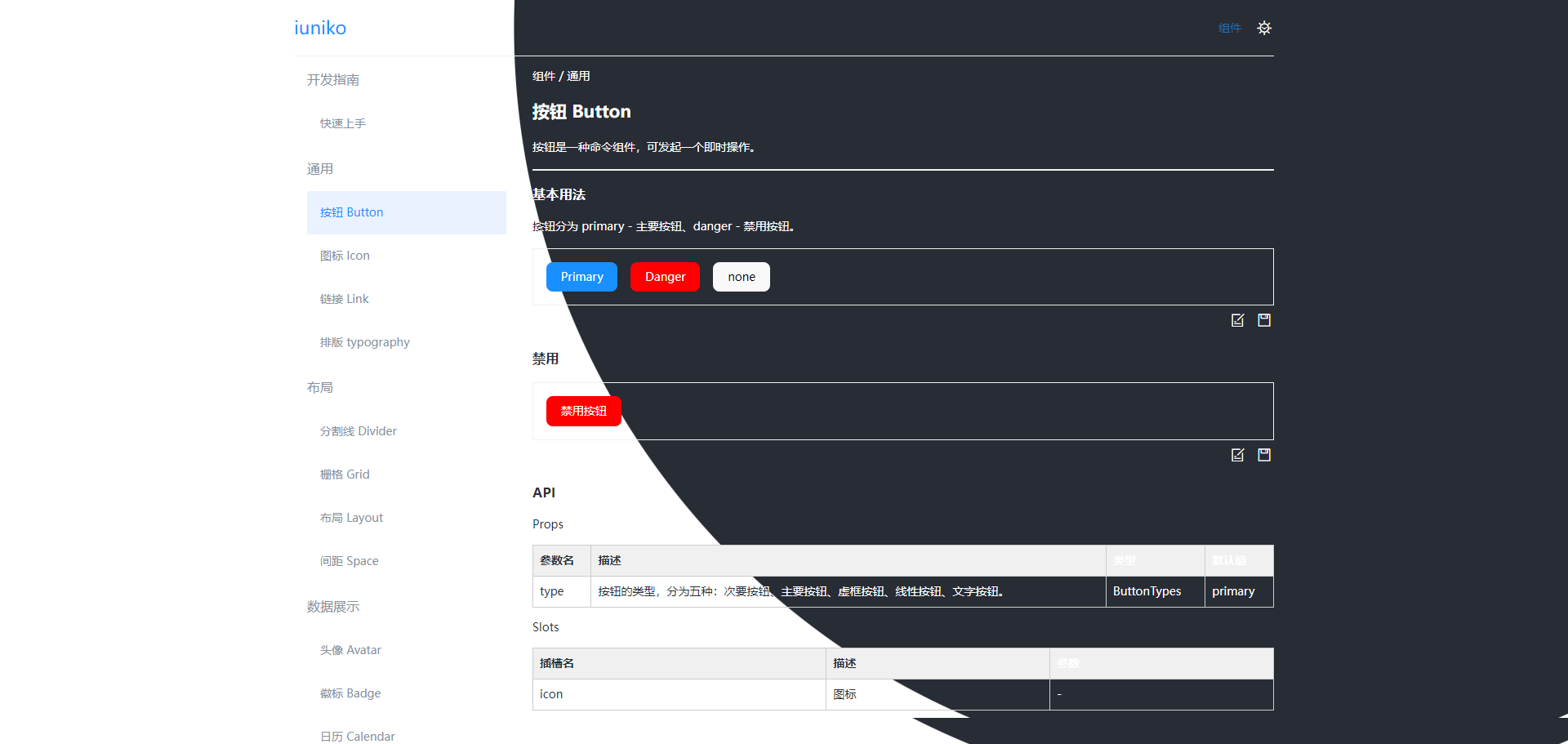
点击按钮:
<div ref="themeBtn" @click="changeTheme">点击切换</div>
切换逻辑:
// 主题切换按钮
const themeBtn = ref(null);

/* 改变颜色 */
const changeTheme = () => {
    // 创建一个过渡对象
    const transition = document.startViewTransition(() => {
        document.documentElement.classList.toggle('dark')
    })

    const width = themeBtn.value.getBoundingClientRect().width // 按钮的宽度
    const height = themeBtn.value.getBoundingClientRect().height // 按钮的高度
    const x = themeBtn.value.getBoundingClientRect().x + width / 2 // 按钮的中心x坐标
    const y = themeBtn.value.getBoundingClientRect().y + height / 2 // 按钮的中心y坐标

    // 计算展开圆的半径
    const tragetRadius = Math.hypot(
        Math.max(x, window.innerWidth - x),
        Math.max(y, window.innerHeight - y)
    )

    // 设置过渡的动画效果
    transition.ready.then(() => {
        document.documentElement.animate({
            clipPath: [`circle(0% at ${x}px ${y}px)`, `circle(${tragetRadius}px at ${x}px ${y}px)`]
        }, {
            duration: 1000,
            // pseudoElement
            // 设置过渡效果的伪元素,这里设置为根元素的伪元素
            // 这样过渡效果就会作用在根元素上
            pseudoElement: '::view-transition-new(root)',
        })
    })
}
样式:
:root {
    --background-color: #fff;
    --color: #282c34;
    background-color: var(--background-color);
    color: var(--color);
  }

  :root.dark {
    --background-color: #282c34;
    --color: #fff;
  }

  /* 隐藏默认的过渡效果 */
  ::view-transition-new(root),
  ::view-transition-old(root) {
    animation: none;
  }
注意:本文参照https://juejin.cn/post/7363836438935552035来写的,可以看下原文,支持一下原作者。

 浙公网安备 33010602011771号