
JavaScript中Date对象的使用
注意:JS 的 Date 对象中有一个坑,它的月份是从 0 开始计算的。即 现实中的 1 月份为 Date 对象中的 0 月份
1. Date 对象的创建方式
- 无参构造 new 出来
var now = new Date();
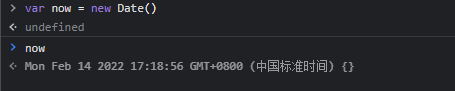
注意:此方法获取的当前时间是从本机获取的,不一定准确
- 给定日期进行构造
var now = new Date(year, month, day, hours, minutes, seconds, milliseconds);

- 根据日期串进行构造
var now = new Date(dateString);

- 根据时间戳进行构造
var now = new Date(milliseconds);

注意:时间戳就是从 1970-1-1 0:00:00 到现在的毫秒数
2. Date 对象常用方法
var now = new Date()
let year = now.getFullYear()   //当前年份
let month = now.getMonth()     //当前月份减一
let date = now.getDate()       //当前日期
let day = now.getDay()         //当前星期几
let hour = now.getHours()      //当前小时
let minute = now.getMinutes()  //当前分
let second = now.getSeconds()  //当前秒
let milliseconds = now.getMilliseconds()  //当前毫秒
let time = now.getTime()       //当前时间戳
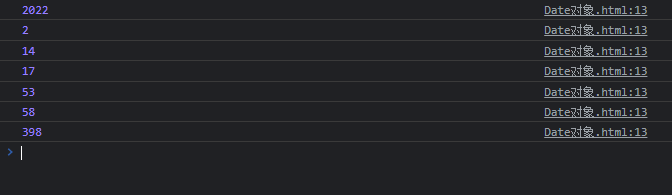
打印:
function print() {
    for (let arg of arguments) {
        console.log(arg)
    }
}
print(year, month + 1, date, hour, minute, second, milliseconds)
3. Date 对象常用转换
- 转换原有格式(不常用)
now.toDateString()
now.toTimeString()
now.toString()

- 转化为本地形式(常用)
now.toLocalDateString()     //仅获取日期
now.toLocalTimeString()     //仅获取时间
now.toLocalString()         //获取日期和时间


 浙公网安备 33010602011771号