AJAX的异步调用的分层
![]()
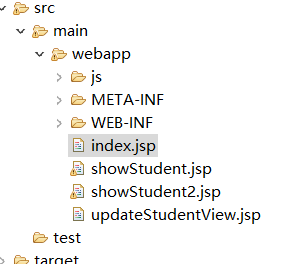
有四个jsp页面,在index.jsp页面上
![]()
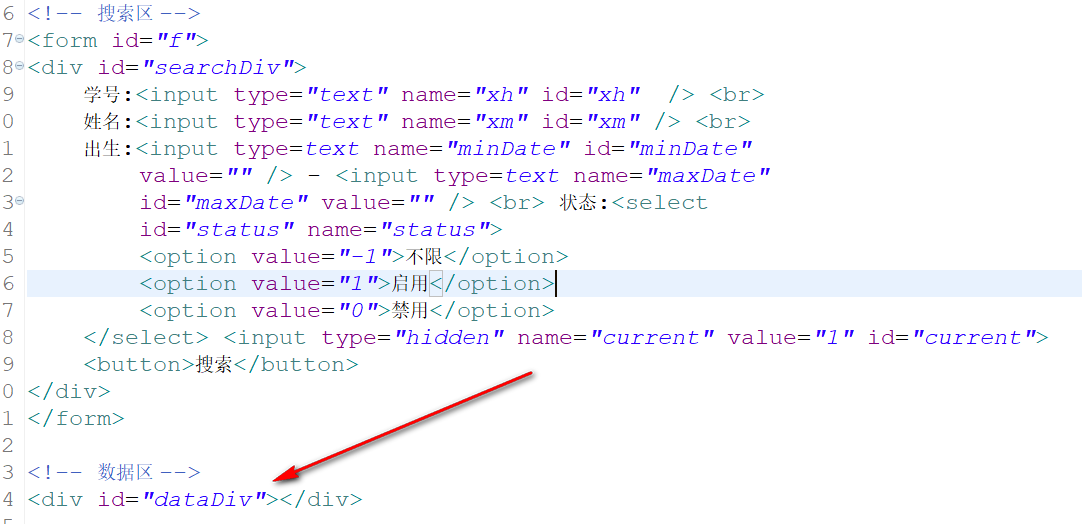
要在dataDiv出显示调用的的数据回显到此处,可以让showStudent2.jsp页面的数据回调到此处,$("#dataDiv").load(url)加载,注 var data=$("f").serialize()表单数据序列化
 1 <script>
 2      function go(page)
 3      {
 4          $("#current").val(page);
 5          var data = $("#f").serialize(); //  xh=1&xm=yyy&
 6
 7          var url = "${pageContext.request.contextPath}/showStudent2?"+data;
 8
 9          $("#dataDiv").load(url);
10
11      }
12
13      go(1);
14    </script>
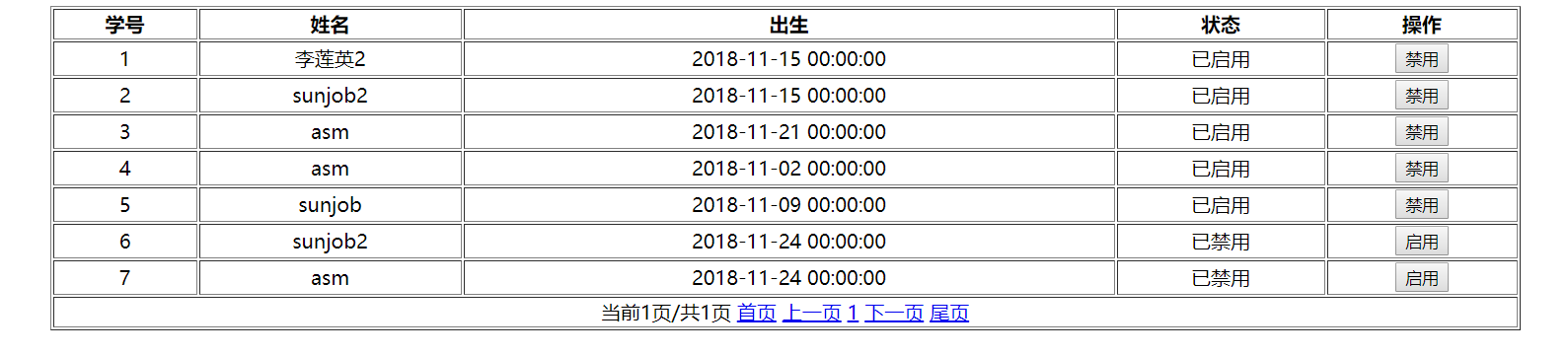
在showStudent2.jsp页面上
![]()
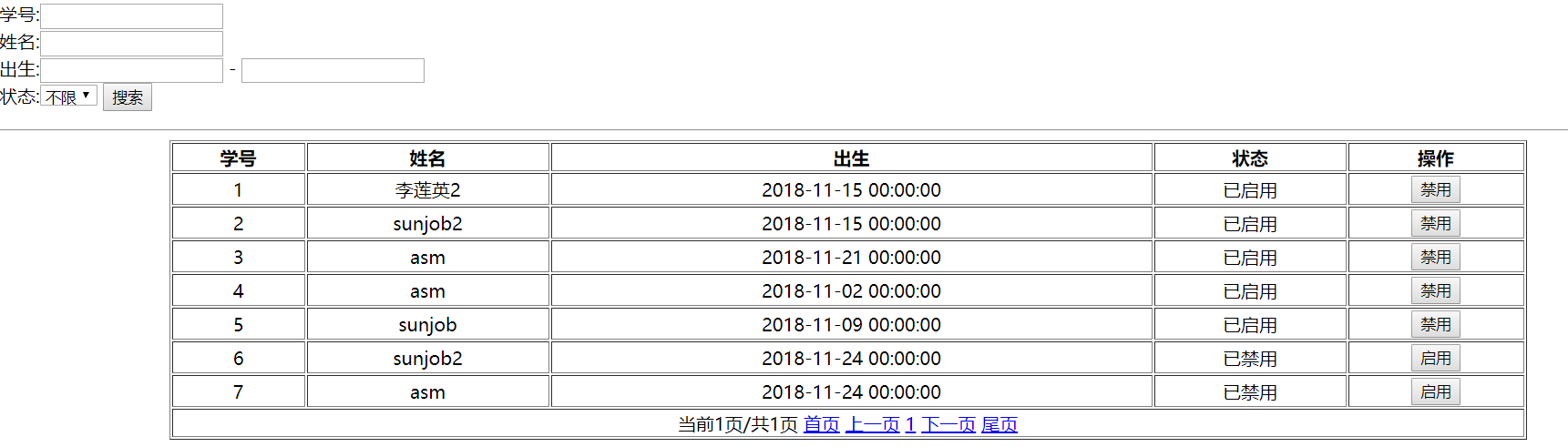
回调之后的显示
![]()
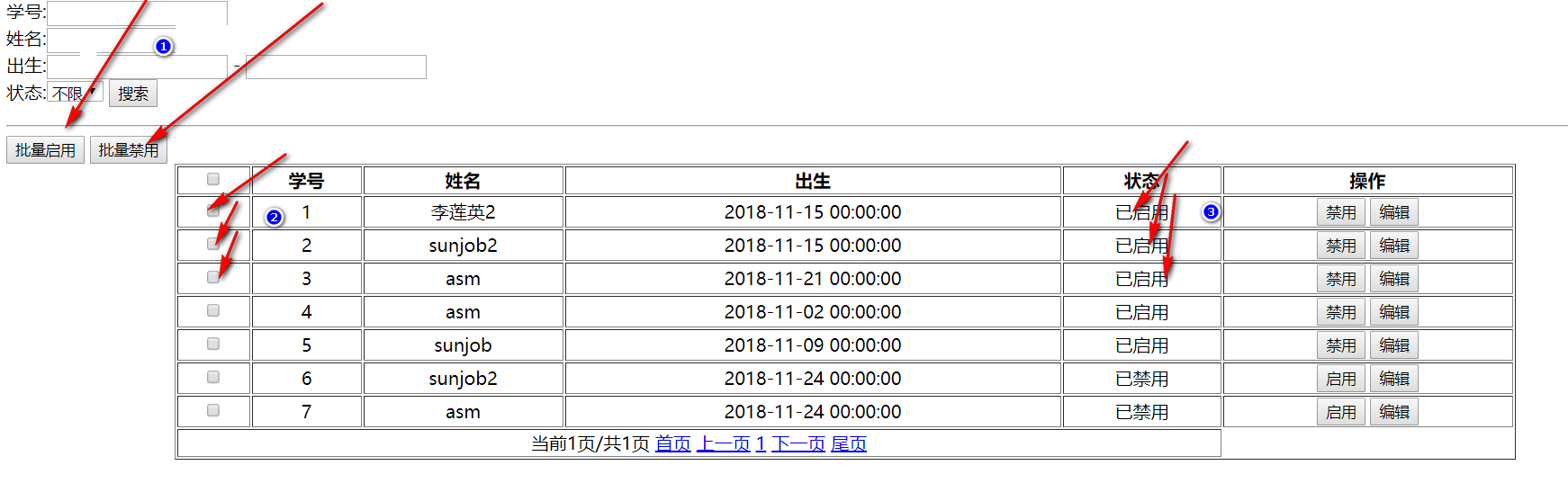
*****使用AJAX批量的修改showStudent.jsp页面上的显示如下
![]()
ajax代码
 1      //批量启用
 2      function batchEnable(status)
 3      {
 4            //得到选中id
 5            var ids = "-1";
 6            $(".chk:checked").each(function(){
 7                ids = ids+","+this.value;
 8
 9            });
10
11           var url = '${pageContext.request.contextPath}/changeStatus2';
12           var data = {ids:ids,status:status};
13           var callback = function(data)
14           {
15
16                //修改界面
17               $(".chk:checked").each(function(i,o){
18
19                       if (status==1)
20                       {
21                            var tr = $(o).parent().parent();
22                            tr.children("td").eq(4).html("已启用");
23                             tr.children("td").eq(5).children("button:first").html("禁用");
24                        }
25                        else
26                      {
27                            var tr = $(o).parent().parent();
28                            tr.children("td").eq(4).html("已禁用");
29                             tr.children("td").eq(5).children("button:first").html("启用");
30                        }
31
32               });
33
34
35           }
36           $.post(url,data,callback);
37      }
38
39
40      function update(xh)
41      {
42          var url = '${pageContext.request.contextPath}/toUpdateView/'+xh;
43          location  = url;
44
45      }



 浙公网安备 33010602011771号