
CSS学习笔记(一)-17.浮动
浮动:
一、网页布局分为三种方式:
网页布局就是用CSS来拜访盒子。
1.标准流(普通流/文档流)
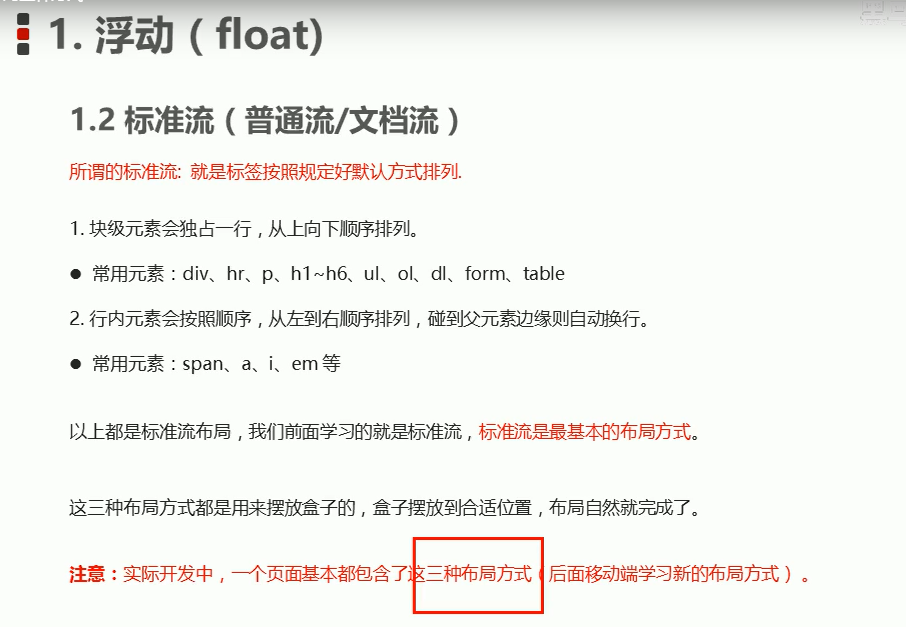
2.浮动
为什么要浮动?
1.让多个块级盒子水平排成一行
方式1::使用block转inline-block(行内块元素)


 1 <!--
 2  * @Author: invoker
 3  * @Github: https://github.com/invoker2021
 4  * @Date: 2021-07-13 20:44:18
 5  * @LastEditors: invoker
 6  * @LastEditTime: 2021-07-13 20:48:41
 7  * @Description:
 8  * @FilePath: \css\浮动1.html
 9 -->
10 <!DOCTYPE html>
11 <html lang="en">
12
13 <head>
14     <meta charset="UTF-8">
15     <meta http-equiv="X-UA-Compatible" content="IE=edge">
16     <meta name="viewport" content="width=device-width, initial-scale=1.0">
17     <title>浮动1</title>
18     <style>
19         .one {
20             background-color: red;
21             display: inline-block;
22             height: 300px;
23             width: 200px;
24         }
25
26         .two {
27             background-color: pink;
28             display: inline-block;
29             height: 300px;
30             width: 200px;
31         }
32
33         .three {
34             background-color: blue;
35             display: inline-block;
36             height: 300px;
37             width: 200px;
38         }
39     </style>
40 </head>
41
42 <body>
43     <div class='one'>1</div>
44     <div class='two'>2</div>
45     <div class='three'>3</div>
46 </body>
47
48 </html>
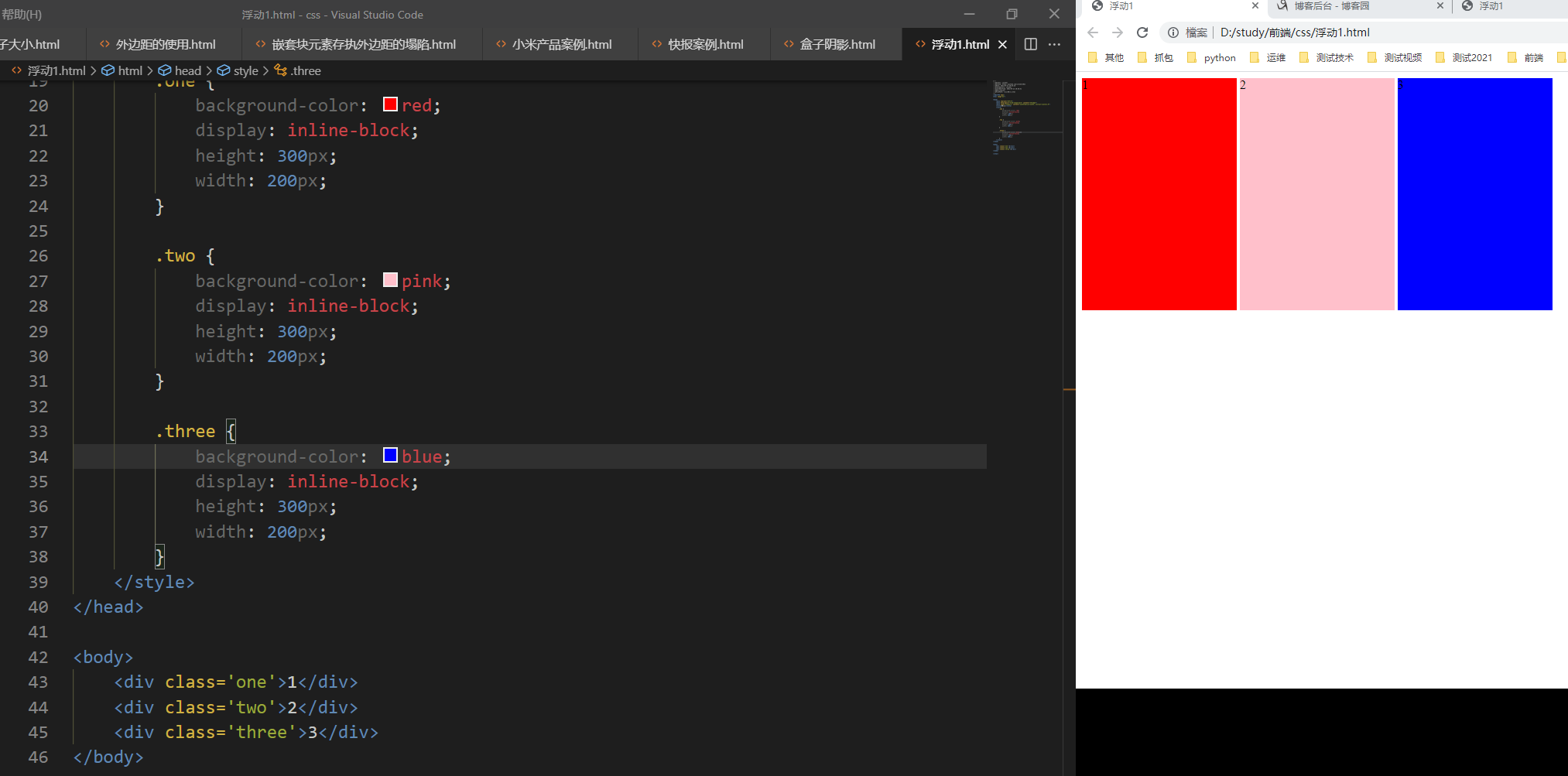
但是问题是div中间会有空隙
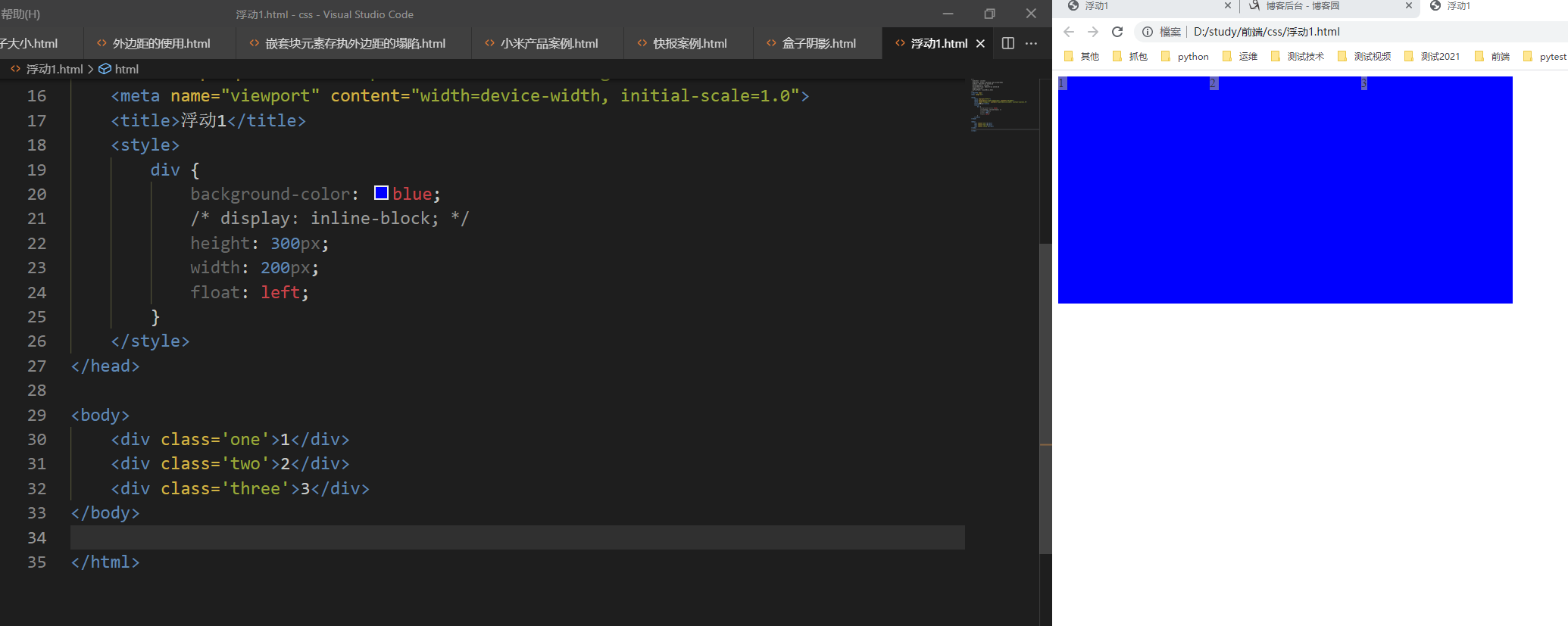
方式2:使用浮动
浮动可以改变元素标签的默认排列方式。
效果如下:中间没有空隙。
 1 <!--
 2  * @Author: invoker
 3  * @Github: https://github.com/invoker2021
 4  * @Date: 2021-07-13 20:44:18
 5  * @LastEditors: invoker
 6  * @LastEditTime: 2021-07-13 20:54:58
 7  * @Description:
 8  * @FilePath: \css\浮动1.html
 9 -->
10 <!DOCTYPE html>
11 <html lang="en">
12
13 <head>
14     <meta charset="UTF-8">
15     <meta http-equiv="X-UA-Compatible" content="IE=edge">
16     <meta name="viewport" content="width=device-width, initial-scale=1.0">
17     <title>浮动1</title>
18     <style>
19         div {
20             background-color: blue;
21             /* display: inline-block; */
22             height: 300px;
23             width: 200px;
24             float: left;
25         }
26     </style>
27 </head>
28
29 <body>
30     <div class='one'>1</div>
31     <div class='two'>2</div>
32     <div class='three'>3</div>
33 </body>
34
35 </html>
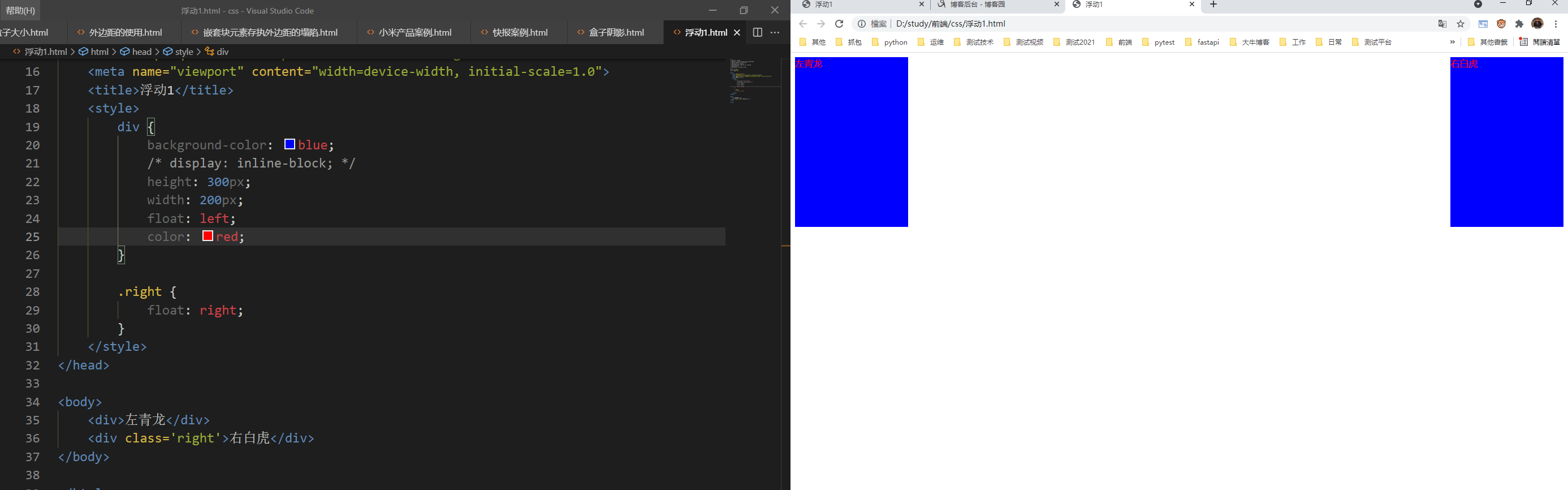
左青龙,右白虎
 1 <!--
 2  * @Author: invoker
 3  * @Github: https://github.com/invoker2021
 4  * @Date: 2021-07-13 20:44:18
 5  * @LastEditors: invoker
 6  * @LastEditTime: 2021-07-13 21:06:09
 7  * @Description:
 8  * @FilePath: \css\浮动1.html
 9 -->
10 <!DOCTYPE html>
11 <html lang="en">
12
13 <head>
14     <meta charset="UTF-8">
15     <meta http-equiv="X-UA-Compatible" content="IE=edge">
16     <meta name="viewport" content="width=device-width, initial-scale=1.0">
17     <title>浮动1</title>
18     <style>
19         div {
20             background-color: blue;
21             /* display: inline-block; */
22             height: 300px;
23             width: 200px;
24             float: left;
25             color: red;
26         }
27
28         .right {
29             float: right;
30         }
31     </style>
32 </head>
33
34 <body>
35     <div>左青龙</div>
36     <div class='right'>右白虎</div>
37 </body>
38
39 </html>
总结:多个块级元素纵向排列使用标准流。多个块级元素横向排列使用浮动。
3.定位
本文来自博客园,作者:kaer_invoker,转载请注明原文链接:https://www.cnblogs.com/invoker2021/p/15007861.html

 浙公网安备 33010602011771号