
Vuejs学习笔记(三)-19.vue-router的基本使用-参数化-动态路由(query)
之前使用的parameters的方式传递参数,现在介绍另一个传递阐述的方式,query.
一、通过router-link使用query传递
1、创建Profile.vue组件
2、路由器定义了Profile组件的路由
3、在App.vue中使用<router-link>标签引用profile,但是引用时,使用对象参数传递,一个path参数,一个query参数


 1 <template>
 2   <div>
 3     <router-link to="/home" replace>首页</router-link>
 4     <router-link to="/about" replace>关于</router-link>
 5     <router-link :to="'/user/'+userName" replace>用户</router-link>
 6     <router-link :to="{path:'/profile',query:{name:'invoker',age:1000,skillcount:10}}">档案</router-link>
 7     <router-view></router-view>
 8   </div>
 9 </template>
10
11 <script>
12
13 export default {
14   name: 'App',
15   data(){
16     return{
17       userName:'invoker'
18     }
19   }
20
21 }
22 </script>
23
24 <style>
25
26 </style>
4、Profile.vue组件内,通过this.$route.query.属性名引用query属性值
 1 <template>
 2   <div>
 3     <h2>我是档案</h2>
 4     <p>名字:{{ this.$route.query.name }}</p>
 5     <p>年龄:{{ this.$route.query.age }}</p>
 6     <p>技能个数:{{ this.$route.query.skillcount }}</p>
 7   </div>
 8 </template>
 9
10 <script>
11 export default {
12   name: "Profile"
13 }
14 </script>
15
16 <style scoped>
17
18 </style>
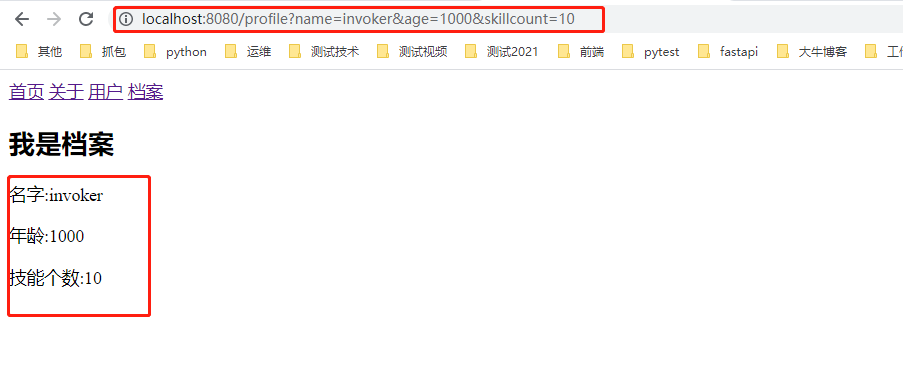
5、界面展示
二、不使用router-link标签,就通过普通标签传递
1、创建Profile.vue组件
2、路由器定义了Profile组件的路由
3、使用button标签,并定义click事件
4、在click事件对应方法中使用 this.$router.replace(路由对象)
 1 <template>
 2   <div>
 3     <router-link to="/home" replace>首页</router-link>
 4     <router-link to="/about" replace>关于</router-link>
 5     <router-link :to="'/user/'+userName" replace>用户</router-link>
 6 <!--    <router-link :to="{path:'/profile',query:{name:'invoker',age:1000,skillcount:10}}">档案</router-link>-->
 7     <button @click="profileClick">档案</button>
 8     <router-view></router-view>
 9   </div>
10 </template>
11
12 <script>
13
14 export default {
15   name: 'App',
16   data(){
17     return{
18       userName:'invoker'
19     }
20   },
21   methods:{
22     profileClick(){
23       this.$router.replace({
24         path:'/profile',
25         query:{
26           name:'invoker',
27           age:1000,
28           skillcount:10
29         }
30       })
31     }
32   }
33
34 }
35 </script>
36
37 <style>
38
39 </style>
5、Profile.vue组件内,通过this.$route.query.属性名引用query属性值
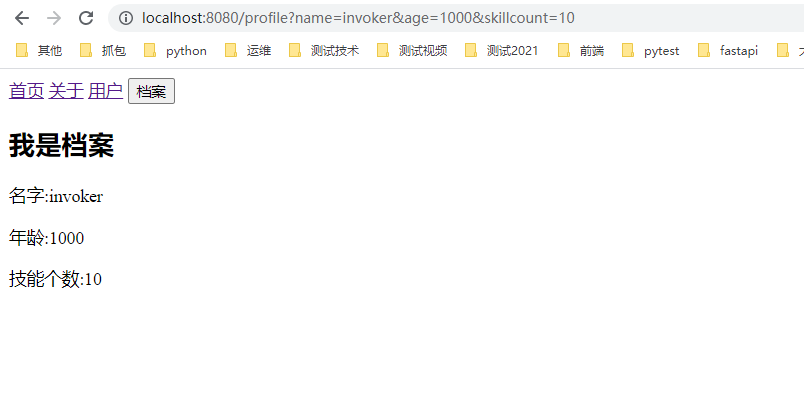
View Code6、界面展示
this.$router值得是 整个 路由对象
this.$route是指 当前 的路由对象
本文来自博客园,作者:kaer_invoker,转载请注明原文链接:https://www.cnblogs.com/invoker2021/p/14988063.html

 浙公网安备 33010602011771号