
Vuejs学习笔记(一)-17.v-model 双向绑定
一、v-model双向绑定初体验
前面学习的都是插入式展示后台数据,即后台提供什么数据,页面就如何展示。
现在学习一个新技能,v-model双向绑定。即做了双向绑定的数据,前台页面可以轻松改变后台数据。
v-model="message" 写法很简单。详见代码:
 1 <!--
 2 @author:invoker
 3 @project:project_lianxi
 4 @file: 01-v-model基本使用.html
 5 @contact:invoker2021@126.com
 6 @descript:
 7 @Date:2021/7/1 17:11
 8 @version: html5
 9 -->
10
11 <!DOCTYPE html>
12 <html lang="en">
13 <head>
14   <meta charset="UTF-8">
15   <title>01-v-model基本使用</title>
16 </head>
17 <body>
18 <div id="app">
19   <input type="text" v-model="message" id="msg">
20   <label for="msg">{{message}}</label>
21 </div>
22
23 <script src="../js/vue.js"></script>
24 <script>
25
26   const app = new Vue({
27     el: '#app',
28     data: {
29       message: 'hello'
30     },
31   })
32 </script>
33 </body>
34 </html>
二、v-model数据双向绑定的实现原理
第一步,后台数据与界面进行绑定
第二步,监听input输入事件
第三步,实现监听事件与valueChange方法的结合
 1 <!--
 2 @author:invoker
 3 @project:project_lianxi
 4 @file: 02-v-model双向绑定的原理.html
 5 @contact:invoker2021@126.com
 6 @descript:
 7 @Date:2021/7/1 17:14
 8 @version: html5
 9 -->
10
11 <!DOCTYPE html>
12 <html lang="en">
13 <head>
14   <meta charset="UTF-8">
15   <title>02-v-model双向绑定的原理</title>
16 </head>
17 <body>
18 <div id="app">
19   <!--  第一步,后台数据与界面进行绑定-->
20   <!--  第二步,监听input输入事件-->
21   <!--  第三步,实现监听事件与valueChange方法的结合-->
22   <div>
23     <input type="text" v-bind:value="message" @input="valueChange" id="msg">
24     <label for="msg">{{message}}</label>
25   </div>
26   <div>
27     <input type="text" v-bind:value="message2" @input="message2 = $event.target.value" id="msg2">
28     <label for="msg2">{{message2}}</label>
29   </div>
30 </div>
31 <script src="../js/vue.js"></script>
32 <script>
33   const app = new Vue({
34     el: '#app',
35     data: {
36       message: 'hello v-model',
37       message2: 'v-model实现原理'
38     },
39     methods: {
40       valueChange(event) {
41         this.message = event.target.value
42       },
43     }
44   })
45 </script>
46 </body>
47 </html>
三、v-model双向绑定与input-radio的结合
<!--
@author:invoker
@project:project_lianxi
@file: 03-v-model与input-radio结合.html
@contact:invoker2021@126.com
@descript:
@Date:2021/7/1 17:52
@version: html5
-->

<!DOCTYPE html>
<html lang="en">
<head>
  <meta charset="UTF-8">
  <title>03-v-model与input-radio结合</title>
</head>
<body>
<div id="app">
  <label :for="s" v-for="s in sexList" >
    <input :id='s' type="radio" :value="s" v-model="sex">{{s}}
  </label>
  <h2>当前选择的性别是:{{sex}}</h2>
</div>
<script src="../js/vue.js"></script>
<script>

  const app = new Vue({
    el: '#app',
    data: {
      message: 'hello',
      sex: '男',
      sexList:['男','女']
    },
  })
</script>
</body>
</html>
4.v-model与单个checkbox结合使用
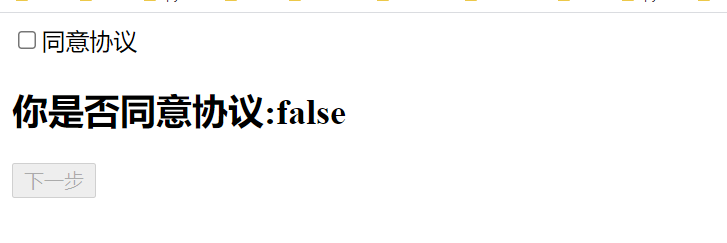
需求:同意则下一步,不同意则不能下一步
 1 <!--
 2 @author:invoker
 3 @project:project_lianxi
 4 @file: 04-v-model与checkbox的集合.html
 5 @contact:invoker2021@126.com
 6 @descript:
 7 @Date:2021/7/1 18:09
 8 @version: html5
 9 -->
10
11 <!DOCTYPE html>
12 <html lang="en">
13 <head>
14   <meta charset="UTF-8">
15   <title>04-v-model与checkbox的集合</title>
16 </head>
17 <body>
18 <div id="app">
19   <label for="agree">
20     <input type="checkbox" id="agree" v-model="isAgree">同意协议
21   </label>
22   <h2>你是否同意协议:{{isAgree}}</h2>
23   <button :disabled="!isAgree">下一步</button>
24 </div>
25
26 <script src="../js/vue.js"></script>
27 <script>
28   const app = new Vue({
29     el: '#app',
30     data: {
31       message: 'hello v-model',
32       isAgree: false
33     },
34   })
35 </script>
36 </body>
37 </html>
5.v-model绑定多个checkbox
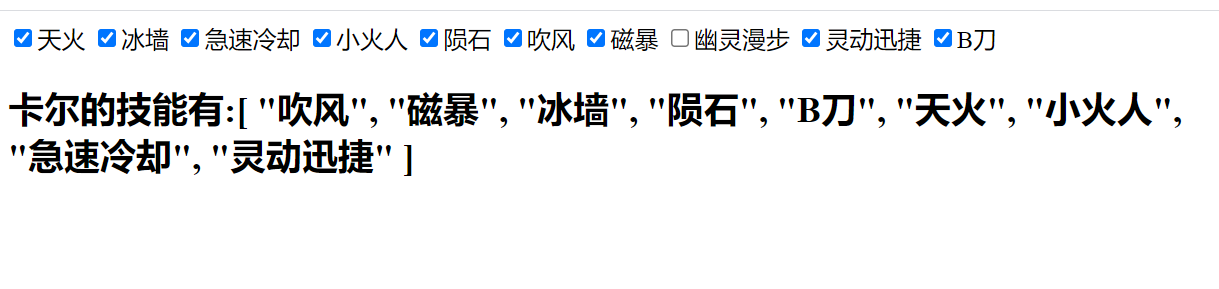
 1 <!--
 2 @author:invoker
 3 @project:project_lianxi
 4 @file: 05-v-model与checkbox复选框的结合.html
 5 @contact:invoker2021@126.com
 6 @descript:
 7 @Date:2021/7/1 20:54
 8 @version: html5
 9 -->
10
11 <!DOCTYPE html>
12 <html lang="en">
13 <head>
14   <meta charset="UTF-8">
15   <title>05-v-model与checkbox复选框的结合</title>
16 </head>
17 <body>
18 <div id="app">
19   <!--  1.label内有v-for循环-->
20   <!--  2.for绑定了v-for循环内的每一个元素-->
21   <label :for="s" v-for="s in skills">
22     <!--    3.id绑定了v-for循环内的每一个元素-->
23     <!--    4.value绑定了v-for循环内的每一个元素-->
24     <!--    5.v-model双向绑定了default1数组-->
25     <!--    6.每一个input值都需要展示 {{s}}-->
26     <input type="checkbox" :id="s" :value="s" v-model="default1">{{s}}
27   </label>
28   <!--  7.最终显示选中的值{{default1}}-->
29   <h2>卡尔的技能有:{{default1}}</h2>
30 </div>
31
32 <script src="../js/vue.js"></script>
33 <script>
34
35   const app = new Vue({
36     el: '#app',
37     data: {
38       message: 'hello',
39       skills: ['天火', '冰墙', '急速冷却', '小火人', '陨石', '吹风', '磁暴', '幽灵漫步', '灵动迅捷', 'B刀'],
40       default1: []
41     },
42   })
43 </script>
44 </body>
45 </html>
6.v-model与select-option之间的绑定
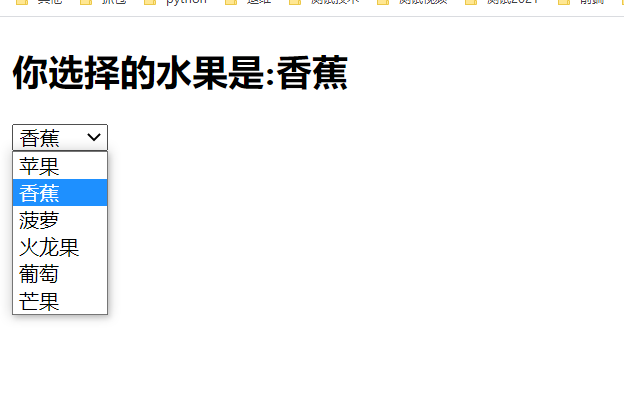
 1 <!--
 2 @author:invoker
 3 @project:project_lianxi
 4 @file: 06-v-model绑定单个select.html
 5 @contact:invoker2021@126.com
 6 @descript:
 7 @Date:2021/7/1 21:37
 8 @version: html5
 9 -->
10
11 <!DOCTYPE html>
12 <html lang="en">
13 <head>
14   <meta charset="UTF-8">
15   <title>06-v-model绑定单个select</title>
16 </head>
17 <body>
18 <div id="app">
19   <h2>你选择的水果是:{{fruit}}</h2>
20
21   <select name="selectOne" v-model="fruit" >
22     <option v-for="f in fruits"  :value="f" >{{f}}</option>
23   </select>
24 </div>
25
26 <script src="../js/vue.js"></script>
27 <script>
28
29   const app = new Vue({
30     el: '#app',
31     data: {
32       message: 'hello',
33       fruits:['苹果','香蕉','菠萝','火龙果','葡萄','芒果'],
34       fruit:'苹果'
35     },
36   })
37 </script>
38 </body>
39 </html>
7.select-option 与v-model的多选绑定
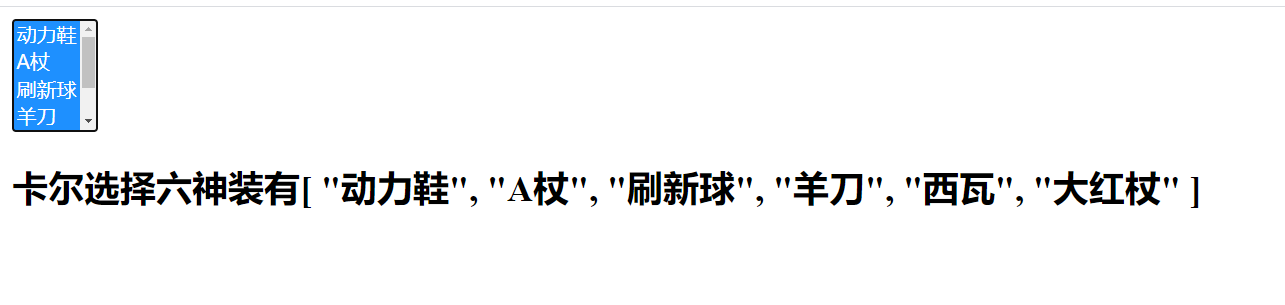
 1 <!--
 2 @author:invoker
 3 @project:project_lianxi
 4 @file: 07-v-model多选select.html
 5 @contact:invoker2021@126.com
 6 @descript:
 7 @Date:2021/7/1 22:17
 8 @version: html5
 9 -->
10
11 <!DOCTYPE html>
12 <html lang="en">
13 <head>
14   <meta charset="UTF-8">
15   <title>07-v-model多选select</title>
16 </head>
17 <body>
18 <div id="app">
19   <select name="selectMulti" v-model="defaultCostume" multiple>
20     <option :value="c" v-for="c in sixGodCostume">{{c}}</option>
21   </select>
22   <h2>卡尔选择六神装有{{defaultCostume}}</h2>
23 </div>
24
25 <script src="../js/vue.js"></script>
26 <script>
27
28   const app = new Vue({
29     el: '#app',
30     data: {
31       message: 'hello',
32       sixGodCostume:['动力鞋','A杖','刷新球','羊刀','西瓦','大红杖'],
33       defaultCostume:[]
34     },
35   })
36 </script>
37 </body>
38 </html>
8.学习v-model的修饰符
8.1 需求:希望在输入框输入完文字,回车或则光标失去焦点后才将数据绑定到model中,需要使用lazy修饰符,又叫懒加载
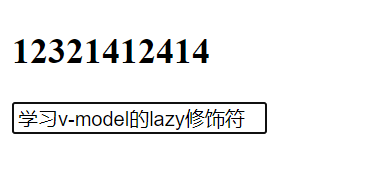
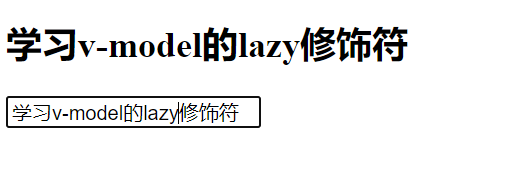
代码如下:
 1 <!--
 2 @author:invoker
 3 @project:project_lianxi
 4 @file: 08-v-model-修饰符.html
 5 @contact:invoker2021@126.com
 6 @descript:
 7 @Date:2021/7/2 14:20
 8 @version: html5
 9 -->
10
11 <!DOCTYPE html>
12 <html lang="en">
13 <head>
14   <meta charset="UTF-8">
15   <title>08-v-model-修饰符</title>
16 </head>
17 <body>
18 <div id="app">
19   <h2>{{ message }}</h2>
20   <input type="text" v-model.lazy="message">
21 </div>
22 <script src="../js/vue.js"></script>
23 <script>
24   const app = new Vue({
25     el: '#app',
26     data: {
27       message: 'hello v-model 修饰符'
28     },
29   })
30 </script>
31 </body>
32 </html>
8.2 需求:如果输入的值是纯数字,则将类型转化为Number,且可以将懒加载和数据类型转换结合在一起使用
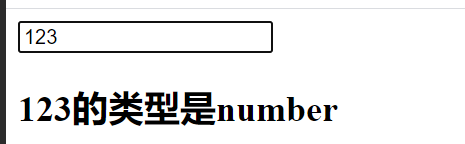
 1 <!--
 2 @author:invoker
 3 @project:project_lianxi
 4 @file: 09-v-model-修饰符-number.html
 5 @contact:invoker2021@126.com
 6 @descript:
 7 @Date:2021/7/2 14:27
 8 @version: html5
 9 -->
10
11 <!DOCTYPE html>
12 <html lang="en">
13 <head>
14   <meta charset="UTF-8">
15   <title>09-v-model-修饰符-number</title>
16 </head>
17 <body>
18 <div id="app">
19 <!--  <h2>{{ message }}</h2>-->
20   <input type="text" v-model.number.lazy="message">
21   <h2>{{message}}的类型是{{typeof message}}</h2>
22 </div>
23
24 <script src="../js/vue.js"></script>
25 <script>
26   const app = new Vue({
27     el: '#app',
28     data: {
29       message: 'hello'
30     }
31   })
32 </script>
33 </body>
34 </html>
8.3 如果输入的内容前后有空格,可以通过trim修饰符干掉前后的空格,但是中间的空格不能全部trim,只会清除到只剩一个空格,即中间有10个空格,代码给你清除9个,留一个。
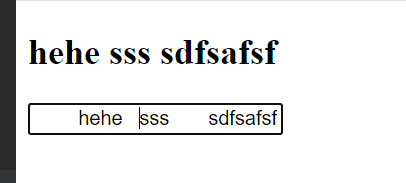
 1 <!--
 2 @author:invoker
 3 @project:project_lianxi
 4 @file: 10-v-model-trim.html
 5 @contact:invoker2021@126.com
 6 @descript:
 7 @Date:2021/7/2 14:34
 8 @version: html5
 9 -->
10
11 <!DOCTYPE html>
12 <html lang="en">
13 <head>
14   <meta charset="UTF-8">
15   <title>10-v-model-trim</title>
16 </head>
17 <body>
18 <div id="app">
19   <h2>{{ message }}</h2>
20   <input type="text" v-model.trim="message">
21 </div>
22
23 <script src="../js/vue.js"></script>
24 <script>
25
26   const app = new Vue({
27     el: '#app',
28     data: {
29       message: 'hello'
30     },
31   })
32 </script>
33 </body>
34 </html>
本文来自博客园,作者:kaer_invoker,转载请注明原文链接:https://www.cnblogs.com/invoker2021/p/14959849.html

 浙公网安备 33010602011771号