

把List<T>转换为DataTable
下面这个学习,把List<T>转换为Datatable。
下面先创建一个对象T: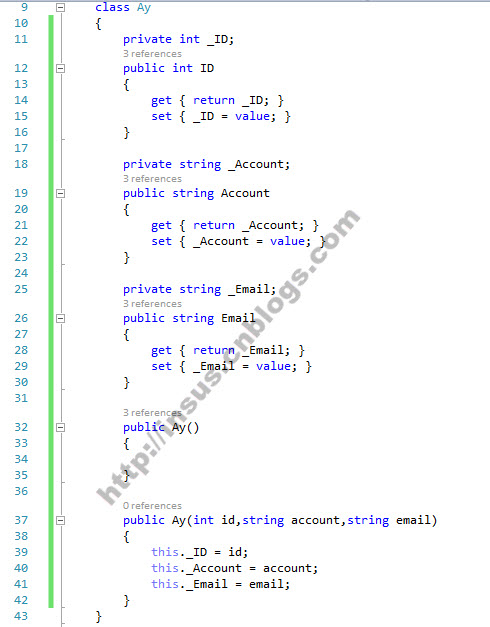


class Ay
    {
        private int _ID;
        public int ID
        {
            get { return _ID; }
            set { _ID = value; }
        }

        private string _Account;
        public string Account
        {
            get { return _Account; }
            set { _Account = value; }
        }

        private string _Email;
        public string Email
        {
            get { return _Email; }
            set { _Email = value; }
        }

        public Ay()
        {

        }

        public Ay(int id,string account,string email)
        {
            this._ID = id;
            this._Account = account;
            this._Email = email;
        }
    }
此时,你可以写一个C#扩展方法: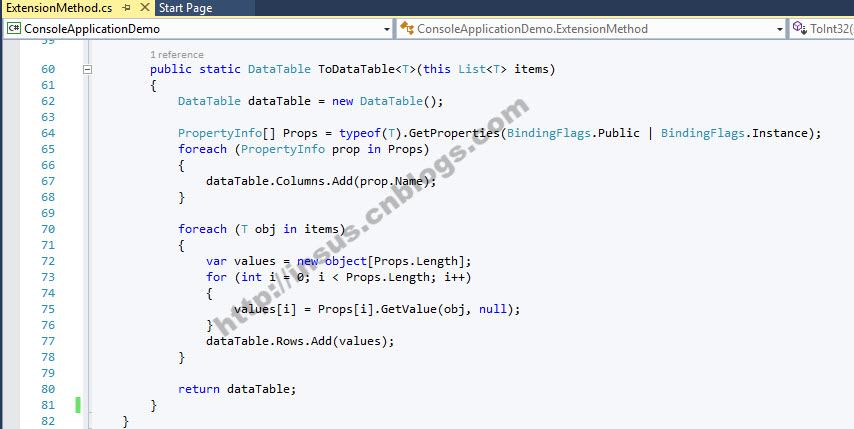
public static DataTable ToDataTable<T>(this List<T> items)
        {
            DataTable dataTable = new DataTable();

            PropertyInfo[] Props = typeof(T).GetProperties(BindingFlags.Public | BindingFlags.Instance);
            foreach (PropertyInfo prop in Props)
            {
                dataTable.Columns.Add(prop.Name);
            }

            foreach (T obj in items)
            {
                var values = new object[Props.Length];
                for (int i = 0; i < Props.Length; i++)
                {
                    values[i] = Props[i].GetValue(obj, null);
                }
                dataTable.Rows.Add(values);
            }

            return dataTable;
        }
下面,我们在List<T>添加几笔记录,然后使用上面的扩展方法,把List<T> 转换为DataTable.
为了看到结果,再把DataTable打印至控制台上: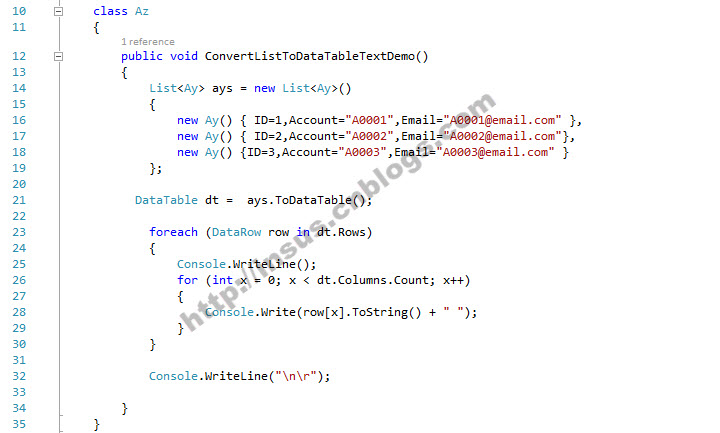
class Az
    {
        public void ConvertListToDataTableTextDemo()
        {
            List<Ay> ays = new List<Ay>()
            {
                new Ay() { ID=1,Account="A0001",Email="A0001@email.com" },
                new Ay() { ID=2,Account="A0002",Email="A0002@email.com"},
                new Ay() {ID=3,Account="A0003",Email="A0003@email.com" }
            };

          DataTable dt =  ays.ToDataTable();

            foreach (DataRow row in dt.Rows)
            {
                Console.WriteLine();
                for (int x = 0; x < dt.Columns.Count; x++)
                {
                    Console.Write(row[x].ToString() + " ");
                }
            }

            Console.WriteLine("\n\r");

        }
    }
控制台输出的结果: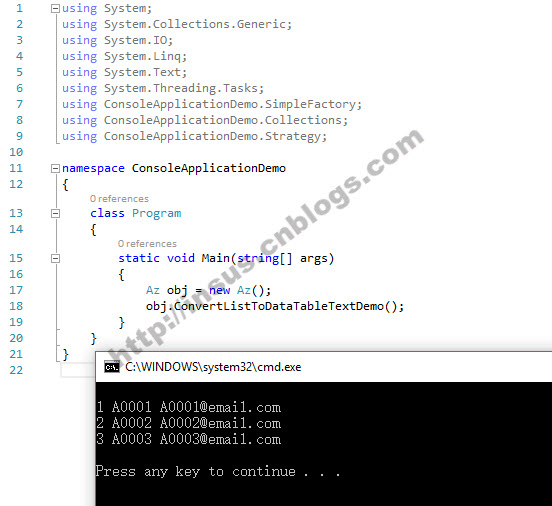
下面内容于2026-03-04 09:03补充与更新。
处理列属性数据类型。
处理空值问题。
public static DataTable ListToDataTable<T>(List<T> list)
{
    // 创建一个新DataTable
    DataTable dt = new DataTable("tableName");
    // 根据列表中第一个对象的属性创建列
    foreach (var prop in typeof(T).GetProperties())
    {
        dt.Columns.Add(prop.Name, prop.PropertyType); //属性类型带入
    }
    // 使用列表中的数据填充数据表
    foreach (var item in list)
    {
        DataRow row = dt.NewRow();
        foreach (var prop in typeof(T).GetProperties())
        {
            row[prop.Name] = prop.GetValue(item, null) ?? DBNull.Value; // 处理空值
        }
        dt.Rows.Add(row);
    }
    return dt;
}
N年过去了,修改与更新旧项目asp.net Web Form,
直接把对象绑定给GridView控件出现异常了,
实现DataRowView,那GridView的数据源得是DataTable,而非List<T>。
因此需要把List<T>转为DataTable。
修改的样子:
this.GridView_IMT.DataSource = InsusBase.ListToDataTable<IMT_INPUT_TEMP_DATA>(_imt); //_imt;

 浙公网安备 33010602011771号