
F-Droid 安装教程
F-Droid 的安装教程
F-Droid 官网:https://f-droid.org/
F-Droid 软件仓库清华源镜像:https://mirrors.tuna.tsinghua.edu.cn/help/fdroid/
F-Droid 清华源镜像下载:https://mirrors.tuna.tsinghua.edu.cn/fdroid/archive/org.fdroid.fdroid_1021051.apk
F-Dorid: https://inking.lanzouu.com/iaLGj3mggfra
密码:1234
F-Droid 使用
安装完 F-Droid 进入之后,进入设置,点击存储库:
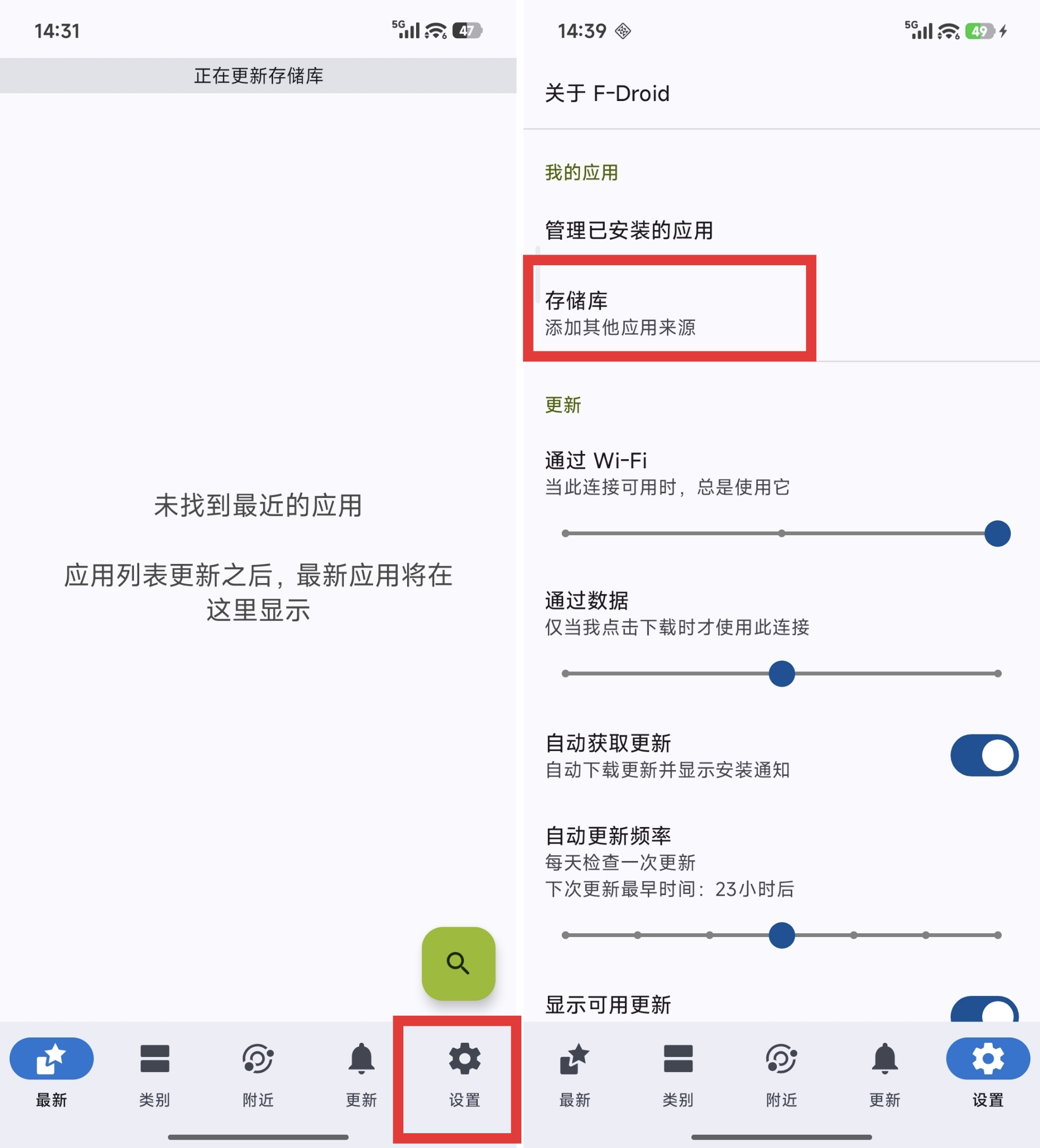
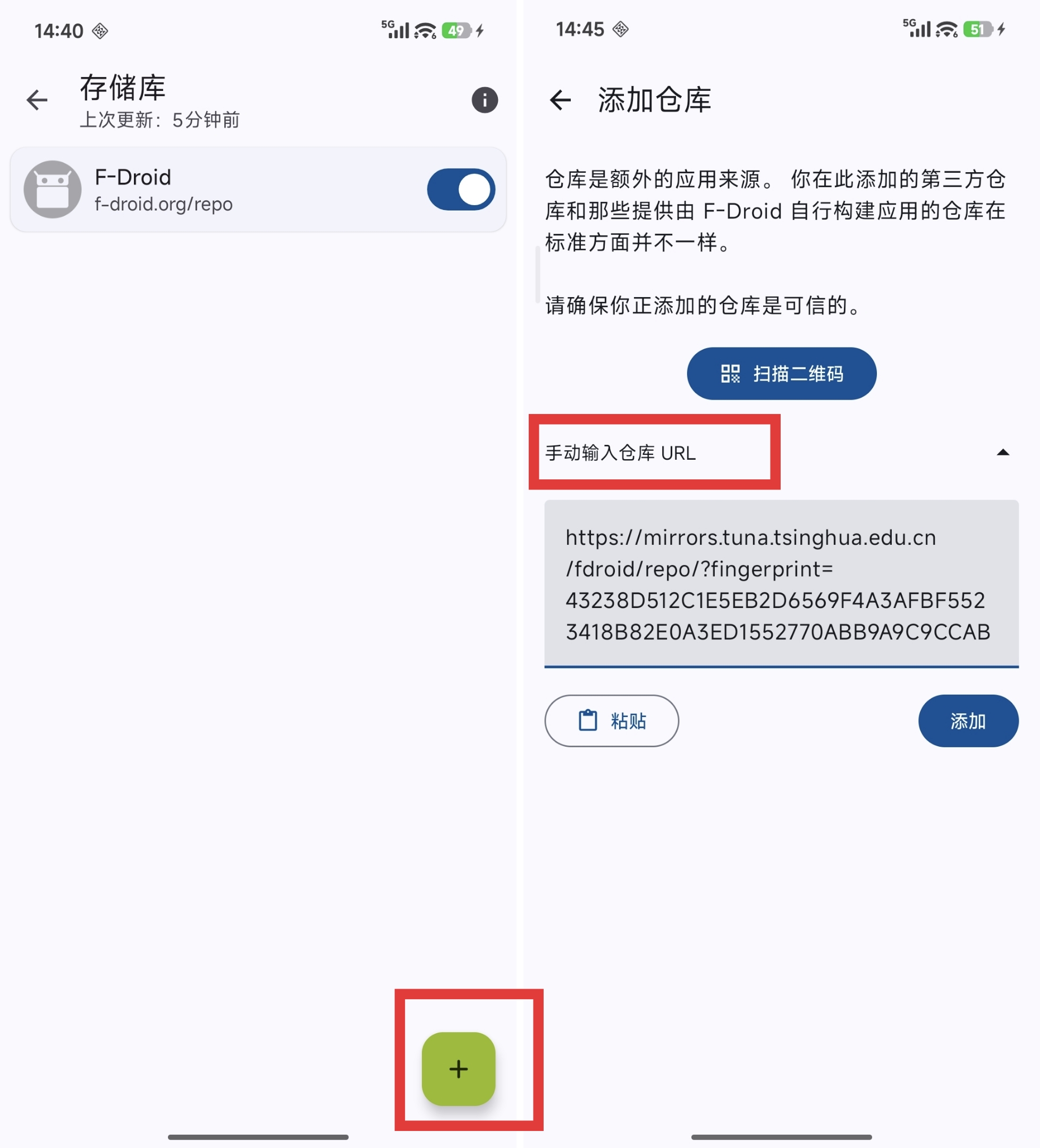
点击左下角的加号,进入添加仓库,点击手动输入仓库 URL,手动粘贴 https://mirrors.tuna.tsinghua.edu.cn/fdroid/repo/?fingerprint=43238D512C1E5EB2D6569F4A3AFBF5523418B82E0A3ED1552770ABB9A9C9CCAB ,然后点击添加,添加镜像。
接着回到设置页面,进入旁边的更新页面,下划,更新一下存储库,就可以了。
KDE 仓库
也可以添加 KDE 的仓库:https://community.kde.org/Android/F-Droid
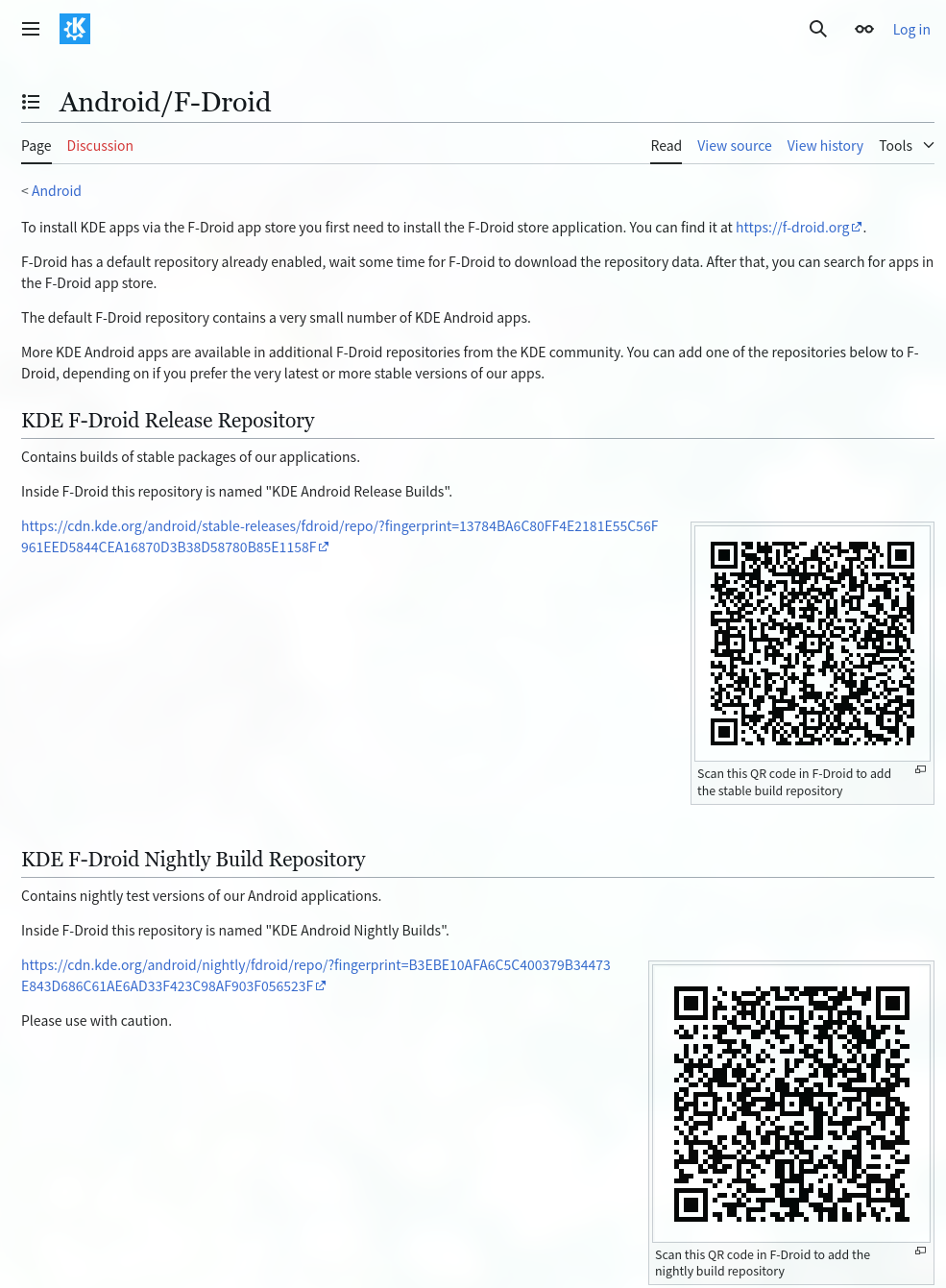
扫描上面的二维码,或者按上面的教程手动粘贴 KDE 仓库 URL:https://cdn.kde.org/android/stable-releases/fdroid/repo/?fingerprint=13784BA6C80FF4E2181E55C56F961EED5844CEA16870D3B38D58780B85E1158F

 浙公网安备 33010602011771号