
【Dev TreeList】设置勾选状态并且勾选父节点后明细也勾选
1.TreeList带有CheckBox,并且节点要有三种状态(所有的子节点都选中,所有的子节点都没选择,一部分子节点选中)。
使用 DevXpress的TreeList控件很容易实现这一功能。
设置TreeList.OptionsView.CheckBoxStyle = Check; //是否显示CheckBox
设置TreeList.OptionsBehavior.AllowIndeterminateCheckState = true; //设置节点是否有中间状态,即一部分子节点选中,一部分子节点没有选中
设置这两个属性之后就实现了TreeList带有CheckBox,并且节点有三种状态。
AllowIndeterminateCheckState:

CheckBoxStyle:
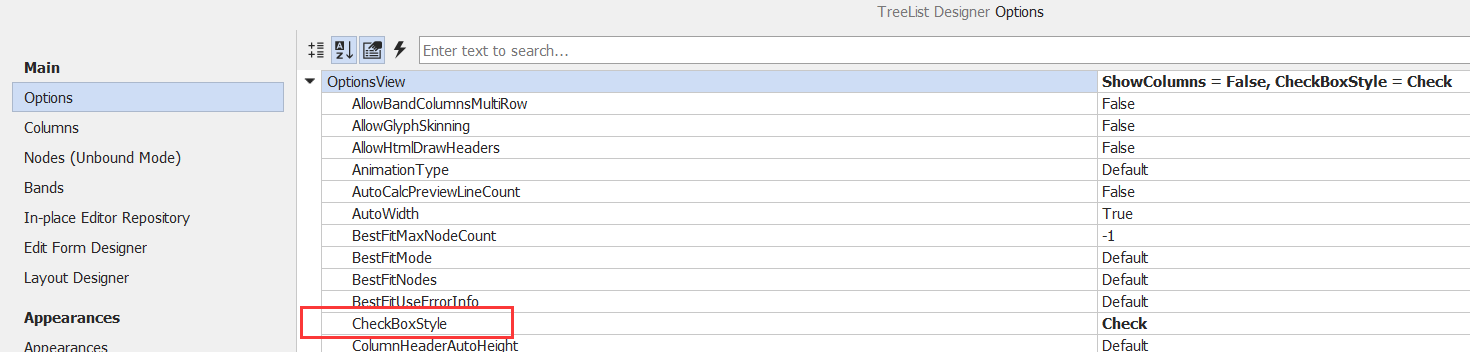
2.选中父节点或者子节点相互影响的功能,如选择父节点选择所有子节点。绑定TreeList的两个事件AfterCheckNode和 BeforeCheckNode
代码实现【勾选状态是勾选、未勾选】:
#region  勾选节点后, 相关节点也被勾选

private void tvDefStruct_BeforeCheckNode(object sender, DevExpress.XtraTreeList.CheckNodeEventArgs e)
{
    e.State = (e.PrevState == CheckState.Checked ? CheckState.Unchecked : CheckState.Checked);
}

private void tvDefStruct_AfterCheckNode(object sender, DevExpress.XtraTreeList.NodeEventArgs e)
{
    SetCheckedChildNodes(e.Node, e.Node.CheckState);
    SetCheckedParentNodes(e.Node, e.Node.CheckState);
}

/// <summary>
/// 设置子节点的状态
/// </summary>
/// <param name="node"></param>
/// <param name="check"></param>
private void SetCheckedChildNodes(DevExpress.XtraTreeList.Nodes.TreeListNode node, CheckState check)
{
   for (int i = 0; i < node.Nodes.Count; i++)
   {
       node.Nodes[i].CheckState = check;
       SetCheckedChildNodes(node.Nodes[i], check);
   }
}

/// <summary>
/// 设置父节点的状态
/// </summary>
/// <param name="node"></param>
/// <param name="check"></param>
private void SetCheckedParentNodes(DevExpress.XtraTreeList.Nodes.TreeListNode node, CheckState check)
{
    if (node.ParentNode != null)
    {
        bool bCheck = false;
        CheckState state;
        for (int i = 0; i < node.ParentNode.Nodes.Count; i++)
        {
            state = (CheckState)node.ParentNode.Nodes[i].CheckState;
            if (!check.Equals(state))
            {
                bCheck = !bCheck;
                break;
             }
          }
          node.ParentNode.CheckState = bCheck ? CheckState.Unchecked : check;
          SetCheckedParentNodes(node.ParentNode, check);
         }
     }

 #endregion
代码实现【勾选状态是勾选、未勾选、中间状态】:
private void treeList1_AfterCheckNode(object sender, DevExpress.XtraTreeList.NodeEventArgs e)
{
   SetCheckedChildNodes(e.Node, e.Node.CheckState);
   SetCheckedParentNodes(e.Node, e.Node.CheckState);
}

private void treeList1_BeforeCheckNode(object sender, DevExpress.XtraTreeList.CheckNodeEventArgs e)
{
    e.State = (e.PrevState == CheckState.Checked ? CheckState.Unchecked : CheckState.Checked);
}

/// <summary>
/// 设置子节点的状态
/// </summary>
/// <param name="node"></param>
/// <param name="check"></param>
private void SetCheckedChildNodes(DevExpress.XtraTreeList.Nodes.TreeListNode node, CheckState check)
{
    for (int i = 0; i < node.Nodes.Count; i++)
    {
        node.Nodes[i].CheckState = check;
        SetCheckedChildNodes(node.Nodes[i], check);
    }
 }

/// <summary>
/// 设置父节点的状态
/// </summary>
/// <param name="node"></param>
/// <param name="check"></param>
private void SetCheckedParentNodes(DevExpress.XtraTreeList.Nodes.TreeListNode node, CheckState check)
{
    if (node.ParentNode != null)
    {
        bool b = false;
        CheckState state;
        for (int i = 0; i < node.ParentNode.Nodes.Count; i++)
        {
            state = (CheckState)node.ParentNode.Nodes[i].CheckState;
            if (!check.Equals(state))
            {
                b = !b;
                break;
            }
         }
         node.ParentNode.CheckState = b ? CheckState.Indeterminate : check;
        SetCheckedParentNodes(node.ParentNode, check);
     }
 }
方式二【界面绑定的是DataTable】:
一、列设置为checkBox
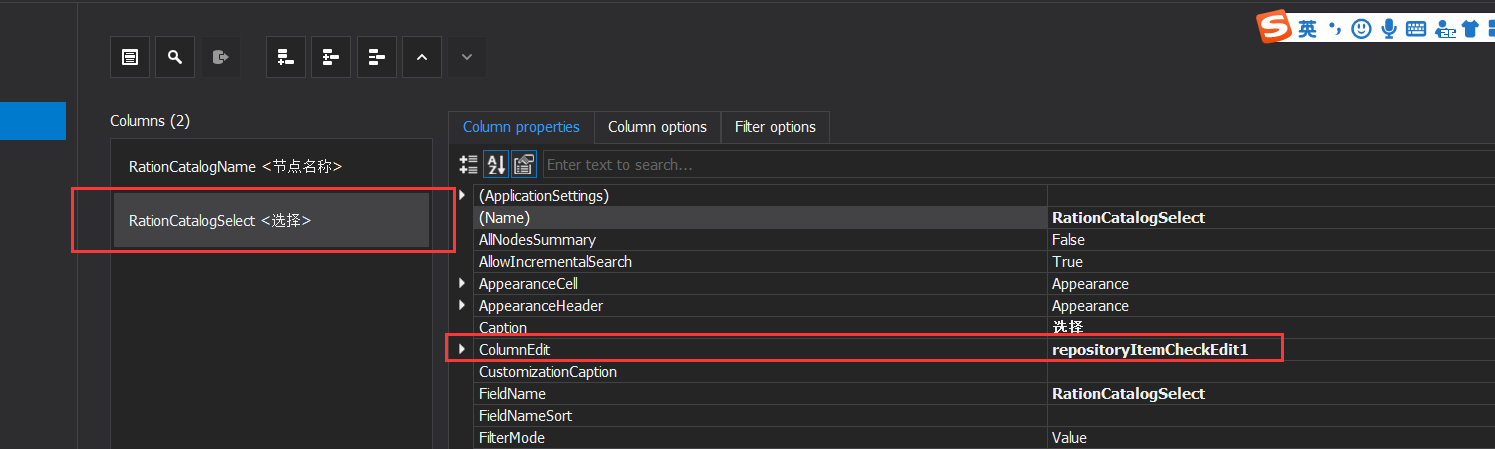
二、设置默认状态
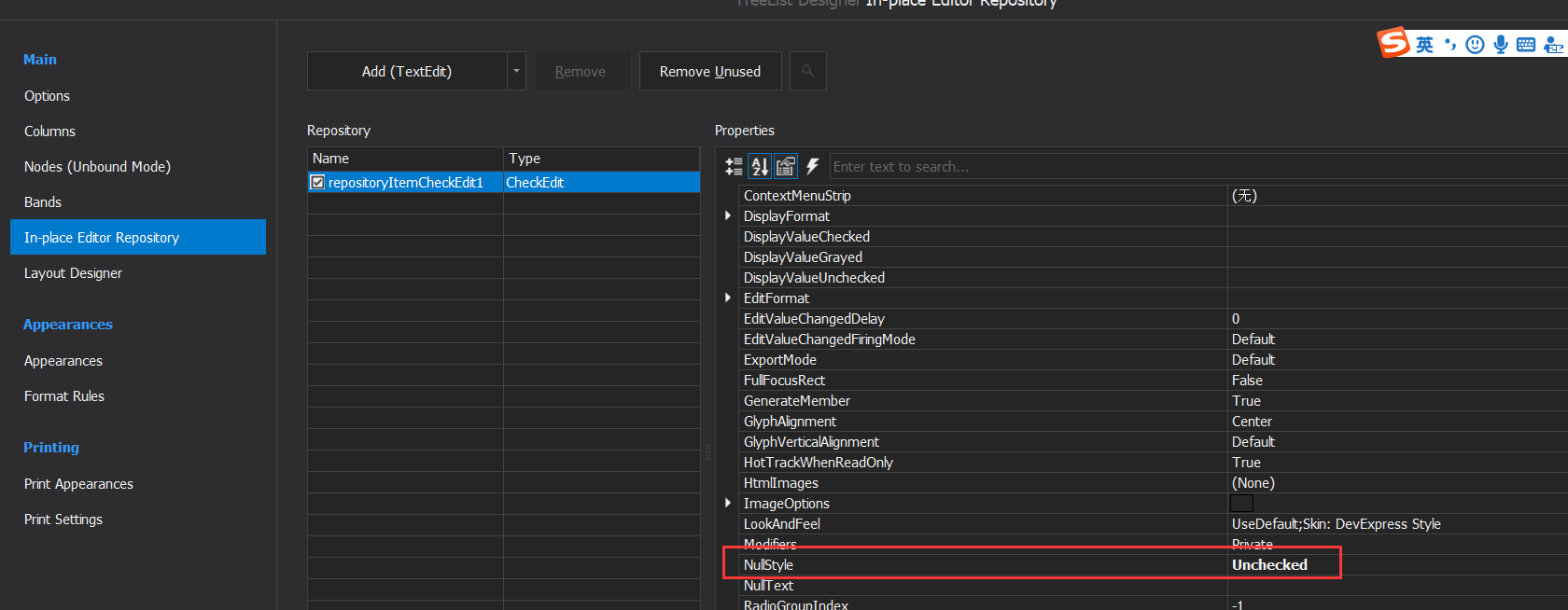
三、获取选中的行
DataRow[] rows = dtInfo.Select("RationCatalogSelect = True");

 浙公网安备 33010602011771号