

MESGOD_Moba 项目
 昨天老师提了啥青鸟杯听上去挺有意思的,又看了个学员的项目,感觉人家的厉害啊,说啥模型动作地图都是自己k的,牛批牛批。
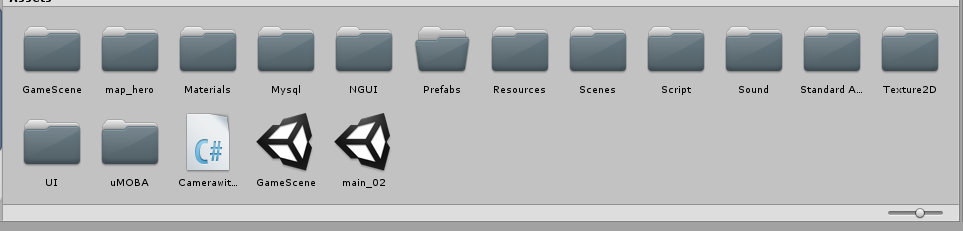
于是我决定也再重启一个老项目,说是老项目其实就是只写了个登录和md5加密,英雄选择以及客户端UI都建了一半的项目,毕竟接着写能省不少东西,
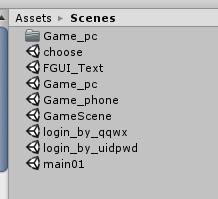
这场景文件里能用的也就几个一堆是测试的
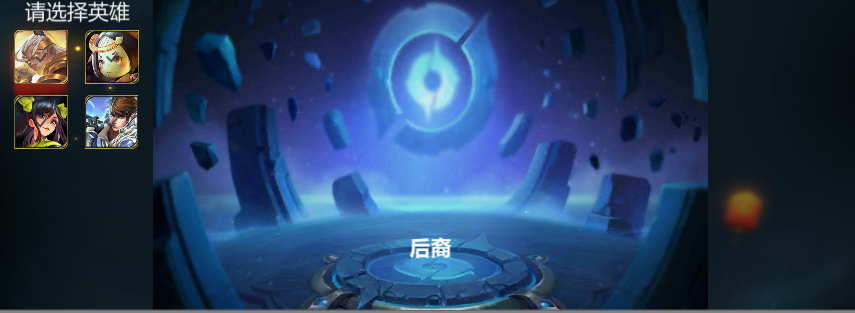
这个好像是跟着网上的一个视频写的不过到时候UI啥的还是要弄得新颖一些
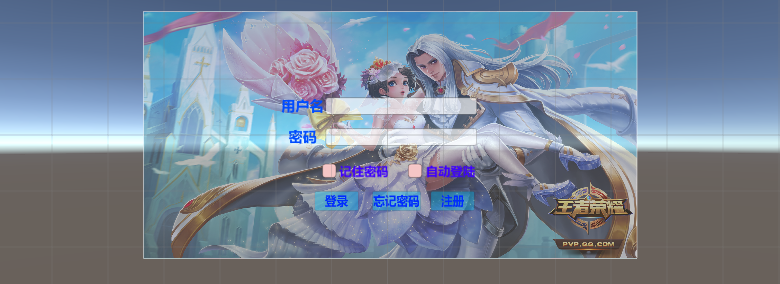
这个登录的倒是没什么问题也能用md5加密到数据库,到时候在把注册(找回密码?)写上
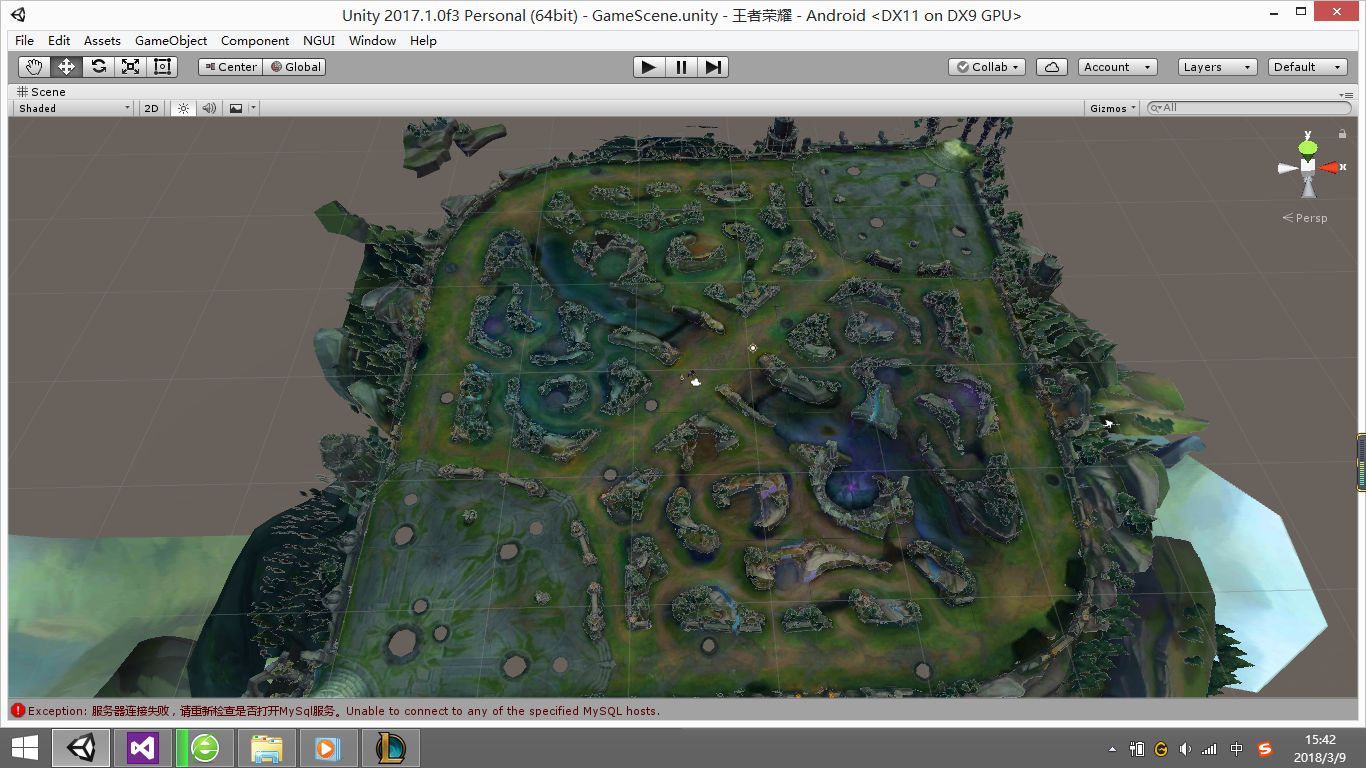
用上了网友给我的一个lol地图,不过尴尬的是没有防御塔
模型也有了,而且质量都贼好。
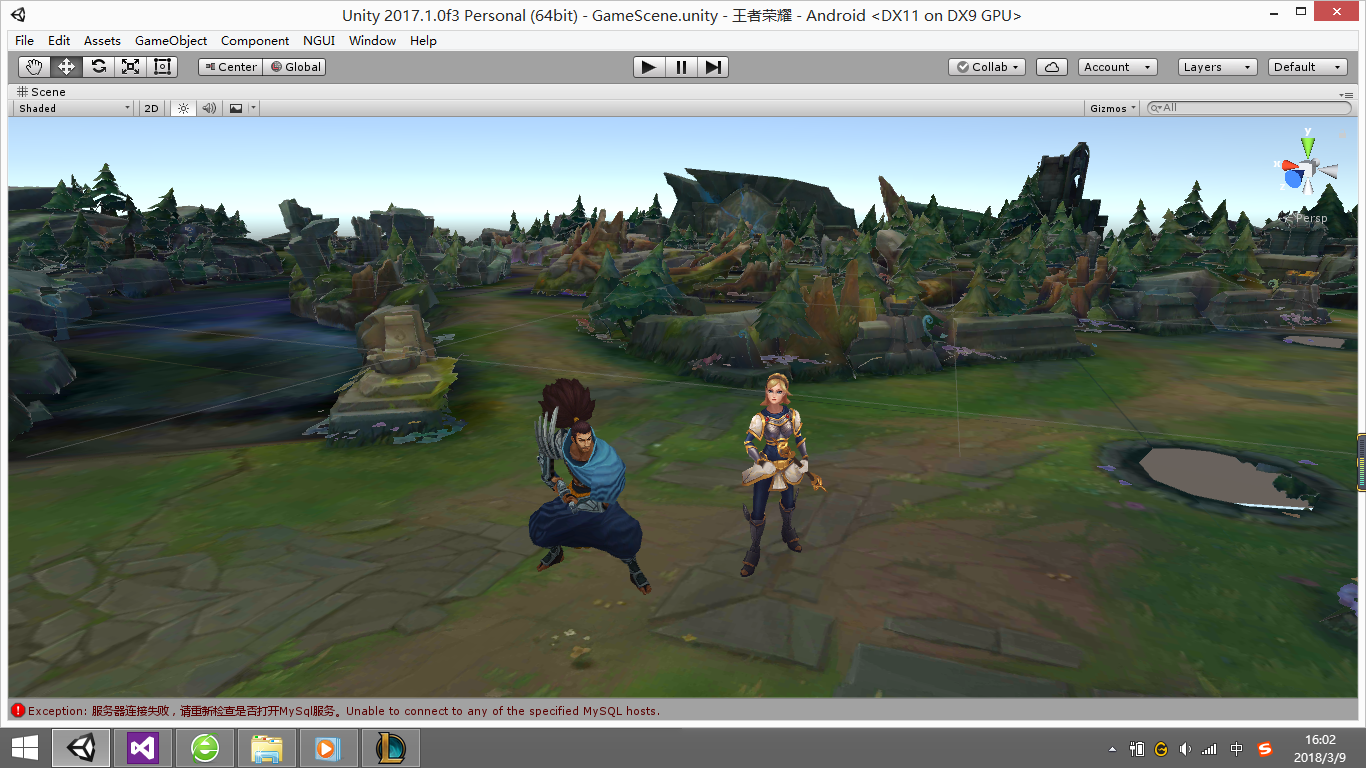
之后开始进入正题
先拖进了光辉的模型,粗略的弄了下动画控制器,之后创建了个脚本用来使摄像机跟随角色(这个位置挺怪的懒得调了,等后面的时候在细调吧)
using System.Collections;
using System.Collections.Generic;
using UnityEngine;

public class FollowTarget : MonoBehaviour {

    //主角位置
    private Transform player;

    public float smoothing = 3;

    // Use this for initialization
    void Start () {
        //初始化主角的位置
        player = GameObject.FindGameObjectWithTag(Tag.player).transform;

    }

    // Update is called once per frame
    void Update () {

        Vector3 targetPos = player.position + new Vector3(-5,3.5f,-3.5f);
        transform.position = Vector3.Lerp(transform.position,targetPos,smoothing*Time.deltaTime);

    }
}
之后写用鼠标右键单击地板让角色面向点击的位置之后移动过去,这个要用到射线检测和自动寻路?不太清楚写写看吧。。。
(这射线愣是不和地板发生碰撞fuck)
待续。。。
真滴烦啊~!!!
让我大哥帮着看了一下午试了好多方法都不成
弄了一下午,浪费了一下午的时间,屁都没弄!结果我把Ground那个面片删除了之后,又 重新添加了一个,
居然!!!居然!!好了!!!!!!woc!!!
using System.Collections;
using System.Collections.Generic;
using UnityEngine;
using UnityEngine.AI;

public class HeroMove : MonoBehaviour {

    //获取寻路组件
    private NavMeshAgent agent;
    //主角位置
    private Transform player;

    private Transform mouseclick;
    //角色的移动速度
    public float speed = 2;

    private int groundLayerIndex = -1;

    void Awake()
    {
        agent = this.GetComponent<NavMeshAgent>();
        //这个方法可以将 layer 的名字转化成这个层的index
    }

    // Use this for initialization
    void Start () {
        //初始化主角的位置
        player = GameObject.FindGameObjectWithTag(Tag.player).transform;

        groundLayerIndex = LayerMask.GetMask("Ground");
    }

    // Update is called once per frame
    void Update () {

        ray();
    }

    void move()
    {
        //控制移动
        float h = Input.GetAxis("Horizontal");
        float v = Input.GetAxis("Vertical");

        transform.Translate(new Vector3(h, 0, v) * speed * Time.deltaTime);


    }

    void ray()
    {
        Ray ray = Camera.main.ScreenPointToRay(Input.mousePosition);
        //储存碰撞信息
        RaycastHit hitInfo;

        //判断鼠标右键是否按下
        if(Input.GetMouseButton(1))
        {

            //检测是否有发生碰撞
            if (Physics.Raycast(ray, out hitInfo,200,groundLayerIndex))
            {

                //Debug.Log("检测到碰撞");
                // 打印射线检测到的物体的名称
                //Debug.Log("射线检测到的物体名称: " + hitInfo.transform.name);

                //控制角色朝向
                Vector3 target = hitInfo.point;
                //不需要旋转y轴所以可以将y轴固定住
                target.y = transform.position.y;
                transform.LookAt(target);

          以下代码没有用mmp
                //控制角色移动
                //让player向鼠标点击的方向进行移动
                //agent.SetDestination(Input.mousePosition);
                agent.SetDestination(Input.mousePosition);
            }
        }
    }
}
这个能控制角色转向,可以使用。
接下来弄角色自动寻路到鼠标单击的位置
待续!~。。。
昨天凌晨刚躺下没多久我姐就给我打电话说奶奶有事了,哎!~昨天项目一点没动
今天装了一天系统,md u盘里的那个系统盘是有问题的。之后尝试了无数个方法,最后只好勉强从网上随便找了一个GHO的凑活装了一下
之后我师傅给我找了一个ISO的系统盘除了有点绝望以外其他的都还好。

明天估计也就下载好了,之后装上vs idea unity 数据库,接着搞
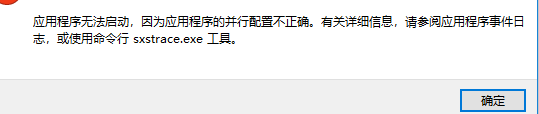
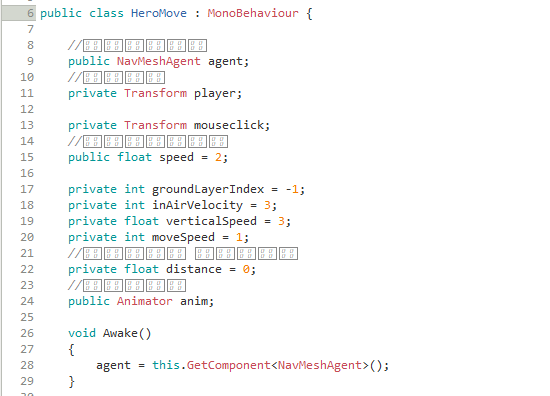
VS打不开,mono注释不显示,烦哦!!!
今天写的是控制人物移动,遇到的bug是在
remainingDistance 在 < 0 的时候不会停止播放动画。也不知道为啥,后来试了试发现0.1可以用就先凑活吧
之后是当人物停止移动的时候会在地图上滑行几毫米。。2333一会调一下
        if (agent.remainingDistance < 0.1)
        {
            //让移动动画停止
            anim.SetBool("run", false);
        }
using System.Collections;
using System.Collections.Generic;
using UnityEngine;
using UnityEngine.AI;

public class HeroMove :Player
{

    //获取寻路组件
    public NavMeshAgent agent;
    //主角位置
    private Transform player;

    private Transform mouseclick;
    //角色的移动速度
    public float speed = 2;

    private int groundLayerIndex = -1;

    private int inAirVelocity = 3;

    private float verticalSpeed = 3;

    private int moveSpeed = 1;
    //记录前一帧 的剩余距离
    private float distance = 0;
    //角色控制器
    public Animator anim;

    void Awake()
    {
        agent = this.GetComponent<NavMeshAgent>();
    }

    // Use this for initialization
    void Start()
    {
        //初始化主角的位置
        player = GameObject.FindGameObjectWithTag(Tag.player).transform;

        groundLayerIndex = LayerMask.GetMask("Ground");
    }

    void Update()
    {
        playerMove();

    }

    void move()
    {
        //控制移动
        float h = Input.GetAxis("Horizontal");
        float v = Input.GetAxis("Vertical");

        transform.Translate(new Vector3(h, 0, v) * speed * Time.deltaTime);
    }

    void playerMove()
    {

        //如果获取到鼠标右键单击
        if (Input.GetMouseButton(1))
        {
            //将鼠标位置转化为世界坐标
            Ray ray = Camera.main.ScreenPointToRay(Input.mousePosition);
            //储存碰撞信息
            RaycastHit hitInfo;
            //检测是否有发生碰撞
            if (Physics.Raycast(ray, out hitInfo, 200, groundLayerIndex))
            {

                //Debug.Log("检测到碰撞");
                // 打印射线检测到的物体的名称
                //Debug.Log("射线检测到的物体名称: " + hitInfo.transform.name);

                //控制角色朝向
                Vector3 target = hitInfo.point;
                //不需要旋转y轴所以可以将y轴固定住
                target.y = transform.position.y;

                transform.LookAt(target);


                //返回鼠标单击的点
                bool isCollider = Physics.Raycast(ray, out hitInfo);

                //如果鼠标发射的射线触碰到了 标签为Ground的游戏物体
                if (isCollider && hitInfo.collider.tag == "Ground")
                {
                    agent.SetDestination(hitInfo.point);
                    //将run动画状态设为true
                    anim.SetBool("run", true);
                }
            }
        }
        //如果设置的目的地和角色到达的目的地误差为0
        if (agent.remainingDistance < 0.1)
        {
            //让移动动画停止
            anim.SetBool("run", false);
        }

以下代码为测试代码没啥卵用
        /*
        //将世界坐标换算成屏幕坐标
        Vector3 vpos3 = Camera.main.WorldToScreenPoint(transform.position);
        Vector2 vpos2 = new Vector2(vpos3.x,vpos3.y);

        //获取鼠标点击的屏幕坐标
        Vector2 input = new Vector2(Input.mousePosition.x,Input.mousePosition.y);

        //normalized是格式化向量,以为vpos2 – input是计算两个向量之间的距离,
        //格式化后才是它们的方向。格式化后向量的取值范围在 -1 到 +1 之间。
        Vector2 normalied = ((vpos2 - input).normalized);
        //Y轴的向量,把2D向量应用在3D向量中。
        Vector3 targetDirection = new Vector3(normalied.x, 0.0f, normalied.y);

        //根据相机角度计算方向
        float y = Camera.main.transform.rotation.eulerAngles.y;

        targetDirection = Quaternion.Euler(0f, y - 180, 0f) * targetDirection;


        Vector3 movement = targetDirection * moveSpeed;
        movement *= Time.deltaTime;
        CharacterController controller = GetComponent<CharacterController>();

        controller.Move(movement);
        */
    }
}
emmmm 突然意识到我要写的是多人游戏。。。这么着急建游戏场景干毛线啊!!!啊啊啊啊傻了,傻了
昨天把游戏房间的UI建好了
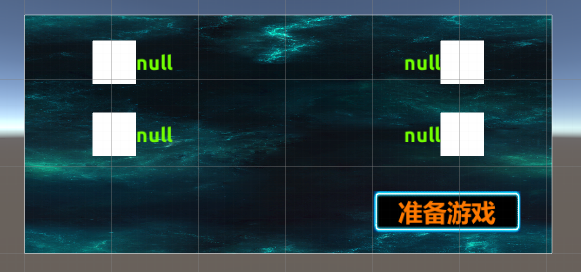
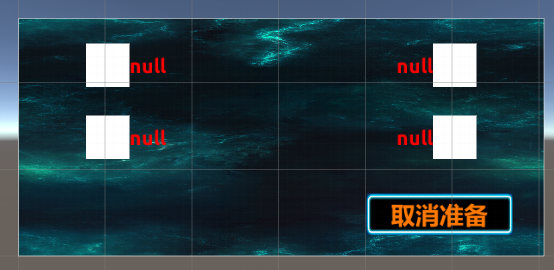
之后把登录的UI美化了一下弄了一个图片由透明到显示
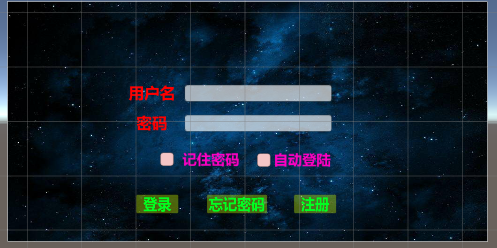
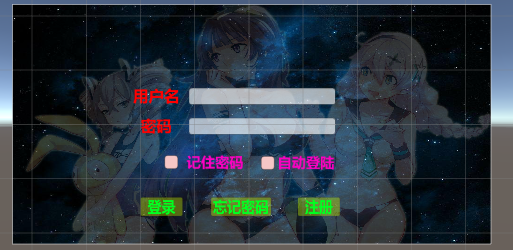
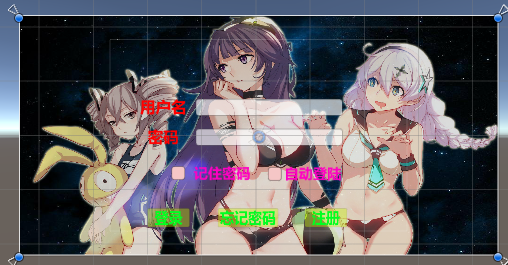
获取图片的Color属性。之后改变图片的透明度
using System.Collections;
using System.Collections.Generic;
using System.Threading;
using UnityEngine;
using UnityEngine.UI;

public class Notifybackground : MonoBehaviour
{
    //获取图片 bg
    public Image background;

    private byte m = 0;

    private byte n = 255;
    //图片Color的最小值
    private Color32 startColor = new Color32(255, 255, 255, 0);
    //图片Color的最大值
    private Color32 endColor = new Color32(255, 255, 255, 255);
    //差值
    private float smoothing = 5f;

    void Start()
    {
    }
    void FixedUpdate()
    {
        Notifybg();
    }

    void Notifybg()
    {
            if (m < 255)
            {
                m++;
                background.color = new Color32(255, 255, 255, m);
            }
            else if (n > 0)
            {
                n--;
                background.color = new Color32(255, 255, 255, n);
                //当n的值接近透明的时候,重置 n 和 m的值
                if(n <3)
                {
                    m = 0;
                    n = 255;
                }
            }
    }

}
这个项目不知道出了啥问题不能导出,不导出就不能测试Socket这部分有没有弄好,所以我重新新建了个项目先把和网络相关的这部分弄好,之后再细弄,今天把那个房间系统增加了一个聊天系统,之后得弄那个场景之间传参数。。。不过。不会弄看网上写的好像也挺麻烦的,之后我想要不登录之后把,用户名保存到本地文件里面,但是如果是多台电脑总不能在每一台电脑上都创建一个本地文件。。。emmmm于是我决定将登录界面和游戏房间那个界面合起来,把两个场景合成一个场景,之后弄俩Panel,一个放登录界面,一个放游戏房间界面。不过今天还没写。
3-19
缓两天
3.23
牵扯到网络的部分就懒得弄了,回头再说
3.23 晚 11:00
打开了Unity,问了问孙哥有没有游戏的服务器端他没理我。。。没理我就算了,大不了写成单机。从现在开始起接着开始写
3.28
昨天把控制角色的方法都重写了一遍,不用寻路来写角色移动了(麻烦),主要是角色到了鼠标单击的位置还得滑行几毫米。懒得去找bug了
现在角色身上的脚本
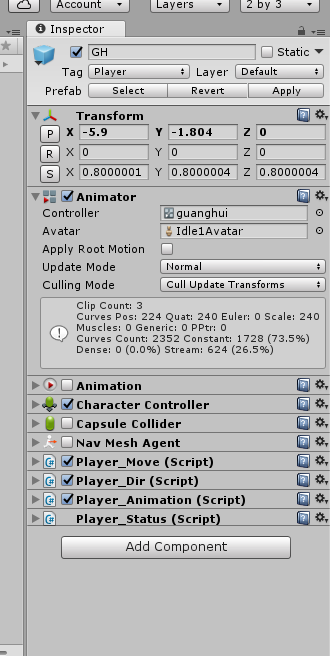
Player_Follow 相机跟随角色
using System.Collections;
using System.Collections.Generic;
using UnityEngine;

public class Player_Follow : MonoBehaviour {

    private Transform player;
    //位置偏移
    private Vector3 offsetPosition;
    //相机和人物之间的距离
    public float distance = 0;
    //相机拉近拉远的速度
    public float scrollSpeed = 1;

    void Start () {
        //获取到player上面的transform组件
            player = GameObject.FindGameObjectWithTag(Tags.player).transform;
        //相机朝向player
            transform.LookAt(player.position);
        //相机的位置减去主角的位置
            offsetPosition = transform.position - player.position;
    }

    void Update () {
        //相机的位置 = 位置偏移 + 主角的位置
        transform.position = offsetPosition + player.position;
        //处理视野的拉近和拉远效果
        ScrollView();
    }

    void ScrollView()
    {
        //print(Input.GetAxis("Mouse ScrollWheel"));


        //距离 = 位置偏移的 magnitude 值
            distance = offsetPosition.magnitude;
        //向后滑动返回负值(拉远)  向前滑动返回正值(拉近)
            distance -= Input.GetAxis("Mouse ScrollWheel") * scrollSpeed;

        //向后滑动返回正(拉近)  向前滑动返回负值(拉远)
            //distance += Input.GetAxis("Mouse ScrollWheel") * scrollSpeed;


        //限制最远的视野和最近的视野 (最近1.8  最远5)
            distance = Mathf.Clamp(distance,1.8f,5);


        //更新offsetPosition
            offsetPosition = offsetPosition.normalized * distance;


    }


}
Player_Dir 判断玩家状态,做出相应功能
using System.Collections;
using System.Collections.Generic;
using UnityEngine;
using UnityEngine.AI;

public class Player_Dir : MonoBehaviour
{

    //获取寻路组件
    public NavMeshAgent agent;
    //主角位置
    private Transform player;
    //鼠标单击时的位置
    private Transform mouseclick;
    //角色的移动速度
    public float speed = 2;

    private int moveSpeed = 1;
    //记录前一帧 的剩余距离
    private float distance = 0;
    //角色控制器
    public Animator anim;
    //鼠标右键单击地面特效
    public GameObject effect_click_prefab;
    //判断鼠标是否被按下
    private bool isMoving = false;
    //得到目标位置
    public Vector3 targetPosition = Vector3.zero;


    void Awake()
    {
        //获取角色的寻路组件     PS:(弃用,用个屁的寻路)
        agent = this.GetComponent<NavMeshAgent>();
    }

    // Use this for initialization
    void Start()
    {
        //初始化主角的位置
        //player = GameObject.FindGameObjectWithTag(Tags.player).transform;

        //目标位置默认为当前位置
        targetPosition = transform.position;

    }

    void Update()
    {

        if(Input.GetKeyDown(KeyCode.B))
        {

        }


        //如果获取到鼠标右键单击
        if (Input.GetMouseButtonDown(1))
        {
            //将鼠标位置转化为世界坐标
            Ray ray = Camera.main.ScreenPointToRay(Input.mousePosition);

            //储存碰撞信息
            RaycastHit hitInfo;

            //判断鼠标是否单击
            bool Collider = Physics.Raycast(ray, out hitInfo);

            //检测是否有和 ground 发生碰撞
            if (Collider && hitInfo.collider.tag == Tags.ground)
            {
                isMoving = true;
                //Test
                // 打印射线检测到的物体的名称
                //Debug.Log("射线检测到的物体名称: " + hitInfo.transform.name);

                //实例化出鼠标右键单击的特效
                    ShowClickEffect(hitInfo.point);
                //调用角色朝向的方法
                    LookAtTarget(hitInfo.point);


                /*
                //控制角色朝向
                    Vector3 target = hitInfo.point;
                    //不需要旋转y轴所以可以将y轴固定住
                    target.y = transform.position.y;
                    //让角色面向鼠标单击的位置
                    transform.LookAt(target);


                //播放角色移动动画
                    //设置寻路的目的地为鼠标单击位置
                    agent.SetDestination(hitInfo.point);
                    //将run动画状态设为true
                    anim.SetBool("run", true);

                */


            }
        }
        //获取鼠标右键抬起
            if(Input.GetMouseButtonUp(1))
            {
                //退出移动状态
                isMoving = false;
            }

        //判断移动状态
            if(isMoving)
            {
                //得到要移动的目标位置
                //让主角朝向目标
                //将鼠标位置转化为世界坐标
                Ray ray = Camera.main.ScreenPointToRay(Input.mousePosition);
                //储存碰撞信息
                RaycastHit hitInfo;
                bool Collider = Physics.Raycast(ray, out hitInfo);
                //检测是否有和 ground 发生碰撞
                if (Collider && hitInfo.collider.tag == Tags.ground)
                {
                    //调用角色朝向的方法
                    LookAtTarget(hitInfo.point);
                }
            }
    }


    /// <summary>
    /// 控制角色朝向
    /// </summary>
    /// <param name="hitPoint"></param>
    void LookAtTarget(Vector3 hitPoint)
    {
        //朝向位置等于鼠标单击位置
        targetPosition = hitPoint;
        //旋转只旋转y轴,所以把y轴和角色自身位置保持一致
        targetPosition = new Vector3(targetPosition.x, transform.position.y, targetPosition.z);
        //让角色朝向鼠标点击位置
        this.transform.LookAt(targetPosition);
    }

    /// <summary>
    /// 键盘移动方法,弃用
    /// </summary>
    void move()
    {
        //控制移动
        float h = Input.GetAxis("Horizontal");
        float v = Input.GetAxis("Vertical");
        transform.Translate(new Vector3(h, 0, v) * speed * Time.deltaTime);
    }


    /// <summary>
    /// 实例化鼠标右键单击特效
    /// </summary>
    /// <param name="hitPoint"></param>
    void ShowClickEffect(Vector3 hitPoint)
    {
        //实例化点击效果
        hitPoint = new Vector3(hitPoint.x, hitPoint.y + 0.1f, hitPoint.z);
        //在鼠标单击的位置实例化特效
        GameObject.Instantiate(effect_click_prefab, hitPoint, Quaternion.identity);

    }

}


/*
        //将世界坐标换算成屏幕坐标
        Vector3 vpos3 = Camera.main.WorldToScreenPoint(transform.position);
        Vector2 vpos2 = new Vector2(vpos3.x,vpos3.y);

        //获取鼠标点击的屏幕坐标
        Vector2 input = new Vector2(Input.mousePosition.x,Input.mousePosition.y);

        //normalized是格式化向量,以为vpos2 – input是计算两个向量之间的距离,
        //格式化后才是它们的方向。格式化后向量的取值范围在 -1 到 +1 之间。
        Vector2 normalied = ((vpos2 - input).normalized);
        //Y轴的向量,把2D向量应用在3D向量中。
        Vector3 targetDirection = new Vector3(normalied.x, 0.0f, normalied.y);

        //根据相机角度计算方向
        float y = Camera.main.transform.rotation.eulerAngles.y;
        /*
         摄像机的角度决定着主角移动的方向,y是摄像机当前角度,180是摄像机默认的角度,
         * 摄像机在旋转的时候y是会动态改变的,所以需要 y – 180 。
         * 用Quaternion.Euler()方法计算一个rotation ,
         * 然后乘以默认的向量targetDirection就是主角在3D中真实需要移动的方向。

        targetDirection = Quaternion.Euler(0f, y - 180, 0f) * targetDirection;


        Vector3 movement = targetDirection * moveSpeed;
        movement *= Time.deltaTime;
        CharacterController controller = GetComponent<CharacterController>();

        controller.Move(movement);
        */
Player_Animtion 控制角色动画
using System.Collections;
using System.Collections.Generic;
using UnityEngine;

public class Player_Animation : MonoBehaviour {

    private Player_Move move;

    private Animation animation;

    private Animator anim;

    void Awake()
    {
        //获取 Player_Move 脚本
        move = this.GetComponent<Player_Move>();

        animation = this.GetComponent<Animation>();

        anim = this.GetComponent<Animator>();
    }

    void Start () {

    }

    void LateUpdate () {
        //如果角色状态为移动状态
        if (move.state == Player_Move.PlayerState.Moving)
        {
            //如果按下 S
            if (Input.GetKey(KeyCode.S))
            {
                print("S");
                //停止动画 run 播放
                anim.SetBool("run", false);
            }
            else
            {
                //播放移动动画
                //animation.Play("GH_run");
                anim.SetBool("run", true);
            }
        }
        //如果角色状态为静止状态
        else if(move.state == Player_Move.PlayerState.Idle)
        {
            //停用移动动画
            anim.SetBool("run", false);
            //播放静止动画
            anim.SetBool("idle",true);

            //animation.IsPlaying("GH_idle");
            //animation.Play("GH_idle");
        }
        else if(move.state == Player_Move.PlayerState.GoHome)
        {
            anim.SetBool("GH_B",true);
        }


    }

    void PlayerAnim(string animName)
    {
        animation.CrossFade(animName);
    }
}
Player_Move 控制角色移动
using System.Collections;
using System.Collections.Generic;
using UnityEngine;

public class Player_Move : MonoBehaviour {

    //角色的状态
    public enum PlayerState
    {
        //移动
        Moving,
        //静止
        Idle,
        //回家
        GoHome
    }


    public PlayerState state = PlayerState.Idle;

    public float speed = 5;

    private Player_Dir dir;

    private CharacterController controller;


    void Awake()
    {
        dir = this.GetComponent<Player_Dir>();
        controller = this.GetComponent<CharacterController>();
    }

    void Update()
    {

        float distance = Vector3.Distance(dir.targetPosition,transform.position);
        if (distance > 0.1f)
        {
            //如果按下 S
            if (Input.GetKey(KeyCode.S))
            {
                //将角色状态切换到 idle
                state = PlayerState.Idle;
                if (Input.GetKeyDown(KeyCode.B))
                {
                    state = PlayerState.GoHome;
                }
            }

            if(Input.GetKeyDown(KeyCode.B))
            {
                state = PlayerState.GoHome;
            }


            else
            {
                //状态切换到 Moving
                state = PlayerState.Moving;
                //控制人物移动
                controller.SimpleMove(transform.forward * speed);
                if(Input.GetKeyDown(KeyCode.B))
                {
                    state = PlayerState.GoHome;
                }
            }
        }
        else
        {
            state = PlayerState.Idle;
        }


    }


}
暂时就写到这,回去想想是先写小地图还是先写技能
5.18
时间过得真快啊俩月没写这博客了,想不出写啥,都太low了,现在再用unet写联网除了一堆问题。。。emmm过两天再总结一下吧
