
Windows Server 2012 R2 IIS 配置
最近在Windows Server上用IIS配置了一个网站,记录一下操作过程。
服务器环境
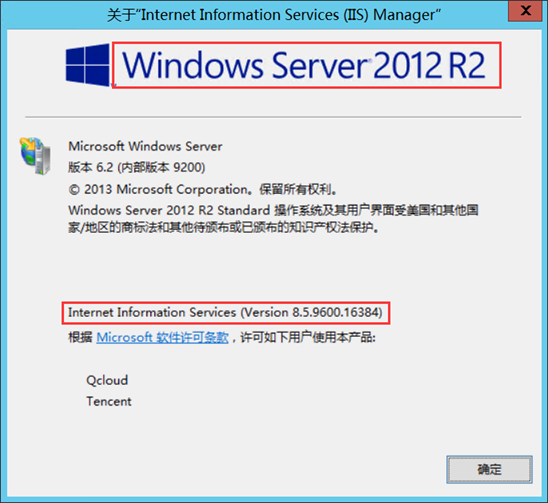
- Windows Server 2012 R2
- Internet Information Services 8.5.9600.16384
下载和安装URL Rewrite
IIS8默认是没有安装URL重写工具的,必须要自己下载安装。
官方下载地址:URL Rewrite下载
官方帮助文档:URL Rewrite Module Configuration 和 IIS URL 重写模块
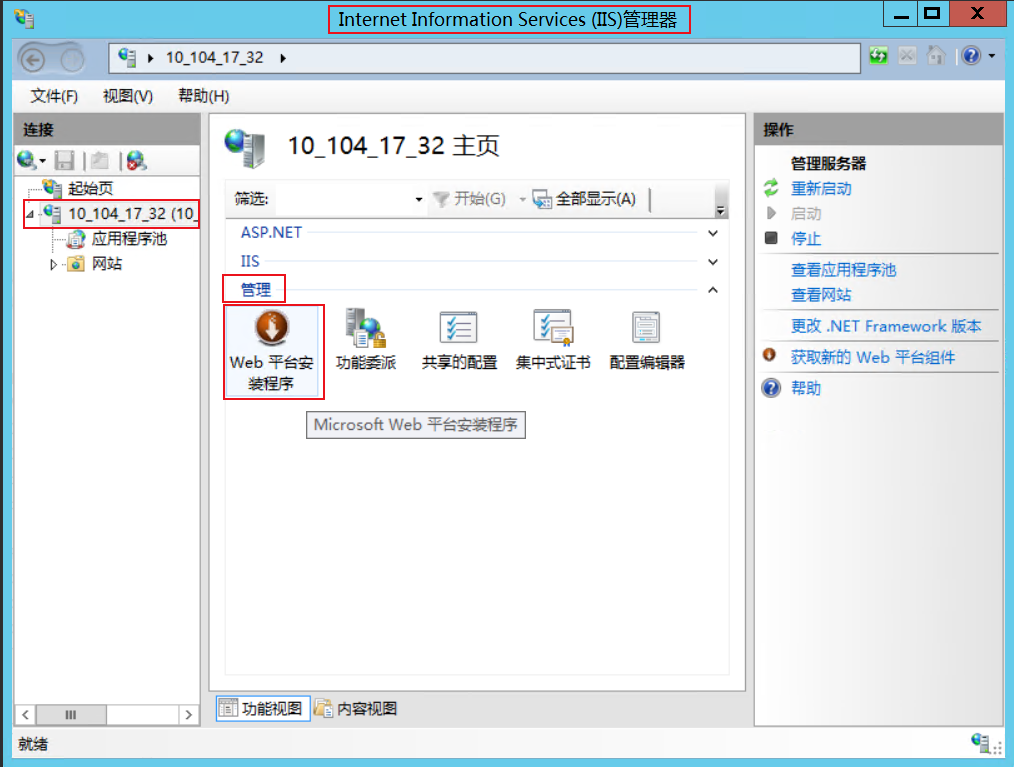
也可以通过IIS管理器安装,双击Web平台安装程序
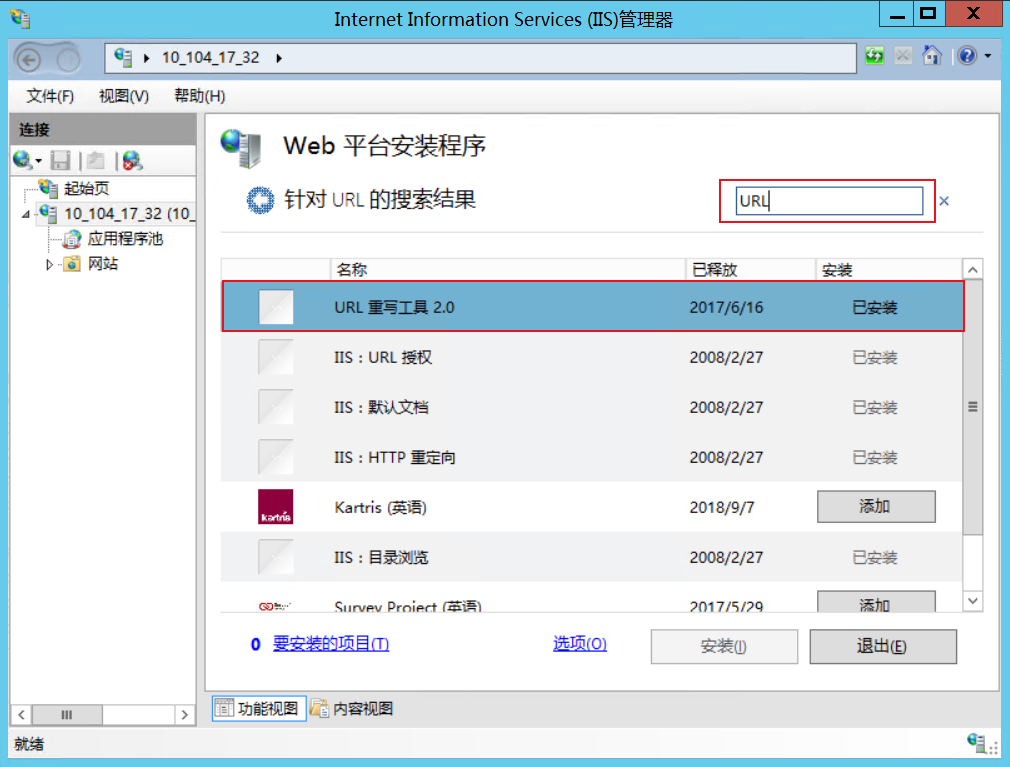
在搜索框中输入URL,安装URL重写工具2.0即可。
设置http跳转到https
注意:需要先安装好URL Rewrite。
打开网站的web.config文件,在里面添加如下代码:
 1 <system.webServer>
 2   <rewrite>
 3     <rules>
 4       <rule name="HTTP to HTTPS redirect" stopProcessing="true">
 5         <match url="(.*)" />
 6         <conditions>
 7           <add input="{HTTPS}" pattern="off" ignoreCase="true" />
 8         </conditions>
 9         <action type="Redirect" redirectType="Found" url="https://{HTTP_HOST}/{R:1}" />
10       </rule>
11     </rules>
12   </rewrite>
13 </system.webServer>
点击保存文件即可。
证书管理
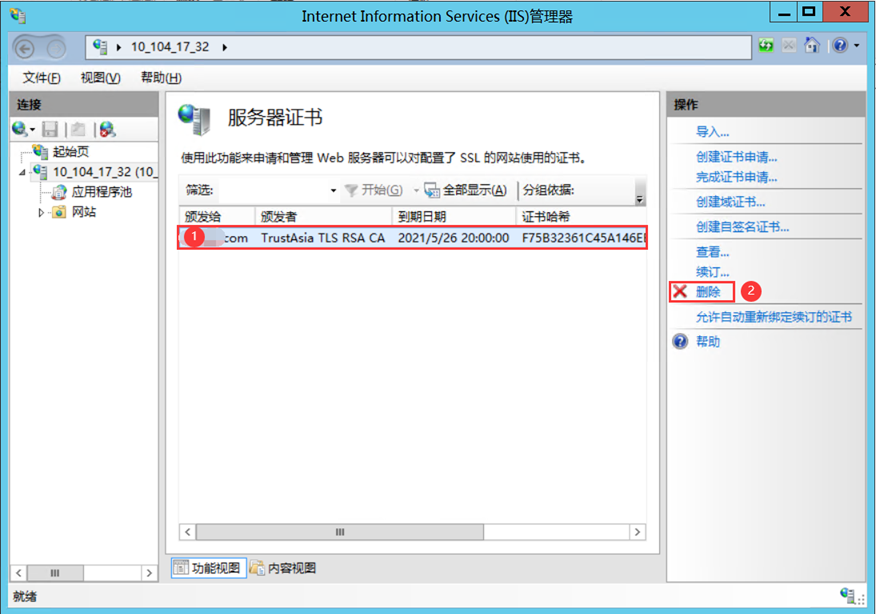
1.打开IIS管理器,按下图操作。
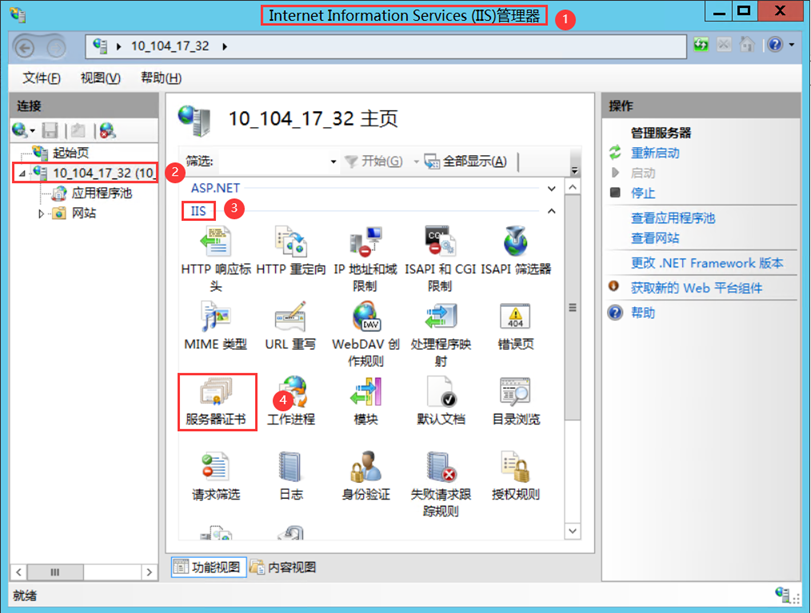
2.选中要删除的证书,点击删除按钮。
有舍才有得,有得必有失

 浙公网安备 33010602011771号