
Creating a DotNetNuke Module using notepad -For absolute beginners! (Page 5)
Package the module: |
|
|||||
|
We will now package the module into a .zip file that can be distributed to any DNN instillation (presumably your production instillation because you would never develop a module on your production server). Paste the following code into a text file and save it as "Test.ImportantMessages.dnn" in the "C:\TEMP\ImportantMessage\Compiled" directory.
|
||||||
|
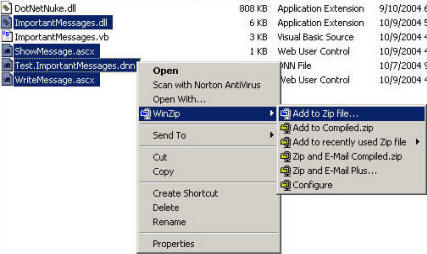
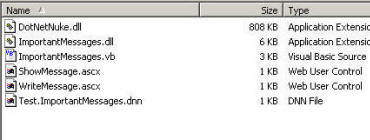
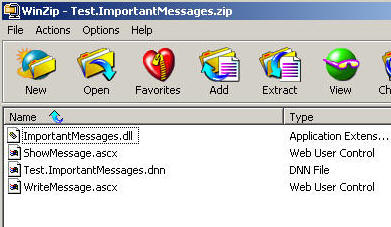
Now zip the files:
"ImportantMessages.dll",
|
|||||
|
|
into a file and name it "Test.ImportantMessages.zip" You can get a copy of the package here |
|||||
| Now in DNN select HOST and FILE MANAGER. | 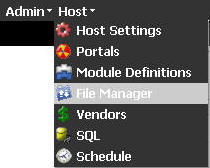
|
|||||
| When the file manager appears, hover your mouse pointer over the pencil icon and select ADD NEW FILE(S). | 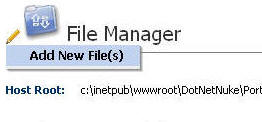
|
|||||
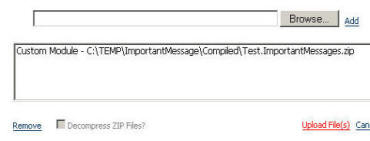
| Click the CUSTOM MODULE radio button. Then click the BROWSE button and select the "Test.ImportantMessages.zip" file. Next, click the ADD button. | 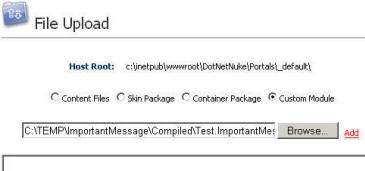
|
|||||
| Next, click the UPLOAD FILE(S) button. |
|
|||||
| The next screen will show the status messages of the module being loded into DNN. If there were errors they would appear here. | 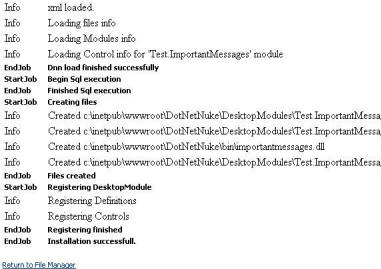
|
|||||
|
Click the FILE MANAGER sub-tab | |||||

|
Next, click the TEST tab that you created. | |||||
|
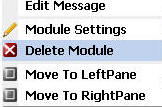
If there is a module on the page, hover the mouse pointer over the pencil icon in the upper left-hand corner of the module and select DELETE MODULE. | |||||
|
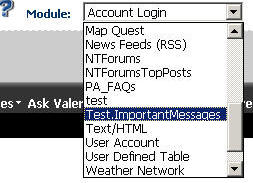
Select Test.ImportantMessages from the Module drop-down and click the ADD button. | |||||
|
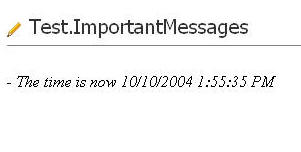
The module will now appear. | |||||
The module is now complete. |
||||||

 浙公网安备 33010602011771号