


requests介绍
1.Requests库:python来发送http请求的(用代码来代替postman的操作)
2.Requests支持HTTP连接保持和连接池,支持使用cookie保持会话,支持文件上传,支持自动确定响应内容的编码,支持国际化的 URL 和 POST 数据自动编码
安装
pip install requests
主要方法
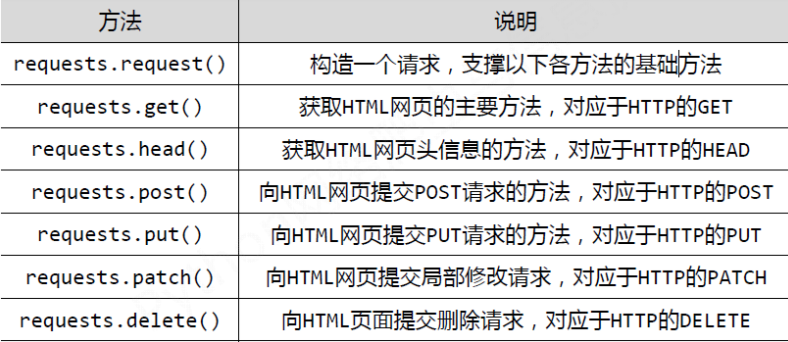
用法
用户登录并获取token
def search():
    # 登录接口的URL
    URL = 'http://ihrm-test.itheima.net/api/sys/login'
    # 携带的数据
    data = {
        "mobile": 13800000001, "password": 123456
    }
    # json.dumps(data) 请求的数据为字典 需要转为转为json格式
    import json
    json_data = json.dumps(data)
    # header 请求头数据
    header = {
        "Content-Type": "application/json"
    }
    res = requests.post(url=URL, data=json_data, headers=header)
    # 把返回的数据转为json
    res_data = res.json()
    # 通过返回的数据 取到登录用户的token token在data里
    token = res_data['data']
    # header 请求头格式
    new_token = "Bearer " + token
查询数据(如果get要携带数据不是data而是params)
    # header 请求头数据,需要携带登录用户的token,否则无法操作
    new_header = {
        "Content-Type": "application/json",
        "Authorization": new_token
    }
    # 请求的URL
    url = 'http://ihrm-test.itheima.net/api/sys/user/1406796680086540288'
    res1 = requests.get(url=url, headers=new_header)
    res_data = res1.json()
    print(res_data)
    # 把token返回
    return new_token


if __name__ == '__main__':
    # 把函search()数赋值给a
    a = search()
添加数据
# 添加
def add():
    url = 'http://ihrm-test.itheima.net/api/sys/user'
    data = {
        "mobile": "12345678922",
        "username": "hzm_456_778",
        "workNumber": "10010"
    }

    import json
    data_json = json.dumps(data)
    header = {
        "Content-Type": "application/json",
        # a 代表登录函数返回的用户token
        "Authorization": a
    }
    res2 = requests.post(url=url, headers=header, data=data_json)
    res2_data = res2.json()
    print(res2_data)


add()
修改数据
# 修改
def aaa():
    # 通过id修改 后面是要修改那条数据的id
    url = 'http://ihrm-test.itheima.net/api/sys/user/1406870220940890112'
    data = {
        'username': '777'
    }

    import json
    data_json = json.dumps(data)

    header = {
        "Content-Type": "application/json",
        # a 代表登录函数返回的用户token
        "Authorization": a
    }

    res3 = requests.put(url=url, data=data_json, headers=header)
    res3_data = res3.json()
    print(res3_data)


aaa()
删除数据
# 删除
def dell():
    url = 'http://ihrm-test.itheima.net/api/sys/user/1406796680086540288'
    header = {
        "Content-Type": "application/json",
        # a 代表登录函数返回的用户token
        "Authorization": a
    }
    res4 = requests.delete(url=url, headers=header)
    res4_data = res4.json()
    print(res4_data)


dell()
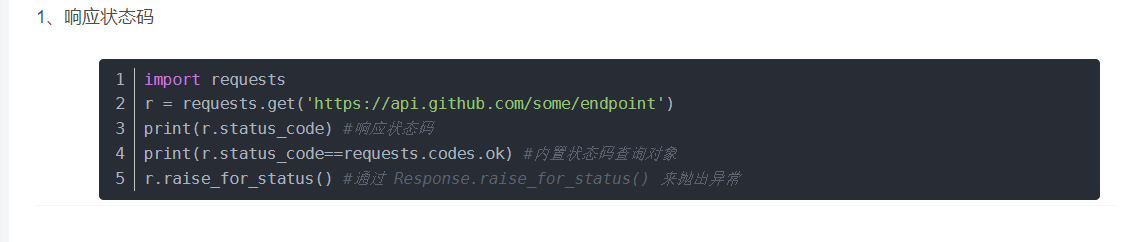
获取响应状态码
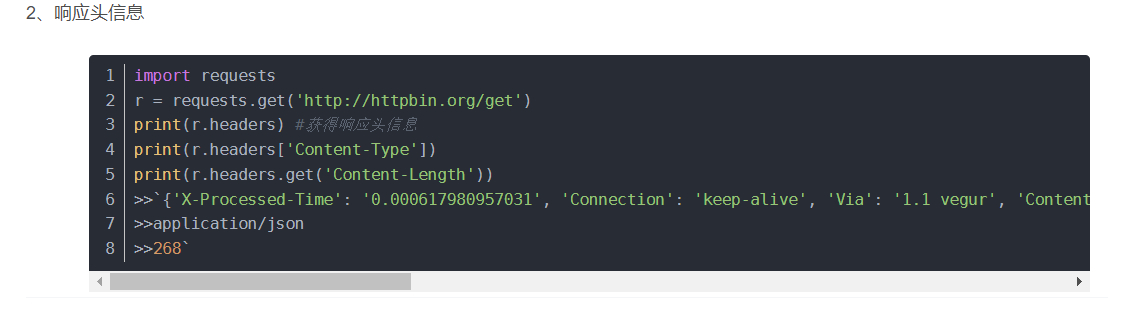
获取响应头信息
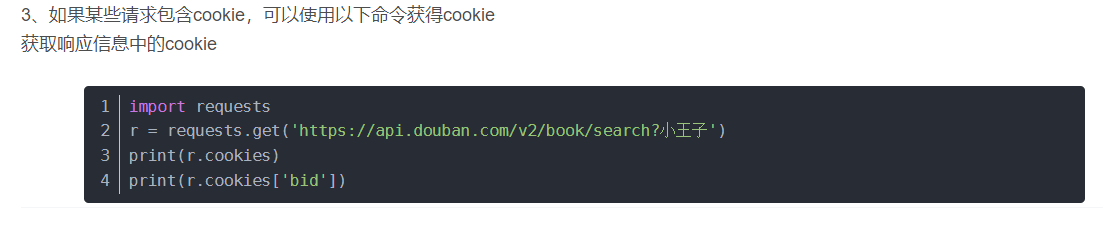
获取cookie
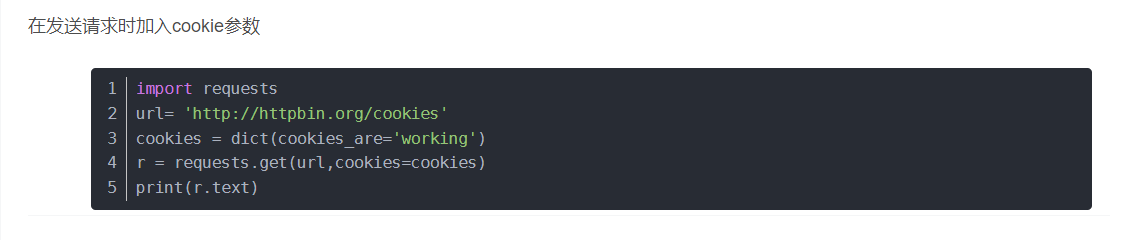
在发送请求时加入cookie
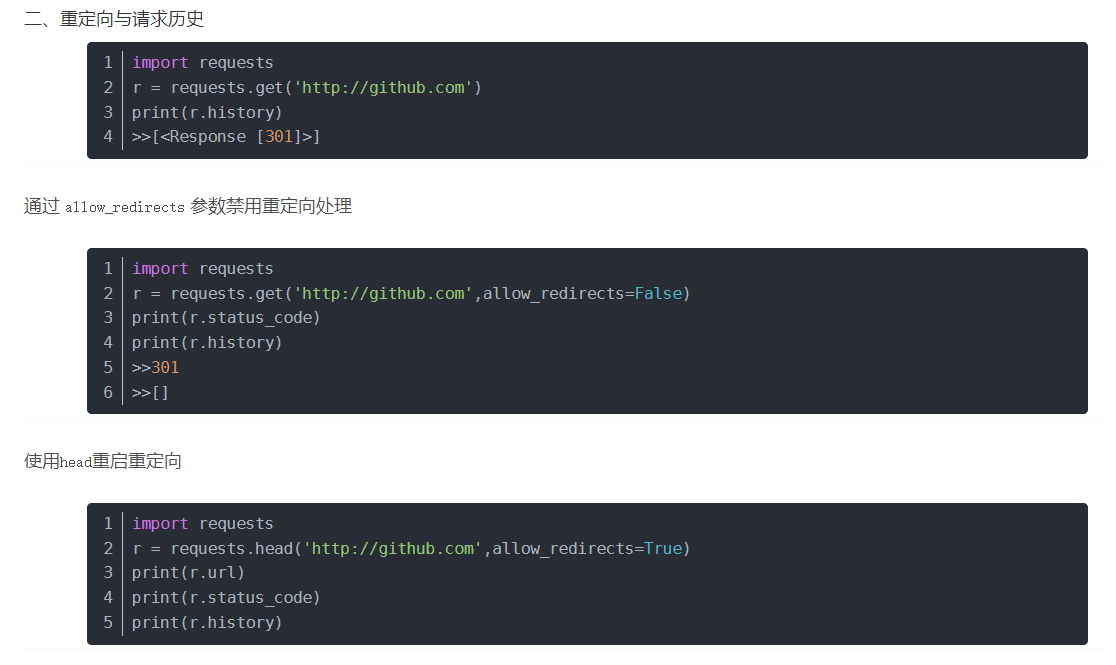
关于重定向

 浙公网安备 33010602011771号