
08 大数据第八次作业
WordCount程序任务:
|
程序 |
WordCount |
|
输入 |
一个包含大量单词的文本文件 |
|
输出 |
文件中每个单词及其出现次数(频数), 并按照单词字母顺序排序, 每个单词和其频数占一行,单词和频数之间有间隔 |
1.用你最熟悉的编程环境,编写非分布式的词频统计程序。
- 读文件
- 分词(text.split列表)
- 按单词统计(字典,key单词,value次数)
- 排序(list.sort列表)
- 输出
代码如下:
(1)方法一(文本暴露在运行环境中):
sentences = """
Under the mistletoe
Watching the fire glow
And telling me, "I love you"
Just being in your arms
Takes me back to that little farm
Where every wish comes true
"""
sentences=sentences.replace(',','')
sentences=sentences.replace('"','')   #将句子中的逗号,双引号去除掉
sentences=sentences.split()           #将句子分开为单个的单词,分开后产生的是一个列表sentences
count_dict={}
for sentence in sentences:
    if sentence not in count_dict:   #判断是否不在统计的字典中
        count_dict[sentence] = 1
    else:
        count_dict[sentence]+=1      #如果所统计的单词在字典中,就累加1
for key,value in count_dict.items():
    print(f"{key}出现了{value}次")

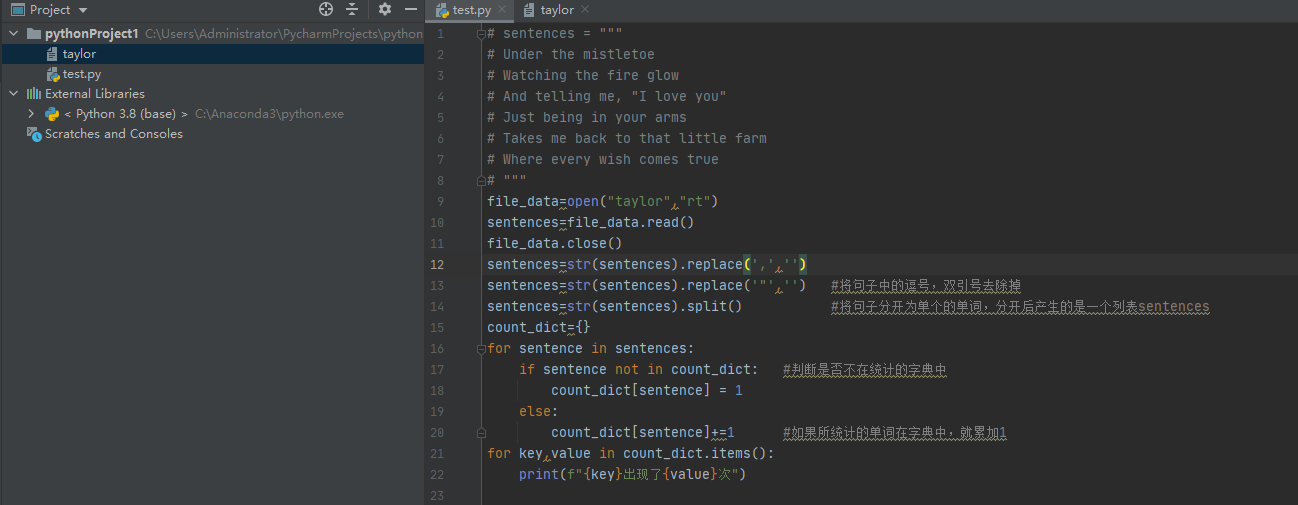
(2)方法二(新建文本进行读取文本里面内容):
执行代码:
file_data=open("taylor","rt")
sentences=file_data.read()
file_data.close()
sentences=str(sentences).replace(',','')
sentences=str(sentences).replace('"','')   #将句子中的逗号,双引号去除掉
sentences=str(sentences).split()           #将句子分开为单个的单词,分开后产生的是一个列表sentences
count_dict={}
for sentence in sentences:
    if sentence not in count_dict:   #判断是否不在统计的字典中
        count_dict[sentence] = 1
    else:
        count_dict[sentence]+=1      #如果所统计的单词在字典中,就累加1
for key,value in count_dict.items():
    print(f"{key}出现了{value}次")

文本内容(taylor文本):
Under the mistletoe
Watching the fire glow
And telling me, "I love you"
Just being in your arms
Takes me back to that little farm
Where every wish comes true
运行结果如下:
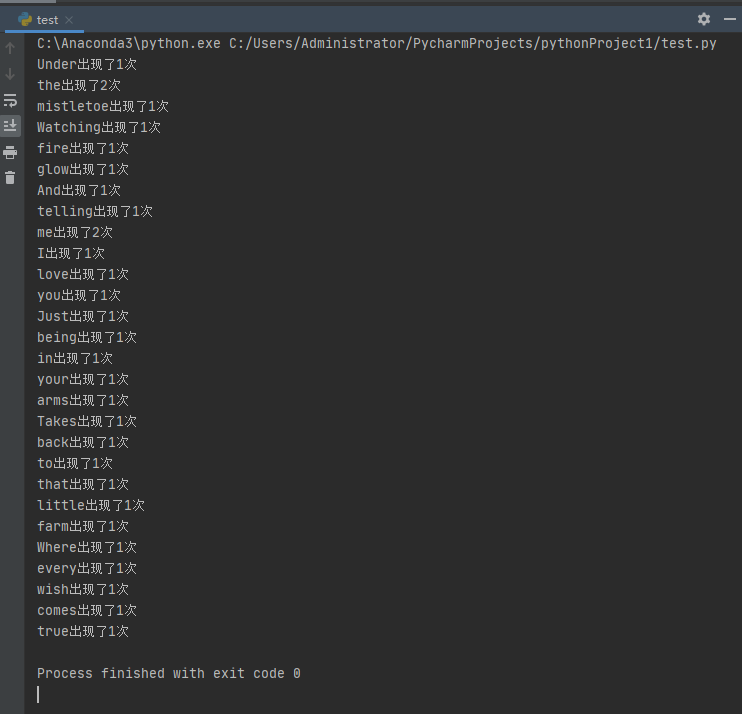
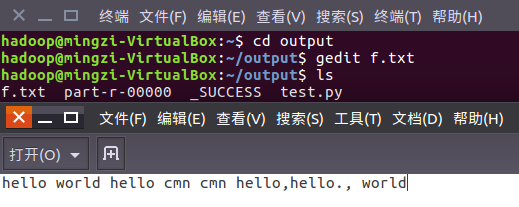
在Ubuntu中实现运行。
1、准备txt文件
2、编写py文件
读文件、分词、按单词统计、排序、输出
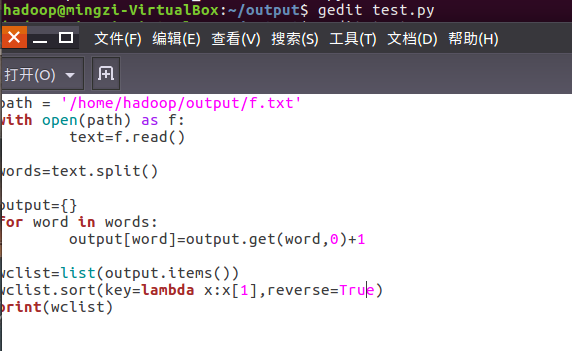
3、python3运行py文件分析txt文件。

2.用MapReduce实现词频统计
2.1编写Map函数
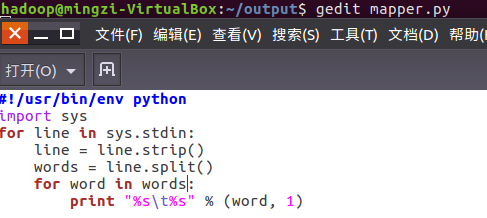
编写mapper.py
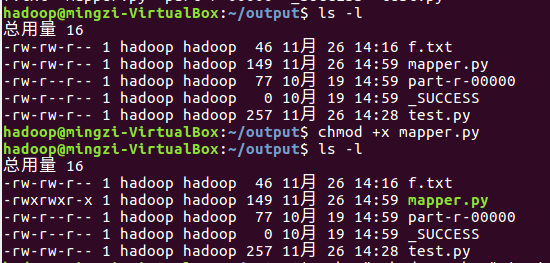
授予可运行权限
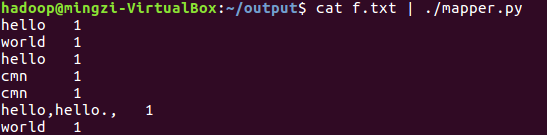
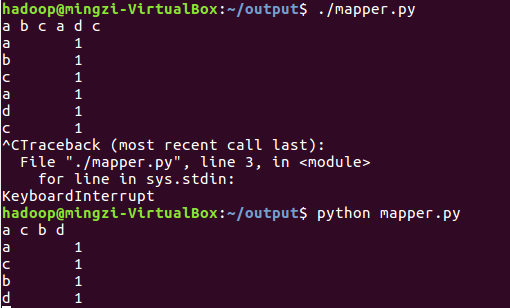
本地测试mapper.py
(1)

(2)
(3)
2.2编写Reduce函数
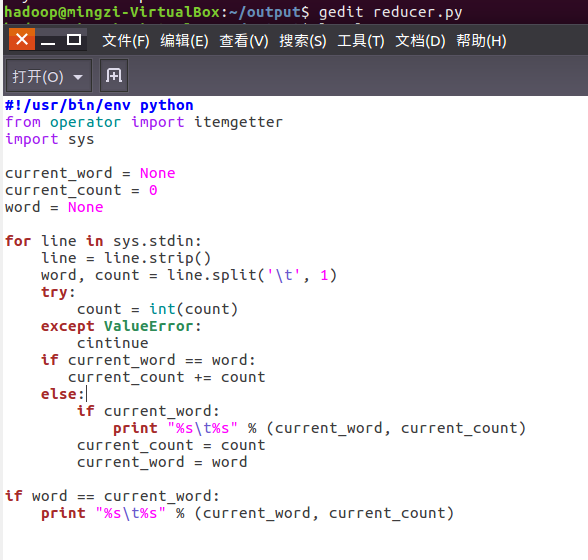
编写reducer.py
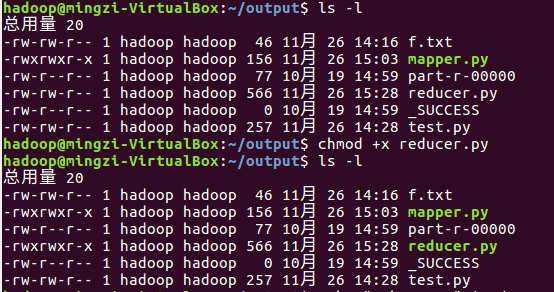
授予可运行权限
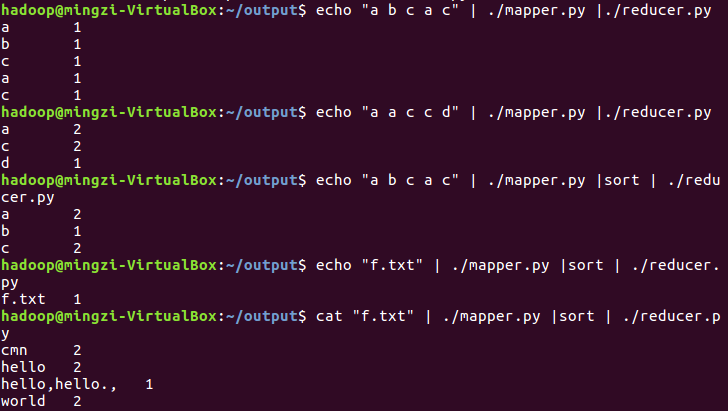
本地测试reducer.py
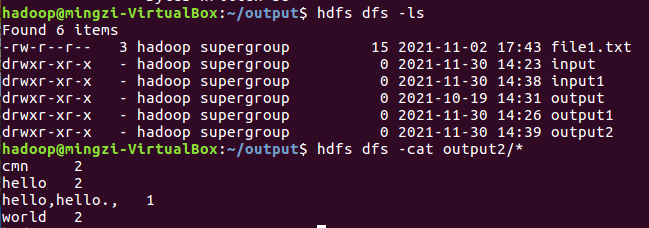
2.3分布式运行自带词频统计示例
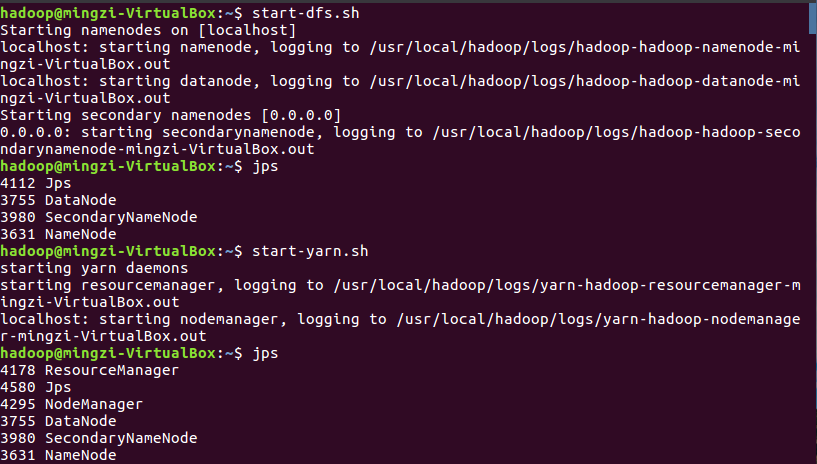
启动HDFS与YARN
准备待处理文件,上传到HDFS上


运行实例hadoop-mapreduce-examples-2.7.1.jar

查看结果
2.4 分布式运行自写的词频统计
1、用Streaming提交MapReduce任务:
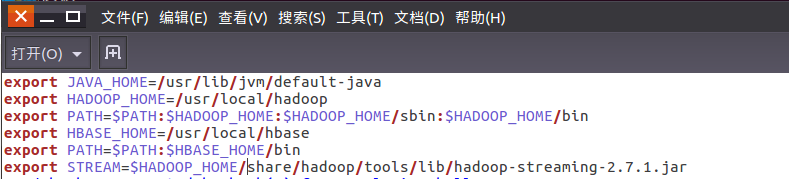
查看hadoop-streaming的jar文件位置:/usr/local/hadoop/share/hadoop/tools/lib/

配置stream环境变量

编写运行文件run.sh

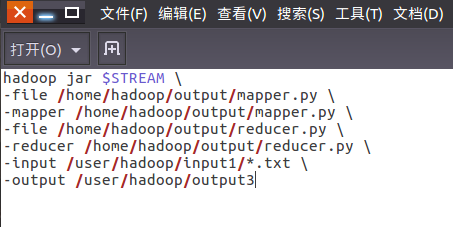
运行run.sh运行

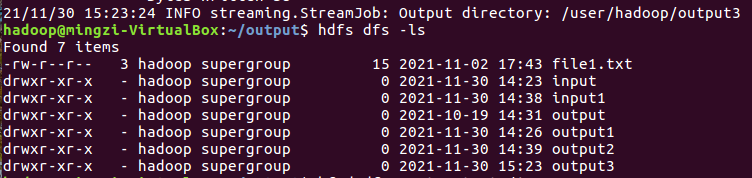
查看运行结果

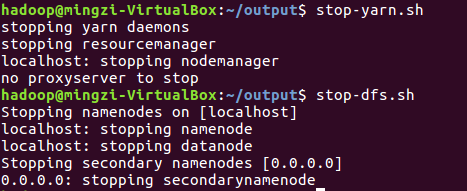
停止HDFS与YARN

 浙公网安备 33010602011771号