
Flume故障转移
- 在/opt/module/flume/job 目录下创建 group2 文件夹
mkdir group2
![]()
![]()
-
配置 1 个 netcat source 和 1 个 channel、1 个 sink group(2 个 sink),分别输送给flume-flume-console1 和 flume-flume-console2。
编辑配置文件
vim flume-netcat-flume.conf
![]()
# Name the components on this agent
a1.sources = r1
a1.channels = c1
a1.sinkgroups = g1
a1.sinks = k1 k2

# Describe/configure the source
a1.sources.r1.type = netcat
a1.sources.r1.bind = localhost
a1.sources.r1.port = 44444
a1.sinkgroups.g1.processor.type = failover
a1.sinkgroups.g1.processor.priority.k1 = 5
a1.sinkgroups.g1.processor.priority.k2 = 10
a1.sinkgroups.g1.processor.maxpenalty = 10000

# Describe the sink
a1.sinks.k1.type = avro
a1.sinks.k1.hostname = hadoop102
a1.sinks.k1.port = 4141
a1.sinks.k2.type = avro
a1.sinks.k2.hostname = hadoop102
a1.sinks.k2.port = 4142

# Describe the channel
a1.channels.c1.type = memory
a1.channels.c1.capacity = 1000
a1.channels.c1.transactionCapacity = 100

# Bind the source and sink to the channel
a1.sources.r1.channels = c1
a1.sinkgroups.g1.sinks = k1 k2
a1.sinks.k1.channel = c1
a1.sinks.k2.channel = c1
保存并退出
vim flume-flume-console1.conf
![]()
# Name the components on this agent
a2.sources = r1
a2.sinks = k1
a2.channels = c1

# Describe/configure the source
a2.sources.r1.type = avro
a2.sources.r1.bind = hadoop102
a2.sources.r1.port = 4141

# Describe the sink
a2.sinks.k1.type = logger

# Describe the channel
a2.channels.c1.type = memory
a2.channels.c1.capacity = 1000
a2.channels.c1.transactionCapacity = 100

# Bind the source and sink to the channel
a2.sources.r1.channels = c1
a2.sinks.k1.channel = c1
保存并退出
vim flume-flume-console2.conf
![]()
# Name the components on this agent
a3.sources = r1
a3.sinks = k1
a3.channels = c2

# Describe/configure the source
a3.sources.r1.type = avro
a3.sources.r1.bind = hadoop102
a3.sources.r1.port = 4142

# Describe the sink
a3.sinks.k1.type = logger

# Describe the channel
a3.channels.c2.type = memory
a3.channels.c2.capacity = 1000
a3.channels.c2.transactionCapacity = 100

# Bind the source and sink to the channel
a3.sources.r1.channels = c2
a3.sinks.k1.channel = c2
保存并退出
- 执行配置文件,3个终端分别开启对应配置文件:flume-flume-console2,flume-flume-console1,flume-netcat-flume。
bin/flume-ng agent -n a3 -c conf/ -f job/group2/flume-flume-console2.conf -Dflume.root.logger=INFO,console
![]()
bin/flume-ng agnet -n a2 -c conf/ -f job/group2/flume-flume-console1.conf -Dflume.root.logger=INFO,console
![]()
bin/flume-ng agent -n a1 -c conf/ -f job/group2/flume-netcat-flume.conf -Dflume.root.logger=INFO,console
![]()
-
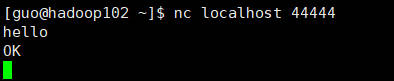
使用 netcat 工具向本机的 44444 端口发送内容
nc localhost 44444![]()
![]()
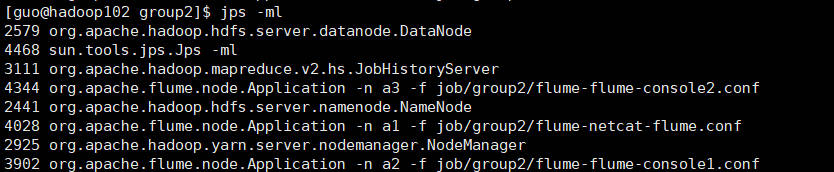
查看Flume 进程。
jps -ml
![]()
观察执行a3事务的窗口,有数据更新
![]()
观察执行a2事务的窗口,无数据更新
![]()
将a3任务终止
![]() 再次查看 Flume 进程。
再次查看 Flume 进程。![]()
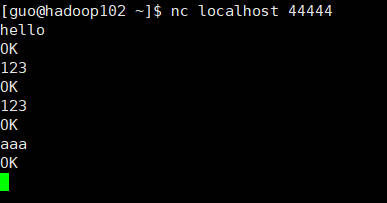
本机44444端口继续发送内容
![]()
a3窗口不会收到消息,a2窗口收到消息
![]()
-
这就是Flume故障转移的使用















 浙公网安备 33010602011771号