

neo4j安装apoc插件
环境:
OS:Centos 7
neo4j:5.26.8
1.下载
https://github.com/neo4j/apoc/releases/tag/5.26.8
下载的版本需要与neo4j版本保持一致
[root@localhost bin]# ./neo4j version
neo4j 5.26.8
下载的文件如下:
apoc-5.26.8-core.jar
2.将下载的插件包拷贝到插件目录
[root@localhost neo4j]# cp /soft/neo4j/apoc-5.26.8-core.jar /opt/neo4j/plugins/
3.重启动neo4j
[root@localhost bin]# ./neo4j restart
Stopping Neo4j........ stopped.
Directories in use:
home:         /opt/neo4j
config:       /opt/neo4j/conf
logs:         /opt/neo4j/logs
plugins:      /opt/neo4j/plugins
import:       /opt/neo4j/import
data:         /opt/neo4j/data
certificates: /opt/neo4j/certificates
licenses:     /opt/neo4j/licenses
run:          /opt/neo4j/run
Starting Neo4j.
Started neo4j (pid:16151). It is available at http://192.168.1.100:7474
There may be a short delay until the server is ready.
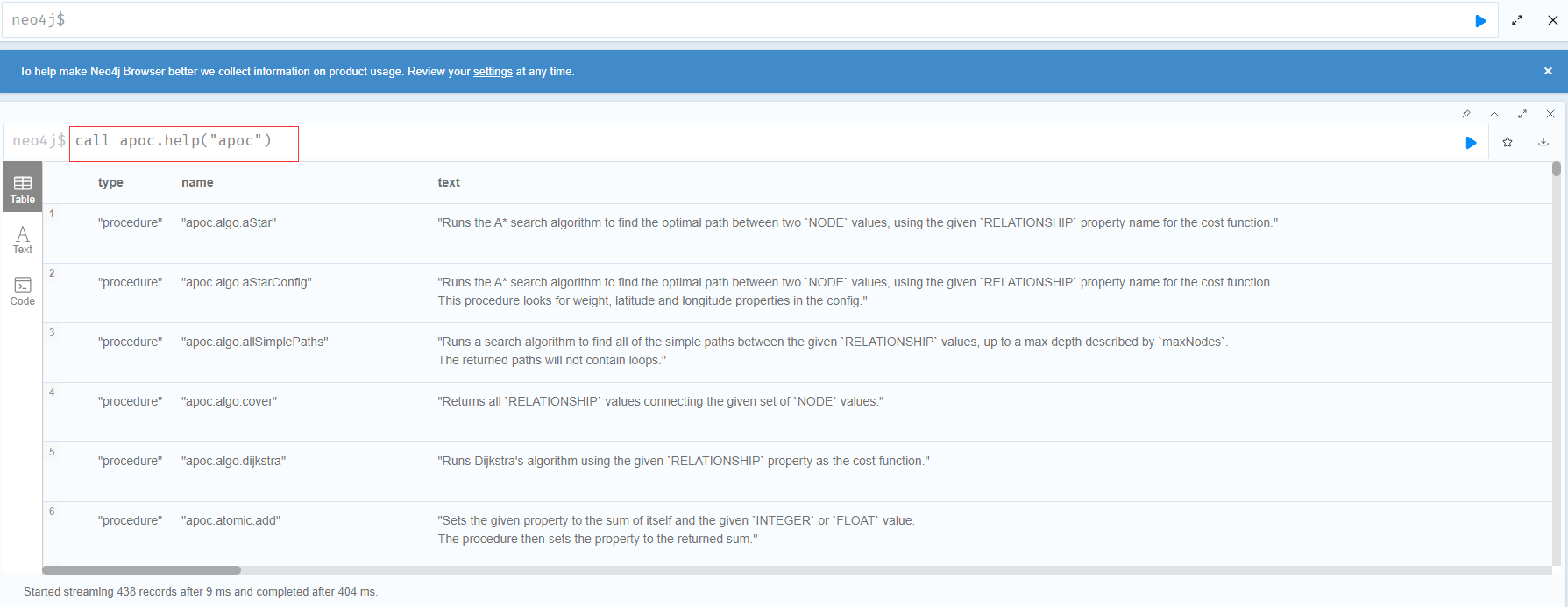
4.测试是否安装成功
call apoc.help("apoc")


 浙公网安备 33010602011771号