
rtsp格式转码rtmp
1、下载nginx 1.7.11.3 Gryphon
编辑conf/nginx.conf文件(没有新建一个)
worker_processes  1;

error_log  logs/error.log debug;

events {
    worker_connections  1024;
}

rtmp {
    server {
        listen 1935; // rtmp监听端口

        chunk_size 4000;

        application live {
            live on;
        }

        application hls {
            live on;
            hls on;
            hls_path temp/hls;
            hls_fragment 8s;
        }
    }
}

http {
    include        mime.types;
    default_type    application/octet-stream;
    sendfile        on;
    keepalive_timeout    65;
    server {
        listen      20000;

        location / {
            root html;
            index    index.html index.htm;
        }

        location /stat {
            rtmp_stat all;
            rtmp_stat_stylesheet stat.xsl;
        }

        location /stat.xsl {
            root html;
        }

        location /hls {
            #server hls fragments
            types{
                application/vnd.apple.mpegurl m3u8;
                video/mp2t ts;
            }
            alias temp/hls;
            expires -1;
        }

        error_page   500 502 503 504  /50x.html;
        location = /50x.html {
            root   html;
        }
    }
}2、下载ffmpeg多媒体处理工具
配置环境变量path(ffmpeg/bin)
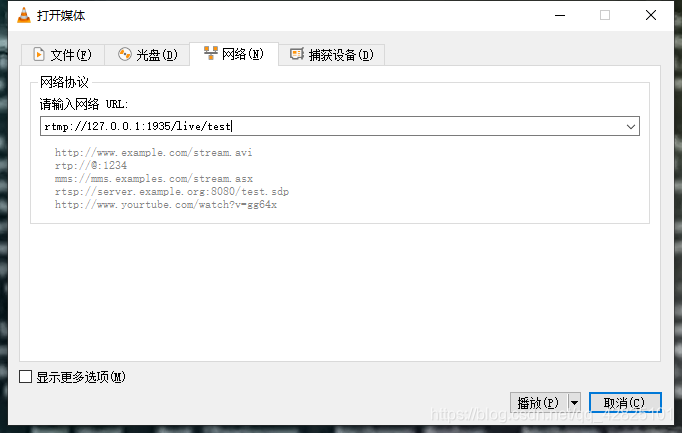
ffmpeg -re -rtsp_transport tcp -i "rtsp地址" -f flv -vcodec libx264 -vprofile baseline -acodec aac -ar 44100 -strict -2 -ac 1 -f flv -s 1280x720 -q 10 "rtmp://127.0.0.1:1935(nginx.conf的rtmp监听端口)/live(rtmp模块下application设置)/test(命名)"3、下载VLC工具查看效果

 浙公网安备 33010602011771号